
To help us provide you with free impartial advice, we may earn a commission if you buy through links on our site. Learn more
- Best antivirus: At a glance
- How to choose the best antivirus for you
- The best antivirus programs you can buy in 2023
- 1. F-Secure SAFE: Best antivirus overall
- 2. Kaspersky Internet Security: Best antivirus for advanced users
- 3. Norton 360 Standard: Best antivirus for value
- 4. Bitdefender Internet Security: Best antivirus for ransomware protection
- 5. McAfee Total Protection: Best antivirus for features
- 6. Avast Antivirus Free (2021): Best free antivirus package
Finding the best antivirus program for your PC can be a daunting task with so many options available at different price points, but we’ve done the hard work to find you the best ones available in the UK this year. The days when you could catch a virus or a malicious worm by simply connecting to the internet are thankfully behind us, but installing a good all-around security solution will always ensure that you’re one step ahead of falling victim to online attacks.
Remember that even though it’s harder for hackers to sneak under the radar today, they can still compromise your security through social engineering – that is, tricking you into voluntarily installing dodgy apps and giving away information that you really shouldn’t be fooled into clicking or opening. A strong antivirus program – including the ones mentioned below – can save you when you’re about to make a dangerous mistake, or deceived into making one.
As ever, there’s no telling where the next outbreak will come from, or what form it will take. A few years ago, there was a sudden explosion of ransomware, and while security suites were quickly updated to block the threats, a heavy price was paid (often literally) by individuals and businesses who assumed that the malware threat was a thing of the past. You know what they say about prevention being better than cure. Antivirus programs today are much cheaper than they were before and many – like the ones below – are often available at rock-bottom discounted prices for a limited time.
Get Norton 360 for just £10
Norton 360 Standard is available for just £10 on Amazon. In addition to protecting your PC against attacks, it also comes with a fully featured VPN program and a 10GB cloud storage backup solution, and you even get instant alerts whenever someone attempts to access your webcam.
£10
Best antivirus: At a glance
- Best overall: F-Secure SAFE | From £19
- Best for advanced users: Kaspersky Internet Security | From £8
- Best for value: Norton 360 Standard | From £8
- Best for ransomware protection: Bitdefender Internet Security | £15
- Best for features: McAfee Total Protection | From £10
- Best free antivirus: Avast Antivirus Free (2021) | Free
How to choose the best antivirus for you
What makes one antivirus better than another?
All security suites promise to block online threats, and many of them do so very effectively. However, some are prone to false positives, and that could be very dangerous. After all, if you’re regularly being warned away from programs that you know are safe, that creates uncertainty when the software blocks something you’re less sure of. All of the antivirus suites we recommend below have proved themselves in rigorous tests by independent security specialists AV Comparatives and AV Test. Check out their websites for more details of test results, and for the latest scores awarded to other software.
What features should I look for?
Most antivirus programs offer a range of products at different prices. Even the most basic antivirus tools should intercept malware as soon as it lands on your PC. We recommend that you also look for some sort of web protection. The “Internet Security” suite will add extra features, including features to protect your online privacy.
Specialised anti-ransomware measures have recently become popular, too. These tools stop any unrecognised application from accessing your personal files – ensuring you’re safe even from brand-new, unrecognised threats that manage to sneak past your regular defences. Webcam protection is another popular tool, ensuring that no app can surreptitiously use your webcam to spy on you.
Many suites include secondary tools such as password managers, secure file erasers and performance optimisers. We don’t think it’s worth paying for these because you can normally get the same benefits from free software. Similarly, if you’re interested in parental controls, check the feature list, because the tools on hand don’t always do much more than Microsoft’s free Family Safety service.
READ NEXT: Best password managers
Will using an antivirus suite slow my PC?
Yes – unfortunately, all antivirus programs will slow down your PC. However, it’s not as bad as you fear because modern-day security packages use clever techniques to minimise the impact. For example, applications are typically scanned when you first download and install them; then when you later run the application, the security software only needs to briefly check whether the file has changed. If it hasn’t, it doesn’t need to be re-scanned.
Indeed, if you’re currently using Windows without any third-party security software, you can actually expect things to feel faster after you install a new suite. That’s because the built-in Windows Defender antivirus component slows down your system to a greater degree than most good commercial alternatives.
How can I get the best price?
The old adage says that you get what you pay for – but in the world of commercial security suites, that doesn’t apply at all. Some publishers sell their products at full price through their own websites, while independent retailers offer deep discounts. The best advice is to spend a few minutes shopping around before you buy. That’s true when you first choose a suite, and also when your subscription is about to expire. You will almost certainly get a friendly pop-up inviting you to extend your licence for the full RRP, but you can save a lot of money by allowing it to run out and simply buying a new copy.
What other services can I use to protect my online browsing?
Even if you use the best antivirus services, chances are that your ISP will still know everything that you’re doing online. The best way to combat this is to use a good VPN service. Many of these cost less than £4/mth, but they are the only thing that will guarantee complete anonymity every time you go online. A VPN basically creates a secure tunnel between your PC and the websites you’re browsing so that no one will be able to see what you do online. An added benefit is that most good VPNs let you access streaming services that are blocked in your country, including American and UK Netflix, BBC iPlayer, Disney Plus and others.
READ NEXT: Best VPN services
The best antivirus programs you can buy in 2023
1. F-Secure SAFE: Best antivirus overall
Price: From £19 | Buy now from Amazon
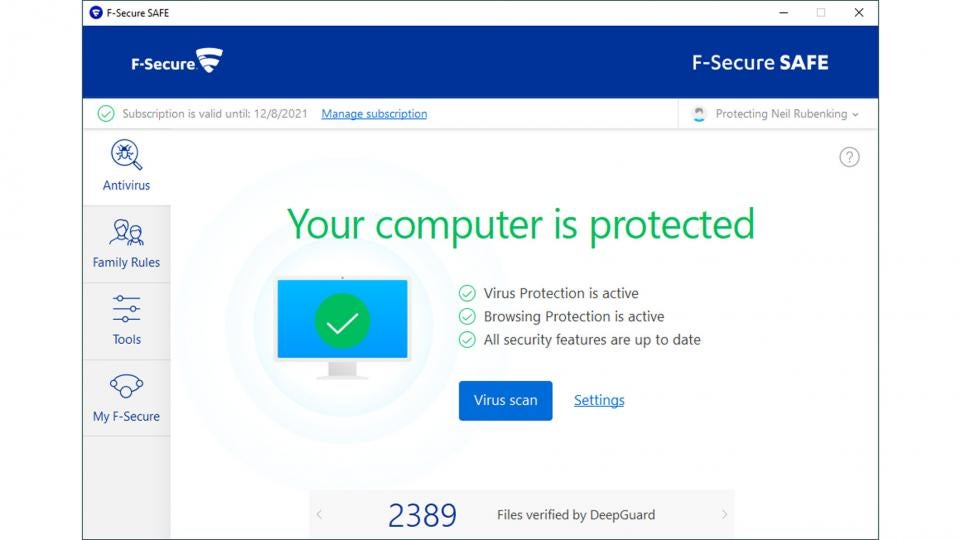
F-Secure SAFE is an unfussy security suite: it doesn’t try to do everything, but it offers excellent protection in a simple and very affordable package.
As soon as you install it, on-access scanning is enabled by default, as is protection from suspicious websites and downloads. German testing lab AV-Test recently gave F-Secure a perfect 100% rating for protection, so you can browse in confidence – and when the software detects you’re visiting a banking site, the suite temporarily blocks internet access for any untrusted apps and scripts running in the background, to ensure you can’t be spied on.
The suite also incorporates a parental control module called Family Rules, which can block or time-limit the use of specific apps, restrict overall screen time, filter web content and even track the location of Android or iOS phones.
Best of all, F-Secure SAFE is the most lightweight security suite we’ve tried, with the fastest overall performance across multiple independent tests. While other suites pack in the features, this is a top choice for slick, straightforward security.
Read our full F-Secure SAFE review for more details

2. Kaspersky Internet Security: Best antivirus for advanced users
Price: From £8 | Buy now from Amazon
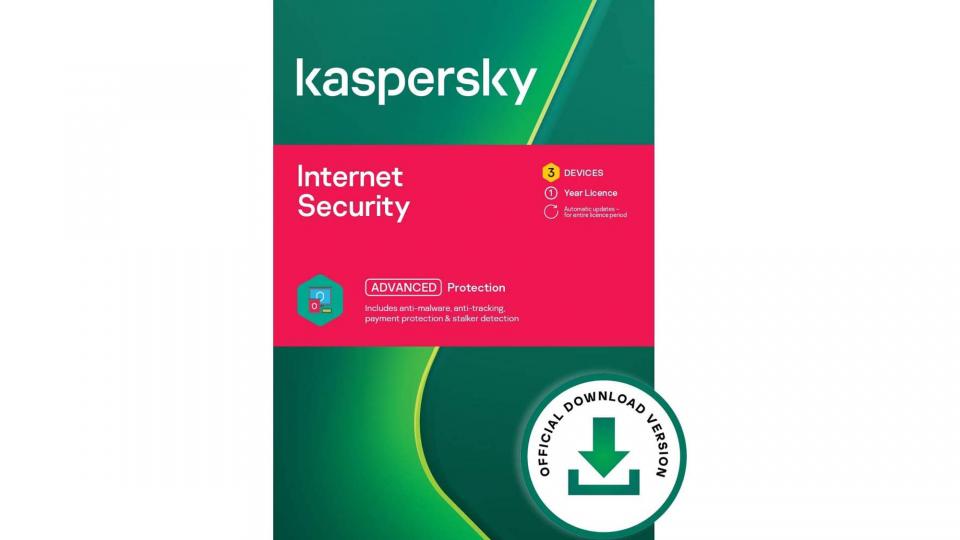
Kaspersky has received plenty of plaudits over the years and this latest release scored a flawless 100% scores in the latest anti-malware tests. It’s one of the nimblest security solutions around too, so it won’t bog down your PC.
Despite that, it incorporates a good spread of additional security features. The “Safe Money” function lets you use shopping or banking sites in a specially sandboxed browser window, while an automatic software updater finds and flags any outdated applications.
The application even includes a custom firewall, which is easier to configure than the standard Windows one, and a network monitor tool too, which shows you in real time what your various applications and processes are doing online. Overall, Kaspersky remains a compelling choice for your online security, offering numerous dimensions of strong protection with only a modest impact on system performance.
Read our full Kaspersky Internet Security review for more details

3. Norton 360 Standard: Best antivirus for value
Price: From £8 | Buy now from Amazon
As you would hope, Norton keeps you safe from viruses and other online attacks – and it boasts not one but two standout features. The first is an integrated backup module, which comes with 10GB of bundled cloud storage. If you opt for the Deluxe edition of the suite that goes up to 50GB, while the Premium edition comes with 75GB.
Second, the suite also includes a fully functional VPN. It isn’t packed with features but with no data limits and servers in 31 countries to choose from, it’s a strong plus point for Norton.
Elsewhere in the suite you will find a custom firewall and an integrated version of Norton’s free password manager. The 360 Deluxe and Premier packages add parental controls and active breach monitoring, to warn you if your credentials have been leaked online.
Independent testers found Norton was slightly more susceptible to false positives than other suites, but as long as you’re comfortable fishing the occasional file out of quarantine, it’s a great one-stop solution for virus protection, cloud backup and unlimited VPN services.

4. Bitdefender Internet Security: Best antivirus for ransomware protection
Price: £15 | Buy now from Amazon
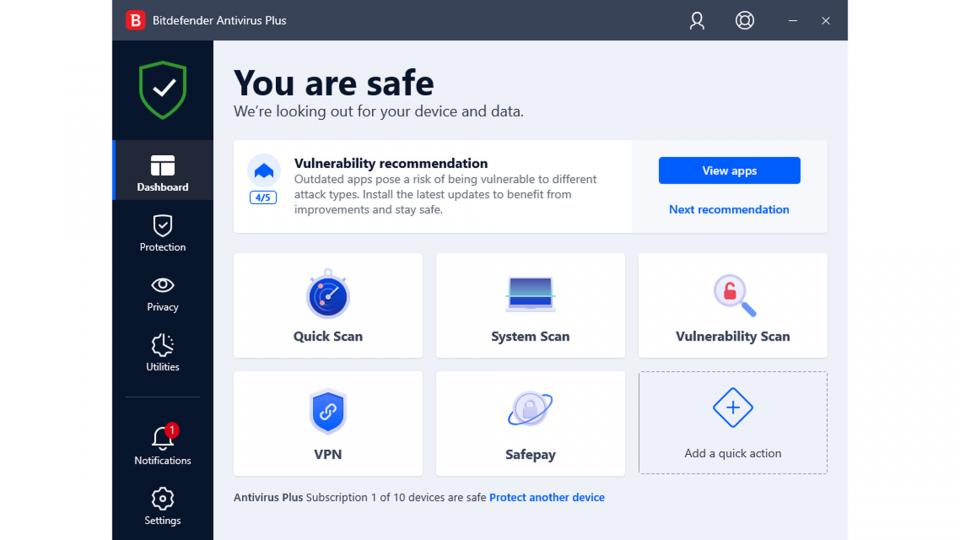
With 100% protection ratings from both AV-Comparatives and AV-Test, Bitdefender is undeniably effective and licensing starts at a very attractive £15 for three devices.
It’s a strong all-rounder too, with a custom firewall and an ingenious ransomware remediation module, which keeps dynamic backups of modified files, ready for instant restoration if malicious code tries to encrypt the originals. Versatile parental controls are included, too, allowing you to browse and restrict kids’ screen time and app usage across all platforms. You can even track their location if you’ve installed the companion app on their Android or iOS smartphone.
Bitdefender is a good choice for those who don’t like to be interrupted. Its smart profile system intelligently switches between interactive operation and silent running, where the software stays in the background and takes action automatically as needed to keep you safe.
The suite did rack up a few black marks in the false-positive tests, making the wrong call on a few occasions, and it didn’t quite take the crown for speed either. These are minor quibbles, though; it remains a solid security solution with plenty of features at a fair price.

5. McAfee Total Protection: Best antivirus for features
Price: From £10 | Buy now from Amazon
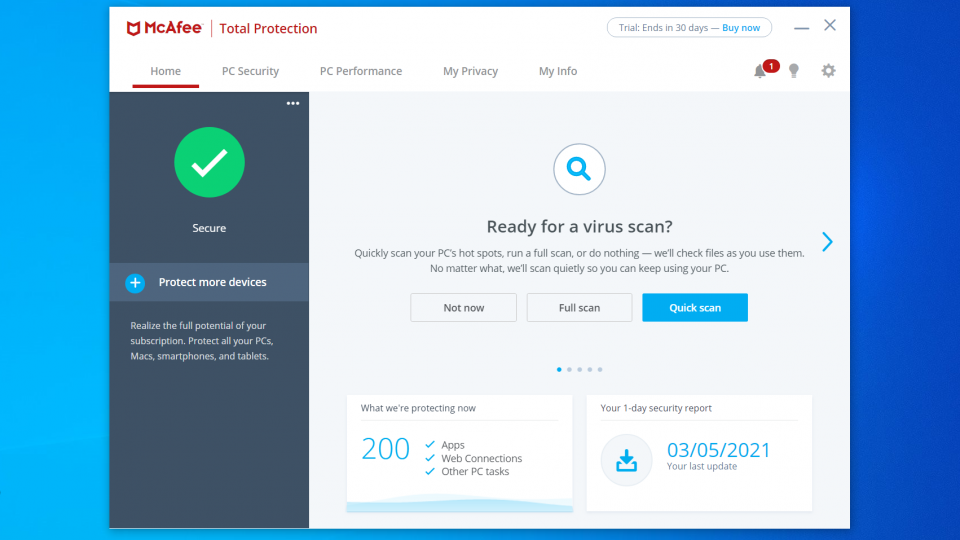
McAfee has had a mixed reputation over the years but this latest version is a winner. It scored a perfect 100% protection score in multiple malware tests, while having a minimal impact on the speed and responsiveness of your PC.
There’s plenty of bonus features, including a custom firewall, McAfee’s True Key password manager and the McAfee Safe Family parental controls, which work across Windows, Android and iOS. You also get an automatic software updater, a simple network scanner that lets you inspect nearby LAN clients, and tools for encrypting or shredding sensitive files.
Even better, the package includes a complete VPN service, with selectable servers in 23 locations around the world and no data caps. However, this is only available while you have the automatic licence renewal option turned on. This could result in you getting hit with a big charge at the end of your first year; to avoid that, you will need to cancel your subscription and buy a new licence.
While that’s a bit sneaky, it doesn’t turn us off the package as a whole. Overall, McAfee Total Protection is absurdly good value, partnering slick and effective protection with a tempting array of genuinely useful add-ons.

6. Avast Antivirus Free (2021): Best free antivirus package
Price: Free | Download now from Avast
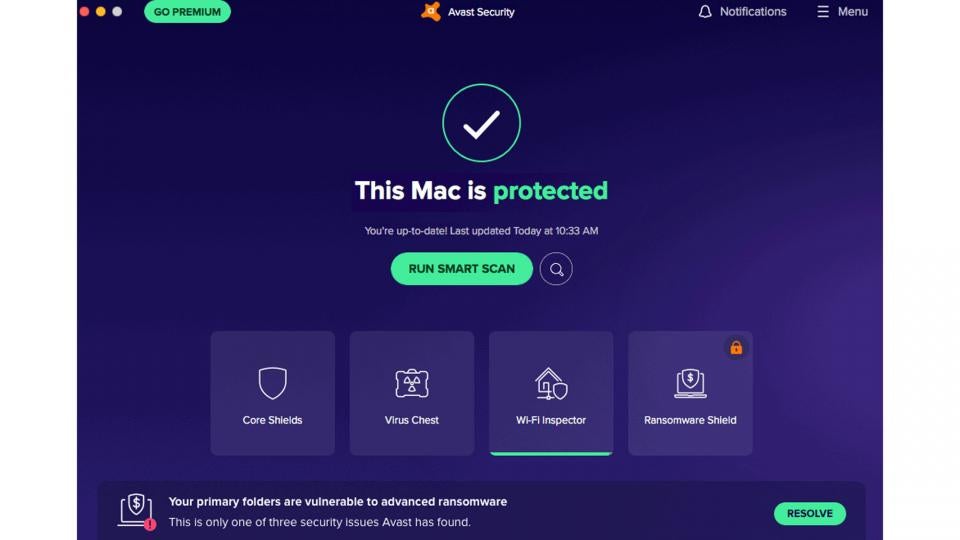
In our view, Avast is the best free security suite out there. It achieved a perfect 100% protection in recent independent tests, and proved less susceptible to false positives than Windows’ built-in protection.
As well as catching viruses, Avast also wins points for its breadth of additional protections. It can warn you if installed applications need security updates, and sniff out potential intruders on your home network. There’s even a Hack Alert feature, which warns you if your credentials have leaked out onto the web from a compromised server. The Avast Ransomware Shield meanwhile blocks access to your personal folders, to protect your data even if something nasty does slip through the net; a similar feature is built into Windows, but Avast’s implementation is much friendlier and easier to use.
Predictably, the program does include a few advertisements, but these aren’t deceptive or intrusive. And naturally there are no big-ticket extras like webcam protection, parental controls or a VPN. Even so, Avast provides a good set of genuinely useful tools, making it an easy winner for anyone seeking a free security solution.
Read our full Avast Antivirus Free review for more details






