

To help us provide you with free impartial advice, we may earn a commission if you buy through links on our site. Learn more
- Best laptops: At a glance
- How we test laptops
- The best laptops you can buy in 2026
- 1. Honor MagicBook Pro 14 (2025): Best overall
- 2. Apple MacBook Air 13in (M5, 2026): Best MacBook
- 3. Apple MacBook Neo: Best budget laptop
- 4. Lenovo Chromebook Plus 14 Gen 10: Best Chromebook
- 5. Asus Zenbook A14: Best lightweight/travel laptop
- 6. Asus TUF Gaming A14 (2025): Best gaming laptop
- 7. Asus Zenbook S 14 (UX5406): Best premium Intel ultraportable
- How to choose the best laptop for you
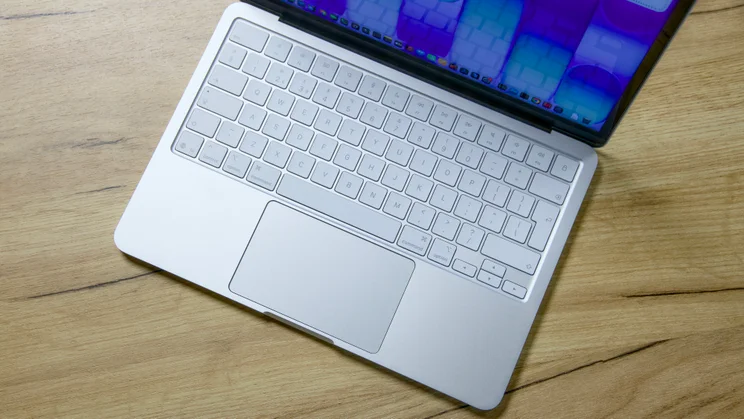
If you’re after the best laptop money can buy, you’ve come to the right place. We’ve collected all of the best laptops in one place to help you find the perfect machine for your needs in 2026, including our current favourite: the Honor MagicBook 14 (2025).
Wondering why you should listen to us? Simple. Every year, dozens of the latest and greatest laptops pass through the Expert Reviews labs – along with plenty of not-so-great laptops, too. Each device is subjected to our rigorous in-house testing, so when we recommend a laptop you can be sure of one thing: it’s a laptop we would be happy to buy ourselves.
Best laptops: At a glance
- Honor MagicBook Pro 14 (2025) | Best overall | Check price at Amazon
- Apple MacBook Air 14in (M5, 2026) | Best MacBook/student laptop | Check price at Amazon
- Apple MacBook Neo | Best budget laptop | Check price at Amazon
How we test laptops

We have decades of experience reviewing laptops here at Expert Reviews but we still put every laptop through a series of demanding tests.
That way we can be sure we’re being as objective as possible in our assessment of each laptop sent in for review.
To do that, we spend hours testing and using every machine that is sent in, mixing synthetic and real-world tests to get an overall view of a system’s performance:
- We run our own in-house benchmarking software – this pushes the system as a whole, stressing the CPU, GPU and cooling system all at once
- We run a whole host of third-party benchmarking applications, including Geekbench, Cinebench, GFXBench, AS SSD and GPU/games-focused benchmarks, so you can compare your laptop with the systems we test
- We test the brightness, contrast and colour accuracy of a laptop’s screen (or screens) using the DisplayCAL software and an X-Rite colorimeter to give a completely objective picture of how well a laptop’s display performs
- We monitor system temperatures at all times using CoreTemp, to get an idea of how a laptop is behaving under load. Some systems buckle only a few minutes after running at maximum load, while others keep their cool, and performance levels are high
- Finally, we test battery life by timing how long it takes to drain the battery from 100% to shut down, playing a video on loop and setting the display at a predetermined brightness to ensure a level playing field across laptop models

And, of course, no laptop review would be complete without actually using it for at least part of our working day – to write the review itself, watch video, carry out video calls and more. To find out more about how we test, read our in-depth how-we-test article.
The best laptops you can buy in 2026
1. Honor MagicBook Pro 14 (2025): Best overall
Price: From £1,000 | Check price at Honor | Amazon

- Workstation performance for a pittance
- Sublime 3.1K OLED touchscreen
- Impressive performance
- A bit on the chunky side
- No support for 6GHz Wi-Fi
Reviewed by Alun Taylor
The Honor MagicBook Pro 14 ticks so many boxes is hard to know where to start explaining why it’s so good. But let’s start with the price: there is no other laptop on the market right now that currently offers this combination of power, performance and screen quality for such a reasonable amount of money.
For a penny short of £1,000 you’re getting a top-of-the-line Intel Core Ultra9 285H CPU and 32GB of RAM, a generous 1TB SSD and a 16in 3K 120Hz OLED display with gloriously saturated colours. This setup delivered better than M4 MacBook Pro performance in our testing – for MacBook Air money.
What’s more, this laptop is both solidly built and looks attractive and it lasted 16hrs 10mins in our battery testing. The only thing we’d criticise is the weight – for a 14in laptop 1.39kg is a little on the heavy side. Other than that, though, it’s a slam dunk for the Honor MagicBook Pro.
Read our full Honor MagicBook Pro 14 (2025) review
Key specs – Screen size: 14.6in; Screen resolution: 3,120 x 2,080; Processor: Intel Core Ultra 9 285H; RAM: 32GB; Graphics adapter: Intel Arc Graphics 140T; Dimensions: 320 x 232 x 17mm (WDH); Weight: 1.39kg
2. Apple MacBook Air 13in (M5, 2026): Best MacBook
Price when reviewed: From £999 (13.6in model) | Check price at Amazon
- Fast
- Dependable
- Long lasting
- Not as repairable as the Neo
- Pricier than M4 model
Reviewed by Jonathan Bray
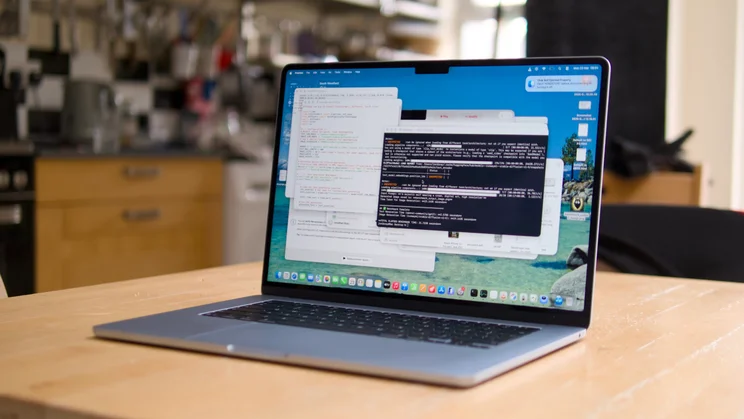
The MacBook Air has long been Apple’s marquee laptop and for good reason. It combines plenty of performance with impressive battery life and exquisitely poised design to deliver a product that is, quite frankly, tough to beat – and the M5 continues that trend.
It comes with the M5 processor, ensuring snappy performance, and long battery life. The base model comes with 16GB of RAM and a larger 512GB SSD than last year but the list price has risen to £1,099.
It’s an impressive all-round laptop: beautifully built with a fantastic keyboard and touchpad, a sharp, colour accurate display and near 15-hour battery life. Plus, with prices of new Windows laptops rising exponentially thanks to the RAM and storage crunch, it’s looking more and more reasonable by the day.
Read our full Apple MacBook Air (M5, 2026) review
Key specs – Screen size: 13.6in; Screen resolution: 2,560 x 1,664; Processor: Apple M5; RAM: from 16GB; Storage: from 512GB SSD Graphics adapter: Apple M4; Dimensions 304 x 205 x 11.3mm (WDH); Weight: 1.24kg
3. Apple MacBook Neo: Best budget laptop
Price when reviewed: £549 | Check price at Amazon
- Great value
- Sturdy and lightweight
- Easy to repair
- Disappointing battery life
- Shrill speakers
- No keyboard backlight
Reviewed by Jonathan Bray
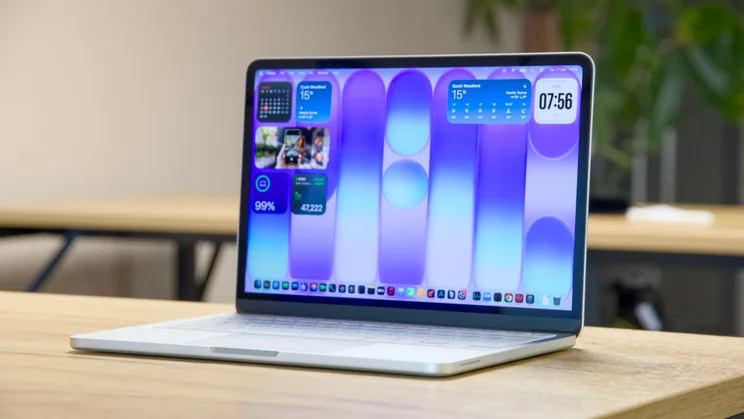
The MacBook Neo is Apple’s first proper budget laptop and, when it launched in April 2026, it created a huge stir. We called it the “best budget laptop money can buy” in our review and we stand by that verdict.
This is a beautifully made machine – its sturdy aluminium chassis has a touch of quality that evades most Windows laptops in this price bracket – and although not the fastest machine (it runs on an A18 Pro smartphone processor and it has only 8GB of RAM), it’s capable of running most of your desktop and basic creative applications without too much trouble.
It comes with a 13in IPS display that’s both bright and colour accurate. It’s available in a nice range of funky colours, and it’s suprisingly easy to fix. Should you break a USB port or the battery goes bad, you can get at those components quickly and replace them.
The only thing we don’t like about it is that the keyboard has no backlight, so typing in dim or dark conditions is harder than it should be. Otherwise, though, this is a stonkingly good budget machine and we have no hesitation in recommending it.
Key specs – Screen size (in): 13in; Screen resolution: 2,408 x 1,506; Processor: 6-core Apple A18 Pro; RAM: 8GB; Storage: 256GB or 512GB SSD; Graphics adapter: 5-core Apple A18 Pro; Dimensions: 298 x 206 x 12.7mm (WDH); Weight: 1.2kg
4. Lenovo Chromebook Plus 14 Gen 10: Best Chromebook
Price when reviewed: £499 | Check price at Currys
- Lightweight and stylish
- Amazing OLED display
- Top level performance
- Only Full HD resolution
- Limited selection of ports
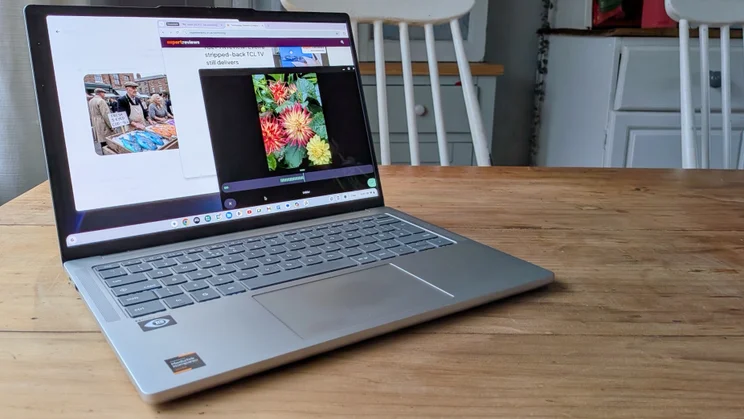
We love a good Chromebook here at Expert Reviews and this Lenovo is one of the very best. It’s one of a select number of Chromebooks to come with the latest octa-core MediaTek Kompanio Ultra 910 processors, which not only gives the laptop lightning-fast levels of performance, but also means it lasts an absolute age on a single charge.
Indeed, in our video playback battery life tests, the Lenovo Chromebook Plus 14 Gen 10 lasted 14hrs 53mins, outlasting every other Chromebook we’ve tested.
Performance is only one aspect of a laptop’s performance, however. Display quality is equally important and, here, this little Lenovo scores big, with a bright, vibrant OLED screen that most laptops at this price can only dream of. Coupled with a fantastically comfortable keyboard and sleek, sophisticated design, it’s our favourite Chromebook since the original Google Pixelbook Go was released
Read our full Lenovo Chromebook Plus 14 Gen 10 review
Key specs – Display size: 14in OLED; Resolution: 1,920 x 1,080;CPU: Mediatek Kompanio Ultra 910; Graphics: ARM Immortalis-G925 MC11; RAM: 12GB; Storage: 128GB UFS 3.1; Dimensions: 314 x 219 x 15.8mm (WDH); Weight: 1.26kg
5. Asus Zenbook A14: Best lightweight/travel laptop
Price: £1,099 | Check price at John Lewis | Amazon

- Light as a feather
- Vivid OLED display
- Long battery life
- Poor webcam
- Sluggish graphics performance
Reviewed by Jonathan Bray
The A14 has to be one of the most attractive, well-engineered Windows laptops we’ve ever reviewed. Despite having a larger display than a MacBook Air, it weighs less than a kilogram, and its matte, “ceraluminum” finish feels silky soft under the finger.
There are so many other things to love about this laptop, though: the one-finger lid lift lends it an air of understated luxury, the keyboard action is firm and well-damped, the OLED display is bright and vivid and the battery life is super impressive. In our tests, it lasted just over 20 hours, which for a laptop this dinky is nothing short of incredible.
The only things we didn’t like about it when we first reviewed it were the dim, streaky webcam and the price, and the latter has since fallen from £1,099 to a much more reasonable £750. Or you can spend £799 for a model with double the RAM (32GB), a 1TB SSD and the slightly faster Snapdragon X Plus processor.
Read our full Asus Zenbook A14 (2025) review
Key specs – Screen size: 14in; Screen resolution: 1,920 x 1,080; Processor: Qualcomm Snapdragon X; RAM: 16GB; Storage: 1TB SSD; Graphics adapter: Qualcomm Adreno; Dimensions: 311 x 214 x 15.9mm (WDH); Weight: 0.98kg
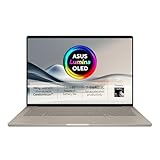
6. Asus TUF Gaming A14 (2025): Best gaming laptop
Price when reviewed: £1,599 | Check price at Amazon | John Lewis

- Impressive gaming performance
- Long batter life
- Two SSD slots
- Wi-Fi 6E instead of Wi-Fi 7
- No RGB keyboard backlight
Reviewed by Alun Taylor
We love Asus’ TUF range of gaming laptops, but this year’s A14 is better than any we’ve reviewed before. Our reviewer called it “one of the most wholly rounded laptops” he’d ever encountered.
This is a laptop that you can live with for day-to-day office tasks, chuck in your bag and use at the coffee shop to run your business thanks to its surprisingly good battery life, and that can happily play Doom: The Dark Ages with all the settings turned up at over 100fps when you’ve got a few minutes to spare.
Its AMD Ryzen AI 7 350 CPU and Nvidia GeForce RTX 5060 (110W) GPU make a potent combination that outpaces machines with the older RTX 40-series parts inside and it also comes with 16GB of system memory, 8GB of VRAM and 1TB SSD for storage. Plus, there’s room to add a second drive when you inevitably run out of space.
No, it isn’t as slim and light as a MacBook Air and, yes, it is a little humdrum to look at, but teh Asus TUF Gaming A14 is compact, sturdy enough and pleasant to work on and it lasted just over 13 and a half hours in our battery life tests, a result not to be sniffed at for a gaming machine.
Read our full Asus TUF Gaming A14 (2025) review
Key specs – Screen size: 14in; Screen resolution: 2,560 x 1,600; Processor: AMD Ryzen AI 7 350; RAM: 16GB; Storage: 1TB SSD; Graphics adapter: Nividia GeForce RTX 5060; Dimensions: 311 x 228 x 19.9mm; Weight: 1.46kg
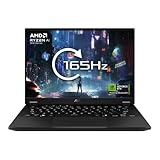
7. Asus Zenbook S 14 (UX5406): Best premium Intel ultraportable
Price: £1,499 | Check price at Currys


The Asus Zenbook S 14 is a trailblazer. Not only is it among the loveliest laptops we’ve ever reviewed, it was also one of the first laptops to come with one of Intel’s Series 2 Core Ultra V processors inside – one of the chip giant’s most efficient CPUs to date.
As a result, battery life is great. In our tests, it lasted a stonking 18hrs 28mins – longer than the M4 MacBook Air. It’s also a lovely laptop, that’s packed with features. It comes with a gloriously vibrant and sharp 2.8K 14in 120Hz OLED display, it weighs a mere 1.2kg, it’s slim and compact and it’s finished in Asus’ smooth, matte “ceraluminum” coating, which gives it a different look and feel to most rivals.
The Core Ultra 9 version we tested doesn’t quite deliver the performance grunt we’d like to see at this price (the Core Ultra 7 is cheaper and better value in our book), but taken as a whole it’s among the best Windows ultraportables we’ve ever reviewed.
Read our full Asus Zenbook S 14 (UX5406) review
Key specs – Display size: 14in; Resolution: 2,880 x 1,800; Panel type: OLED, 120Hz; CPU: Intel Core Ultra 9 288V; Graphics: Intel Arc Graphics; RAM: 32GB; Storage: 1TB SSD; Dimensions: 310 x 215 x 13mm (WDH); Weight: 1.2kg
How to choose the best laptop for you
Buying a brand-new laptop is no easy task. There are so many brilliant devices to choose from each year, with prices ranging from £200 to £2,000 or more. Cost can also vary massively between different configurations of the same laptop, which only adds to the confusion. In this brief buying guide, we will help you make the right choice by outlining the most important factors to consider before you bust out the bank card.
What do you need your laptop for?
Your personal requirements should dictate what sort of laptop you go for. A typical university student will have different tech needs to a professional video editor. Some may need a laptop that can process large files at rapid speeds, while others may just want to use Google Docs or browse the web. Ultimately, it all comes down to what you want your laptop to do.
READ NEXT: Best laptops for kids
What about performance and battery life?
How fast does my CPU need to be?
It can be tricky to tell how fast a CPU is just by looking at its specifications. More powerful CPUs typically have more “cores”, and higher base and turbo frequencies (usually measured in GHz), but modern processors have other strings to their bow, including modules that are targeted at specific workloads, like video rendering (for example, media engines), and local AI processing (NPUs).
Generally speaking, though, you only need to worry about CPU power if you’re running demanding workloads – video editing and rendering or 3D rendering, for example – or you’re looking at buying an older machine. Most modern laptops will be able to run a regular day-to-day workload of word processing, spreadsheeting, photo editing and web browsing.
How much RAM do you need?
If anything, the amount of RAM in your laptop is more important than the CPU when it comes to general performance. So how much do you need?
Ideally, any laptop you buy should have at least 8GB of RAM as a minimum, but we recommend 16GB. This should ensure you have plenty of headroom so you can multitask (ie have many applications open and running simultaneously ) without your laptop slowing down or becoming unresponsive.
It’s always been a general rule of thumb that the more RAM you have, the better, and that’s not going to change any time soon.
Are temperature, overheating and throttling important?
There are other factors at play that can impact overall performance aside from raw specifications. If a laptop doesn’t have good airflow, effective fans and cooling hardware inside, it doesn’t matter how powerful the CPU is, you’ll never be able to make the most of its potential.
That’s because once a CPU gets too hot, the system will cap its performance or slow it down (known as throttling) to prevent irreversible damage to the chip. This is why we benchmark every system we review and compare with similar systems, as this will reveal if a laptop is performing as expected.
There’s not much point spending more money on a laptop that’s more powerful only on paper.
What factors influence battery life?
Obviously, the size of the battery in your laptop (measured, typically, in Watt-hours, or Wh) is important, but other factors come into play here as well, the most important being the relative efficiency of the CPU and GPU.
If those components are too power hungry, battery life is going to be short. Thankfully, chip manufacturers are steadily getting better at this, with the latest Apple, Qualcomm and Intel processors helping laptops last much longer than they used to.
We run a standardised simple video rundown test on every single laptop we review, which allows us to compare laptops across the different platforms easily.
READ NEXT: Best laptop for students
OLED versus IPS: what makes a great laptop display?
When it comes to laptop displays, the key thing to look out for is the panel technology. The best looking screens, typically, are powered by OLED panels, with other technologies (usually IPS/LCD) coming second for quality. That’s the rule of thumb, though; some IPS screens can be great, too.
Don’t get too hung up on resolution. Generally speaking, most laptops, even cheap ones, are 1080p these days which is just fine on a 13in or 14in machine. You’ll only start to see the difference between 1080p and 3K or 4K when you move up to a laptop with a 15in display or larger.
Instead, look for higher refresh rate screens: a 90Hz, 120Hz or 144Hz display will influence how smooth a laptop feels in operation. Other important specifications include colour gamut coverage (DCI-P3 or just P3 is better than sRGB or NTSC) – usually expressed as a percentage close to 100%, peak brightness in HDR, and colour accuracy.
Not every manufacturer puts these numbers in its specifications, though, which is why we measure them ourselves.
How many ports should a laptop have?
In addition to a power socket and headphone jack, most new laptops will come with at least one USB-C and a couple of USB-A ports. When it comes to connections, the general rule of thumb is the more the merrier.
It’s worth paying attention to the type of USB-C ports you’re getting, however; although they might look the same, they often have different capabilities from machine to machine. For the fastest transfer speeds, look for Thunderbolt 3 USB-C ports; USB-C isn’t as quick.
And don’t assume every USB-C port on a laptop can carry video, power and data. Although the standard allows for this, manufacturers sometimes limit what each port can do.
It’s extremely useful to have a full-sized HDMI connector for hooking up the laptop to additional monitors, too, although these aren’t particularly common on slimmer laptops. And an SD card reader doesn’t hurt, either – an addition that’s sorely lacking on Apple’s laptops these days.


