To help us provide you with free impartial advice, we may earn a commission if you buy through links on our site. Learn more
- The Samsung Galaxy S25 Ultra is the best smartphone you can buy right now. It displayed exceptional performance in our testing, has some of the best battery life around and is particularly adept at zoom photography.
- Our experts have tested over 600 smartphones, putting each through the same rigorous testing process.
- We test a phone’s performance, battery life, software experience, display quality and camera abilities to determine which offers the best and most complete experience.
- Read on to see which other smartphones we recommend, including our favourite iPhone, the winner of our battery life testing and the phone with the best cameras.
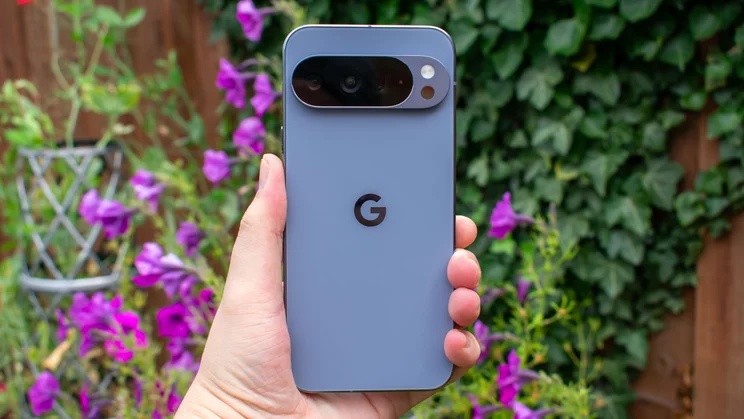
We have painstakingly assessed and reviewed all the best smartphones on the market, putting each one through the most comprehensive testing process in the UK. Right now, the Samsung Galaxy S25 Ultra is the best smartphone you can buy, as it offers some of the fastest performance, longest battery life and most accomplished cameras on the market.
We’re constantly updating entries for this list – last year alone, we tested and reviewed around 50 new handsets – so you can be sure that our recommendations are informed and up to date.
You can read more about our rigorous testing process below, or check out our buying guide, which covers all of the main features to keep in mind when choosing your new phone. Otherwise, read on to see our top picks, from budget phones and mid-range phones to high-end Android phones and iPhones.
Best smartphone: At a glance
- Samsung Galaxy S25 Ultra: Best smartphone overall | Check price
- Motorola Moto G56: Best budget smartphone | Check price
- Apple iPhone 17 Pro: Best iPhone | Check price
- OnePlus 15: Best smartphone battery life | Check price
- Google Pixel 9a: Best mid-range smartphone | Check price
How we test smartphones
We thoroughly test every phone that comes into our labs, with a number of benchmarking methods. We typically start with CPU and GPU processing, using the Geekbench 5 and GFXBench applications found in the Google Play Store and Apple App Store; these provide us with a set of standardised scores which we use to compare rival handsets.
Each phone’s screen is then tested using DisplayCAL software and a display colorimeter. This gives us a precise reading of the screen’s maximum brightness and contrast, and how good it is at reproducing colours; again, we use this to objectively identify which phones have the best displays.
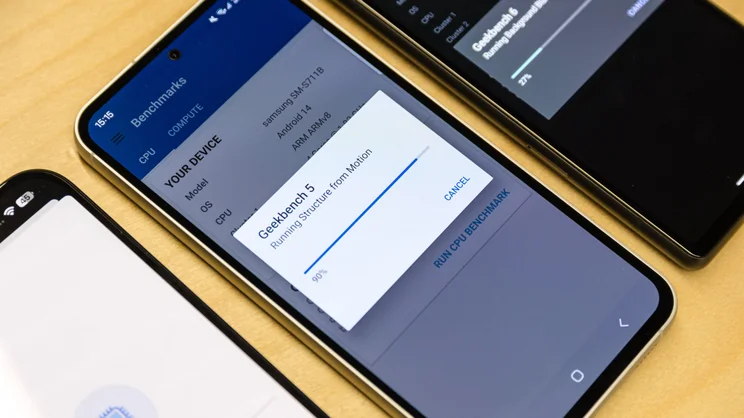
Next up is battery life. Here we use our in-house video rundown test, which displays a looped video with flight mode enabled and the screen set to a standard brightness of 170cd/m2 – and times how long it takes the battery to go from full to shutdown.
Finally, each phone’s cameras are put to the test in a variety of shooting scenarios, including scenic shots, low-light and indoor photography, plus rapid video panning in a range of modes.
We’ve been reviewing tech for over two decades now, and in that time, we’ve put more than 600 phones and tablets through our stringent testing process, delivering in-depth expert assessments based on facts and data.
Independence is at the heart of our approach and recommendations cannot be bought. If a popular brand delivers an unexpected dud, we’re going to tell you about it. As such, you can be sure that every product on this page has passed our high standards and has earned its recommendation based on merit.
The best smartphones you can buy in 2026
1. Samsung Galaxy S25 Ultra: Best smartphone overall
Price when reviewed: £999 | Check price at John Lewis

- Great for… incredible performance and far-reaching telephoto cameras
- Not so great for… very expensive and rivals have brighter displays
From the luxurious titanium build to the pair of telephoto cameras to the class-leading performance, the Samsung Galaxy S25 Ultra is the top-tier of smartphones. Its Snapdragon 8 Elite for Galaxy chipset delivered the fastest CPU performance scores we’ve ever recorded, it can handle 3D gaming at a steady 120fps and it proved to be one of the longest-lasting phones around in our battery life tests.
The four (!) rear cameras offer a staggering level of versatility, with the two telephoto cameras in particular offering the best zoom photography of any flagship phone we’ve tried, with greater detail retention and less over-sharpening at the maximum 100x zoom. Software is excellent, too, with seven years of updates promised and Samsung’s increasingly useful suite of Galaxy AI features.
The display, while crisp and fluid, isn’t the brightest we’ve tested, and the price tag is a rather tough pill to swallow, but if you want the best that smartphones have to offer, the Samsung Galaxy S25 Ultra is the absolute pinnacle.
Read our 2025 Samsung Galaxy S25 Ultra review
Key specs – Processor: 4.47GHz Qualcomm Snapdragon 8 Elite for Galaxy; RAM: 12GB, 16GB; Display: 6.9in, 3,120 x 1,440; Storage: 256GB, 512GB, 1TB; Cameras: 200MP, 50MP (5x telephoto), 10MP (3x telephoto), 50MP (wide); Operating system: Android 15; Weight: 218g

2. Motorola Moto G56: Best budget smartphone
Price when reviewed: £153 | Check price at Argos
- Great for… big bright display and excellent durability
- Not so great for… software support and mobile gaming
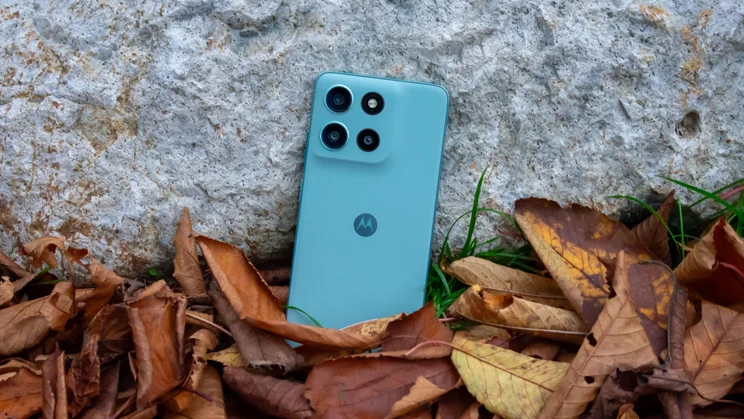
The Motorola Moto G56 is our favourite budget phone, due in no small part to it offering a far greater level of durability than we tend to see in this price range. There’s a layer of Gorilla Glass 7i sitting over the display for scratch protection and the IP68/IP69 dust and water resistance rating certifies it as fully dust-tight and able to withstand submersion in 1.5m of water for 30 minutes, as well as high-pressure, high-temperature jets of water. That’s stronger than some flagship phones, which is very impressive indeed.
On top of its rugged design, the Moto G56 has a large 6.72in display that reached a decent peak brightness of 861cd/m2 in our testing, a generous 256GB of base storage and even support for microSD cards – something that is increasingly rare in smartphones. You only get two years of OS updates and the processor can only handle simple mobile games but otherwise, the Moto G56 is an impressive budget phone and its price is a steal.
Read our 2025 Motorola Moto G56 review
Key specs – Processor: 2.6GHz MediaTek Dimensity 7060; RAM: 8GB; Display: 6.72in, 2,400 x 1,080; Storage: 256GB; Cameras: 50MP, 8MP (wide); Operating system: Android 15; Weight: 200g

3. Apple iPhone 17 Pro: Best iPhone
Price when reviewed: £1,099 | Check price at John Lewis
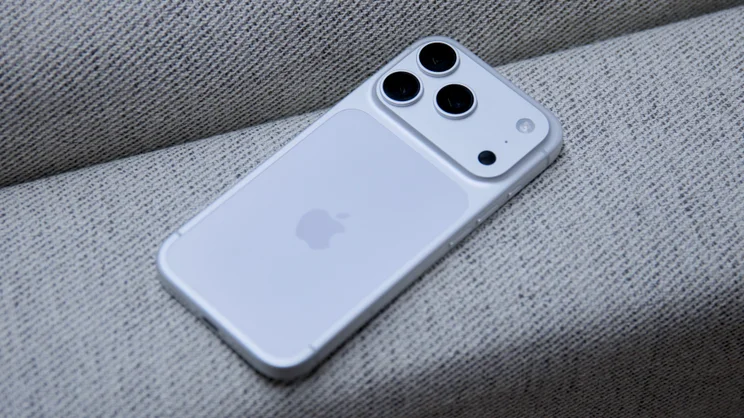
- Great for… pocket powerhouse and excellent cameras
- Not so great for… ugly new design and only a 4x telephoto zoom
The iPhone 17 Pro is the sweet spot of Apple handsets, getting you all the power and camera quality of the Pro Max in a more affordable and pocketable package.
The A19 Pro chipset delivered some of the best CPU speeds we’ve ever seen in our testing and battery life impressed, too: the iPhone 17 Pro lasted for over 31 hours in our standard video rundown, which again ranks among the longest lasting phones we’ve ever tested.
All three rear cameras are now 48-megapixel sensors and deliver crisp, impeccably lit shots with beautiful dynamic range and punchy colours. The telephoto lens only offers 4x optical zooms – whereas most rivals offer 5x – and the new design feels like a downgrade. Even still, this is easily the best iPhone yet, and the ideal pick for Apple fans.
Read our 2025 Apple iPhone 17 Pro review
Key specs – Processor: 4.26GHz Apple A19 Pro; RAM: 12GB; Display: 6.3in, 2,622 x 1,206; Storage: 256GB, 512GB, 1TB; Cameras: 48MP, 48MP (4x telephoto), 48MP (wide); Operating system: iOS 26; Weight: 206g

4. OnePlus 15: Best smartphone battery life
Price when reviewed: £849 | Check price at Amazon
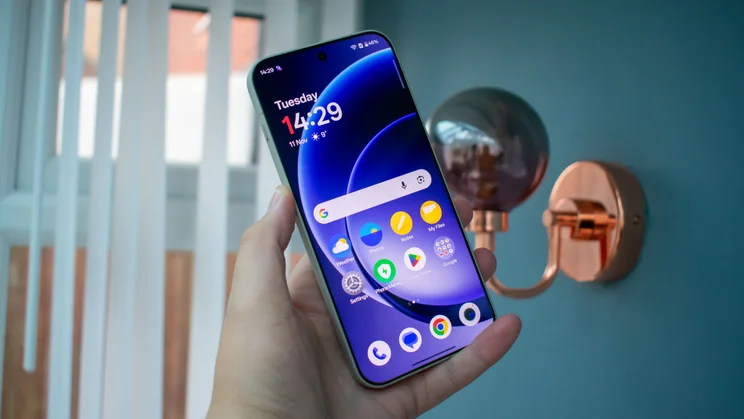
- Great for… class-leading battery life and incredible performance
- Not so great for… only four OS updates and heavy-handed AI zoom photography
The OnePlus 15 combines the power efficiency of the flagship Snapdragon 8 Elite Gen 5 chipset with a massive 7,300mAh capacity battery to deliver the best battery life we’ve ever recorded from a smartphone. In our standard looping video test, the OnePlus 15 lasted for more than 45 hours, surpassing the next-best result (at the time of testing) by over seven hours.
The quality doesn’t stop at stamina, either; the OnePlus 15 is fronted by a gorgeous 6.78in AMOLED display that demonstrated excellent brightness and colour accuracy in our testing, the Snapdragon chip delivers class-leading performance and the cameras snap beautiful and detailed shots in all lighting conditions and can record Dolby Vision HDR footage in 4K up to 120fps.
The four promised OS updates don’t match the seven that you get from other flagships, and though the cameras zoom up to 120x, the AI smoothing gets quite overbearing past 30x. Still, in terms of battery life, the OnePlus 15 is indisputably the best in the business.
Read our 2025 OnePlus 15 review
Key specs – Processor: 4.6GHz Qualcomm Snapdragon 8 Elite Gen 5; RAM: 12GB, 16GB; Display: 6.78in, 2,856 x 1,280; Storage: 256GB, 512GB; Cameras: 50MP, 48MP (5x telephoto), 48MP (wide); Operating system: Android 16; Weight: 211g

5. Oppo Find X9 Pro: Best smartphone cameras
Price when reviewed: £1,099 | Check price at Currys
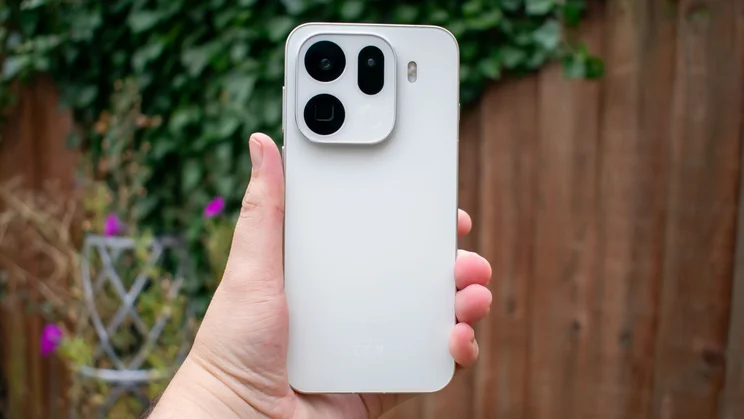
- Great for… brilliant zoom photography and outstanding battery life
- Not so great for… fiddly camera button and no 8K video
The Oppo Find X9 Pro offers up a phenomenal camera suite, with its most notable inclusion being the exquisite 200-megapixel telephoto lens. This sharp shooter captures wonderfully detailed 3x optical zooms and 6x hybrid zooms, with the magnification going all the way up to 120x – though we found things get a little oversharpened past 60x.
It’s joined by three 50-megapixel lenses – the main camera, the ultrawide and a front-facing lens for selfies – that all performed excellently in testing, and video recording shoots Dolby Vision HDR footage up to 4K/60fps.
There’s no 8K video, which other phones at this price include, and the camera control button on the right edge is a little misplaced, making it fiddly to use, but otherwise, this is a fantastic camera suite. Add in exceptional battery life thanks to the massive 7,500mAh cell, powerful performance and a sharp, colour-accurate display, and the Oppo Find X9 Pro a tempting flagship for those who prioritise zoom photography.
Read our 2025 Oppo Find X9 Pro review
Key specs – Processor: 4.21GHz Mediatek Dimensity 9500; RAM: 16GB; Display: 6.78in, 2,772 x 1,272; Storage: 512GB; Cameras: 50MP, 200MP (3x telephoto), 50MP (wide); Operating system: Android 16; Weight: 224g

6. Google Pixel 9a: Best mid-range smartphone
Price when reviewed: £449 | Check price at John Lewis

- Great for… incredible battery life and unrivalled software
- Not so great for… boring design and no telephoto camera
Quality phones don’t need to cost the moon and the Google Pixel 9a is the strongest argument there is for shopping in the mid-range. For starters, you get flagship-level software support, with seven years of updates, and Gemini AI features like Circle to Search and the Add Me camera editing tool.
Battery life is also exceptional, lasting for over 34 hours in our standard testing, which is one of the best results we’ve ever seen. The display is gorgeous, too – we measured brilliant peak brightness with HDR video playback and the average Delta E colour variance score of 0.67 speaks to excellent colour accuracy.
The two cameras you get are both fantastic, producing sharp, beautifully coloured shots, but some rivals offer telephoto cameras, so it’s a shame that Google doesn’t. The new design is also very generic but otherwise, this is a ridiculously well-rounded phone and the best option for those who don’t want to pay flagship prices.
Read our 2025 Google Pixel 9a review
Key specs – Processor: 3.1GHz Google Tensor G4; RAM: 8GB; Display: 6.3in, 2,424 x 1,080; Storage: 128GB, 256GB; Cameras: 48MP, 13MP (wide); Operating system: Android 15; Weight: 186g

7. Samsung Galaxy Z Fold 7: Best foldable smartphone
Price when reviewed: £1,549 | Check price at John Lewis
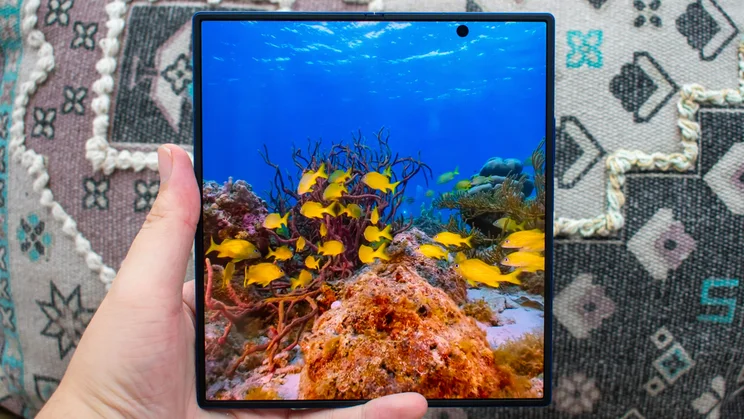
- Great for… impressively slim and seriously powerful
- Not so great for… no S Pen support and not fully dust-proof
Foldable phones are finally at a point where they’re barely any more cumbersome than regular handsets, and the Samsung Galaxy Z Fold 7 is the best of the bunch. It’s incredibly slim and lightweight, measuring just 4.2mm thick and weighing 215g, which is lighter than plenty of non-folding phones.
It’s also very powerful, with the Snapdragon 8 Elite for Galaxy chipset delivering the fastest speeds we’ve ever seen from a foldable phone, and the 200-megapixel main camera is a fantastic shooter, capturing crisp and colourful images in a range of lighting conditions.
Both the 8in internal display and 6.5in cover display are sharp, bright and punchy but the foldable screen no longer supports the S Pen stylus, which is a shame. We’d also have liked to see better dust resistance, with the current rating only certifying it as protected against particles over 1mm in diameter.
Even still, if you fancy the foldable format and want to nab yourself the best version possible, the Samsung Galaxy Z Fold 7 is the strongest and most powerful foldable we’ve ever tested.
Read our 2025 Samsung Galaxy Z Fold 7 review
Key specs – Processor: 3.1GHz Google Tensor G4; RAM: 8GB; Display: 8in, 2,184 x 1,968 (cover: 6.5in, 2,520 x 1,080); Storage: 256GB, 512GB, 1TB; Cameras: 200MP, 10MP (3x telephoto), 12MP (wide); Operating system: Android 16; Weight: 215g

How to choose the best smartphone for you
How much should I spend?
With the expansion of the mid-range market, you can easily get a very competent smartphone for less than £500. The best in this price range will have performance, stamina and cameras that will be more than enough for most people. We’d always recommend checking out the best mid-range phone listed above before forking out on a flagship.
If you want the absolute best phone that money can buy, however, you’re looking at anything from £800 to £1,250, depending on your priorities. The lower end of that range will get you most flagship features, with excellent performance and displays, but you’ll only find the most expansive camera systems at the high-end.
Finally, foldable phones are becoming more popular every year and, depending on how much storage you want, these can cost anywhere from around £1,500 to over £2,000.
What kind of features should I look out for?
If you’re spending four-figures on your next phone, you’ll want to make sure that you get all of the bells and whistles for your trouble. Here are the key considerations to bear in mind when shopping for a new phone.
Display
There are two main types of display that you’ll see from smartphones: LCD panels tend to be found on cheaper phones while OLED screens usually cost a little more. With the latter, you’re paying for extra quality, as they deliver a beautifully deep, inky black level and near perfect contrast, as well as better viewing angles compared to LCD displays.
You’ll also want to check the resolution and refresh rate, to see how sharp everything will look and how smooth things like scrolling and gaming will be. Further, our in-depth testing reveals how bright the display can get and how accurately it reproduces colours.
Cameras
Flagship phones have come such a long way on the photography front that you’re unlikely to be disappointed by any of their cameras. It’s worth checking what you get for your money, however – in particular, the optical zoom offered by telephoto cameras differs from brand to brand, and some include more robust video recording features such as capturing LOG, 8K or Dolby Vision footage.
Battery life
You can get an idea of a phone’s stamina potential from the battery capacity (measured in mAh, or milliamps-per-hour) but our review testing goes one step further, putting each phone through the same standardised test to directly compare them. You can check out the top results on our best phone battery life ranking.
Performance
The clock speed of a phone’s processor (measured in GHz) and the amount of RAM offered give a good general idea of how powerful a phone will be, but once again, our testing puts things in perspective. We directly compare the CPU and GPU performance of each phone we review against rivals around the same price, so if you want to see how it stacks up, you can view our results in the full review.
Storage
The best smartphones will offer a selection of storage capacities – usually some combination of 128GB, 256GB, 512GB and 1TB – but few of them support microSD cards that allow you to expand the storage any further. Higher storage models are naturally more expensive but if you intend to shoot lots of high-resolution videos or download a bunch of apps, it’s worth considering if you’ll benefit from the extra space.