To help us provide you with free impartial advice, we may earn a commission if you buy through links on our site. Learn more

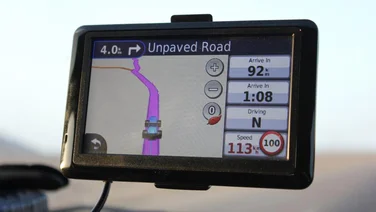
We’ve always liked MobileNavigator’s clear driving view, with its bright orange highlight showing the route. The low angle means you can see a good distance in front of your current position, and you can choose whether to display road names or not. The iPhone’s 3.5in screen is a little smaller than those on most standalone satnavs, which means you’ll need great eyesight to read road names when the device is attached to your windscreen. Navigon doesn’t sell a car-mounting kit, so you’ll have to buy a third-party model. The iPhone’s built-in speaker isn’t exceptionally loud, but we were able to hear route instructions clearly enough up to around 50mph. Of course, the noise of your vehicle will affect whether you can hear the prompts. It’s a shame there’s only one voice, though. You can use MobileNavigator in portrait or landscape mode, and it works well in both. You get several of the features included in Navigon’s standalone satnavs, including lane guidance, a realistic graphic of motorway exits and intelligent address entry, which shows suggestions as you type. Safety camera locations are included, as is the latest Navteq map data. You can adjust speed alerts separately for built-up areas and other roads, and set it to warn you at 5, 10, 15 or 20mph over the limit. You can navigate to points of interest, including those along your route, and many will appreciate that each subcategory includes chains, such as McDonalds, Subway, Hilton and Travelodge. We also appreciated the smoothly updating map, especially when turning corners. Integration with iPhone contacts is good, but there are a couple of omissions. First is the lack of seven-digit postcodes; you’re limited to just five characters. There’s also no way to upgrade to maps of different regions. Finally, there’s no traffic information to help you avoid jams. We were also annoyed that the option to plan a route in advance is buried deep in the menus, and isn’t nearly as intuitive as TomTom’s Advanced Planning.
Overall, MobileNavigator does a good job, and proved reliable during our testing. We hope that Navigon makes good on its promise to add seven-digit postcodes in a future update, but until then, it narrowly misses out on an award.