Phones

TCL Nxtpaper 70 Pro review: Great for reading on the go
This is a well-built budget phone with the ability to turn into a paper-like e-reader at the push of a button
£290
-
recommended
 Xiaomi 17T review: Better than the Pro The Xiaomi 17T offers a more appealing balance between price and features than its Pro sibling – but the software continues to frustrate£649
 -
 Xiaomi 17T Pro review: Struggles to justify its price The Xiaomi 17T Pro is a fantastic mid-range phone – but a big price increase makes it difficult to recommend£799
 -
recommended
 Motorola Razr 70 Ultra: Finely honed with one nagging flaw The Razr 70 Ultra gently tweaks an excellent formula – but software support desperately needs addressing£1199
 -
 The best Samsung phone to buy in 2026 We put Samsung’s recent smartphone output to the test to find the perfect phone for you
 -
 Honor 600 Pro review: Could have been a contender The Honor 600 Pro steps up to the flagship plate, but comes armed with mid-range cameras£899
 -
 Motorola Razr 70 series hands-on review: This feels familiar Motorola has updated its Razr family of folding phones - but very little has changed
 -
best buy
 Oppo Find X9 Ultra: A new standard in smartphone photography Performance, display, battery life, cameras – the Oppo Find X9 Ultra is as good as phones get right now£1449
 -
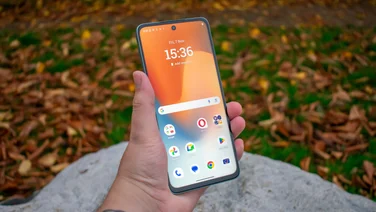 The best budget smartphones to buy in 2026 Looking to save money on your next smartphone? These are the best budget phones to buy in the UK, fully tested by our team of experts
 -
 Samsung Galaxy A57: A good phone with mediocre cameras A slim design and excellent battery life weighed down by a camera system in desperate need of an overhaul£529
 -
Samsung Galaxy S26 Plus review: The afterthought Samsung phones it in with the overpriced and mostly unnecessary Galaxy S26 Plus£1099
-
 Samsung Galaxy S26 review: Frustratingly unrivalled The Galaxy S26 is the best compact phone around and, annoyingly, Samsung knows it£879
 -
 Motorola Moto G17 review: Hell no, Moto The obnoxiously barebones Motorola Moto G17 is the Ryanair of phones – and you’d be better off walking£150
