To help us provide you with free impartial advice, we may earn a commission if you buy through links on our site. Learn more
- Apple iPod Nano review: Everything you need to know
- Apple iPod Nano review: Build quality and design
- Apple iPod Nano review: Features
- Apple iPod Nano review: Bundled Apple EarPods
- Apple iPod Nano review: Supported formats
- Apple iPod Nano review: Display quality
- Apple iPod Nano review: Connectivity and battery life


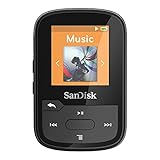
If you’re wondering if Apple’s iPod Nano is worth over £150 – it isn’t. We originally reviewed the iPod Nano at £155, yet it’s now being sold by unauthorised resellers on eBay for up to £160. Amazon lists it at around £130 but it’s never in stock – no surprise, as the 7th-Gen iPod Nano was released in 2015 and the line was officially discontinued by Apple in 2017. You’ll also find used devices for around £85 but that’s still too expensive for a dedicated 16GB audio player in 2019. Take the 16GB SanDisk Sansa Clip+ MP3 player, which you can buy for around £45. It might not be an Apple device but it will still deliver the fantastic audio reproduction that your ears crave – and for £100 less than the iPod Nano.
Our original review of the Apple iPod Nano continues below.
Apple iPod Nano review: Everything you need to know
The death of the dedicated audio player has been greatly exaggerated. There are plenty of people who still want to play music from a source that isn’t their smartphone. For one, the iPod Nano is small and light enough to slip into a pocket, even the smaller zippered pockets on a pair of running shorts. Outside of fitness, the other reason you might want to listen on a dedicated audio player is to save battery life on your smartphone.
Apple iPod Nano review: Build quality and design
The Nano, which is in its 7th generation, has been out for a few years now, but Apple hasn’t revised its design since its original 2013 launch. There are numerous colour options now available including blue, silver, gold, space grey, pink and red after the introduction of a few new shades this year. The 2.5in touchscreen is multitouch, and the iPod has obligatory Bluetooth, so you can use wireless headphones. The whole thing is just 5.4mm thick and it weighs just 31g. There’s no clip on the back, so it’s not quite as well suited to sporty users as the previous version. However, most people will be pleased with the improved movie viewing experience provided by the display’s 240×432 widescreen aspect ratio.

Like its squarer predecessor, the Nano’s touchscreen lets you flick between two menu screens displaying large icons. It even comes with a selection of wallpapers that are matched to the colour of the iPod itself. Unlike the iPod Touch, you can’t install apps. The first menu provides shortcuts to your music, videos, podcasts and photos, along with a Nike Fitness app and radio tuner. On the second screen, you’ll find a handy clock, settings menu shortcut and access to your audiobooks.
In addition to the usual options of sorting by playlist, artist, song, album or genre, you can also use Apple’s Genius to put together a playlist of songs similar to the one you’re currently listening to or create a playlist based on iTunes’ analysis of your taste, but you have to enable the feature in the iTunes desktop client first. iTunes itself has undergone some changes lately, simplifying and streamlining its previously clunky interface, but in the process also removing a few familiar features, such as Cover Flow.
Apple iPod Nano review: Features
We’re pleased that the sidebar that makes it easy to copy content from your PC to your iPod and move content between different playlists is still present. You can also opt to sync specific types of content only. As an example, can have your podcasts synced every time you connect the iPod to its associated PC, but not your music or videos. You can, of course, organise the content on the iPod Nano manually, too.

Audio files in MP3, AAC, AIFF, WAV and ALAC formats are supported, as are Audible format audiobooks; you’ll have to convert other audio formats to a supported one to listen to them. Audio quality is, of course, very good indeed. The DACs favoured by Apple for its iPods are characteristically bassier than those used by some other rivals. The Nano sounds detailed and accurate, particularly if you upgrade it to a better pair of headphones. The Nano’s warm sound complements balanced armature earphones extremely well and also sounds great through high-quality dynamic headphones such as Soundmagic E10s.
Perhaps unsurprisingly, there’s no support for Apple’s burgeoning music streaming service, Apple Music. So you’ll have to make do with locally stored tunes and that does mean dealing with iTunes.
Apple iPod Nano review: Bundled Apple EarPods
Like the new versions of the iPhone and iPod Touch, the Nano comes with the improved EarPod version of Apple’s earphones. They’re still white, plasticky and none too comfortable to wear, but they’re less leaky than their predecessors and sound more detailed and less fuzzy. They sound a bit better overall too; they’re not quite ear-canal headphones, but their plastic casing is shaped to direct sound to your eardrums and less towards innocent bystanders.
They also tend to sit in your ears more comfortably with less of a tendency to pop out at a moment’s notice. Still, for anyone who wants to better appreciate their music library, you’re better off replacing them with a higher quality pair of headphones. See our guide to the best headphones for some improved options.
Apple iPod Nano review: Supported formats
The video player doesn’t have very wide format support. It can’t handle 1080p content at all, but will happily play standard Apple-compatible video content, such as 720p MPEG4 or H.264 encoded video in M4V, MOV or MP4 wrappers. We were slightly disappointed to find that video podcasts available via the Apple Store didn’t appear in the video player’s menu, but instead were only available in the podcast player.
Apple iPod Nano review: Display quality
Poor contrast on dark areas and the Nano’s small screen size make watching some content, especially fast-moving films, a bit painful, leaving us squinting despite the great clarity of the tiny display. It’s great for bright TV and cartoon content, though, so it could be a decent entertainment device for younger viewers. We wouldn’t want to watch it for extended periods, but it’s excellent if you want to catch an episode of your favourite sitcom on the tube home or keep the kids entertained on a car ride.

Apple iPod Nano review: Connectivity and battery life
The FM radio tuner’s very handy if you want to keep on top of the news or get bored with your own music collection. The touch display makes it particularly easy to scroll through the channels, although it’s not as convenient as a digital radio tuner. The Nike+ fitness app can use either the iPod’s accelerometer or a Bluetooth connection to a Nike+ sensor or heart rate monitor to track your athletic performance. You don’t get as much choice or information as is available from various iPod Touch and iPhone fitness apps, but it makes this ultra-light MP3 player great for runners and something you can largely forget about while out on the run where the fewer distractions the better.
The iPod Nano’s audio battery test result of 29h 40m shows that it can still provide a week’s audio with moderate use, which is significantly more than you’ll get from a smartphone. Its video battery test result of three hours and 57 minutes is less good, but video’s best viewed as a handy feature in the context of the Nano rather than a must-have feature.
At around £120, depending on the colour you opt for, the Nano is still a tad expensive. The price is typical of top-flight 16GB MP3 players, and rivals such as Cowon’s i10 cost around the same. To its credit, the Nano is small and very light, with massive battery life and an iconic design. It’s a great MP3 player, despite its weak format support and the necessity of using iTunes. You do also benefit from the wide range of accessories available if you do prefer to tuck it into a running armband.