To help us provide you with free impartial advice, we may earn a commission if you buy through links on our site. Learn more
- Best powerline adapter: At a glance
- How we test powerline adapters
- The best powerline adapters and kits you can buy in 2024
- 1. Devolo Magic 2 Wi-Fi 6: The fastest powerline and mesh Wi-Fi kit
- 2. TP-Link TL-PA7017: Best budget powerline networking kit
- 2. TP-Link TL-PA9020P: Best mid-range powerline kit
- 3. TP-Link TL-WPA8631P: Best-value powerline Wi-Fi kit
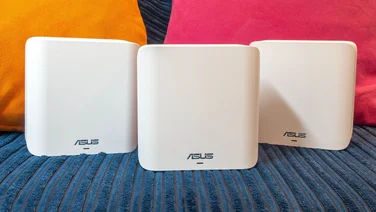
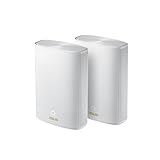
- 4. Asus ZenWiFi Hybrid AX: The most versatile powerline networking system
- How to choose the best powerline adapter for you

The best powerline adapters are a must-have in 2024. Slow or inconsistent internet access just isn’t acceptable, especially now that many of us work from home. But a regular Wi-Fi router will struggle to reach rooms at the back of the house, in your loft or in the garden.
Powerline networking solves that problem by sending data over the electrical wiring in your home. Simply plug an adapter into any mains socket and you’ve got a stable internet connection wherever you need it. Powerline networking may not be as fast as a direct Ethernet connection to your router, but it’s a lot more convenient, and speeds are fine for work, entertainment and even gaming. It’s also cheaper and simpler than a mesh Wi-Fi setup.
We’ve thoroughly tested a wide range of systems to help you find your perfect powerline adapter. Below you’ll find details of our extensive testing procedure, along with our recommendations for the fastest, most versatile and best-value adapters, and at the bottom of the page, you’ll find our buying guide to choosing the right HomePlugs for you.
Best powerline adapter: At a glance
| Best budget powerline networking kit | TP-Link TL-PA7017 (~£25) | |
| Best-value powerline Wi-Fi kit | TP-Link TL-WPA8631P (~£100) | |
| The fastest powerline and mesh Wi-Fi kit | Devolo Magic 2 Wi-Fi 6 (~£220) | |
| The most versatile powerline networking system | Asus ZenWiFi Hybrid AX (~£140) |
How we test powerline adapters
We test all powerline kits in a three-bedroom detached home. The base adapter is connected to the router downstairs, and the other is plugged in in an upstairs office. We also connect a Western Digital NAS appliance directly to the router, and measure how quickly we can copy files to and from it, using the powerline’s Ethernet connector and (where the system supports it) Wi-Fi.
We then move the powerline adapter to an outside office and repeat the test, to see how it performs in remote locations that are beyond the reach of the regular Wi-Fi network.
After the initial testing is completed, we continue to use the powerline kit for a further week or more in order to check network management and software features, and get a feel for overall reliability. We take all of this into account, along with design, value – and, of course, performance – to recommend the best powerline adapters for your needs.
READ NEXT: Best Wi-Fi extenders
The best powerline adapters and kits you can buy in 2024
1. Devolo Magic 2 Wi-Fi 6: The fastest powerline and mesh Wi-Fi kit
Price when reviewed: £220 | Check price at Amazon

- Great for… an all-round extension to your network
- Not so great for… possibly overkill for typical households
The Devolo Magic 2 Wi-Fi 6 can transform a wireless dead-zone into a productive networking hub, with twin Ethernet ports and far-reaching dual-band Wi-Fi 6.
It’s fast, too, providing a big boost over our existing wireless network. For instance, from our regular router we usually get just 13Mbits/sec in the kitchen, but in our tests, the Magic 2 more than doubled that to 29Mbits/sec.
The units themselves are chunky white plastic affairs, but each one has a mains passthrough and setting them up is as easy as pressing a button. Devolo’s Cockpit companion app helps you find the best position for your extenders and even lets you set parental restrictions. If you’re willing to pay the price, nothing will stretch your Wi-Fi further than the Devolo Magic 2 Wi-Fi 6, especially if you have lots of thick walls or an unusual home layout
Read our full Devolo Magic 2 Wi-Fi 6 review
Key specs – HomePlug standard: G.hn 2400; Ports on the first adapter: 1 x Gigabit Ethernet; Ports on the other adapters: 2 x gigabit Ethernet; Wi-Fi: 802.11ax; Mains passthrough: Yes

2. TP-Link TL-PA7017: Best budget powerline networking kit
Price when reviewed: £25 | Check price at Amazon

- Great for… a cheap, easy internet extension
- Not so great for… connecting lots of devices at once
TP-Link’s TL-PA7017 powerline adapters are absurdly cheap, and also tiny – but don’t judge them by their size. They use the AV2 1000 HomePlug standard, and in our tests they delivered a faster Ethernet connection than some much pricier kits. We measured 191Mbits/sec downstream and 183Mbits/sec upstream in the closer of our two test sockets, and an impressive 168Mbits/sec (both up- and downstream) with the connection stretched right across the house.
Thanks to their small size we also found them easy to fit behind furniture, and had no problem accessing adjacent sockets. And the kit as a whole is very easy to use: the adapters come pre-paired, and adding extra units couldn’t be simpler, as the Pair button is right there on the front. It’s not ideal for busy offices, as it has only a single Ethernet socket and doesn’t broadcast Wi-Fi, but for a single connection it’s fast, simple, compact and terrifically affordable – what more could you ask for?
Key specs – HomePlug standard: AV2 1000; Ports on the first adapter: 1 x gigabit Ethernet; Ports on the second adapter: 1 x gigabit Ethernet; Wi-Fi: No; Mains passthrough: No

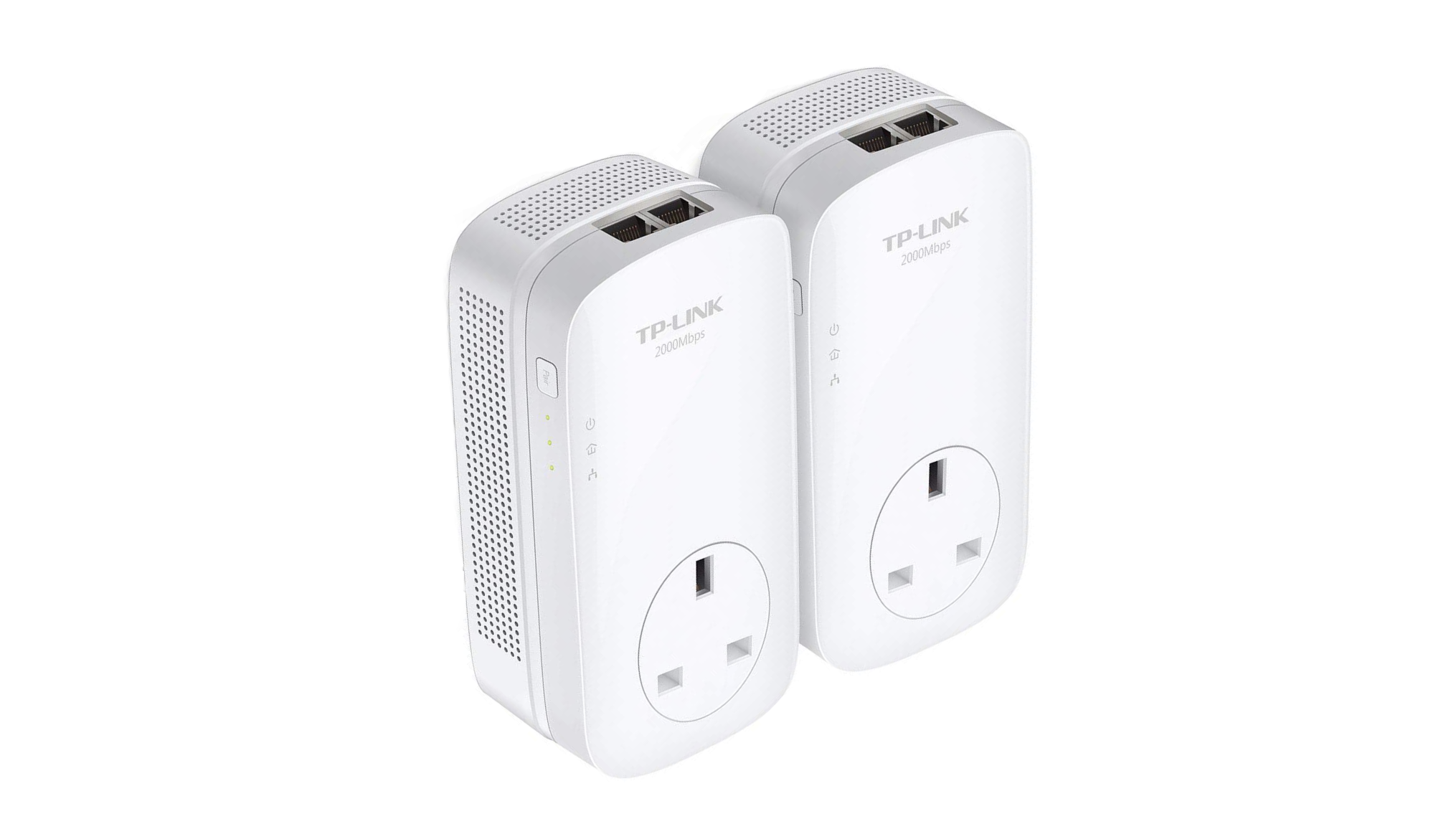
2. TP-Link TL-PA9020P: Best mid-range powerline kit
Price when reviewed: £100 | Check price at Amazon
- Great for… effortlessly adding multiple network sockets to remote rooms
- Not so great for… those needing maximum speeds – or Wi-Fi
The TL-PA9020P powerline kit has a clever, convenient design. Each unit has a mains passthrough socket so they won’t get in the way of your existing appliances. The upward orientation also provides easy access to the twin Ethernet sockets – allowing you to drive two wired devices at once – and we also like the activity LEDs, which are discreet but clearly visible when you need them.
These aren’t the fastest HomePlugs on the market, but in our tests, we measured top speeds of 103Mbits/sec upstream and 115Mbits/sec downstream. That’s plenty for typical office duties, and even 4K video streaming. We also appreciate the way the whole thing just works, with zero setup needed – if you don’t need Wi-Fi then powerline networking doesn’t get much more straightforward or effective than this.
Key specs – HomePlug standard: AV2 2000; Ports on the first adapter: 2 x gigabit Ethernet; Ports on the second adapter: 2 x gigabit Ethernet; Wi-Fi: No; Mains passthrough: Yes

3. TP-Link TL-WPA8631P: Best-value powerline Wi-Fi kit
Price when reviewed: £115 | Check price at Amazon

- Great for… wide-area wireless coverage at a good price
- Not so great for… settings where Wi-Fi performance is a priority
If you’re looking to extend your network to cover a busy home office or entertainment room, TP-Link’s TL-WPA8631P kit is a cost-effective solution. It offers no fewer than three Ethernet sockets, plus dual-band Wi-Fi 5 with speeds of up to 867Mbits/sec on the 5GHz band.
The adapters come pre-paired, but they support the HomePlug AV2 1300 standard so you can easily add extra units as needed. Setting up the Wi-Fi is as simple as pressing the WPS button on your router, then a button on the side of the adapter.
We found speeds impressive, too. Over an Ethernet connection we measured 170Mbits/sec downstream and 201Mbits/sec upstream in our close-range test room, and 155Mbits/sec and 144Mbits/sec in the more distant location.
Wi-Fi performance will depend on various environmental factors, but we got a strong 167Mbits/sec upstream and downstream – ample for everything from 4K video streaming to large-scale NAS backups. If you have one of TP-Link’s OneMesh routers, you can also integrate this kit into the mesh, enabling you to manage everything from one place and roam from one end of your property to the other without having to manually switch networks.
Key specs – HomePlug standard: AV2 1300; Ports on the first adapter: 1 x gigabit Ethernet; Ports on the second adapter: 3 x gigabit Ethernet; Wi-Fi: 802.11ac (Wi-Fi 5); Mains passthrough: Yes
4. Asus ZenWiFi Hybrid AX: The most versatile powerline networking system
Price when reviewed: £140 | Check price at Amazon

- Great for… a complete network upgrade with tons of powerful features
- Not so great for… those just wanting a simple extender
Most powerline systems are designed to extend your existing network, but the ZenWiFi Hybrid AX completely replaces your current router. It’s a fully featured wireless mesh that also supports powerline backhaul, so you can install the remote station in places where a regular Wi-Fi link wouldn’t work.
Naturally, installation and setup aren’t quite as simple as with a standard powerline kit, but the benefits make up for that. We love Asus’ router firmware, which is loaded with powerful software features, and the remote satellite offers a fast Wi-Fi 6 connection plus three gigabit Ethernet sockets. There’s even a USB 3 port for easy storage sharing.
Performance isn’t the fastest we’ve seen: in our tests we saw a modest download speed of 60Mbits/sec. However, it’s a hugely flexible system, and the price is hard to quibble with. In our original review we were lukewarm about paying £270 for the ZenWiFi Hybrid AX, but that’s now tumbled to £140 – cheaper than the Devolo Magic 2. That makes this clever mesh a very tempting alternative to a regular powerline adapter.
Key specs – HomePlug standard: AV2 1300; Ports on the first adapter: 3 x gigabit Ethernet; Ports on the other adapters: 3 x gigabit Ethernet; Wi-Fi: 802.11ax (Wi-Fi 6); Mains passthrough: No
How to choose the best powerline adapter for you
What are the different types of powerline adapter?
There are two basic types of powerline adapter – those that only offer Ethernet connectivity, and those that additionally broadcast a Wi-Fi network. Ethernet-only systems are usually cheaper and more compact, but they require you to run a cable between the adapter and the client device. You can also only connect as many computers as your HomePlug has sockets, unless you additionally invest in an Ethernet switch.
Wi-Fi-enabled adapters are much more versatile. They can provide network access throughout one or more rooms, and you can connect as many devices as you want, including things that don’t have Ethernet sockets such as smartphones, smart speakers and streaming sticks. Remember though that all of these devices will share the same powerline backhaul connection, so speeds may fall when the network is busy.
What do the different HomePlug standards mean?
The speed of a powerline connection depends partly on the state of your home wiring, but also on the technology standard being used. The most basic one you’ll find these days is HomePlug AV500, which can – in theory – stream data over your home wiring at speeds of up to 500Mbits/sec.More advanced powerline adapters may support the faster AV2 1000, 1300 or 2000 standards, but all are backwards-compatible. You can even combine different adapters from different manufacturers as long as they all use the same standard, though the full range of software features may not be supported.
There’s also one more standard called G.hn, which is designed to achieve speeds between 1,200Mbits/sec and 2,500Mbits/sec. G.Hn is intended to deliver higher, more consistent speeds than the AV2 standards, but it has yet to gain widespread adoption.
How fast do I need to go?
No matter what powerline system you choose, your real-world performance will be impacted by the state of your home electric cabling, the design of the circuit, the distance between your adapters and interference from other appliances. The only thing that’s certain is that you won’t get anywhere near the advertised data rates.
That being the case, you may be tempted to go for the fastest adapters you can get. However, a costly system with a higher rating may in practice be barely any faster than a cheaper one. And almost all modern powerline systems are fast enough for everyday online tasks, both personal and professional – so you won’t lose a lot going for a mid-range package.
What else should I look out for?
Basic powerline adapters typically come with a single Ethernet port, but pricier models may have two or three, which can be very handy for kitting out a home office. Check that the ports run at gigabit speeds – the powerline connection won’t give you the full benefit of all that bandwidth, but older models may only have 100Mbits/sec ports and that could seriously slow you down.
Also check the connection speed of the Wi-Fi transmitter. Some older HomePlug adapters only support Wi-Fi 4, and others are still using Wi-Fi 5. Any computer or smartphone purchased in the last few years will support the faster, more efficient Wi-Fi 6 standard, so you might prefer to choose a kit that takes advantage of that.
One thing you shouldn’t have to worry about is security. The vast majority of powerline adapters use 128-bit AES encryption to ensure no one can snoop on the data packets travelling around your home. It’s worth checking to see if this is enabled by default, though.
Is a powerline adapter better than a Wi-Fi repeater or a mesh Wi-Fi system?
There are some very fast Wi-Fi repeaters and high-end mesh Wi-Fi systems available. Recently we’ve seen some meshes that, when partnered with a compatible client, can achieve download speeds of over 1,200Mbits/sec.
However, these systems can be very expensive – some of the best meshes cost over £1,000 – and they still may struggle to provide good coverage in tricky areas. If you’re trying to get internet access in a loft, garage, basement or outdoor office, a simple powerline kit could give you a more reliable connection for a much lower price.