Wi-Fi & Home Networking

Best wireless router 2026: Tried and tested
Want a fast, stable internet connection? Our experts have put the best routers through their paces and picked their favourites below
-
 TP-Link RE220BE: A simple Wi-Fi 7 extender that works well The RE220BE will extend your network consistently and with no fuss, but it seems overpriced£93
 -
 Asus RP-BE58: Neatly designed but behind the pace There’s nothing really wrong with this basic repeater, but it’s slower than the competition and barely any cheaper£70
 -
 TP-Link RE225BE: A Wi-Fi 7 extender with solid performance A solid Wi-Fi 7 wireless extender, and reasonably priced, too, but not the most consistent£76
 -
best buy
 TP-Link RE235BE: Our favourite Wi-Fi 7 extender Doesn’t get close to the heights of Wi-Fi 7 performance, but this dual-band extender serves up strong coverage at a reasonable price£73
 -
 Huawei FreeClip 2 announced, alongside MatePad 11.5 S and Mate X7 foldable Huawei’s jewellery-style open-air headphones get a big overhaul, there’s a new Mate X7 smartphone, an unusual-looking new Wi-Fi system and an updated MatePad 11.5 S tablet
 -
 The best mesh Wi-Fi routers to buy right now Get fast downloads and kill dead spots with our pick of the best mesh Wi-Fi routers
 -
 The best Wi-Fi extenders we've tested in 2025 We’ve tested the best Wi-Fi extenders on the market to find out which are the fastest and most effective at extending your home network
 -
recommended
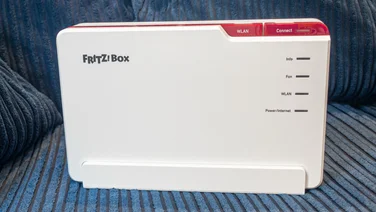 AVM Fritz!Box 5690 Pro: An excellent Wi-Fi 7 router With strong speeds, a user-friendly interface and plenty of built-in features, this router deserves a serious look – but check UK availability£381
 -
recommended
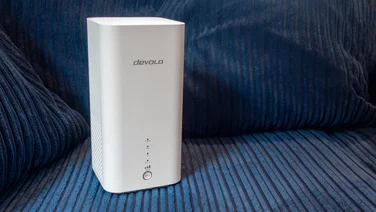 Devolo WiFi 6 Router 3600 5G: Fast, flexible and fully 5G Equally at home with a SIM card or a fixed-line broadband connection, Devolo’s latest router provides high-speed Wi-Fi in almost any environment£400
 -
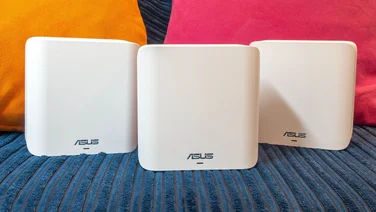 Asus ZenWiFi BD4 review: A cheap Wi-FI 7 mesh system, but you might do better with a regular router Unless you’re in desperate need of the extra range of a mesh system, you’ll find better value Wi-Fi options than the Asus ZenWiFi BD4 for the money£180
 -
recommended
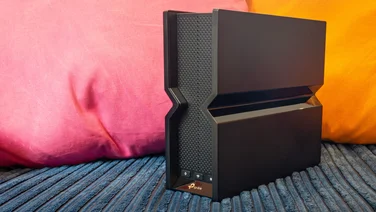 TP-Link Archer BE550: Ticks all the boxes With true tri-band Wi-Fi 7 and multi-gigabit Ethernet on all ports, the Archer BE550 delivers a ton of bandwidth for a great price£180
 -
recommended
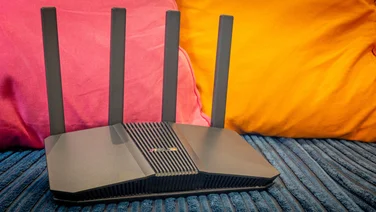 Asus RT-BE58U: Cheap, fast Wi-Fi 7 This little networking wonder makes it hard to see why you’d need to spend more£99
 -
recommended
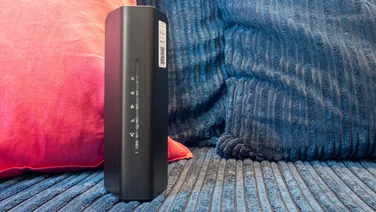 Netgear Nighthawk RS100: The cheapest Wi-Fi 7 router yet The RS100 is short on premium features, but it’s a cheap way to get solid, stable Wi-Fi 7 performance£130