To help us provide you with free impartial advice, we may earn a commission if you buy through links on our site. Learn more

We’ve never seen a gaming PC that looks quite like the Asus ROG Tytan CG8890. Its heavy-duty industrial design might look brutish to some, but almost equal numbers will be drawn to the massive no-nonsense case with extra cooling vents that slide open like the afterburners on a starship. It sounds like one too – although it’s liquid-cooled, the Tytan is by no means quiet. This PC obviously means business.

The Tytan, coming to a Michael Bay movie soon
Its innards are equally no-nonsense. The Intel X79 chipset motherboard, which has been designed specifically for this PC but bears quite some similarity to the the Asus Formula IV, is the best we’ve seen in a PC that we haven’t built ourselves. It’s always easy for OEMs to make savings when it comes to motherboards, opting for boards with only a handful of USB3 ports or PCI-E slots, so it’s great to see one that’s truly top of the range for once. The motherboard has four PCI-E x16 ports and eight SATA ports, half of which are SATA3. Two of those SATA3 ports are primarily intended to be connected to eSATA connections on the case.
See the Tytan’s case in actionFour RAM slots each house 4GB of 2,133MHz memory. Although most motherboards can handle a theoretical maximum of 32GB, 16GB of incredibly fast RAM is more than enough for even memory intensive applications such as video renderings. The memory slots surround a six-core Intel Sandy Bridge-E Core i7-3960X processor, water cooled and overclocked to 4GHz. While an overall score of 110 in our benchmark tests shows that it’s not much more powerful than a standard quad-core Ivy Bridge Core i5-3750K processor in terms of our standard test suite of desktop applications, the additional two cores will make a significant difference when it comes to running applications designed make the most of hexacore processors or simply running loads of different applications at once.

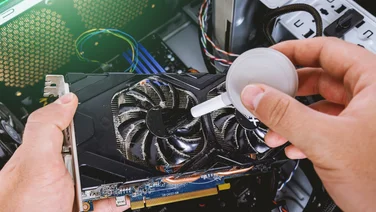
The graphics card is an Nvidia GeForce GTX690 with a whopping 4GB of on-board memory. This massively powerful graphics card can output to up to four screens simultaneously and produced frame rates of 114fps in Dirt Showdown and 50fps in Crysis 2, both at maximum quality. This is excellent performance and the GTX690 is also a good choice if you want smooth frame rates when playing games across two or even more monitors. The graphics card alone is worth the better part of £900, and goes a long way towards explaining the cost of this beast of a PC.
To ensure fast access and boot speeds, the PC has a pair of 128GB Sandisk U100 SSDs that’ve been been RAIDed into a single 256GB drive, using RAID0, which creates a single volume without redundancy. This takes up both the available SATA3 ports on the motherboard – we’re not entirely sure why Asus hasn’t just used a single 240GB SSD. More extensive storage is provided by a 2GB HDD, which provides plenty of space for all your media and data.

Rather than settling for onboard audio, Asus has kitted the system out with its Xonar Phoebus gaming sound card. It comes with an external connection and control box that means you can connect your headset on your desk rather than trailing a cable all the way around to the back of the PC. As well as 3.5mm mic and headphone ports, the control box has a volume control and one-click mute button for your mic. The sound card also has a full set of 3.5mm 7.1 analogue surround sound outputs; the side output for 7.1 sound also doubles as a optical S/PDIF output. Sound quality is everything we expect from Asus’s excellent Xonar range thanks to a high-quality selection of audio components, including a C-Media CMI8888DHT processor, a dedicated headphone amp with variable impedance settings than can handle up to 600 ohm studio cans and a Texas Instruments Burr-Brown PCM1796 DAC. Music sounded well balanced and clearly defined with a great sense of space, but the Xonar’s drivers are also equipped to provide immersive environmental gaming audio.
The PC also has an 802.11n wireless adaptor card. Although we generally recommend using a wired connection for desktop PCs, it’s nice to have the option, although it only supports the 2.4GHz band. At the back of the case you’ll find a pair of eSATA ports and ten USB ports. Four of these are USB3, while one of the USB2 ports can be switch to function as an ROG Connect monitoring port to allow you to carry out live overclocking and monitoring of the PC via another computer. The PC’s front panel has another two USB3 ports, two USB2 ports and a card reader which support SDXC, Memory Stick Pro, MMC and CompactFlash cards. There’s also a hot-pluggable hard disk caddy that’s hooked up to one of the motherboard’s internal eSATA3 ports and a Blu-ray rewriter driver.

After all that lot, there’s room inside the case for another two 5 1/4in drives, an externally facing 3 1/2in drive and a couple of internal 3 1/2in drives. We were surprised to find that the dull grey metal interior of the case doesn’t quite live up to its spectacularly over-the-top external design. That said, all the edges are properly finished, even though the massive number of cables and components makes the interior a little cramped to work in. We liked the handy drive rails and mounts, too.
The mouse and keyboard are as high tech as the rest of the PC. The GX900 laser mouse is a bit too large for comfortable use if you have very small hands, but we appreciated the easily accessible resolution switch and side buttons. You can also adjust the mouse’s weight by adding or removing individual 4.5g weights, but the mouse felt a little too light for its size, even with all the weights installed. We’ve no complaints about its accuracy.

We were delighted to find that the Tytan comes with a switched keyboard, which connects to a PS/2 port on the back of the PC, so you don’t have to expend a USB port. The keyboard’s brilliant to type and game on. It even comes with some bright orange replacement key caps you can use if you have trouble finding WASD under normal circumstances. Our only complaint about this heavy, well designed peripheral is that the Windows key is incredibly small, which is a little inconvenient given how often you need it when using Windows 8.
With top-notch peripherals and some of the best components money can buy, this spectacular system makes a great stab at being the ultimate gaming PC. Given the choice, we’d opt for a more modest case and a different mouse, but there’s little else we’d change. What are the must-haves for your perfecting gaming system?