To help us provide you with free impartial advice, we may earn a commission if you buy through links on our site. Learn more

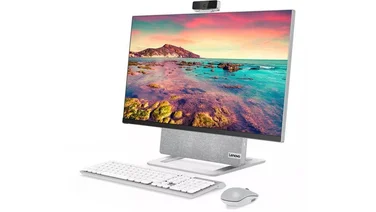
All-in-one PCs are becoming more popular. By using the latest laptop or netbook components, they can be small, quiet, power efficient and reasonably priced. Asus’s Eee Top PC was the first Intel Atom-powered all-in-one PC we’d seen. The AIO 100 has a similar, but more practical, specification. The design is a little different from most all-in-ones. The base contains the components, and the screen sits on an arm above this. Its styling brings to mind computers from 1970s sci-fi shows. A series of small, awkwardly positioned buttons on the front deal with power, speaker volume and monitor brightness. The AIO 100’s 18.4in monitor is bigger than the Eee Top’s 15.6in screen and has a higher resolution of 1,680×945 pixels. The extra desktop space is instantly noticeable and makes you feel as if you’re using a real desktop PC, rather than a static laptop. The 16:9 aspect ratio is well suited for watching movies, although the monitor could be brighter, and whites have a blue tint. Unlike the Eee Top, the AIO 100 doesn’t have a touch-screen display. This is no great loss at present, but this may change when Windows 7 is released. A built-in webcam above the screen allows you to have video chats with friends, and there’s a microphone input too. The small speakers aren’t terribly impressive. They sound muffled and lack volume and bass. Fortunately, there’s an audio-out if you want to connect some proper speakers. The side of the AIO 100 houses two USB ports and a memory card reader. There are three more USB ports on the rear – although two of these are taken up by input devices. The small keyboard and mouse are adequate for browsing the web, but you’ll want to replace them if you plan to do any serious work. The AIO 100 is well equipped for networking, with built-in Draft-N wireless networking and a Gigabit Ethernet port. Inside is the now-common Intel Atom N270 processor that’s found in most netbooks. The AIO 100 comes with 1GB of RAM. We’d have preferred 2GB, but there’s apparently no way of upgrading this. It’s sufficient for browsing the internet, working on office applications and organising your media files, though. This PC has a 160GB hard disk for storing your files and comes with Windows XP Home installed. We were very pleased to see a built-in DVD writer, which the Eee Top lacks. This means you can burn backup discs, reinstall Windows or simply watch a movie without having to buy and attach an external drive.
We think the Eee Top looks better than the AIO 100, but this PC’s larger display and DVD writer make it far more practical. An alternative is to combine Asus’s Eee Box B202 with a 19in monitor and external DVD writer – all for around £50 less than the cost of the AIO 100. However, if you want a PC that’s compact, stylish and practical, this is a great buy.