To help us provide you with free impartial advice, we may earn a commission if you buy through links on our site. Learn more
- Best printer: At a glance
- The best printers you can buy in 2025
- 1. Canon Pixma TS205: The best home printer
- 2. HP OfficeJet Pro 8122e: The best budget printer for features
- 3. Epson EcoTank ET-2830: The best printer for fast home printing
- 4. Canon Pixma G650: The best printer for cheap photo printing
- 5. Canon Pixma TR7650: The best small office printer for photo printing
- 6. Canon Maxify GX5050: The best ink tank printer for the office
- 7. Epson EcoTank ET-1810: The best budget ink-tank printer
- 8. Canon Pixma TS8350: The best inkjet printer for photos
- 9. Epson EcoTank ET-2850: The best inkjet printer for low running costs
- 10. Brother MFC-J4540DW: The best MFP for maximum features
- 11. HP OfficeJet Pro 9022e: The best office MFP for high-speed printing
- 12. Brother MFC-J6955DW: The best inkjet MFP for larger offices
- 13. Epson Expression Photo HD XP-15000: The best A3 photo printer
- 14. Epson EcoTank ET-8550: The best A3 printer that doesn't cost the earth to run
- How to choose the best printer for you
- How we test printers

The problem with definitively choosing the best printer on the market is that there are so many things to consider. Is it best to go with an inkjet or laser printer? Cartridges or refillable tanks? Do you need a multifunction printer?
On this page, we’ve pulled together our favourites – a small selection from all the printers we’ve tested – to make your decision easier.
We’ve spent many years reviewing printers of all shapes and sizes here at Expert Reviews, and these recommendations are based on hundreds of hours of rigorous hands-on testing and research so you can be confident in our judgements.
Sponsored deal: Get £10 HP Instant Ink credit
Fancy taking the hassle out of printer ink replacement? HP has you covered with its ingenious Instant Ink service, with your Wi-Fi-connected HP printer monitoring your ink levels automatically and having new cartridges delivered to your door when you’re running dry. If you sign up today, you also get a free £10 Instant Ink credit applied at checkout.
Best printer: At a glance
| Best home printer | Canon Pixma TS205 | |
| Best photo printer | Canon Pixma TS8350 | |
| Best fast, cheap-to-run printer | Epson EcoTank ET-2830 | |
| Best office all-in-one printer | HP OfficeJet Pro 9022e |
The best printers you can buy in 2025
1. Canon Pixma TS205: The best home printer
Price when reviewed: £70 | Check price at Amazon | Ebuyer

- Great for: Affordability and simplicity
- Not so great for: Range of features
The Pixma TS205 is one of the cheapest, simplest printers you can buy, and that makes it ideal if you only need to print occasionally. We found ink costs lower than for some more expensive printers and, when we tested it, print quality was great. It produces bold, punchy graphics, crisp black text and decent-looking photos – despite a slightly warm colour bias.
There’s plenty missing, though: no Wi-Fi, no scanner, no cloud or smartphone-friendly features. And in our tests it was slow: black text pages were produced at 7.5ppm (pages per minute); and pages with colour graphics at a painful 1.6ppm. It’s noisy, too.
However, if all you need is something to print out the odd booking confirmation, address label and family snap, this is perfect. It’s cheap as chips, too.
Read our full Canon Pixma TS205 review
Key specs – Technology: Thermal inkjet; Maximum print resolution: 4,800 x 1,200dpi; Scan specifications: N/A; Recommended monthly duty cycle: N/S; Dimensions (WDH): 426 x 131 x 255mm; Weight: 2.5kg; Maximum paper size: A4/legal
2. HP OfficeJet Pro 8122e: The best budget printer for features
Price when reviewed: £90 | Check price at John Lewis

- Great for: Features, low price
- Not so great for: Low printing costs, scanning quality
The HP OfficeJet Pro 8122e is an affordable all-in-one printer with a surprising selection of features for the price. For less than £100, it can a copy, print and scan, and it can be shared across a Wi-Fi network or connected directly to a PC via a USB port.
That’s only scratching the surface, though. Where most budget printers cut corners on physical features, the 8122e has plenty. It has an automatic document feeder for managing copies of documents with multiple pages, a generous 225-sheet paper tray, it prints on both sides of a sheet automatically and has a colour touchscreen.
It’s better at printing documents than it is at printing photos, and ink costs a little more per page than some of its rivals. However, its low price and breadth of office functions make up for this, particularly if getting things done is more important than the fine detail of the finished print.
Key specs – Technology: Thermal inkjet; Maximum print resolution: 4,800 x 1,200dpi; Scan specifications: 1,200 x 1,200dpi; Recommended monthly duty cycle: 20,000 pages; Dimensions (WDH): 460 x 338 x 233mm; Weight: 8kg; Maximum paper size: A4/legal
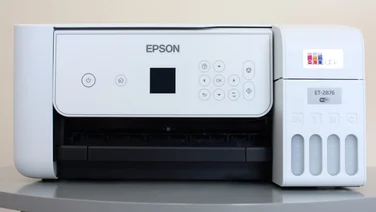
3. Epson EcoTank ET-2830: The best printer for fast home printing
Price when reviewed: £240 | Check price at Amazon

- Great for: Fast prints at low cost
- Not so great for: Paper handling
We’re big fans of Epson’s EcoTank printers here at Expert Reviews mainly because they’re so cheap to run. For standard documents, this printer works out at a mere 0.2p per monochrome A4 page and 0.4p per colour A4 page (ink only), and the printer comes loaded with enough ink to produce up to 6,600 mono pages or 5,900 colour – that’s three year’s of printing if you output 100 pages per month. In short, you’ll rarely need to top up the ink in this printer and it won’t cost much when you do.
This latest model adds another strength: speed. In our tests, we found it to be among the fastest home ink tank inkjet printers we’ve seen, producing our standard mono tests at 13.4 pages per minute and our colour prints at 4.5 pages per minute. Photo printing was also super quick, producing six high quality prints in less than 11 minutes.
It does have some weaknesses. There’s no automatic two-sided printing and the paper input tray isn’t integrated – it sticks out at the rear and is prone to collecting household dust. However, if you needs prints in a hurry at home and you don’t want to pay through the nose for them, this printer has an awful lot going for it.
Read our full Epson EcoTank ET-2830 review
Key specs – Technology: Inkjet; Maximum print resolution: 4,800 x 1,200dpi; Scan specifications: 1,200 x 2,400dpi; Recommended monthly duty cycle: not stated; Dimensions (WDH): 375 x 347 x 179mm; Weight: 4.1kg; Maximum paper size: A4

4. Canon Pixma G650: The best printer for cheap photo printing
Price when reviewed: £259 | Check price at Jessops

- Great for: Good quality, affordable photo prints
- Not so great for: Speed
The Canon Pixma G650 takes all the great things about ink tank printers and throws in the ability to print decent photos. On photo paper, at the highest settings, the photos printed by the G650 during our tests were almost as good as you would get from the best cartridge-based models.
And because it has refillable ink tanks, running costs are far lower, with A4 mono prints only costing 0.4p each and colour pages costing 1p.
We found the G650 to be a bit on the slow side but, if you can live with that, its combination of low running costs and great print quality is hard to beat.
Read our full Canon Pixma G650 review
Key specs – Technology: Thermal inkjet; Maximum print resolution: 4,800 x 1,200dpi; Scan specifications: 600 x 1,200dpi; Recommended monthly duty cycle: not stated; Dimensions (WDH): 445 x 340 x 167mm; Weight: 6.6kg; Maximum paper size: A4/legal
5. Canon Pixma TR7650: The best small office printer for photo printing
Price when reviewed: £180 | Check price at Amazon

- Great for: Features and photo printing
- Not so great for: Build quality, low running costs
If you want your printer to do a little bit of everything and to be able to do it well, the Canon Pixma TR7650 could well be just the ticket. When it comes to features, it leaves no stone unturned with printing, scanning and faxing capabilities, automatic duplex printing and an automatic sheet feeder for the scanner.
In testing, we found it was not only speedy, producing mono prints at 10.6 pages per minute and colour at 3.8 pages per minute, but that print quality was generally very good. It’s an especially good colour and photo printer, which is surprising given its target market is small home offices.
The printer’s main downside is its running costs, which are higher than with ink tank printers. However, they’re not so high that they would completely put you off. At 4p per mono page and 9p per colour page you’d have to be printing a lot for this to make a huge impact on your day to day costs.
Read our full Canon Pixma TR7650 review
Key specs – Technology: Thermal inkjet; Maximum print resolution: 4,800 x 1,200dpi; Scan specifications: 1,200 x 2,400dpi; Recommended monthly duty cycle: not stated; Dimensions (WDH): 438 x 350 x 190mm; Weight: 7.9kg; Maximum paper size: A4/letter

6. Canon Maxify GX5050: The best ink tank printer for the office
Price when reviewed: £345 | Check price at Amazon

- Great for: Office printing and low running costs
- Not so great for: Photos
Ink tank printers were originally aimed at home consumers, but the Canon Pixma GX5050 is a different proposition. It’s aimed at small offices and has the features to match, including a big 250-sheet paper tray and automatic double-sided printing.
It doesn’t have a scanner but it is very cheap to run. It has enough ink in the box to print up to 30,000 pages, and once you’re buying ink, prints work out at a cost around 0.2p per page, whether printing in mono or colour.
In our tests, we found the resolution wasn’t as high and the ink wasn’t as bright and vibrant as on consumer models but for volume printing in a busy small office, however, the Maxify GX5050 is cost-effective to run, with all the features you need.
Read our full Canon Maxify GX5050 review
Key specs – Technology: Thermal inkjet; Maximum print resolution: 600 x 1,200dpi; Scan specifications: N/A; Recommended monthly duty cycle: 45,000 pages; Dimensions (WDH): 399 x 416 x 238mm; Weight: 9kg; Maximum paper size: A4/legal

7. Epson EcoTank ET-1810: The best budget ink-tank printer
Price when reviewed: £175 | Check price at Amazon

- Great for: Good value for money
- Not so great for: Stripped back features
Ink tank printers offer voluminous ink capacity and microscopic printing costs but can be expensive to buy. The Epson EcoTank ET-1810 addresses this problem by whittling away the fancy extras that help justify the cost of more expensive models, including core MFP features such as scanning and copying. What’s left behind is a more affordable ink tank printer.
In our tests we found it to be just as good at printing as more expensive models. There’s no compromise on printing costs, either, which remain at the base ink tank standard of 0.2p per page for mono printing and 0.4p per page for colour. It also comes with enough ink in the box to print 3,600 mono and 6,500 colour pages.
While the price of the printer is still a little higher than cheaper cartridge-based models, it’s great value for money if you’re looking for low printing costs above all else.
Read our full Epson EcoTank ET-1810 review
Key specs – Technology: Piezo inkjet; Maximum print resolution: 5,760 x 1,440dpi; Scan specifications: N/A; Recommended monthly duty cycle: N/S; Dimensions (WDH): 375 x 347 x 169mm; Weight: 2.9kg; Maximum paper size: A4/legal

8. Canon Pixma TS8350: The best inkjet printer for photos
Price when reviewed: £159 | Check price at Amazon | Argos

- Great for: Extremely high quality prints
- Not so great for: Expensive to run
Canon’s high-end Pixma printer is the versatile home printer to beat, not only because it’s a surprisingly stylish MFP, but because both its speeds and print quality are so good. In our tests it reached speeds of over 15ppm in black-and-white and over 5ppm in colour, and output 10 x 8in photo prints in under 30 seconds. We found it was just as speedy with its scanning and copying functions, too.
Meanwhile, print quality proved excellent across the board, with text that wouldn’t disgrace an office laser printer and some of the best quality photo prints we’ve seen outside a specialist photo printer. We weren’t super keen on the rather dark graphics output, with the ink saturating the paper, but nothing too disastrous, while printed illustrations look fantastic.
With rock-solid wireless connectivity and a practical approach to paper handling, the only problem this printer has is high running costs, but if you’re not printing large amounts of colour documents and photos, this is one of the best printers around.
Read our full Canon Pixma TS8350 review
Key specs – Technology: Thermal inkjet; Maximum print resolution: 4,800 x 1,200dpi; Scan specifications: 2,400 x 4,800dpi (24-bit); Recommended monthly duty cycle: N/S; Dimensions (WDH): 373 x 319 x 141mm; Weight: 6.6kg; Maximum paper size: A4/legal

9. Epson EcoTank ET-2850: The best inkjet printer for low running costs
Price when reviewed: £280 | Check price at John Lewis

- Great for: Low cost printing
- Not so great for: Specialist extras
If you’re looking for an ink-tank printer, you’re probably on the hunt for low running costs, minimal fuss and plenty of useful features. The Epson EcoTank ET-2850 ticks all these boxes, with running costs as low as inkjet printing gets.
It sits in around the middle of Epson’s ink tank printer range, and so sheds a few specialist extras, such as the ability to send faxes and an automatic sheet feeder for the copier function. However, this keeps the overall price down to a reasonable level. Epson has focused the printer on the core features, and you still get automatic duplex printing for the money.
It’s the running costs that are the headline event, though. Epson provides enough ink in the box to print 14,000 mono and 5,200 colour pages and, once you’re through that, it doesn’t cost much to print more. Replacement ink comes in refill bottles and we’ve calculated that mono pages work out at a cost of 0.2p each and colour prints cost 0.4p.
Read our full Epson EcoTank ET-2850 review
Key specs – Technology: Piezo inkjet; Maximum print resolution: 5,760 x 1,440dpi; Scan specifications: 1,200 x 2,400dpi; Recommended monthly duty cycle: N/S; Dimensions (WDH): 375 x 347 x 187mm; Weight: 5.4kg; Maximum paper size: A4/legal
10. Brother MFC-J4540DW: The best MFP for maximum features
Price when reviewed: £200 | Check price at Amazon

- Great for: A full suite of features
- Not so great for: A small space
The Brother MFC-J4540FW is an office printer with all the trimmings, yet is available for a very reasonable price. It’s a true all-in-one, with the usual trio of printer, scanner and copier functions, but includes fax capabilities for good measure.
It connects to your network using Wi-Fi or Ethernet, and can be stacked up with 350 sheets of paper across two paper trays. The printer produces two-sided prints automatically to save on paper and the top-mounted automated sheet feeder makes short work of copying jobs.
In our tests, we found print quality to be absolutely fine, if a little short of the best printers around, and print speeds to be up there with the best at a rapid 18.5ppm for mono documents.
It’s an inkjet printer that uses cartridges for convenience but its running costs are comparatively low. Once you’ve consumed the 3,000 pages worth of mono prints and 1,500 pages of colour that come in the box, replacement cartridges work out at 0.7p per mono page and 2.7p per colour page. Typically, this is only bettered by tank-based printers, which tend to cost significantly more to buy.
Read our full Brother MFC-J4540DW review
Key specs – Technology: Inkjet; Maximum print resolution: 1,200 x 4,800dpi; Scan specifications: 1,200 x 2,400dpi; Recommended monthly duty cycle: 30,000 pages; Dimensions (WDH): 435 x 335 x 250mm; Weight: 10.4kg; Maximum paper size: A4/legal

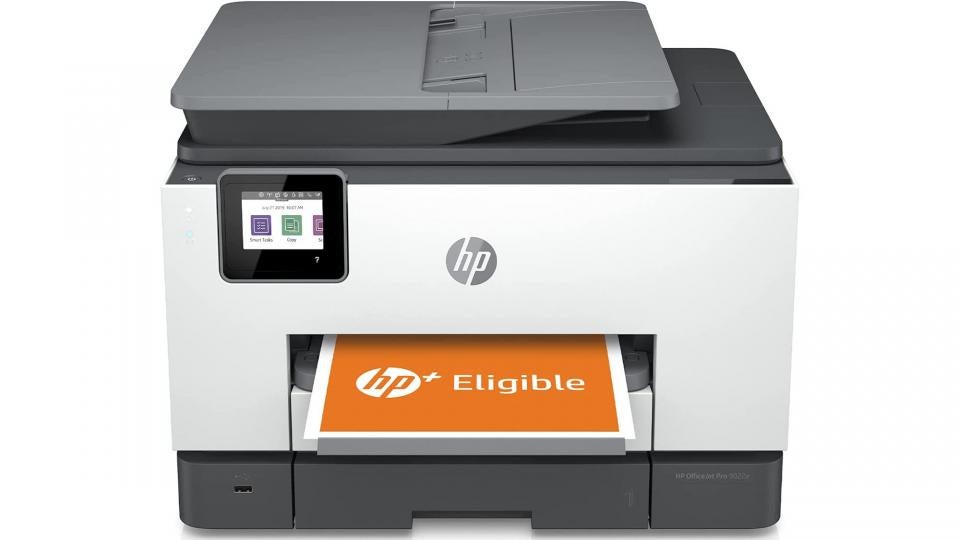
11. HP OfficeJet Pro 9022e: The best office MFP for high-speed printing
Price when reviewed: £210 | Check price at Amazon
- Great for: Fast inkjet printing
- Not so great for: Photo printing
If you work your printer hard and produce a lot of printed documents, you might also spend a lot of time waiting for them to appear. The HP OfficeJet Pro 9022e inkjet aims to make this wait a thing of the past, producing mono text documents at a blistering 20.5ppm in our tests.
It’s so fast it’s faster than some laser printers and while mixed colour and mono documents are produced at a more sedate 8.5ppm it’s still significantly faster than most inkjets.
The printer is easy to connect to Wi-Fi or Ethernet for sharing around the home or office, and uses the HP Smart app, so you can print and scan from any device with ease. It has two 250-sheet paper trays, so you can stock it up with plenty of paper.
A nice bonus is that the printer also comes with a free six-month subscription to HP’s Instant Ink service, which sends replacement ink cartridges to you in the post, so they’re ready and waiting when the printer runs dry. Printing costs after this are competitive, particularly if you print a lot.
Read our full HP OfficeJet Pro 9022e review
Key specs – Technology: Thermal inkjet; Maximum print resolution: 4,800 x 1,200dpi; Scan specifications: 1,200 x 1,200dpi; Recommended monthly duty cycle: 30,000 pages; Dimensions (WDH): 437 x 396 x 318mm; Weight: 11.66kg; Maximum paper size: A4/legal

12. Brother MFC-J6955DW: The best inkjet MFP for larger offices
Price when reviewed: £415 | Check price at Cartridge People

- Great for: Fast inkjet printing
- Not so great for: Home or small offices
Offices with more than a handful of staff need a printer that can cope with the increased volume of work. Laser printers are usually the first choice, but they don’t have to be, with the Brother MFC-J6955DW proving that inkjet printers have small office potential.
This printer/copier/scanner/fax can perform all its functions up to A3 size. This makes for a large device, with the A3 scanner bed needing a significant footprint that’s larger than most standard printers. It’s space well used, though, with plenty of room given over to paper storage, so you don’t have to keep refilling it.
It’s also a speedy printer, being both quick off the blocks and capable of churning out reams of pages, which was confirmed by our testing. It prints at a cost-efficient 1.2p per mono A4 page and 3.2p per colour A4 page, which isn’t as cheap as rivals with ink tanks, but still provides decent value running costs.
Read our full Brother MFC-J6955DW review
Key specs – Technology: Inkjet; Maximum print resolution: 1,200 x 4,800dpi; Scan specifications: 1,200 x 2,400dpi; Recommended monthly duty cycle: 3,500 pages; Dimensions (WDH): 576 x 477 x 375mm; Weight: 24kg; Maximum paper size: A3

13. Epson Expression Photo HD XP-15000: The best A3 photo printer

Price when reviewed: £255 | Check price at Currys
- Great for: A3 prints and photo printing
- Not so great for: Speed
If you need to go bigger with your photos than an A4 print, step up to the Expression Photo HD XP-15000. With its six-colour, 5,660 x 1,440dpi print system and Claria Photo HD prints, we found it printed sensationally sharp and detailed photos with perfect skin tones and precise shade control, along with high-contrast monochrome stills.
Black text and colour graphics lack the punch you’d get from the best office printers, but none of them are going to give you such great photo prints – and particularly not at A3+ sizes.
Needless to say, it’s not especially quick, despite its competitive photo printing speeds during our testing, and costs are as high as you’d expect from a specialist photo printer. You also have to live without scan or copy features. Still, to get a printer this compact and this inexpensive that delivers such high-quality results is quite extraordinary. Keen photographers need look no further.
Read our full Epson Expression Photo HD XP-15000 review
Key specs – Technology: Thermal inkjet; Maximum print resolution: 5,660 x 1,440dpi; Scan specifications: N/A; Recommended monthly duty cycle: N/S; Dimensions (WDH): 479 x 370 x 159mm; Weight: 8.5kg; Maximum paper size: A3+
14. Epson EcoTank ET-8550: The best A3 printer that doesn’t cost the earth to run

Price when reviewed: £730 | Check price at John Lewis
- Great for: A3 photo printing
- Not so great for: Price
Although it’s expensive to buy, the Epson EcoTank ET-8550 is a very cost effective printer to run, particularly if you’re looking to print a lot of big A3 photos. It’s a six-ink, multifunction printer that uses Epson’s EcoTank ink system, which stores ink in large reservoirs. These can hold enough ink to print thousands of photos and are replenished from affordable 70ml bottles.
This allows Epson to keep down the cost of photo printing, with 6 x 4in colour photos costing just 3.4p each. Unlike other photo printers, it’s also a good all-rounder, more than capable of taking on regular printing jobs. We did find that photo printing was on the slow side and that also found that the output wasn’t the sharpest at standard settings.
In summary, then, it’s expensive to buy – and you should only consider it if you intend on printing loads of big photos – but it’s superb at what it does and running costs are very low.
Read our full Epson EcoTank ET-8550 review
Key specs – Technology: Thermal inkjet; Maximum print resolution: 5,760 x 1,440dpi; Scan specifications: 1,200 x 4,800dpi; Recommended monthly duty cycle: N/S; Dimensions (WDH): 523 x 379 x 169mm; Weight: 11.1kg; Maximum paper size: A3+
How to choose the best printer for you
What’s the difference between laser and inkjet printers?
Inkjets create prints by placing thousands of tiny dots on the paper. Printers with higher resolutions – measured in dots per inch (dpi) – can place more dots on the page.
As their print heads usually need to move about to cover the page, inkjet printers tend to be slower than lasers. Also, because the ink takes a second or two to dry, they might be slower still when duplex (double-sided) printing.
Laser printers work by negatively charging a light-sensitive surface called an optical photoconductor (OPC) drum. A laser then “draws” an image of the page to be printed onto the surface of the drum, discharging the areas it hits.
A negatively charged toner is then released onto the surface of the drum. This is attracted to the discharged areas drawn by the laser and repelled by the negatively charged background. A positively charged sheet of paper is passed over the drum, and the toner is transferred. This process occurs on all four drums – for cyan, magenta, yellow and black – to make up the final colour image. Finally, the paper is heated by a fuser, which melts the toner to the page.
A laser printer used to be the only option for fast, high-quality document printing, but in the last few years, office-focused inkjets have started matching them for speed and quality. Despite popular belief, inkjets are often cheaper to run than their laser equivalents, too. But inkjets can suffer from blocked nozzles if you don’t use them often enough and flushing them out wastes ink: if you tend to go weeks without printing, you’re still better off with a laser printer.
If you plan to do lots of printing, opt for a device with a high duty cycle figure. This represents a one-time maximum number of prints a device can produce if you really push it, rather than the number of pages it can print regularly, so always pick a printer with a duty cycle that exceeds your requirements. Some manufacturers also quote a recommended duty cycle figure, which is useful to know if you’ll be putting your printer to heavy use and don’t want to wear it out quickly.
READ NEXT: Best office chairs for homeworking
Does high print resolution mean better quality?
In general, the higher the resolution, the sharper the print, but other factors influence the final result. With inkjet printers, a smaller droplet size helps avoid grain – tiny dots of colour that might otherwise be visible in lighter areas of a graphic or photo. Some photo inkjets use extra colours to reduce grain further or to improve neutral shades or the colour range (gamut) in photos. Inkjets are quite sensitive to paper quality – you will get better documents if you avoid lightweight papers and dramatically better photos on coated photo paper.With laser printers, it’s more typically true that high resolution (1,200dpi or more) looks better. You’re most likely to notice it as improved graphics and smoother outlines to text – the latter can look jagged at the 600dpi resolution typical of entry-level models, but only if you have very sharp eyes. Note that a laser’s quoted resolution may be the product of interpolation, rather than the print engine’s native or “true” resolution. An interpolated resolution of, say, 1,200dpi is likely to look better than a 600dpi print, but not as good as a true 1,200dpi print.
In practice, you can’t always predict print quality from a printer’s specifications. Our reviews tell you how good a printer’s output is across a range of tests, and highlight the kind of strengths and weaknesses you can only spot from hands-on comparisons.
Do I need an all-in-one printer?
All-in-one printers (or multifunction/MFP printers as they’re also called) have several advantages over a separate printer and scanner. They’re great if you’re short of space, and you can use them to make photocopies without your PC. You can usually scan and copy directly from the MFP’s control panel, but note that these interfaces vary in how easy they are to use. Our reviews tell you what a printer’s built-in control panel is like to use for basic tasks. If we don’t mention it, it’s fine.
The scanners in office-orientated MFPs can be disappointing – they’re usually fine for archiving paperwork at low resolution, but they won’t necessarily be ideal for creating a permanent digital copy of your favourite slides or photos. The scanners in home-focused devices usually do a little better, but there are good and bad examples of each. We explain the strengths and weaknesses of scanners, and their software, in our reviews.
If you’re likely to scan, fax or copy multi-page documents, look for an automatic document feeder (ADF), which will help you do it automatically. If you’re doing a lot of office work, a duplexing ADF will help if you work with double-sided originals. The best MFP scanners will do a great job of capturing old photos, but if you want to scan slides or negatives, you’ll need a dedicated scanner.
How do print speeds vary?
Print speeds vary greatly between models. Very generally, inkjets are quicker to start printing, whereas lasers are faster once they get going. We test how many pages per minute (ppm) a device reaches when printing a 25-page text document, as well as a complicated 24-page colour document that contains a mix of text and graphics. We also measure how long each printer takes to produce a page from sleep. On shorter jobs, a fast warm-up is more important than the quoted speed.
How do I connect my printer?
Almost all printers and MFPs can work over a USB connection to a single PC, but these days most can also connect to your wireless network. Office printers may have a wired Ethernet port. Whatever the method, a network connection lets you share a printer among multiple PCs or other devices in your home or office. Almost all network-capable printers now support direct printing from iOS (iPhone, iPad) and Android devices, or indirect printing via cloud services such as Google Cloud Print. Some printers additionally use NFC technology to help you connect a smart device – it’s most useful for visitors to an office environment who may not have access to the core network.
Some printers and MFPs have additional ports, such as a front USB slot for printing from or scanning to an inserted USB stick. Home devices with a creative bias may have a memory card slot for direct photo prints – it’s a handy feature, but you’ll get more control printing from a PC.
Print and scanning software makes a big difference to what a printer or MFP is like to use. We test each device on a PC and at least one mobile platform (Android, iOS), and we will mention any connectivity or usability issues.
What about ink and toner cartridges?
Inkjet printers typically need frequent ink cartridges, and they may need an occasional waste ink box replacement – or possibly a new print head. Laser printers can be similarly straightforward, but the most complex models can use up to ten or more consumables.
The simplest lasers use one (mono) or four (colour) toner cartridges with an integrated OPC drum. These make the printer easy to maintain, but they can result in high print costs. The absence of other user-serviceable parts can also limit your printer’s lifespan. Other laser printers have separate OPC drums, waste toner bottles and even fuser units, which can produce a lot of hidden costs even if the toner cartridges are cheap.
The prices and lifespans of these parts vary widely, but if you do enough printing they’ll all have to be replaced. We always include every relevant consumable when working out print costs. To calculate the cost per page, we find the best price for each printer’s best-value toner or ink cartridge and divide it by the rated number of pages. If it’s unlikely that you’ll need to replace, say, a fuser unit rated at 100,000 pages, we’ll mention this in the review.
READ NEXT: Best wireless routers
How we test printers
Expert Reviews puts its printers through an exhaustive series of hands-on tests, which allows us to compare and contrast every model we review.
We start with a series of timed tests, using a standard letter, a business presentation and a series of colour photographs. We record how long it takes the printer to produce the first page of the mono letter, and then how long it takes to print 25 pages at its standard quality settings. For the business presentation, we time colour output at standard settings, and the photo tests are run at the printer’s highest quality.

We also use the output of these tests to compare the quality of the prints, examining the way they look to the naked eye, then scrutinising them in detail through a magnifying glass. Letters and business documents are printed on standard copier paper, while photos are printed on glossy photo paper.
We keep a library of prints so that we can go back and compare print quality to previous reviews.
If the printer can also scan, copy and print on both sides automatically, we test those functions, testing for both speed and the quality of the finished print.
Finally, we work out how much it will cost, on average, to print pages in mono and colour. This lets us compare the running cost of each printer so you know you’re not getting ripped off by buying a cheap printer with pricey consumables.