TVs & Home Cinema
recommended

LG C6 OLED (65C64LA) review: My new favourite TV for gaming, but one thing surprised me during testing
The latest iteration of LG’s C Series OLED remains one of the best TVs for gaming, but the 65in model I tested misses out on key tech found on the larger sizes
£2600
-
 Sony joins RGB Mini LED party with Bravia 7 II and Bravia 9 II TVs Sony finally pulls the wraps off its “True RGB” offerings and they’re going to be expensive
 -
best buy
 Samsung HW-Q990H review: It wasn’t broken, so Samsung didn’t fix it Samsung’s latest flagship soundbar hasn’t changed much from its previous flagship soundbar - and that’s just fine by us£1599
 -
 Roku releases two new budget projectors in time for World Cup Two new models come with autofocus and autokeystoning and will (probably) cost under £200
 -
 I’m SUPER excited that TCL’s award-winning C-series TVs are getting the Super Quantum Dot treatment I’ve seen loads of TVs already this year, but the TCL C8L and C7L are two that I’m particularly looking forward to testing
 -
recommended
 Hisense XR10 review: The big, bright beast of living room projectors Fantastic image quality and the best audio we’ve heard from a living room projector. But such high-end performance comes with a sky-high price tag£5998
 -
 LG Sound Suite review: A bitter Suite experience with Flex (Dis) Connect Dolby Atmos Flex Connect has promise, but I found the expensive LG Sound Suite’s connectivity issues infuriating£3095
 -
 Haier is talking a big TV game, but after seeing its first releases, this referee is consulting VAR I was at Anfield to learn more about Haier’s plans to break into the UK TV market and take a look at a few of its debut models
 -
 I’ve seen the Amazon Ember Artline in action, and it has the potential to wrestle the lifestyle TV crown from Samsung The Amazon Ember Artline is here to take on Samsung’s The Frame and Hisense’s Canvas TV, and has quite a lot going for it
 -
best buy
 Samsung R95H review: A triumphant debut for mainstream Micro RGB TVs The Samsung R95H is the brand's first mass market television to use Micro RGB technology, and feels like the future of LCD TV£4299
 -
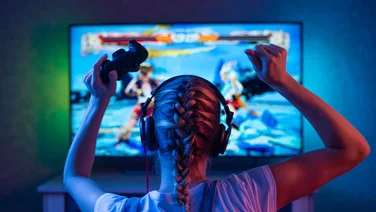 The best 4K and 8K TVs for gaming Enjoy the most immersive experience possible with our favourite TVs for gaming, all of which have been tested and reviewed by one of our television experts
 -
 FIFA World Cup sponsor Hisense reveals its TV starting XI ahead of the tournament’s kick-off in June I got a glimpse at the flagship models in Hisense’s 2026 TV range at CES, but can now confirm the full squad following a showcase event in Munich
 -
best buy
 Samsung S99H review: Samsung kicks off its 2026 range in a blaze of glory Samsung’s new flagship TV takes OLED to places it’s never gone before - and where rivals may struggle to follow£4599
 -
best buy
 Valerion StreamMaster Plus 2 review: Spectacular performance for the price The StreamMaster Plus 2 delivers some of the best pictures and audio we’ve seen for under £2,000. Buy it on sale, and it’s a steal£1199