To help us provide you with free impartial advice, we may earn a commission if you buy through links on our site. Learn more
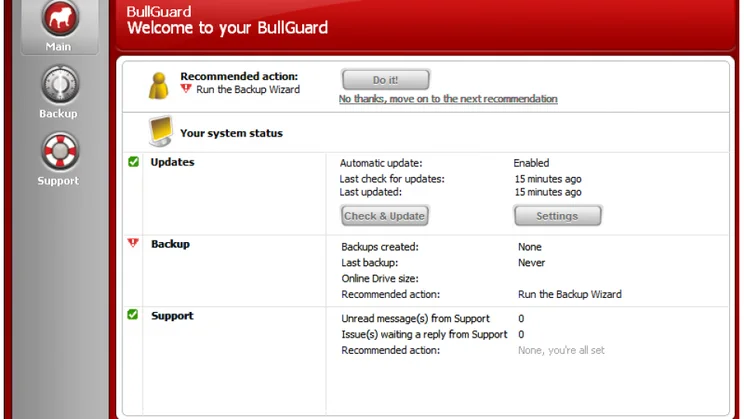
Bullguard is one of only a handful of providers that sells boxed copies of its products in the shops. Although Backup 8.7 is fairly cheap, it’s not brilliant value, as £30 only gets you 10GB of storage and a three-computer licence. However, it’s easy to use and doesn’t quibble about backing up certain file types or retaining old versions of files forever. You can store backups online, but it also works as a regular backup utility and can save files to disc, external hard disk or a network share.
Bullguard maps its online storage as a virtual drive, making it as easy to access as a real hard disk. You can back up and restore files and directories simply by dragging them to and from this virtual drive. There are also backup and restoration wizards built into its software client, which provide guided configuration and more advanced options.
The backup wizard has a set of pre-defined options, including Outlook, Windows Mail or Thunderbird emails, plus the contents of your desktop, document, photos, music and movie folders. Alternatively, the New Backup option lets you to select your own folders.
If you simply drag content to your backup drive, it’ll automatically be given the default options – unencrypted and only backed up on demand. Only backups created using the client interface can be encrypted, compressed, scheduled and have version control applied to them. The client interface also provides access to one of Bullguard’s best features: the ability to back up files to local storage. This added flexibility is very welcome when it comes to backing up large files.
There’s also a simple and efficient restore wizard. You just browse a tree view of the files you’ve stored online, on your network or on a DVD, select them and they’ll be copied to a folder on your desktop.
Like most online backup services, Bullguard has a web interface that allows you to access your files from any PC. You can upload files as well as downloading them, but there are few other options and you can’t download multiple files or entire folders at once or share your files with others. Bullguard is easy to use, but its limited storage and basic web interface look stingy compared to the likes of Livedrive.
| Details | |
|---|---|
| Price | £30 |
| Details | www.bullguard.com |
| Rating | *** |





