To help us provide you with free impartial advice, we may earn a commission if you buy through links on our site. Learn more
- Samsung Galaxy Note 8 review: What you need to know
- Samsung Galaxy Note 8 review: UK Price, release date and competition
- Samsung Galaxy Note 8 review: Design and display
- Samsung Galaxy Note 8 review: Camera
- Samsung Galaxy Note 8 review: Performance and battery life
- Samsung Galaxy Note 8 review: Verdict


- Incredible bezel-less display
- Superb dual cameras
- Refined stylus
- Painfully expensive
- Weaker battery life than S8 Plus
Aside from one scorching flaw, I think we can agree that the Note 7 was a remarkable Android handset. When originally launched, we sung its praises and even placed it at the top of our best smartphones hierarchy. Mind you, we did have to rescind the honour not long afterwards.
For in the end the Note 7 drew headlines for all the wrong reasons. A spate of exploding batteries and the resultant bad press (it was even banned on flights) forced Samsung’s hand, and the Note 7 was recalled. There were fears the Note brand had been killed off for good.
READ NEXT: The best iPhone and Android contract deals
But Samsung isn’t taking no for an answer, and it’s now raised the curtain on the Note 7’s do-over: the Galaxy Note 8. It expands on everything we loved about its predecessor and then some. The only question remains: is the Note’s reputation still in tatters, or can it win back critical acclaim in 2017? Here’s where we find out.
Samsung Galaxy Note 8 review: What you need to know
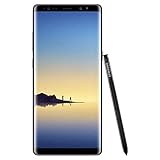
With the Note 8, the Korean firm will be hoping to put last year’s fiery disaster firmly behind it. It’s still the plus-sized Android phablet we know and love, with an edge-to-edge 6.3in QHD+ display, the latest Qualcomm Snapdragon 835 processor (or Samsung’s own Exynos 8895, depending on region), 6GB of RAM and 64GB of expandable storage. The major upgrade – aside from the bezel-less screen – is a set of dual 12-megapixel cameras found on its behind.
Samsung Galaxy Note 8 review: UK Price, release date and competition
Samsung’s Galaxy Note 8 is one seriously impressive smartphone. Crammed with up-to-date internals, including Qualcomm’s Snapdragon 835 processor (or Samsung’s own Exynos 8895 if you aren’t Stateside), complete with 6GB of RAM and 64GB of expandable storage. It also features Samsung’s biggest display yet: with its gorgeous Super AMOLED QHD+ display reaching a total of 6.3in corner to corner. Not only that, but the Note 8 also packs Samsung’s first stab at dual-cameras, with a 12-megapixel f/1.7 wide-angle camera working in tandem with a 12-megapixel f/2.4 telephoto snapper on the back. To top it all off, you get Samsung’s excellent S-Pen too, for note-taking and stick-man drawing.
You’re impressed so far, right? But, let’s talk price. Samsung’s Galaxy Note 8 will launch for a wallet-shaking £869 come September. That’s a price point that’s absolutely baffling – especially considering you can pick up the iPhone 7 Plus, complete with 256GB of storage for about that price. The S8 Plus too, which is essentially the same device without the dual cameras and stylus, currently circles around £630 – a good £240 saving. The Galaxy Note 8 better be blooming perfect before we recommend it at that price.
Samsung Galaxy Note 8 review: Design and display
The Galaxy Note 8 is a visually striking handset, but that’s not really shocking, is it? After all, if there’s one thing Samsung has been nailing these past few years, it’s aesthetics.
And it’s an area where Samsung has a commanding lead. Those who are willing to pay more for the best smartphone they can get their mitts on already know exactly where to turn. The Galaxy Note 8 doubles down on that, delivering everything previous Note phones have – and even upping the ante.
Case in point: the dominating, plus-sized display on the front. Note devices have always had large screens, but something is different this year. Just like the Galaxy S8’s stunning bezel-less design, the Note 8’s front is all display, and it’s a sight to behold.
That means we’re treated to a massive 6.3in QHD+ display – 0.6in larger than last year’s effort – and it’s a great screen. Just like the Galaxy S8 and S8+ before it, it benefits from Samsung’s Super AMOLED technology, so we’re getting effectively perfect contrast levels and an image quality like no other.
Case in point: after putting the Note 8 to the test with our X-Rite colour calibrator, we found it covers 98.2% of the sRGB colour gamut space. With an average delta E of 1.49 (anything less than 1.5 is preferred), the Note 8 produces wholly accurate colours across the board, even if images are a tad overexposed.
And, because this is an AMOLED panel, contrast levels are unbeatable, at a perfect Infinity:1, and maximum brightness reaches a respectable 330cd/m2. Switch on adaptive brightness, and that figure creeps up to a blinding 981cd/m2. No more squinting at your Facebook feed in direct sunlight.
Samsung aces the ergonomics, too. The Note 8 still has the familiar perfect chamfered, rounded edges, complete with a tapered edge on either side. Pair that with a slim 8.6mm profile and you get a device that’s not only exquisitely elegant but also comfortably snug in the palm of your hand.

The last big one-up is less obvious, but one you’ll likely be taking full advantage of if you take the leap. Samsung’s excellent S Pen stylus – the pointing stick that gives the Note its name – can now be used to jot quick notes on the screen while it’s off, for on the fly note-taking. Among other things, handwriting and doodles can also be converted to GIFs and emoji should you so desire, and you can now hover the S Pen over any text or sentence to translate it, or use it for currency conversions. Perfect if you’re the regular traveller.
Samsung Galaxy Note 8 review: Camera
Dual-sensor arrangements aren’t new, but the Note 8’s twin-camera setup is a first for Samsung. One is a wide-angle 12-megapixel f/1.7 camera, while the other has an f/2.4 telephoto lens with 2x optical zoom; both are equipped with optical image stabilisation (OIS) for seriously stable shots.
Image quality, as you’d expect from Samsung these days, is superb. The quality of the wide-angle camera is just as good as the Galaxy S8’s which is to say it’s sublime. You’ll have no issues no matter the lighting conditions, making for one cracking, versatile camera.
As well as offering you some flexibility with your shots, the two cameras working in tandem can help produce a bokeh-like effect, the same feature found in last year’s iPhone 7. Samsung calls this effect “Live Focus”, softly blurring out the background and putting the subject front and centre. Where Samsung has the leg up here, is that you can adjust the amount of blur both while taking the picture and when viewing the image in the gallery.
That telephoto lens is a fantastic addition to the Note, producing detail-rich images with very little noise compression or artefacting. It isn’t quite as good as the wide-angle lens next to it, but it’s a significant improvement over the OnePlus 5’s telephoto snapper, which tended to produce inconsistent, irregularly detailed shots in lower light.
Samsung Galaxy Note 8 review: Performance and battery life
Internally, the Note 8 is very similar to the Galaxy S8. Inside, you’ll find a 10nm CPU, the second of Samsung’s flagships using such a processor. There’s also 6GB of RAM for heavyweight multitasking, and 64GB of onboard storage, expandable up to 256GB via microSD.
As with some previous Samsung handsets, the processor comes in two flavours depending on your region. US owners get the latest Qualcomm processor (in this case, a Snapdragon 835), while Europeans are treated to Samsung’s own Exynos 8895 chip. In the Galaxy S8, Samsung’s own chip proved to be a smidge quicker than Qualcomm’s, and I’d expect that to hold here too.
Our own testing affirms my expectations – the Note 8 is one seriously speedy handset. Running the Geekbench 4 multi-core and single-core tests, the Galaxy Note 8 reached 6614 and 2008 respectively – the highest figure we’ve seen on an Android handset thus far. That’s a good 10% increase in multi-core processing when put against the Exynos 8890-equipped Galaxy Note 7. Mind you, the Note 8 is in line with the similarly well-performing S8 Plus, which currently asks for well over £200 less.
<–digiteka-placeholder–>

Graphics performance, as you can expect, is exemplary. The Note 8 breezed past the GFXBench Manhattan 3.0 test, scoring a 42fps average at native resolution, and 64fps offscreen at 1080p. This’ll run any Android game you throw at it, no question.

READ NEXT: ” target=”_blank”>The best iPhone and Android phone contract deals
The smaller manufacturing process also typically means improved power efficiency, so we should have expected to see the 3,300mAh battery last a decent bout longer than its competitors. If Samsung’s previous launches were anything to go by, I certainly didn’t expect to see battery life cut.

Reaching 16hrs 25mins in our continuous video-playback test with the screen set to our standard 170cd/m2 brightness is pretty typical of Samsung. In a world where the Galaxy S8 Plus reached well over 20 hours, this is a bit of a shame mind you. Obviously, Samsung could be playing safe with their battery – after all, the Note 7 hit a ludicrous 22 hours in our original testing, and you know what happened there. Regardless, you’ll be able to squeeze out more than enough juice on a single charge during a heavy day’s use.
Samsung Galaxy Note 8 review: Verdict
The Galaxy Note 8 is primed to take the smartphone world by storm. It’s a stunning handset, both to gawk at and to clutch in your palms. Its bezel-less display is on par with the dazzling beauty of the Galaxy S8, and with bang-up-to-date internals, new and improved S Pen features and fancy dual rear cameras, the Note 8 is the crème de la crème of smartphone flagships.
Samsung has a lot to prove if it wants to rehabilitate the Note brand. But with the Note 8, I’d say it has every chance of success. If only it weren’t so ludicrously expensive.