

To help us provide you with free impartial advice, we may earn a commission if you buy through links on our site. Learn more
- Best graphics tablet: At a glance
- The best graphics tablets you can buy in 2024
- 1. Huion H420X: The best budget graphics tablet
- 2. XP-Pen Deco 01 v2: The best value graphics tablet
- 3. Wacom Intuos M Bluetooth: The best wireless graphics tablet
- 4. Wacom Intuos Pro S: The best graphics tablet for pros
- 5. XP-Pen Artist 10 (2nd Gen): The best value pen display
- 6. Wacom One: The best all-around pen display
- 7. Wacom Cintiq 16: The best professional pen display
- How to choose the best graphics tablet for you
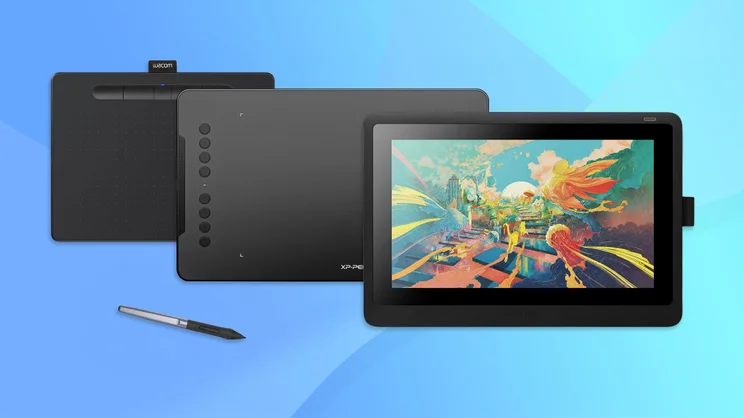
Digital art has revolutionised how artists produce their visuals, and the best graphics tablets are now a go-to tool for many creatives. However, whether you’re a beginning artist or a pro, no one expects you to be an expert on the technology that goes into them, and that’s where we come into the picture.
We’ve listened to the opinions of artists online, why they prefer some tablets over others and what the common pain points are. Combined with our technological expertise and the millions of people we’ve helped find the right technology for their needs, we think we’ve got a pretty cracking selection of graphic tablets for every budget and skill level, some of which we’ve tested first hand.
In our roundup below you’ll find budget tablets like the XP-Pen Deco that offer far more for the money than you’d expect. Right next to professional grade, industry darlings like the Wacom Cintiq, which has almost certainly played some role in your favourite big budget production. We’ve also included a handy buying guide at the end of the article to help you find something specific to your needs.
Best graphics tablet: At a glance
| Best budget graphics tablet | Huion H420X (~£29) | |
| Best value graphics tablet | XP-Pen Deco 01 v2 (~£60) | |
| Best all-around pen display | Wacom One (~£299) | |
| Best wireless graphics tablet | Wacom Intuos M Bluetooth (~£115) |
The best graphics tablets you can buy in 2024
1. Huion H420X: The best budget graphics tablet
Price when reviewed: £29 | Check price at Amazon
- Great for… absolute beginners
- Not so great for… professional users
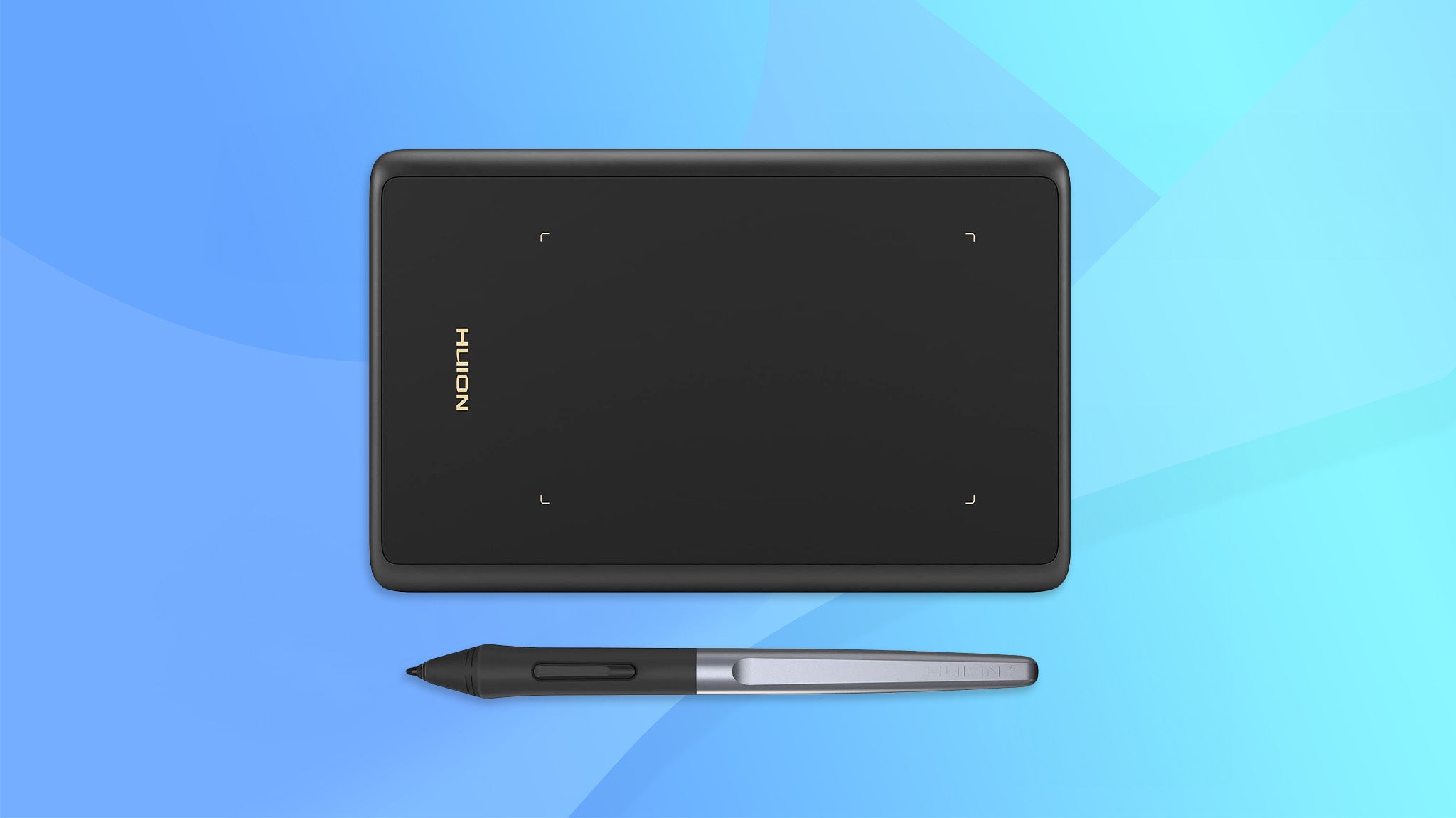
There’s not a whole lot to this tablet but it’s a great entry-level device. With an active surface measuring 106 x 66mm, it’s not going to be ideal for finely detailed work. The pen, however, offers plenty of resolution, allowing you to get fairly sophisticated with your creations.
The pen is thick and comfortable to hold and doesn’t require a battery, so you don’t have to worry about charging it. The feel of the pen on the surface is surprisingly good for such a cheap device, with just the right amount of drag, and the accuracy is spot on. If you’re serious about your art or design work you’ll want something bigger but this compact, lightweight option is just fine for people starting out.
Key specs – Working area: 106 x 66mm; Resolution: 5,080 LPI; Pressure sensitivity: 8,192 levels; Tilt sensitivity: N/A; Hotkeys: N/A; Connection: USB; Size: 172 x 110 x 7.5mm; Weight: 105g

2. XP-Pen Deco 01 v2: The best value graphics tablet
Price when reviewed: £60 | Check price at Amazon
- Great for… value for money
- Not so great for… when you’ve outgrown it
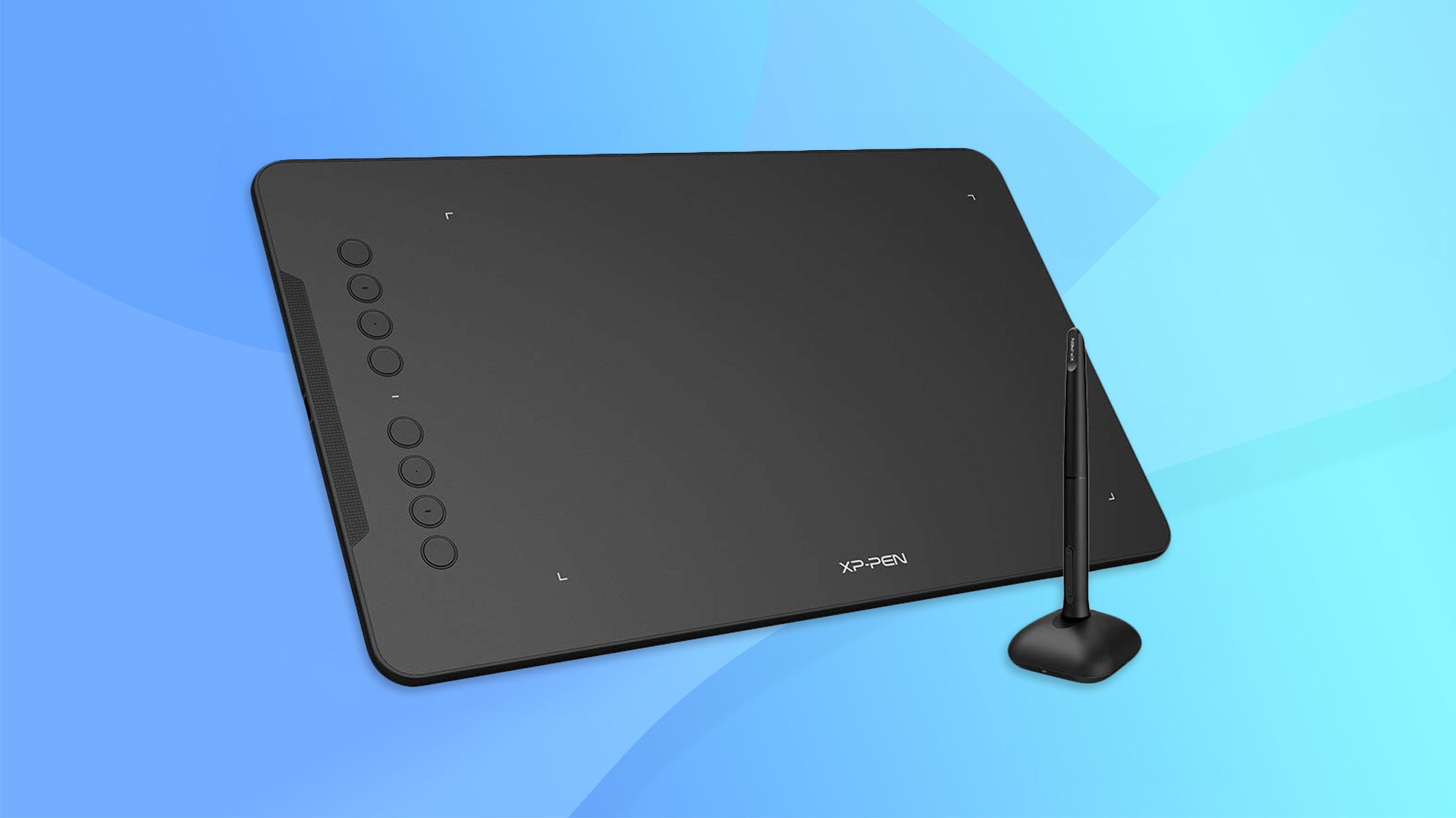
This cut-price rival to the Wacom Intuos line packs in a lot of technology for an incredible price. Not only do you get a tablet with a 5,080 LPI resolution but the pen supports 8,192 levels of pressure sensitivity and 60 levels of tilt, which, with Wacom, you’d have to move up to the Intuos Pro line to get. There’s also a generous 259 x 159mm working area, and the feel of the pen on the surface is second only to the Intuos Pro.
Tracking is nigh-on perfect and, in our testing, we were able to work with sophisticated brush and pen effects, giving illustrations a distinctive, hand-drawn style. What’s more, the Deco O1 v2 also fits in eight programmable buttons for switching between tools or preset styles. Think you can’t expect miracles from a £60 tablet? Think again.
Key specs – Working area: 254 x 159mm; Resolution: 5,080 LPI; Pressure sensitivity: 8,192 levels; Tilt sensitivity: 60 levels; Hotkeys: 8 buttons; Connection: USB; Size: 351 x 217 x 8mm; Weight: 590g

3. Wacom Intuos M Bluetooth: The best wireless graphics tablet
Price when reviewed: £115 | Check price at Amazon
- Great for… artists who don’t like to be tied down
- Not so great for… those who like pen tilt features
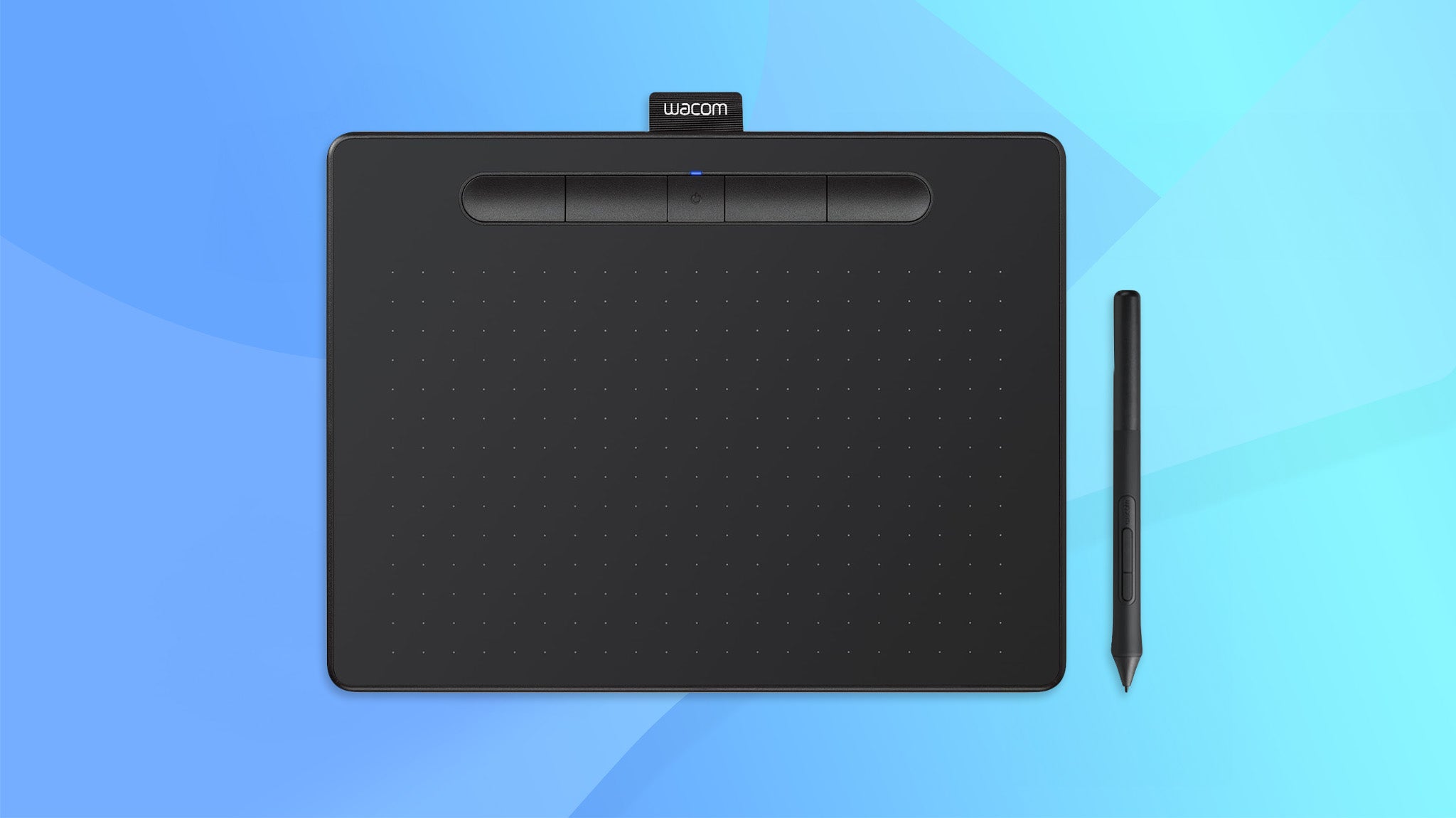
If you would like to minimise the cables trailing across your desktop, the Intuos M is a great option. It connects via Bluetooth rather than a USB cable, which means you only need to hook it up when the tablet needs charging; the built-in battery lasts around 15 hours. The build quality is up to Wacom’s usual high standards and the precision and accuracy of the tracking is a step ahead of most of the budget competition. Where some tablets end up with too much glide or drag across the surface, the Intuos gets the balance right.
In fact, our only complaints are that there’s no tilt sensitivity (reserved for the Intuos Pro) and that the supplied pen is thin and lightweight, which might not suit some users if they’re working all day long. If that doesn’t bother you or you can budget for a replacement, then buy away.
Key specs – Working area: 216 x 135mm; Resolution: 2,540 LPI; Pressure sensitivity: 4,096 levels; Tilt sensitivity: N/A; Hotkeys: 4 buttons; Connection: USB/Bluetooth 4.2; Size: 200 x 264 x 9mm; Weight: 410g

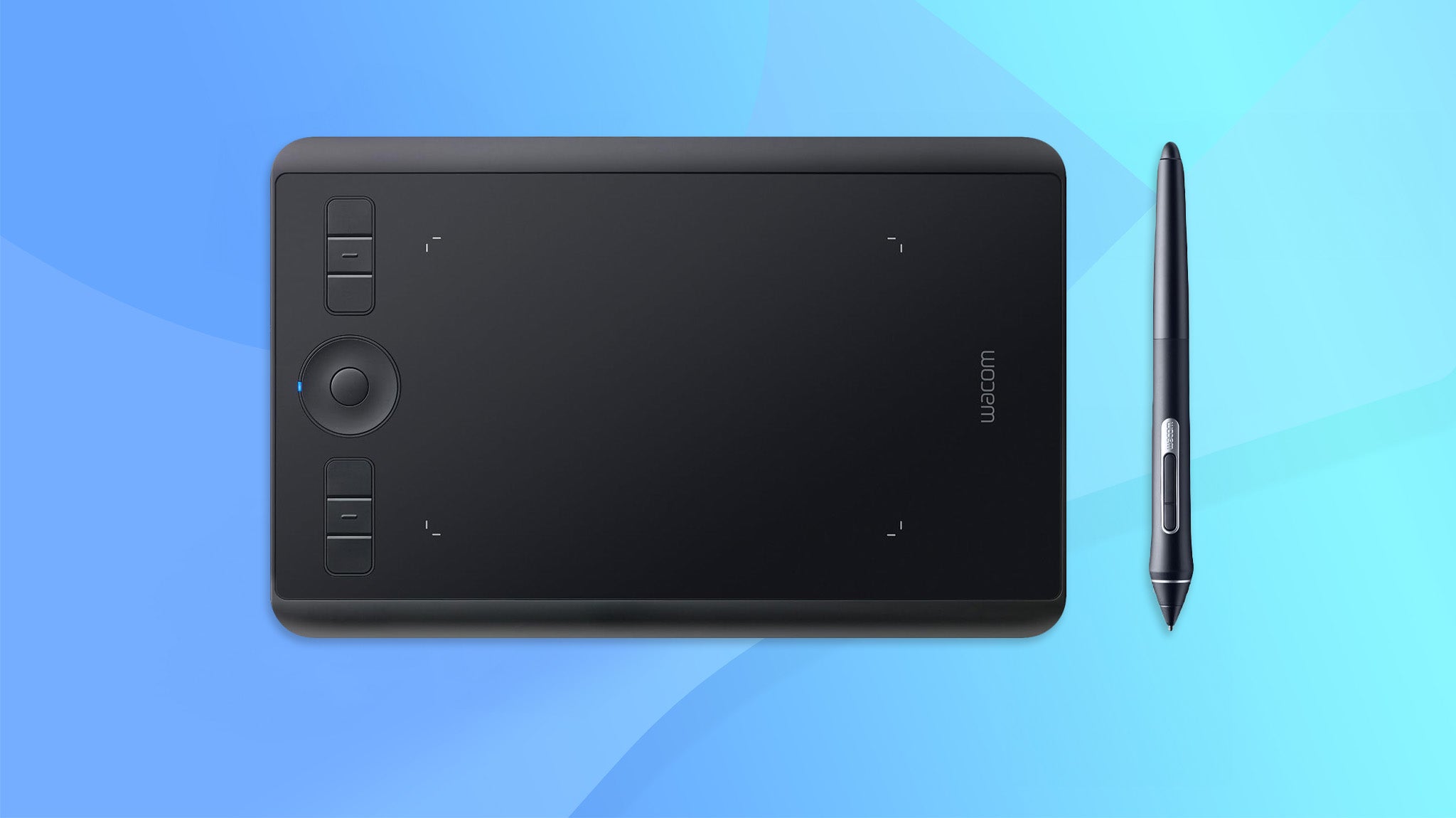
4. Wacom Intuos Pro S: The best graphics tablet for pros
Price when reviewed: £200 | Check price at Amazon
- Great for… professionals on a budget
- Not so great for… those who need more space
The Intuos Pro range is the choice of many working illustrators and design professionals, and once you’ve used one it’s not hard to see why. The tracking of pen movement, tilt and pressure is near-perfect, removing any barriers between what you mean to draw or paint and what turns up on the screen. Wacom also seems to have perfected the feel of the pen on the surface, so it glides across with just a hint of friction.
It says a lot that our tester is used to the old, medium version of this tablet, but came to prefer the small version after a couple of hours of use. If you need more space than the 6.2 x 3.9in active area, then you can upgrade to the medium (£330) or large (£310) models. Throw in six buttons and a programmable “touchring” dial, and you have the ideal tool for professional artists or anyone wanting pixel-perfect precision from a tablet and pen.
Key specs – Working area: 160 x 100mm; Resolution: 5,080 LPI; Pressure sensitivity: 8,192 levels; Tilt sensitivity: 60 levels; Hotkeys: 6 buttons and touchring; Connection: USB; Size: 269 x 170 x 8mm; Weight: 660g

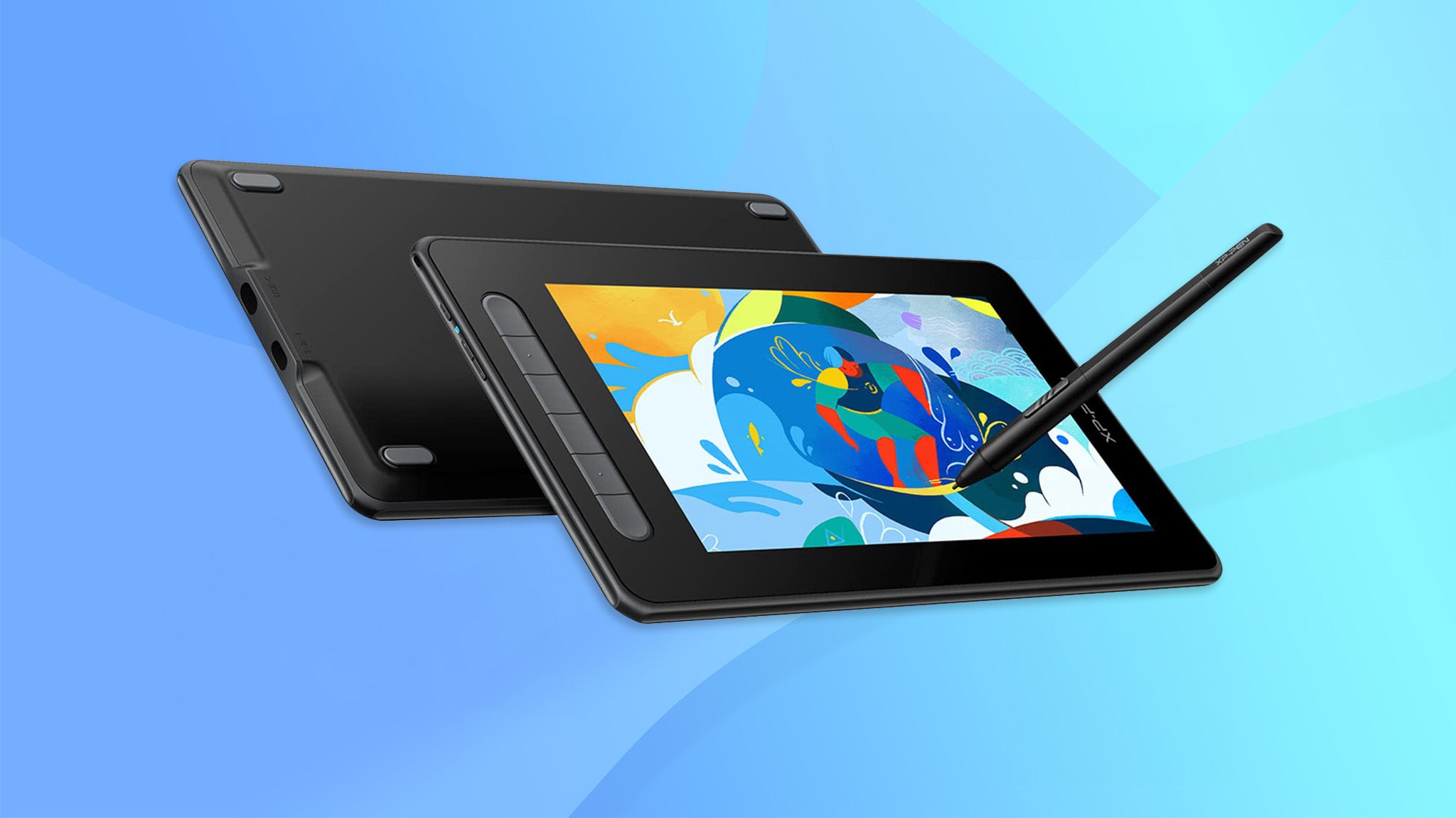
5. XP-Pen Artist 10 (2nd Gen): The best value pen display
Price when reviewed: £180 | Check price at Amazon
- Great for… pen display fans on a budget
- Not so great for… those who need lots of screen real estate
The second-generation XP-PEN Artist 10 is an excellent entry-level pen display, especially for under £200. It offers a bright, Full HD work surface, six customisable buttons and features a compact design that’s ideal for working on the go.
Getting the tablet’s initial calibration sorted can take a few minutes but once fully set up we found that the Artist 10 offers excellent tracking with good pressure and tilt sensitivity. The display surface has a nice matte-textured finish, which makes for a paper-like pen experience and the pen itself is lightweight and comfortable to use.
At this price point, you are going to need to accept a couple of shortcomings. The included 3-in-1 cable requires you to connect the tablet to two USB-A and a HDMI port, which can be a little messy. Users with a spare USB-C port can tidy things up significantly and run the device over a single USB-C cable but this isn’t included in the box. At 10.1in the display may also be a little cramped for some.
Artists and designers working full-time may wish to stretch to something a little more screen real estate but for beginners and those on a budget, the XP-Pen Artist 10 (2nd Gen) is a solid choice.
Key specs – Working area: 225 x 127mm; Resolution: 5,080 LPI; Display resolution: 1,920 x 1,080; Pressure sensitivity: 8,192 levels; Tilt sensitivity: 60 levels; Hotkeys: 6 buttons; Connection: 2 x USB-C; Size: 229 x 174 x 13mm; Weight: 710g

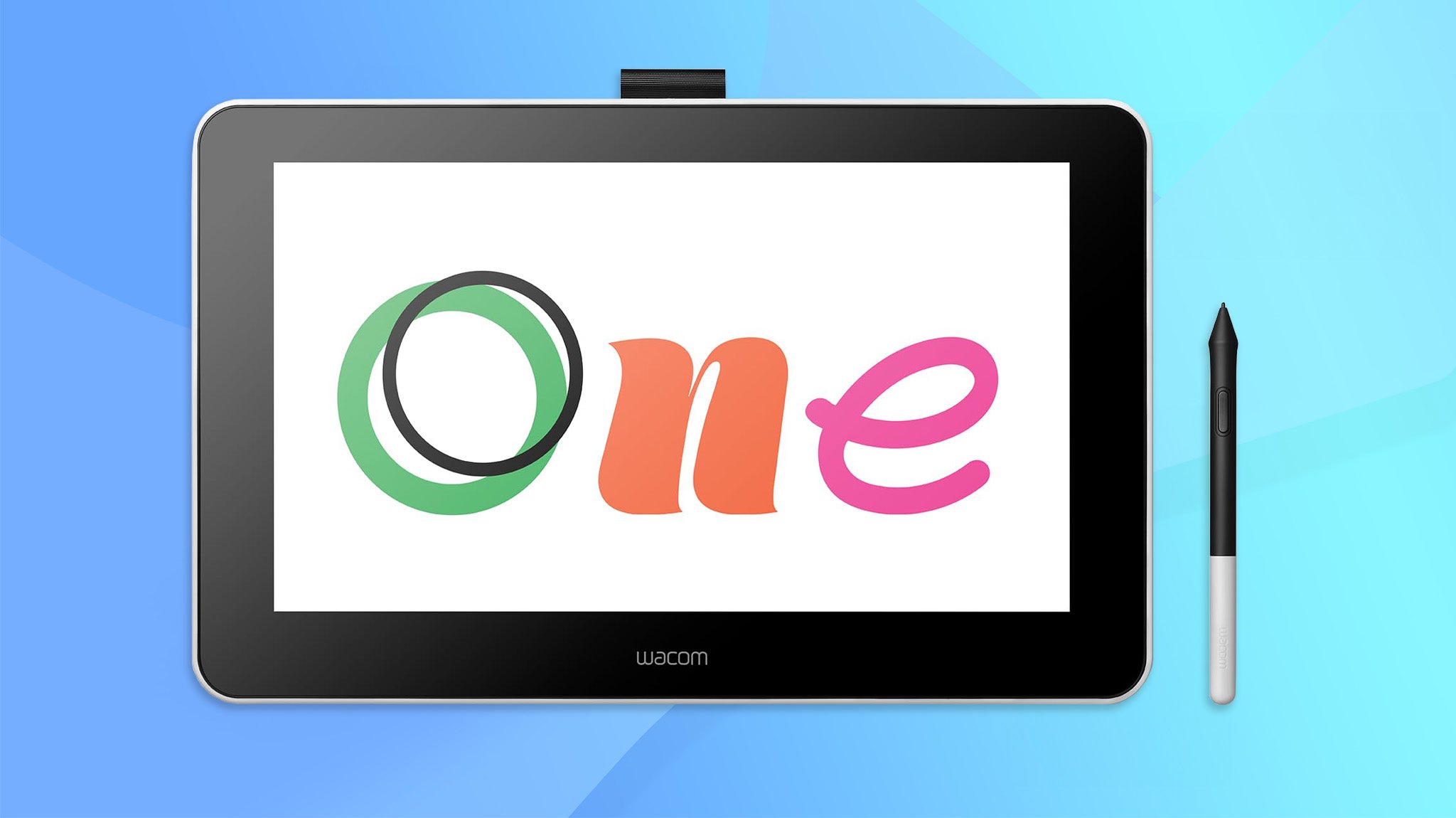
6. Wacom One: The best all-around pen display
Price when reviewed: £299 | Check price at Amazon
- Great for… an all-round option
- Not so great for… big-budget pros
Where Wacom’s Cintiq range is aimed at creative professionals, the Wacom One is designed for hobbyists and artists. There are signs of this in the lower resolution of the drawing surface and a drop in the pressure sensitivity of the pen but, frankly, this pen display is good enough for anyone to use. The 13.3in screen size hits the perfect balance between giving you enough screen to see what you’re doing and not occupying half your desk. It’s also a good match for the full HD display resolution.
What’s more, the screen is a major step up in quality from the XP-Pen Artist 10; it’s brighter and sharper with better colour accuracy. The overall feel and tracking is also better and with tilt sensitivity you can get some impressive hand-drawn linework and calligraphy effects, not to mention more realistic brush strokes if you’re simulating pastels, charcoal or paint. You still need to be running on a laptop or have a secondary HDMI output to get it up and running, but the Wacom One’s cable management minimises the clutter. And while the pen is thinner than the pen on the Cintiq, it still feels good in the hand. Unless you’re a demanding graphics pro, this is the pen display to buy.
Key specs – Working area: 294 x 166mm; Resolution: 2,540 LPI; Display resolution: 1,920 x 1,080; Pressure sensitivity: 4,096 levels; Tilt sensitivity: 60 levels; Hotkeys: None; Connection: 1x USB, 1 x HDMI, USB power supply; Size: 225 x 357 x 15mm; Weight: 1kg

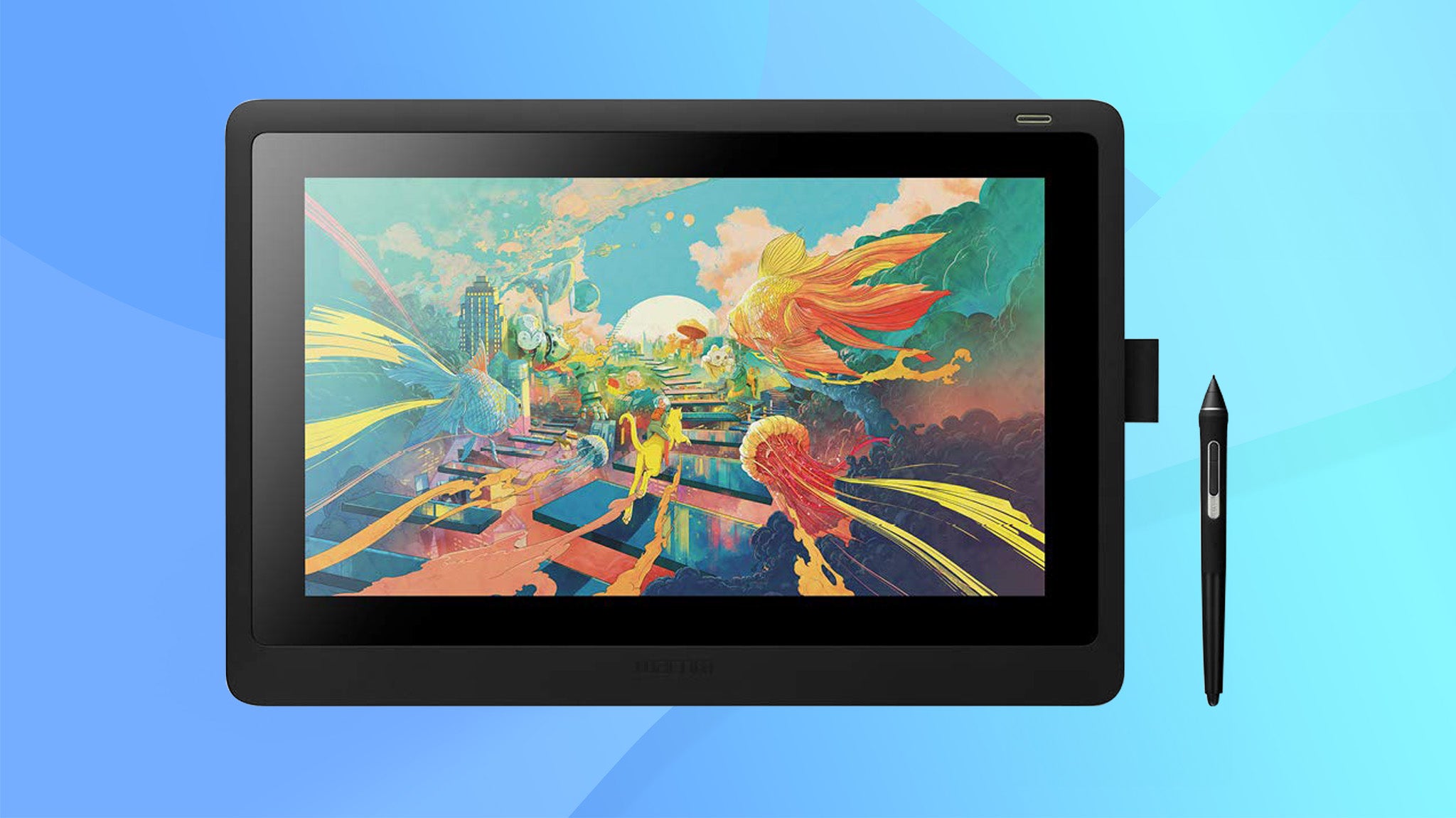
7. Wacom Cintiq 16: The best professional pen display
Price when reviewed: £620 | Check price at Amazon
- Great for… serious professionals
- Not so great for… amateur or hobbyist artists
If you want to work over a larger canvas, the Cintiq 16 is about as big as graphics tablets and pen displays get. The 15.6in panel matches the size of many performance laptops and mobile workstations and, while the full HD resolution means it isn’t as sharp as the displays on premium laptops and tablets, it’s still perfectly adequate for graphics work. Our testers found the bigger size also made it easier to select tools and work on more detailed images, so what you lose in desktop space you gain in usability.
This is very much a professional device, as reflected in higher pressure sensitivity, with up to 8,192 levels and a higher 5,080 LPI tablet resolution, and the tracking and precision is hard to fault. The greater size and power draw of the display also necessitates a separate power supply, not to mention some pretty chunky cabling. Luckily, the design of the cabling, with just one connector going into the tablet itself, minimises the hassle. Throw in an excellent, ergonomic pen and sturdy legs for a comfortable tilt, and you’ve got a superb pen display for creative professionals.
Key specs – Working area: 345 x 194mm; Resolution: 5,080 LPI; Display resolution: 1,920 x 1,080; Pressure sensitivity: 8,192 levels; Tilt sensitivity: 60 levels; Hotkeys: None; Connection: 1x USB, 1 x HDMI; Size: 410 x 265 x 17.5mm; Weight: 1.5kg

How to choose the best graphics tablet for you
While there are some technical differences, most graphics tablets work in the same way. The drawing area of the tablet creates a magnetic field, and the pen draws on this to produce its own magnetic field, which is tracked by the sensors in the tablet. Through this, the tablet knows where the pen is, the velocity of its movement and how hard the tip is being pressed against the board. It can even detect the angle at which the pen is being held.
The key things here are the size of the tablet, its resolution and how sensitive it is to pressure. Tablets usually come in sizes where the active drawing area ranges from slightly smaller than an A5 page to slightly larger than A4. The resolution affects how sensitive it is to the pen’s position and movement within that area, and is usually talked about in terms of lines-per-inch (the higher the better).As for pressure sensitivity, you’ll see this described in terms of levels. Don’t get too hung up on the numbers, though; while you’ll see tablets with 2,048 levels and tablets with 8,192 levels of sensitivity, you may or may not need the higher level – it all depends on your drawing style.
Higher-end tablets also offer tilt sensitivity, where they can track the angle of the pen and use this to vary the thickness and intensity of the line – ideal for sweeping brushwork or interesting calligraphy effects. The manufacturers will usually specify the level of tilt sensitivity; 60 levels means it can track 60 different degrees of tilt.
Are there any other features worth looking out for?
A lot of people focus on the tablet but forget the pen, which is a big mistake when you’re spending a lot of time working on your art. In our testing, lightweight pens often feel less natural and are harder to work with than a heavier, chunkier pen, and what’s fine to use for an hour or so could cause you some major discomfort over a long working day.
Most tablets also incorporate a range of hotkeys, which you can program for specific functions in your favourite software. As long as you can remember what each one does, these can make it faster and more natural to switch between different presets or different tools. Some even include a dial you can use to adjust intensity settings or line weights.
While most tablets work through a simple USB cable, there are some variants that use a Bluetooth wireless connection. That’s fine if you’re keen to avoid cable clutter or work with a laptop where ports are in short supply but you’ll either have to keep the tablet stocked with batteries or plug it in for an occasional recharge.
What about pen displays?
Pen displays are coming in at the high-end of the market and these effectively combine a graphics tablet with a secondary screen. The big plus is that you can see what you’re working on as you’re drawing on the drawing surface – a bit like when you’re drawing with pencil or ink and paper. Also, you can have reference images or toolbars open on your main screen, then keep the tablet screen clear for working. This can be brilliant, but you may find yourself limited by the size or resolution of the built-in screen so it’s not necessarily the best idea for everyone.


