To help us provide you with free impartial advice, we may earn a commission if you buy through links on our site. Learn more
- The best PC cases to buy
- 1. Thermaltake View 37: The best PC case
- 2. Fractal Design Define S2: The best PC case for water cooling
- 3. Thermaltake Versa H18: The best budget PC case
- 4. CoolerMaster Masterbox K500: The best mid-range PC case
- 5. SilverStone Precision Series PS15: The best microATX PC case
- 6. MSI MPG Gungnir 100: The best large PC case
- How to buy the best PC case for you

If you’re building your own PC, it pays to invest in the best PC case you can feasibly afford. It may be tempting to go for the cheapest enclosure you can, to leave more space in your budget for high-end components – but picking the best case will make a huge difference to your everyday computing experience. That means one that’s the right size for your desk, with the right connectors at the front, and space inside for all the drives and expansion cards you might want to add.
Airflow is a key consideration, too: if your case is poorly ventilated, internal temperatures are likely to rise, potentially to the point where performance and stability are affected. If you’re an enthusiast who likes to push your hardware to the limits, you might want to choose a case that has enough space (and the appropriate mountings) for a water-cooling system.
Make no mistake, your computer housing shouldn’t be an afterthought: it’s a critical part of your PC. Here’s our pick of the best cases on the market.
READ NEXT: Our pick of the best gaming keyboards | mice | monitors | headsets
The best PC cases to buy
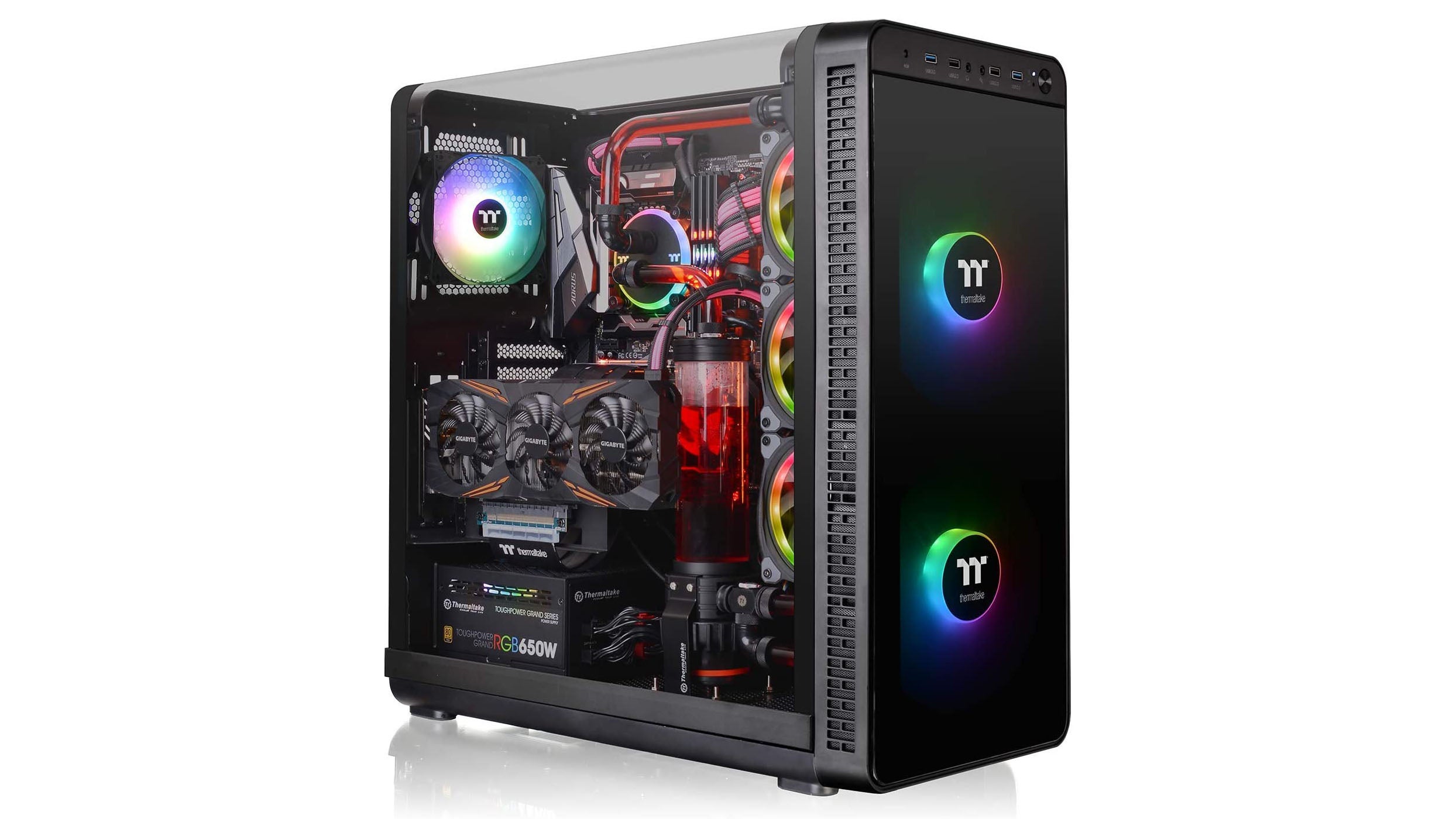
1. Thermaltake View 37: The best PC case
Price: £139 | Buy now from Amazon
Far from just being an aesthetically minded show-off, the View 37 cleverly enables some painless PC building while delivering fully on cooling and storage support. Removing the View 37’s glass side panel also removes the PC’s roof, which on most tower builds can be an obstruction, both to light and your hands, especially when tinkering with things near the top of the motherboard such as power pins and the CPU cooler.
Even if it’s mostly made of plastic, to our eyes this is easily one of the most striking PC cases around. Better still, the eye-catching design is complemented by the solid I/O offering and support for a whopping seven hard drives or 11 SSDs. Our only complaint is that it lacks advanced cable management options – otherwise, this is far and away the best PC case to buy right now.
Key specs – Motherboard compatibility: EATX, ATX, microATX, Mini-ITX; Dimensions: 525 x 261 x 538mm; Front connectors: 2x USB2, 2x USB3, 2x 3.5mm; Drive bays: 7 (7x 3.5in or 11x 2.5in)

2. Fractal Design Define S2: The best PC case for water cooling

Price: £145 | Buy now from Overclockers
You get the feeling the Fractal Design Define S2 was designed from top to bottom by someone who actually understands PC building. Apart from the lack of tool-free mounts, it’s an exceptionally well thought-out and easy case to use for PC building. The steel construction (with tempered glass side panel) feels unshakably sturdy, too.
Fitting faster fans would certainly improve cooling, but the Define S2 is more about keeping your system quiet and understated. That said, it has gallons of water-cooling potential should you wish to boost your cooling headroom, with an array of flexible reservoir mounts at the front of the case.
Key specs – Motherboard compatibility: EATX, ATX, microATX; Dimensions: 233 x 543 x 465mm; Front connectors: 1x USB-C, 2x USB2, 2x USB3, 2x 3.5mm; Drive bays: 3x 2.5/3.5in, 2x 2.5in
3. Thermaltake Versa H18: The best budget PC case

Price: £42 | Buy now from Amazon
This microATX offering from Thermaltake nails the fundamentals, resulting in a smart-looking little case that’s easy to build a well-specced system inside. As a small case, it’s worth noting that CPU cooler clearance comes in at (a very respectable) 155mm, and you can use graphics cards up to 350mm in length – this rules out the longest GPUs on the market.
Fan support is decent for the form factor, although there isn’t much by way of cable management. There’s no storage cage in which to slot your hard drives: instead, 2.5mm and 3.5mm drives must be screwed directly onto the chassis itself, which is actually quite common for cases of this size and price.
It’s a little basic, but for under £50, you won’t find a smarter or more straightforward case.
Key specs – Motherboard compatibility: MicroATX, Mini-ITX; Dimensions: 390 x 205 x 380mm; Front connectors: 2x USB2, 1x USB3, 2x 3.5mm; Drive bays: 2x 2.5/3.5in, 2x 2.5in


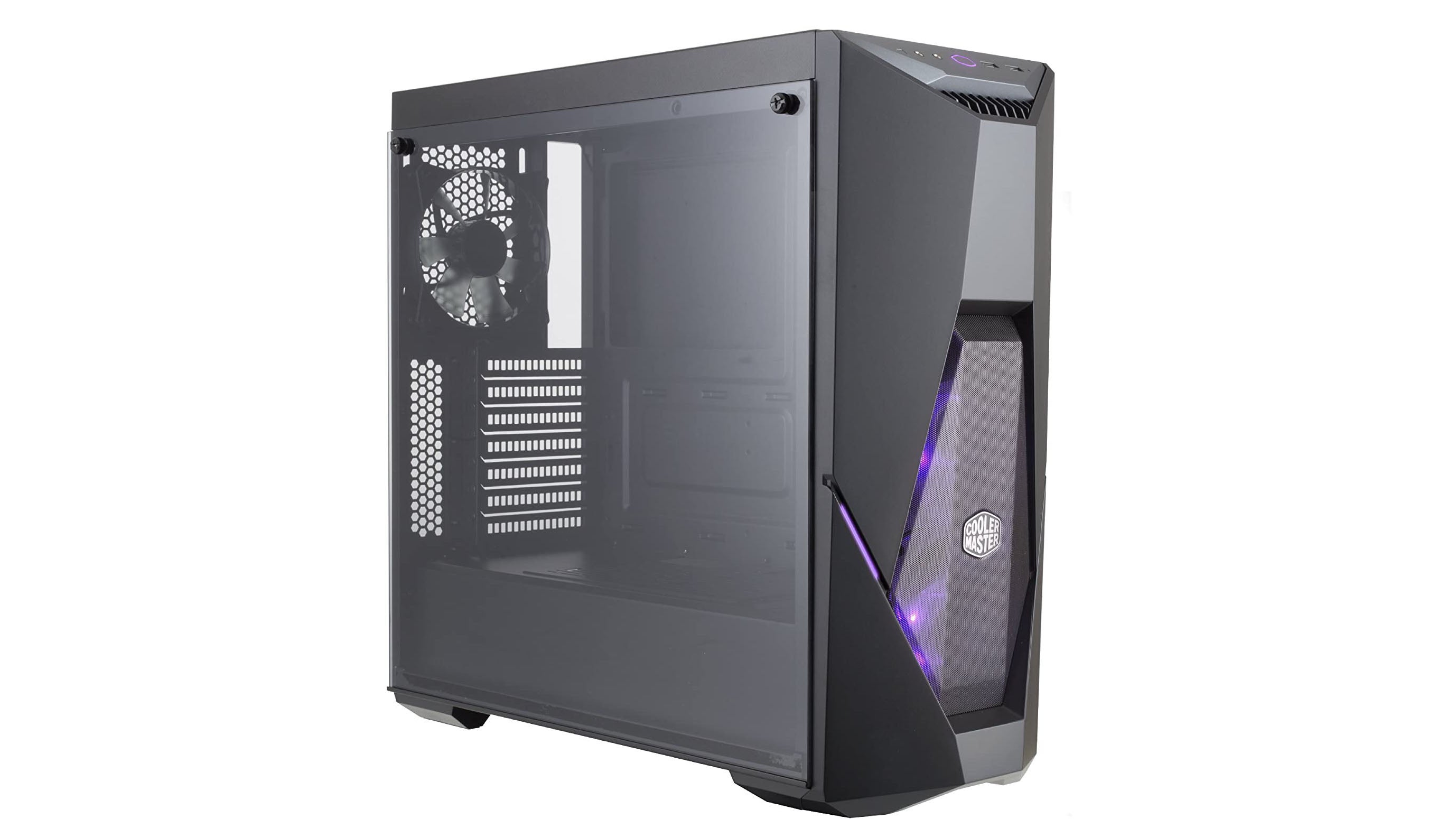
4. CoolerMaster Masterbox K500: The best mid-range PC case
Price: £84 | Buy now from Amazon
The CoolerMaster Masterbox K500 is a mid-tower case capable of holding motherboard sizes up to ATX, so it hits the sweet spot where it’s not so big that it takes over your desk or floor but is still spacious enough for a multitude of hardware.
With three pre-installed 120mm fans (two on the top, one on the front), cooling isn’t an issue, and neither is looking cool: all three fans are equipped with RGB lighting. Storage options are a little limited – there are only three slots available – but on the plus side, the front I/O panel is well-equipped with two USB 3 ports and 3.5mm mic/headphone jacks.
A few minor niggles aside, then, the Masterbox K500 is a nicely sized case that won’t put a hole in your bank balance.
Key specs – Motherboard compatibility: ATX, microATX, Mini-ITX; Dimensions: 455 x 210 x 491mm; Front connectors: 2x USB3, 2x 3.5mm; Drive bays: 2x 2.5/3.5in, 1x 2.5in

5. SilverStone Precision Series PS15: The best microATX PC case

Price: £51 | Buy now from Amazon
In spite of the extraordinarily low price tag, the SilverStone Precision Series PS15 still delivers on almost all of the crucial components. Unusually for a case of this price, it’s made almost entirely of metal, and it has a full-sized tempered glass panel; crack it open and you’ll find a pre-installed fan, another rarity for a microATX case such as this.
The PS15 only has one 3.5mm drive bay, but it more than compensates by sporting no less than three slots for 2.5mm drives – which makes more sense, given the size of the case. Cable management is a little basic, and you won’t have room for larger graphics cards, but these are acceptable sacrifices. The PS15 is unbeatable value for PC gamers looking to construct something a little more compact.
Key specs – Motherboard compatibility: MicroATX, mini-ITX; Dimensions: 381 x 192 x 351mm; Front connectors: 2x USB3, 2x 3.5mm; Drive bays: 1x 2.5/3.5in, 3x 2.5in
6. MSI MPG Gungnir 100: The best large PC case

Price: £90 | Buy now from Amazon
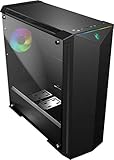
This plus-sized case comes with four 120mm fans pre-installed, which immediately removes the stresses of cooling from the equation. Pair that with enough room for graphics cards of up to 400mm in size and it’s easy to see why the Gungnir 100 is one of our favourite large cases.
The imposing chassis is mostly plastic – a divisive design choice – with a tempered glass panel on one side. There’s room for two 3.5mm drives and two 2.5mm drives, which is adequate if not exceptional; what is exceptional, however, is the Gungnir’s cable management options, the most impressive of which is three enormous routing holes fitted with rubber grommets to prevent cables from moving when not plugged in.
RGB fanatics will also want to pay attention to the Gungnir’s impressive synced lighting strips, all of which are controllable via a dedicated RGB controller hub on the motherboard.
Key specs – Motherboard compatibility: EATX, ATX, microATX, Mini-ITX; Dimensions: 227 x 510 x 525mm; Front connectors: 2x USB3, 2x 3.5mm; Drive bays: 2x 2.5/3.5in, 2x 2.5in

How to buy the best PC case for you
What size case do I need?
Naturally, your case needs to fit your chosen motherboard. There are three main motherboard sizes to consider:
ATX: The standard size for motherboards is 305 x 244mm, a form factor known as ATX.
Micro-ATX: Many popular boards come in the smaller micro-ATX format, measuring 244mm x 244mm.
If you buy a regular ATX case, you can fit either an ATX or micro-ATX board (in the latter scenario you’ll just be left with some empty space at the bottom). If you buy a micro-ATX case then obviously a full-sized ATX board won’t fit.
Mini-ITX: Another option is the tiny mini-ITX format, where the motherboard measures just 170 x 170mm. Some ATX and micro-ATX cases will accept these boards – but if you’re choosing mini-ITX, it’s probably because you want a small PC, so it makes sense to choose a compact case that’s designed specifically for mini-ITX boards.
Finally, there are also two extra-large form factors, known as E-ATX and XL-ATX. If you want one of these then you’ll have to choose a supersized case.
READ NEXT: The best ATX, micro-ATX and mini-ITX motherboards to buy
What features should I look for?
PC cases don’t tend to have much in the way of in technical features, but it’s worth checking the front panel: some cases have more USB ports and connectors than others. Many come with one or more built-in fans too, to help keep your system running stably at its top speed.
You should also check that there are enough drive bays to meet your storage needs. If you’re planning to use an M.2 SSD then you might not need any drive bays at all, but most of us will want to install at least a couple of internal 2.5in or 3.5in drives. Depending on the size and design of the case, these bays could obstruct a large graphics card, so that’s another issue to keep in mind.
Check for external drive bays too – that is, bays with an opening at the front, where you can fit an optical drive or some other feature like a fan control, a card reader or a USB expansion panel.
Another factor to consider is airflow: some cases are designed for maximum airflow, whereas others are designed to keep noise to a minimum. The two are broadly incompatible, so decide which is more important to you. If your main concern is keeping temperatures down then you might also want to check if there are mountings for additional case fans or a water-cooling system.
What about appearances?
Some of us just want a no-frills box to hold our components, but there are stylish designs out there if you want them. One common feature is a windowed side, which lets you see all the internal LEDs and watch the fans spin. For extra showiness, you can buy rainbow LED kits to illuminate the inside of your PC, and even programme them to pulse, cycle, or change colour depending on the state of your system.
If you’re going to put the innards of your PC on display then you’ll probably also want a case with good cable routing – that is, a good set of holes and ties to hold all the various connecting cables neatly in place. Without these, the inside of your case could quickly end up looking like an explosion in a spaghetti factory.
READ NEXT: The best SSDs to buy
Anything else?
One last issue to consider is access. After all, somehow you’ve got to get your components into your new case, and you may well want to add expansion cards, drives and so on in the future. So it makes sense to choose a case that can be easily opened up, with nothing awkwardly obstructing the expansion ports and drive bays. Ideally, your case should have side-loading, tool-free drive bays, so you can slot new disks in and secure them in place without having to perform awkward contortions with a screwdriver.
It’s also highly desirable for any meshes and filters to be easily removable. After a year or two of use, these can get completely clogged up with lint and dust, turning the inside of your PC into an oven. The easier they are to remove and clean, the better.