
To help us provide you with free impartial advice, we may earn a commission if you buy through links on our site. Learn more

Every 18 months Canonical releases a Long Term Support (LTS) version of Ubuntu that will have support for five-years, giving businesses and people that rely on the OS on a daily-basis, the stability and support they rely on. These versions of the OS are primarily designed for speed and stability, but the latest LTS, Ubuntu 12.04 ‘Precise Pangolin’, introduces a raft of new features and interface tweaks.
As with the most recent versions of the OS, Ubuntu 12.04 uses the Unity interface, which has attracted joy and derision in equal quantities. For our part, we’re quite fond of it and every new version sees updates that make it easier to use, ironing out issues that we’ve had in the past.
For Ubuntu 12.04, this is no exception and Unity has had some of the biggest updates and changes since it launched, refining the experience.
A new Dash
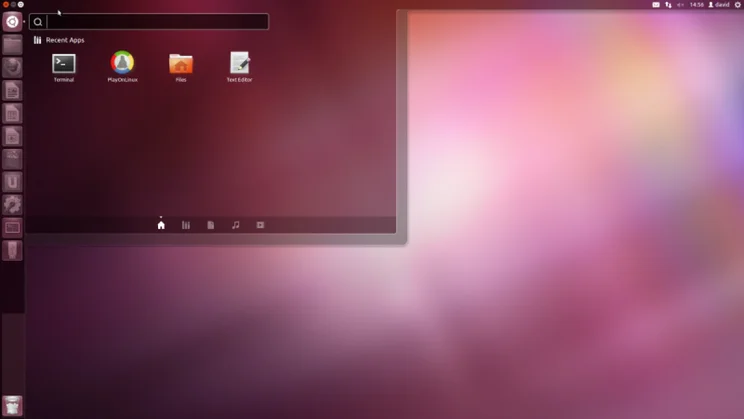
The Dash has had a complete overhaul, with the new version cleaner and easier to use than the old one. Opening it (either by clicking the icon in the Launcher or hitting the Windows key on your keyboard) presents you with a list of recently accessed applications, so you can quickly open your favourites. If you’d rather just browse, you can select the icons at the bottom of the Dash window to navigate by Lens, with categories for applications, files and folders, music and videos.
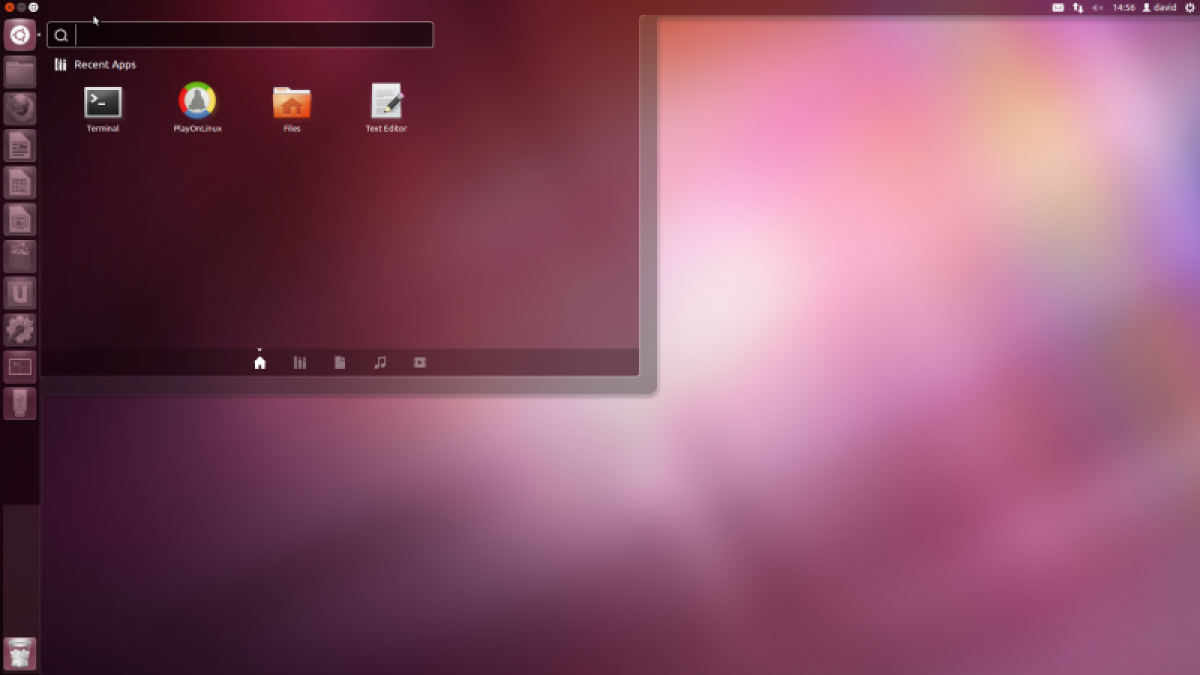
The new Dash is cleaner and easier to navigate than the previous version
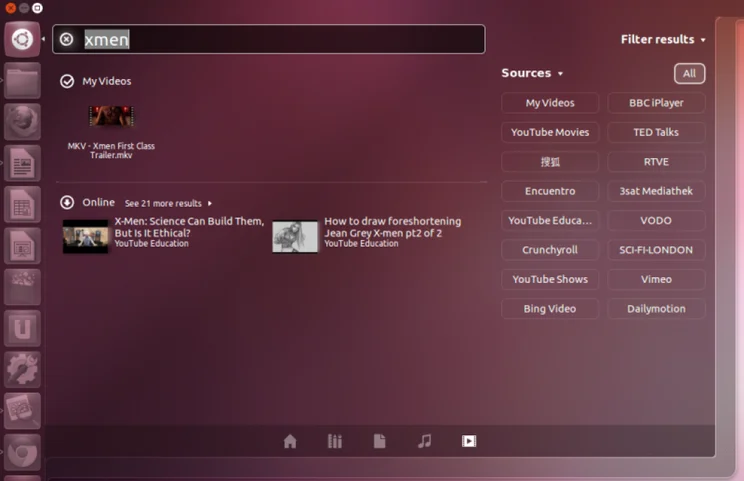
Select either the music or videos Lenses and the search mechanism taps into the internet, returning online search results as well as showing you files stored on your local hard disk. The view is neatly split, so you can tell what’s online and what’s stored locally with ease.
We’ve seen the music version before, pulling in results from the Ubuntu One store, but the video section is new. This can search online services to show you clips, movies and TV shows. Click the filter button and you can choose which services you want to search: currently you can select YouTube (Movies, Education and Shows independently), BBC iPlayer, Vimeo and more.
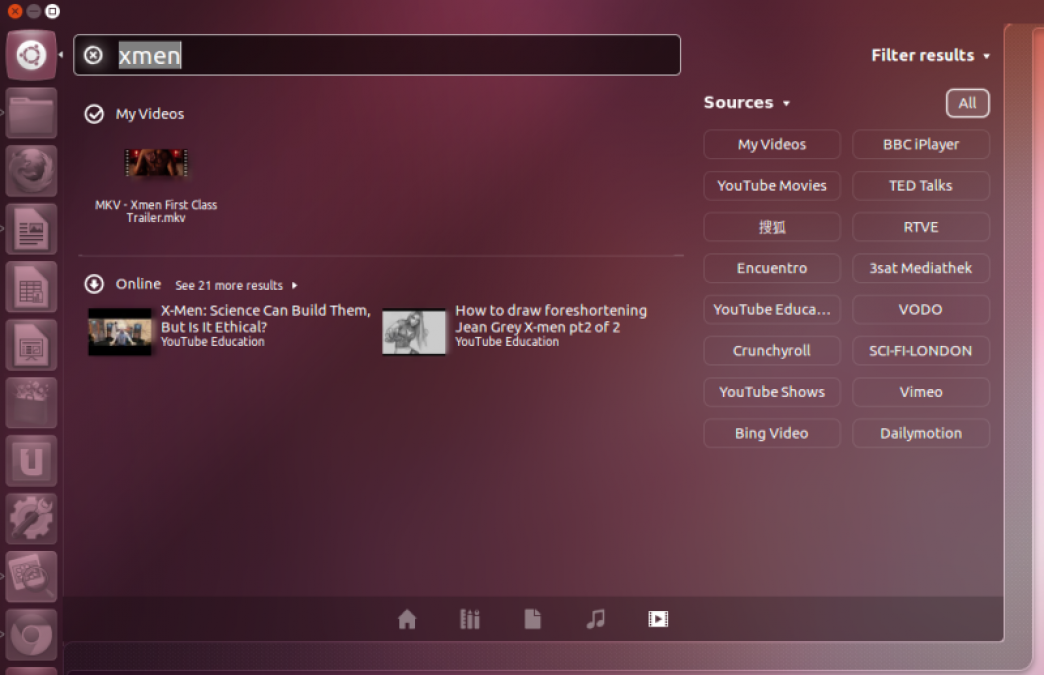
The updated video Lens searches online, as well as local, content
Quicklists
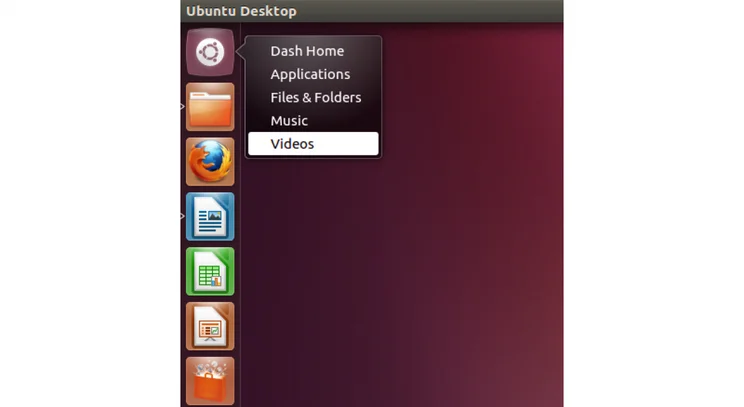
Canonical has also updated its Quicklists, which you get by right-clicking an icon in the Launcher. This time around, the Dash has its own Quicklist, which lets you jump to the category that you want to search. It’s considerably quicker and more convenient than having to first open the Dash, then select the correct filter button from the icons at the bottom.
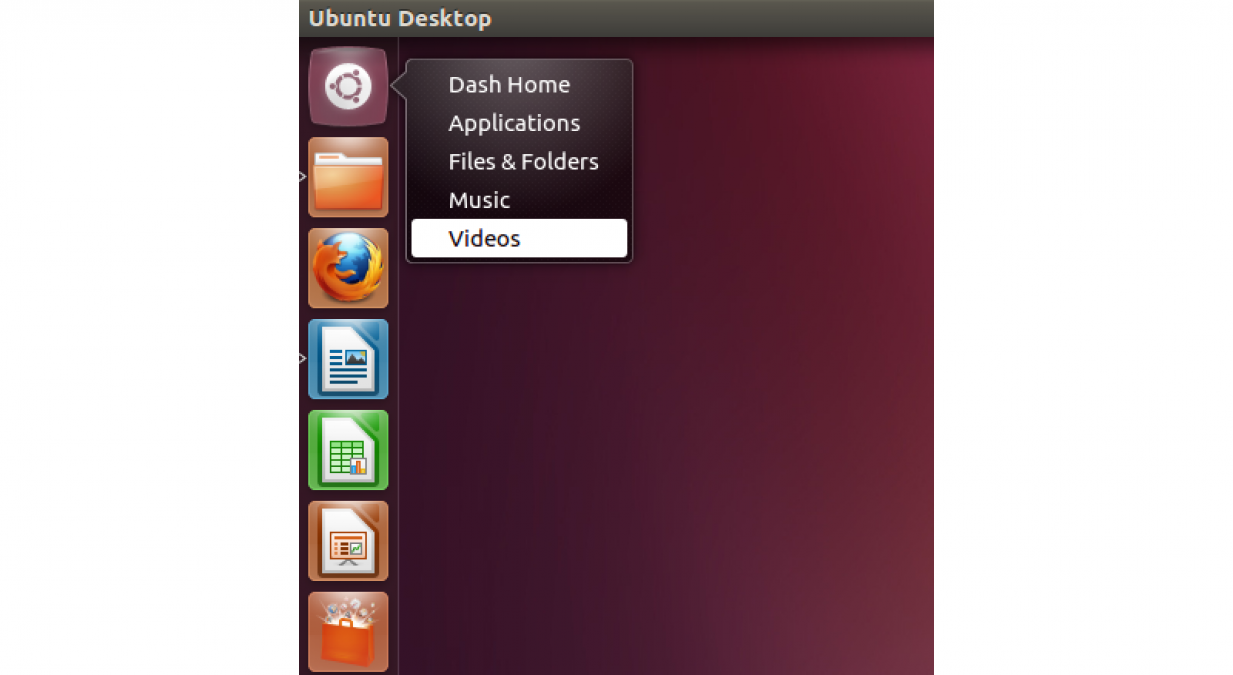
The new Dash Quicklist lets you jump to the Lens that you’re interested in
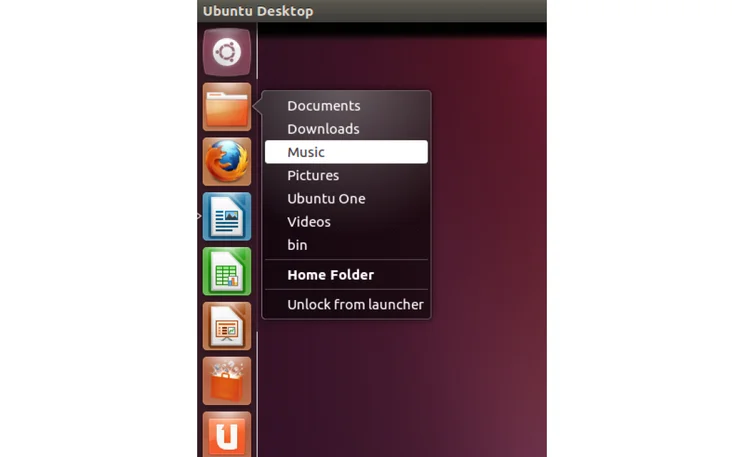
We were pleased to see the Home Folder also has a new QuickList. One of our issues with the previous version of Ubuntu was that the only way to navigate to a folder was to first click the Home button to launch your home folder in the Nautilus file browser. This time around, you can right-click the icon and jump to any of your bookmarked folders, as well as common destinations, such as Pictures and Documents. It makes it a lot easier to jump to the section that you want to visit and feels like we’ve got some control back from the operating system.
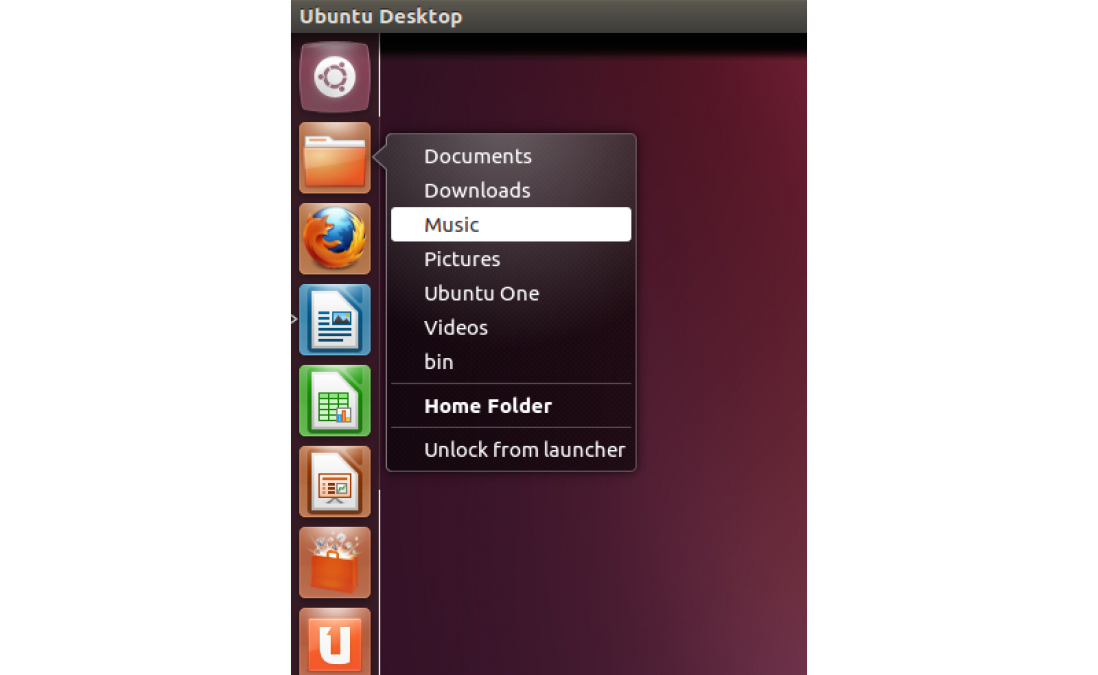
The Home Quicklist makes it much easier to browse to the folder and files you want to view
Launcher behaviour
With the previous version of Ubuntu the default behaviour of the Launcher was Dodge Windows. That is, the Launcher was always visible until you put an application near it, in which case it moved off screen.
This time around the Launcher is set to be always visible and the Dodge Windows option has been removed entirely. That’s a good move, as the default behaviour of the previous version was a bit odd. If you don’t like Launcher to be always visible, you can set it to Auto-hide, which sees the Launcher slide off screen when you move the mouse cursor away from it. You can select the cursor hotspot to bring the Launcher back: top-left corner or left-hand side of the screen.
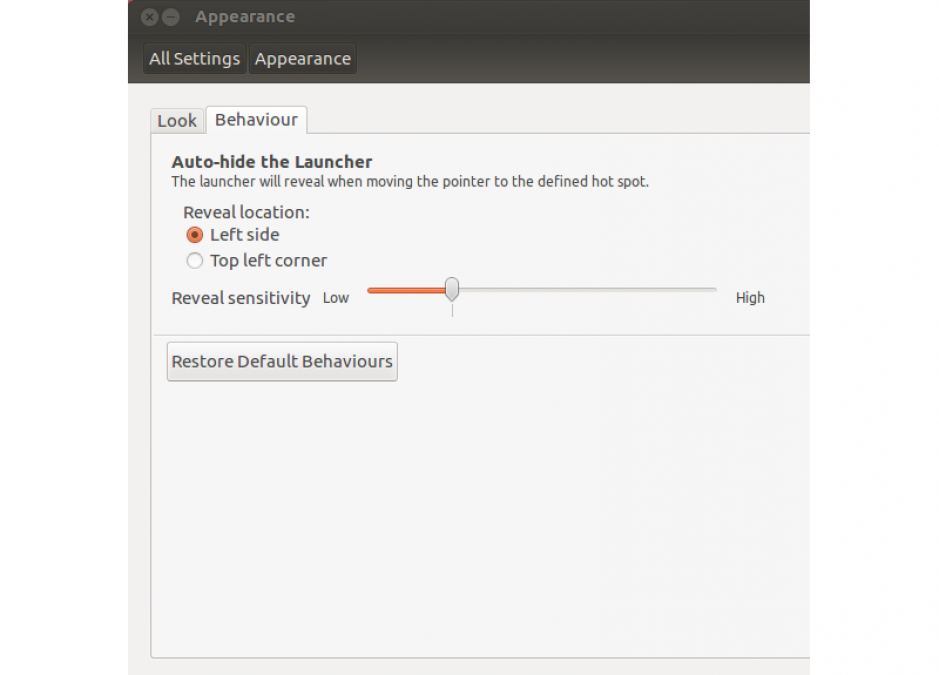
You can alter the Launcher’s behaviour, but it’s frustrating that you can’t change its position.
From these options it should be clear that Canonical hasn’t altered one of the most annoying things about the Launcher: you can’t choose where it goes. It’s frustrating that you can’t drag the Launcher to the side of the screen that you want it to appear on and you’re basically stuck with it on the left-hand side of the screen.
Heads Up Display (HUD)
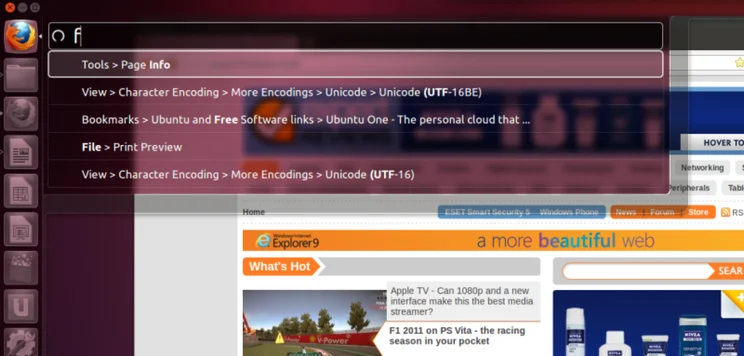
A lot of talk about Ubuntu 12.04 has been around the new HUD system, which is designed to be a replacement to standard menus. It’s designed to work like the Dash, only instead of searching for files, you search for commands in an application’s menu. You bring it up by hitting Alt to bring up the search bar.
The idea behind the HUD is that people often know which command they’re looking for, but they can’t remember exactly where in the menu system it is. So, if you were using the GIMP image editor you could open the HUD and type Dodge, then select the Dodge filter from the search results, rather than having to wade through lots of menus at the same time.
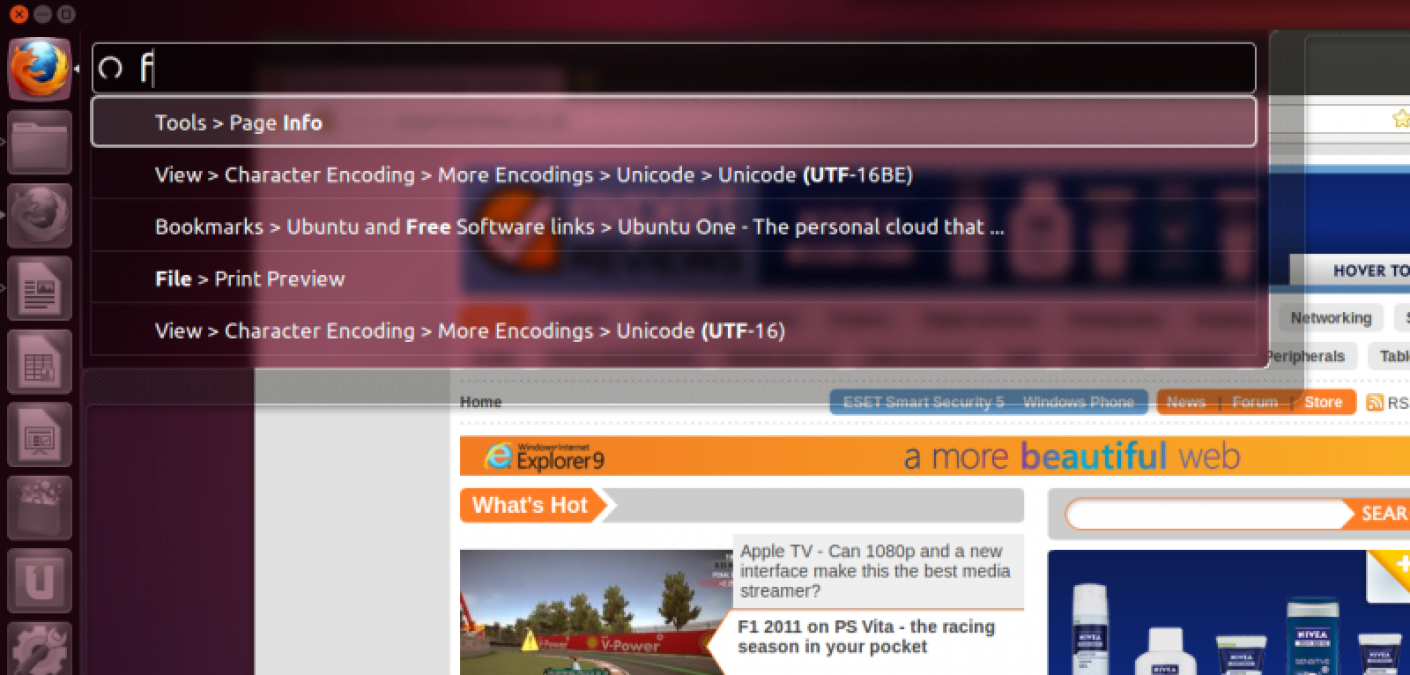
With the HUD you don’t have to hunt through menus any more, as you can just search for the option that you want.
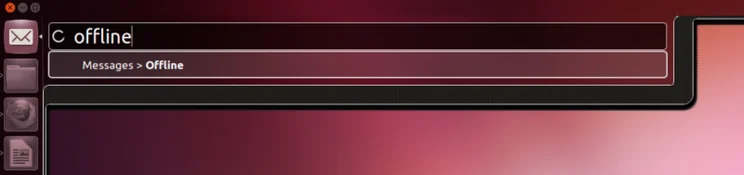
It’s a neat idea and, when it works, it can make finding an option a lot easier and quicker. We also really like the way the HUD can interact with some background applications (it will normally only operate the active application). For example, you can change your online status in the chat application just by bringing up the HUD in any other application.
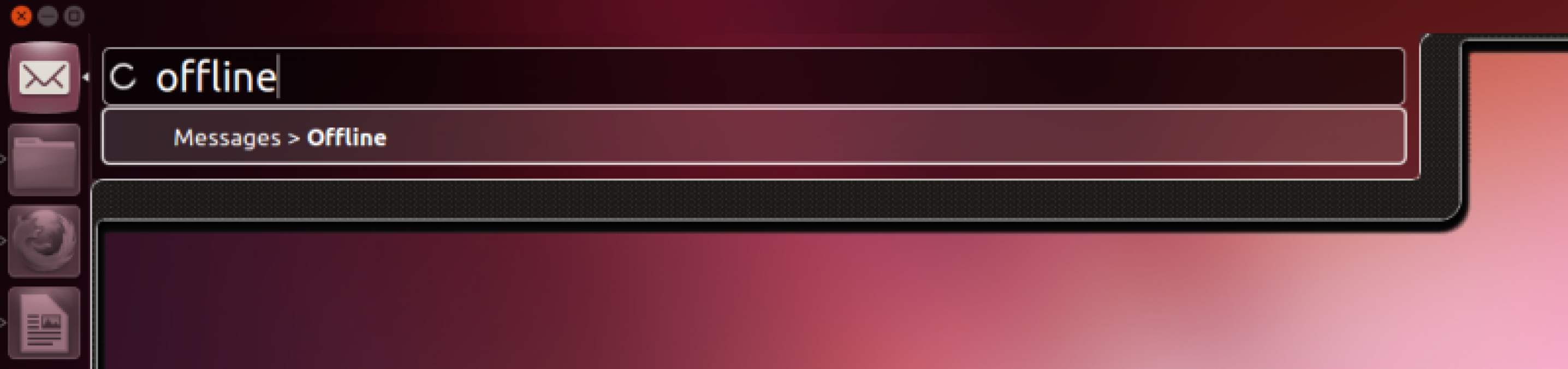
The HUD’s background interaction with some applications makes it easy to perform common tasks, such as changing your online status.
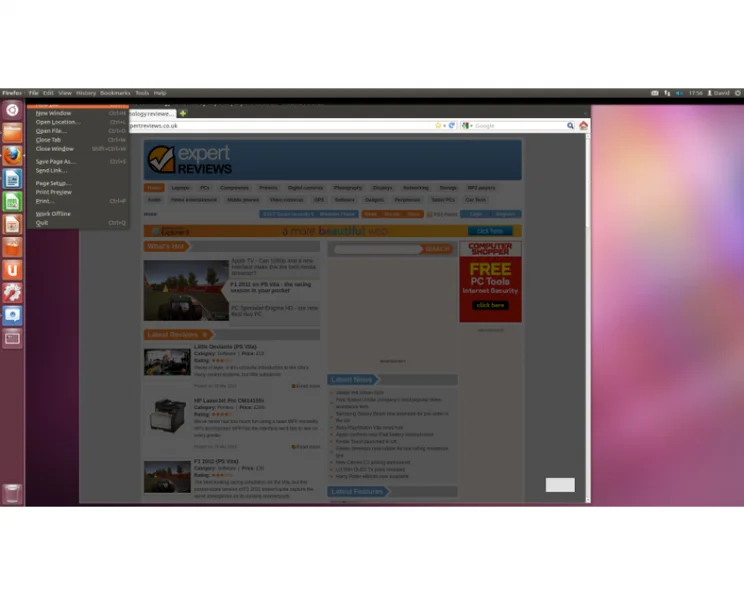
However, we don’t think that it’s quite there yet. For starters, it doesn’t support every application. For the HUD to be able to index a menu, the application has to support Unity menus, where they’re embedded in the status bar at the top of the screen. If an application has its own menus, embedded in a window, such as with Libre Office, HUD simply doesn’t work.
Even in the applications that it does work with, it can be a bit frustrating. Take Firefox, for example. If you’re trying to bookmark a page, typing ‘add bookmark’ brings up nothing, as the menu option is actually called ‘bookmark this page’.
That’s not to say that the HUD is useless, but more that it’s just an additional tool for some applications, rather than a complete menu replacement. We believe that in the coming months it will get better and better, both as its search is updated and as developers start to design their applications to work with it.
Fortunately, the HUD is currently only an optional method of interacting with applications, and the existing menus still exist, as do shortcut keys. If you want to navigate menus using the cursor keys, you can just press and hold the Alt key.
Workspaces
As with previous versions of Ubuntu, Workspaces are an important part of the OS. These virtual desktops let you neatly organise your computer, segmenting different applications to different workspaces. Canonical has changed the way that task switching works in relation to these Workspaces.
In all other editions of Ubuntu, pressing Alt-Tab to switch between open applications or Windows-W to show all open windows in a Mac Expose-style view used to work across all Workspaces. Now, these commands are restricted to just operate on the currently-selected Workspace.
Pressing Windows-Ctrl-Alt reverts the task switching back to the old behaviour, but we couldn’t find any way to show all open Windows on screen. The closest you can get is using Windows-S to zoom out and show all Workspaces.
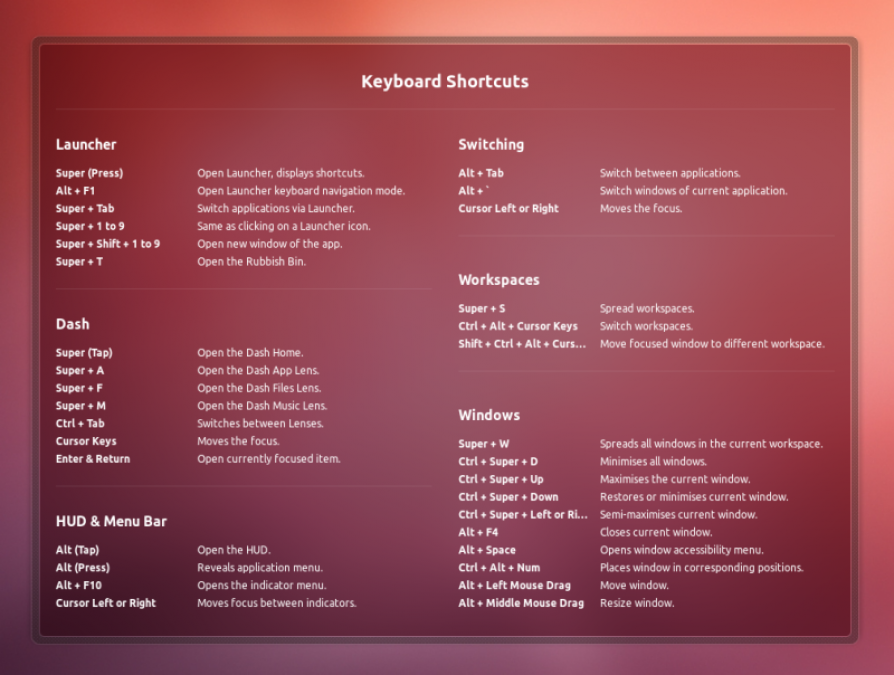
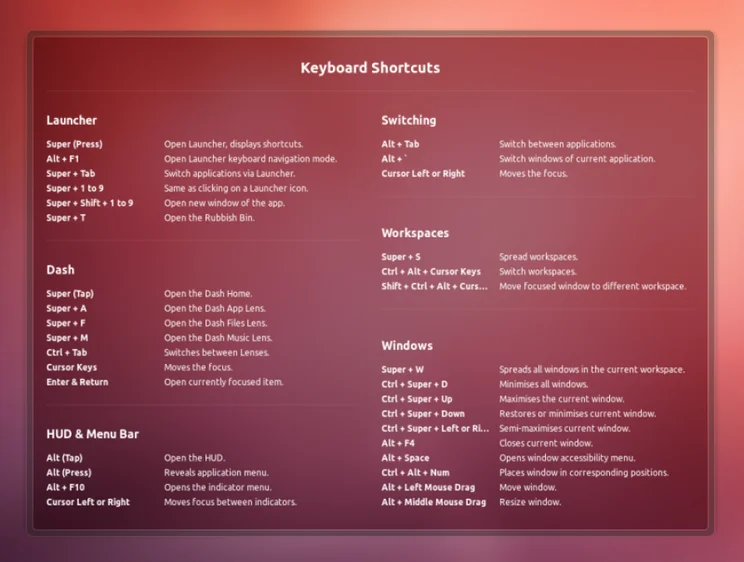
Press and hold the Windows key to bring up a useful list of shortcut keys.
Applications
Every version of Ubuntu sees the OS get new and updated applications. This time around there are newer versions of Firefox and Libre Office installed by default; however, the big change is that Canonical has decided to reinstate Rhythmbox as the music player.
This means that Banshee has been ditched for now. We see it as a good move, as Rhythmbox was always the superior media player. Banshee’s only advantage was that it could handle video as well as audio, but dedicated media players are still included by default.
Our only complaint about Rhythmbox, and Ubuntu media players in general, is that support for streaming is poor. We couldn’t get Rhythmbox to work with a UPnP server. It supports DAAP, which is a protocol invented by Apple, but it doesn’t work with music shared on iTunes 7 or higher. Given that we’re currently on iTunes 10, this doesn’t look like it will get fixed in the near future.
Performance
As with every version of Ubuntu, we like to run our benchmarks on the operating system to see how well each version performs. With Ubuntu 11.04, Canonical made some big improvements to system performance, but that’s a rare change. What’s important is that on the same hardware, the new OS maintains the previous version’s performance.
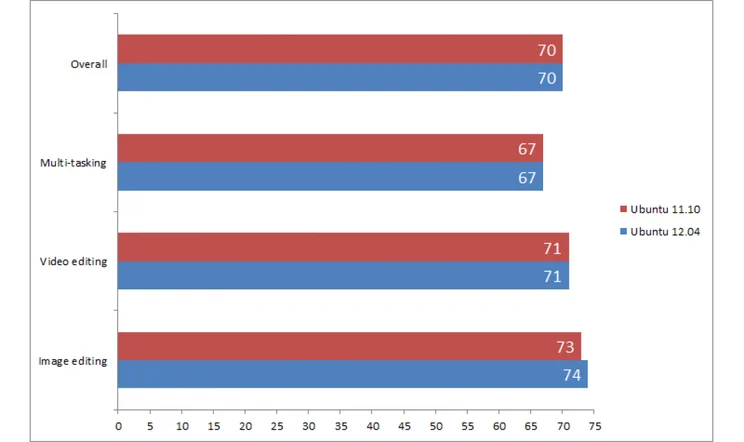
We ran our tests on an 3GHz Intel quad-core QX6850 PC with a 250GB hard disk. As you can see from the results, Ubuntu 12.04 has the same overall score as Ubuntu 11.10 and, indeed, the same score in every test, bar Image Editing, where it was one point faster. This isn’t enough of a difference to show that there’s been a speed increase, but adding new features while maintaining the same impressive performance is impressive.
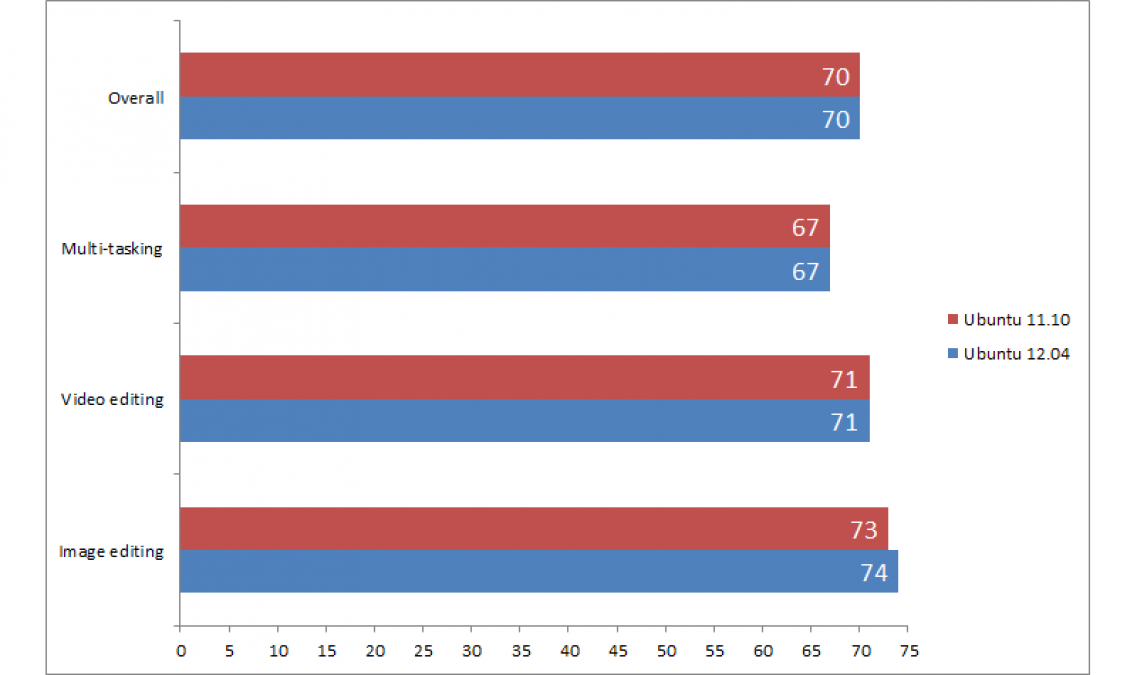
All of our benchmarks record the time taken to complete the task in seconds and normalise these against the results for a Core i5-2500k PC, which scores 100 in all tests.
Conclusion
A LTS version of Ubuntu is largely about creating a more stable platform to give the OS longevity. While it’s fair to say that Ubuntu 12.04 does that in spades, Canonical has taken Ubuntu and given its interface a much-needed tweak. There are still likely to be a fair number of Unity detractors out there, but the updates in this version take it from an experimental interface with plenty of irritation to a generally-smooth and smart way of interacting with your computer.
We like the new HUD and think that it gives an interesting and quick way of interacting with applications, in a way that old-fashioned menus simply can’t provide. However, it needs some more work before it’s there yet. As it stands, though, 12.04 is everything that we’d want from a LTS version of Ubuntu and a great step forward for Unity.
| Details | |
|---|---|
| Price | £0 |
| Details | www.ubuntu.com |
| Rating | ***** |






