
To help us provide you with free impartial advice, we may earn a commission if you buy through links on our site. Learn more
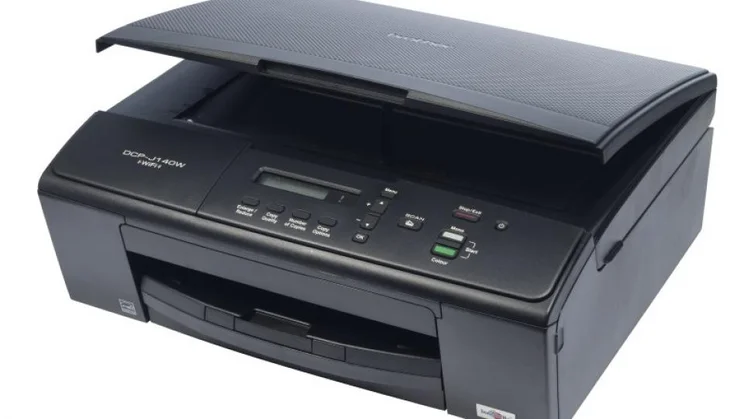


Brother makes a truly daunting range of inkjet multifunction peripherals (MFPs), of which the DCP-J140W is one of the cheapest. An entry-level model aimed at micro businesses, it can handle basic prints, scans and copies, but there’s no fax facility.

There are a couple of other features missing when compared to devices further up Brother’s range. There’s no automatic document feeder for unattended multi-page copying and the printer doesn’t support automatic duplex (double-sided) printing. It’s also one of comparatively few models without a memory card reader for making direct photo prints, but we’ve never been convinced that this is a necessary feature on a business machine.
The DCP-J140W is a squat device that can connect to a single PC via a USB connection, or be joined to a wireless network for sharing among several users. With just a simple LCD display and up/down keys, entering a network passkey is a little bit of a fumble, but it’s otherwise easy to set up. The 100-sheet paper input tray seems more robust than we’ve seen on some of Brother’s other printers, and it coped perfectly with a stack of paper which we had stored so awkwardly that it had developed a pronounced curve.

Brother claims that the DCP-J140W can print up to 33 black pages per minute (ppm) or 27 in colour, but the 5ipm figure obtained with the ISO/IEC 24734 test gives a more accurate impression; that of a rather slow printer. The fastest rate we timed was 13.4ppm when producing 25 pages of draft text, but at the normal print quality this dropped to just 5.4ppm. Colour graphics edged out at just 3.7ppm, while postcard-sized borderless photos took more than two and a half minutes each.
Unfortunately the quality was nothing special. On plain paper, black and coloured inks lacked impact and black text had a slightly approximate outline, revealing at a glance that it came from an inkjet. While photo prints were also nothing special, they were more than adequate for occasional use.
We were altogether happier with this MFP’s scanner, which was reasonably quick across all of our tests even when connected via a wireless network. The results were quite good, too, with images crisply focused and quite faithful to the original colours. We also appreciated the scanner’s ability to preserve subtle details in very light and very dark regions of an image, with all but the very darkest shades remaining distinct. Given this quality we were a bit disappointed by relatively dark mono photocopies, and slightly inaccurate shades in colour ones.
[[IMG ID=” 170223F”]]
The DCP-J140W isn’t a bad MFP given its low price, but it’s let down somewhat by higher than ideal running costs; with no high-capacity cartridges available, a page of text and graphics will cost around 9.5p. If your home office needs to print in reasonable volumes, we’d recommend spending around £40 more on the Kodak ESP Office 2170, which can also send and receive faxes. Based on the manufacturers’ yield figures, you could recoup the extra outlay within 1,000 pages.






