To help us provide you with free impartial advice, we may earn a commission if you buy through links on our site. Learn more
- How to buy the best motherboard for you
- The best motherboards to buy in 2020
- 1. ASRock Z490 Pro4: The best-value Intel LGA1200 motherboard
- 2. Asus TUF B450M-Plus: The best budget micro-ATX motherboard for AMD Ryzen processors
- 3. ASRock X570 Taichi: The best motherboard for premium Ryzen builds
- 4. Gigabyte Z490 Aorus Master: The best high-end Intel motherboard
- 5. MSI MPG Z390 Gaming Edge AC: The best motherboard for Coffee Lake and Coffee Lake Refresh

Choosing the best motherboard for your gaming PC can be daunting. There’s a huge range of options to choose from, each with its own combination of features and technologies. And you don’t want to make the wrong choice, as it’s not something you can easily change. Once you’ve fitted the motherboard into your case, connected all the cables and installed the CPU, memory, drives and expansion cards, it’s generally there for good.
Happily, choosing a motherboard doesn’t have to be difficult. You just need to know what you’re looking for, bearing in mind budget and expansion options. Here’s our pick of the best motherboards, supporting both AMD and Intel processors, which have been designed to suit every role from casual web browsing to extreme overclocking.
How to buy the best motherboard for you
What type of motherboard do I need?
That depends on what sort of processor you want, or already have. If you’re planning to use an AMD Ryzen processor, you’ll need a motherboard with an AM4 socket. Intel’s most recent, 10th-gen chips exclusively use the LGA1200 socket, while the last few generations before that, including the 8th-gen “Coffee Lake” and 9th-gen “Coffee Lake Refresh”, use LGA1151.
Just having the right socket isn’t enough, though: the onboard chipset must support the specific generation of chip you’re using. In Intel’s case that probably means the latest Z490 and B460 chipsets, with Z390 for older models; AMD’s current chipsets include the high-end X570 and mid-range B550, although motherboards using older chipsets like X470 and B450 can also be forward-compatible with Ryzen 3000 processors. Some will work out of the box, while others may need a BIOS update.
What chipset should I choose?
There are lots of different chipsets to choose from, but as long as the one you’ve chosen supports your chosen processor, you don’t need to worry too much about the technical details. The chipset provides various features such as PCI-E slots, USB ports and so forth; just look for a board that provides all the connectivity options you require and you’ll be fine.
The only exception is if you want to try overclocking your CPU. For this, you’ll need both an unlocked processor, like an Intel K-series chip or any AMD Ryzen chip, and a motherboard chipset that supports overclocking. All the major AMD chipsets will, but on the Intel side, you’ll be looking at high-end chipsets like Z490 or Z390.
What features should I look for?
We like to see at least four high-speed USB 3 ports, so you can easily connect external drives and other peripherals such as printers, scanners, card readers and so on. A reversible USB-C port might also be handy if you have a phone or tablet that uses this connector. Onboard USB headers let you hook up additional ports at the front of your case.
Every modern motherboard will also have at least one PCI-E x16 slot, so you can install a graphics card should you need one. Additional slots mean you can add extra controllers, such as a Wi-Fi card if your motherboard doesn’t have built-in wireless. The “x” rating tells you how fast each slot is; you can plug an x1 card into an x4 or x16 slot, but not the other way round. Some high-end boards offer two or even three x16 slots, so you can combine the power of several graphics cards, but that’s overkill for all but the most extreme enthusiasts.
Look for an M.2 slot, too, as this allows you to use a superfast NVMe SSD, rather than relying on a slower SATA connection. And check the number of memory sockets: some smaller boards have only two DIMM slots. A board with four gives you scope to add extra modules in the future should you want to upgrade.
What’s UEFI?
UEFI (Unified Extensible Firmware Interface) is the motherboard’s own graphical interface, which lets you access low-level settings such as which drive to boot from. If you’re interested in overclocking your CPU, and adjusting the core voltages and fan speeds, you want a versatile, user-friendly UEFI. If you just want to run Word and browse the web, any UEFI will be fine. Indeed, with the rise of software overclocking tools, you can often tweak your core settings from within Windows, so you don’t need to explore the UEFI at all.
A UEFI isn’t technically the same thing as a BIOS (Basic Input/Output System), but since they serve extremely similar functions (indeed, UEFI was devised as a more flexible successor to BIOS), the two terms are often used interchangeably.
Is the form factor important?
Motherboards come in three common formats: ATX is the largest, measuring either 305 × 244mm or 305 x 226mm. Then there’s micro-ATX, at 244mm square, and the smallest is mini-ITX at just 170mm square. They all do the same job, but bigger boards tend to have more slots and built-in features, whereas smaller ones fit in neat, compact cases.
Make sure you have a case that’s designed for the form factor of your motherboard. It’s possible to install a micro-ATX board in a regular ATX chassis, but you’ll be left with empty space inside the case, so it’s not an elegant solution.
READ NEXT: The best Intel and AMD CPUs to buy
The best motherboards to buy in 2020
1. ASRock Z490 Pro4: The best-value Intel LGA1200 motherboard

Price: £153 | Buy now from Amazon
A Z490 motherboard is essential for fully realising the potential of a 10th-gen Intel CPU, particularly if it’s an overclockable K-series model. The problem is that so many are expensive compared to Z390 boards with similar features.
Thankfully, the Z490 Pro4 packs in loads of premium features at a much more accessible price. They range from USB-C connectivity on the rear panel to a full three M.2 slots, one of which even has an integrated heat spreader to help protect your SSD from thermal throttling. The total of four SATA ports isn’t great but having so many M.2 slots helps here, as you can use them for storage instead of hooking up bulkier SATA drives.
Being a full-size ATX board means it’s also got room for plenty of PCI-E slots, and the whole thing has an eye-catching white and silver aesthetic that brightens up the system’s innards. Addressable RGB headers are dotted about too, in case you want to jazz up your PC even more with lighting kits or other RGB components.
Key specs – Chipset: Intel Z490; CPU socket: Intel LGA1200; Memory support: 4 RAM slots, max 128GB DDR4 (up to 4,400MHz); Expansion slots: 2 x PCI-E x16, 3 x PCI-E x1; Sound: Realtek ALC1200 audio; Networking: Gigabit Ethernet; Overclocking: Custom CPU core ratio and base clock adjustment, custom DRAM frequency; Ports: 4 x SATA 6Gbps (Z490), 3 x M.2, 3x USB 3.1, 1x USB-C, 1 x LAN, 3 x line out, line in, mic, 1x HDMI, 1x VGA, 1x PS/2; Dimensions: 305 x 224mm

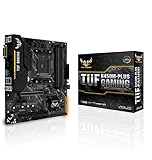
2. Asus TUF B450M-Plus: The best budget micro-ATX motherboard for AMD Ryzen processors

Price: £82 | Buy now from Amazon
Yes, this is a B450 motherboard, but don’t fret if you need a cost-efficient partner to your new Ryzen 3000-series chip. While it required a BIOS update to become compatible when we first tested it, Asus has since updated production so that the TUF B450M-Plus should play nice with a Ryzen 3600X or Ryzen 7 3700X straight out of the box.
As a micro-ATX motherboard, it doesn’t have as many PCI-E slots as a full-size ATX model, but the two x16 and single x1 slots are plenty to start with.
Besides a full set of DDR4 RAM slots and a 12V RGB header (for fancy lighting effects on compatible components), you also get an M.2 slot as well as USB 3.1 and USB Type-C connectivity on the rear. It may be cheap, but this is no bargain bin fodder.
Its smaller form factor also allows it to fit into more compact cases, which are usually cheaper than ATX-focused mid-towers, further cementing the B450M-Plus as a wise budget choice.
Chipset: AMD B450; CPU socket: AMD AM4; Overclocking customisation: Custom CPU core ratio, no base clock adjustment, custom DRAM frequency; Memory support: 4 RAM slots, max 64GB DDR4 (up to 3,200MHz); Ports: 4 x SATA 6Gbps (B450), 1 x M.2, 1x USB 3.1, 2 x USB 3, 1 x USB 2, 1x USB Type-C, 1 x LAN, 3 x line out, line in, mic, 1x HDMI, 1x DVI-D, 1x PS/2; Expansion slots: 2 x PCI-E 3 x16, 1 x PCI-E 2 x1; Sound: Realtek ALC877 audio; Networking: Gigabit Ethernet; Dimensions: 244 x 244mm
3. ASRock X570 Taichi: The best motherboard for premium Ryzen builds

Price: £290 | Buy now from Scan
The X570 Taichi contains all the trappings of a top-flight Ryzen motherboard that you’d want – and expect. Three PCI-E x16 slots, integrated Wi-Fi using the latest 802.11ax standard, multiple M.2 slots with support for PCI-E 4.0 SSDs: it’s all here, not to mention the onboard power and reset buttons (and LED POST code display) that can help with tricky overclocks.
Owners of high-end audio equipment will also appreciate the extra sound outputs on the rear I/O port, including optical S/PDIF and C/SUB jacks, while those with more of an eye for aesthetics might enjoy playing with the X570 Taichi’s extensive addressable RGB features.
Cooling support isn’t among the best in the business, but you’re unlikely to need more than six fans anyway. For both core features and its commendable range of extras, the X570 Taichi is a worthy backbone of big-budget gaming PCs.
Key specs – Chipset: AMD X570; CPU socket: AMD AM4; Overclocking customisation: Custom CPU core ratio and base clock adjustment, custom DRAM frequency; Memory support: 4 RAM slots, max 128GB DDR3 (up to 4,666MHz); Ports: 8 x SATA 6Gbps (X570), 3 x M.2, 4 x USB 3, 3 x USB 3.1, 1 x USB-C, 1 x LAN, 3 x line out, line in, mic, 1 x S/PDIF, 1x C/SUB out, 1 x rear speaker out, 1 x PS/2; Expansion slots: 3 x PCI-E x16, 2 x PCI-E x1; Sound: Realtek ALC1220; Networking: Gigabit Ethernet, 802.11ax Wi-Fi; Dimensions: 305 x 244mm
4. Gigabyte Z490 Aorus Master: The best high-end Intel motherboard

Price: £341 | Buy now from Amazon
The Inel Comet Lake launch was accompanied by a raft of ultra-luxurious Z490 motherboards which, if we’re honest, didn’t have much to separate them. Even so, the Z490 Aorus Master managed to edge ahead as the best of a remarkably similar bunch.
On the outside, it’s built like a tank – being literally armoured with thick metal plates, and structurally reinforcing the three PCI-E slots to prevent sagging – and comes with enough cooling headers and passively cooled M.2 slots to satisfy some truly outrageous PC builds. Between the fantastically well-stocked I/O panel and the integrated 802.11ax Wi-Fi and Bluetooth, connectivity meets the same high standards too.
It’s not all about bulk and brawn, either. A trip into the UEFI, which is not usually Gigabyte’s strong suit, reveals some neat touches – especially the ability to hit Enter to summon a list of small-increment changes when overclocking. This streamlines the process of having to manually type in values, like a target clock speed or VCORE.
The Z490 Aorus Master’s one weakness is that it only has three PCI-E x16 slots with no smaller x1 slots backing it up, although you can always install x1 devices inside x16 slots.
Key specs – Chipset: Intel Z490; CPU socket: Intel LGA1200; Overclocking customisation: Custom CPU core ratio and base clock adjustment, custom DRAM frequency; Memory support: 4 RAM slots, max 128GB DDR4 (up to 5,000MHz); Ports: 6 x SATA 6Gbps, 3 x M.2, 4 x USB2, 2 x USB3, 3 x USB3.1, 1 x USB-C, 1 x LAN, 3 x line out, line in, mic, 1x optical S/PDIF, 1x C/SUB out, 1 x rear speaker out, 1 x HDMI; Expansion slots: 3 x PCI-E 3 x16; Sound: Realtek ALC1220-VB; Networking: Gigabit Ethernet, 802.11ax; Dimensions: 305 x 244mm

5. MSI MPG Z390 Gaming Edge AC: The best motherboard for Coffee Lake and Coffee Lake Refresh

Price: £120 | Buy now from Scan
If you’re only looking to improve the capabilities of an Intel 9th-gen system, rather than fully upgrading to Comet Lake, the MPG Z390 Gaming Edge AC is our favourite of the last-gen motherboards.
It’s aggressively priced, but still supports the Z390 chipset for Coffee Lake Refresh’s widest possible feature set. That includes built-in 802.11ac Wi-Fi and USB 3.1 ports without the need for additional controllers. On top of that there’s an optical S/PDIF audio output, USB-C, reinforced PCI-E slots and RGB lighting, the result being a motherboard that can compete with a lot of £200-plus models.
It doesn’t have the most overclocking headroom, as we could only push our Intel Core i9-9900K to a fairly modest 4.9GHz all-core speed before instability crept in, but MSI’s UEFI design remains the best in its field for ease of use.
Key specs – Chipset: Intel Z390; CPU socket: Intel LGA1151; Overclocking customisation: CPU core ratio, base clock and DRAM frequency; Memory support: 64GB DDR4; Expansion: 3 x PCI-E 3 x16, 3 x PCI-E 3 x1; Networking: Gigabit Ethernet LAN; Ports: 2 x M.2, 2 x USB2, 2 x USB 3.1 Type-A, 1 x USB Type-C, 1 x LAN, 5 x surround audio out, line in, mic, rear speaker, C/SUB, 1 x optical S/PDIF, DisplayPort, HDMI, 1 x PS/2; Form factor: ATX