To help us provide you with free impartial advice, we may earn a commission if you buy through links on our site. Learn more
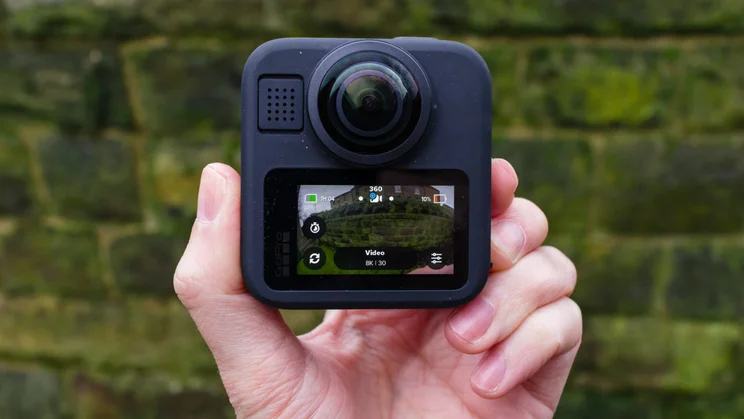
- Clear 8K 360 video
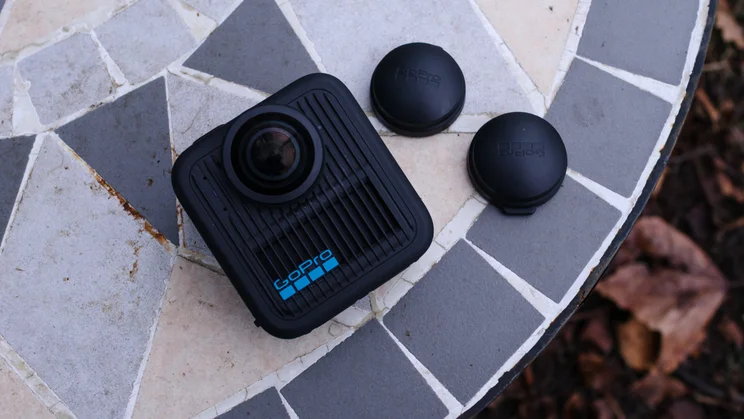
- User-replaceable lenses
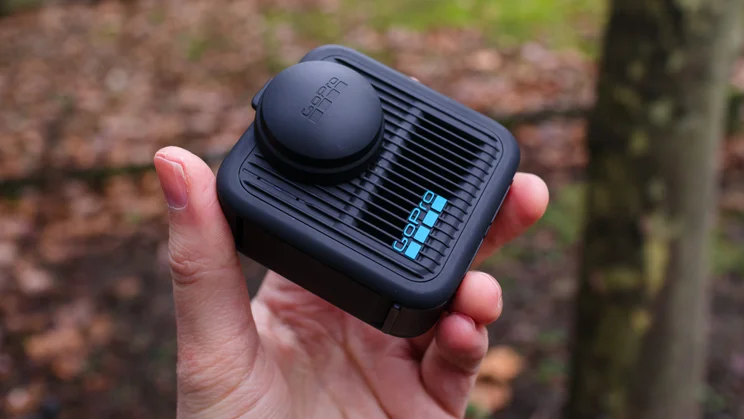
- Individual lens caps
- Workflow is heavily mobile-focused
- Falls behind the DJI Osmo 360 in low light
- No RAW support for 360 photos
The GoPro Max 2 is the much-anticipated successor to the original Max, a camera that pretty much defined the consumer 360 action camera category back in the day. More than half a decade has passed in the interim, however, and the 360 action camera space is more competitive than ever. As a brand synonymous with action cams, GoPro has a serious reputation to uphold.
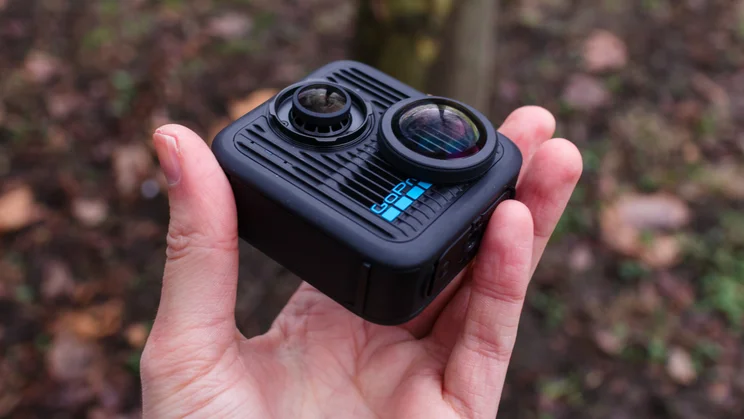
The Max 2 has received a top-to-toe suite of upgrades, improving everything from video resolution to battery capacity. User-replaceable “Twist-and-Go” lenses give the Max 2 a practical durability bump, while the inclusion of a tripod thread and magnetic mounting options expand the camera’s utility. Rivals like the Insta360 X5 and the recently released DJI Osmo 360 mean that GoPro’s comeback isn’t going to be a walk in the park, however.
After putting the camera through its paces for a few weeks, I can confidently say the GoPro Max 2 has been worth the wait. It’s not perfect – GoPro still has room for improvement when it comes to low-light performance, and the mobile-first workflow won’t suit everyone – but for fans of the original, like myself, or those looking to make the jump from one of GoPro’s Hero action cams, the Max 2 is a real contender.
GoPro Max 2 review: What do you get for your money?
The GoPro Max 2 retails for £380. For that, you get the Max 2 camera, a pair of protective lens caps, a 1960mAh Enduro battery, a curved adhesive mount, and a USB-C cable. That’s actually pretty aggressive pricing, undercutting the high-end Insta360 X5 (£520) by a decent margin. DJI’s Osmo 360 launched earlier this year for £410 but can now be snagged for around £320 if you shop around.
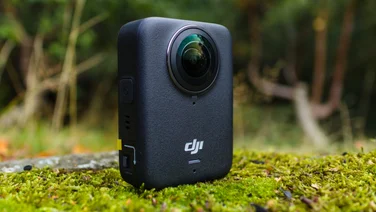
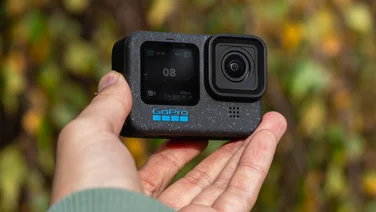
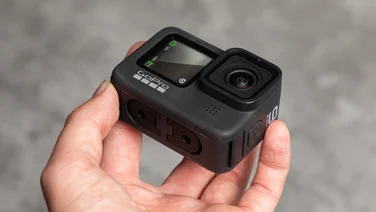
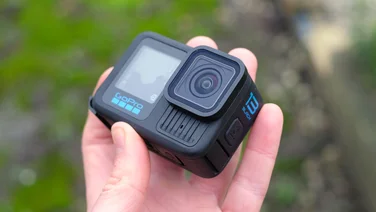
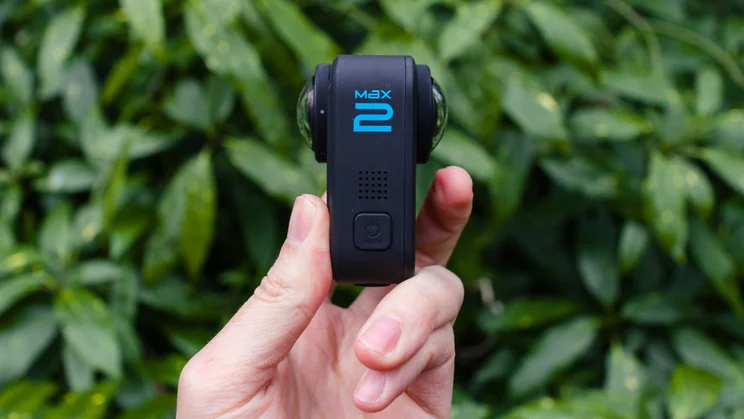
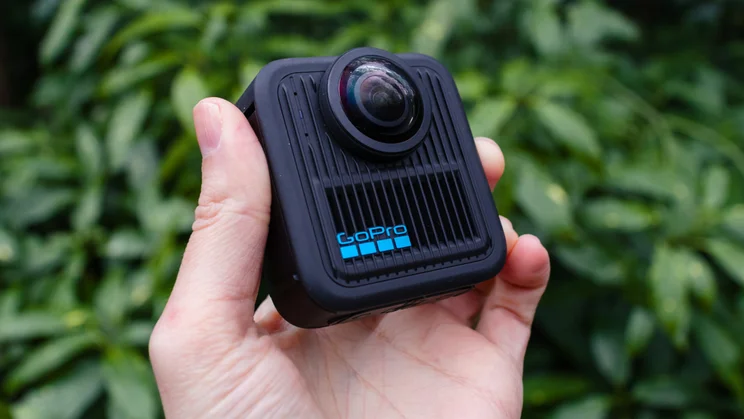
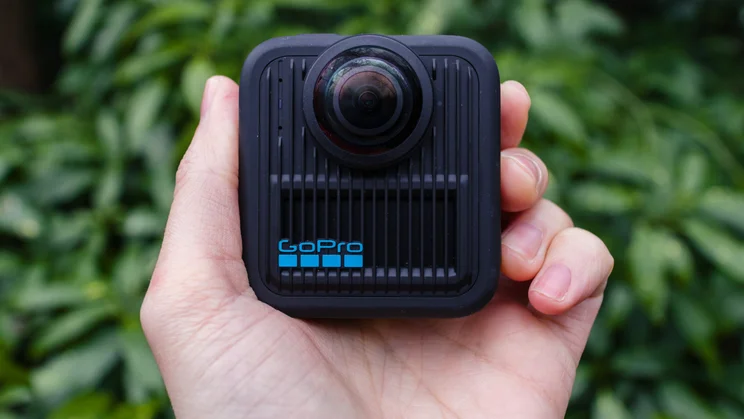
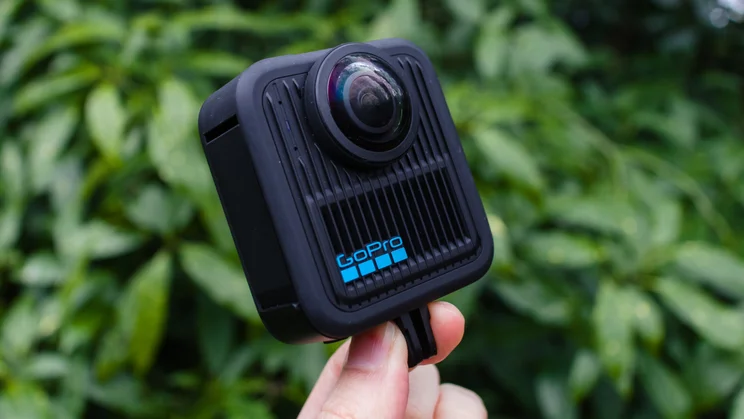
Design-wise, if it ain’t broke, don’t fix it. The Max 2 sticks to the boxy silhouette employed by the original GoPro Max (and earlier GoPro Fusion), rather than chasing the “candy bar” form factor favoured by Insta360. It’s a bit chunkier and heavier than the old Max (195g vs 155g) and features a new ribbed shell, but it remains physically smaller than DJI’s similarly shaped Osmo 360.
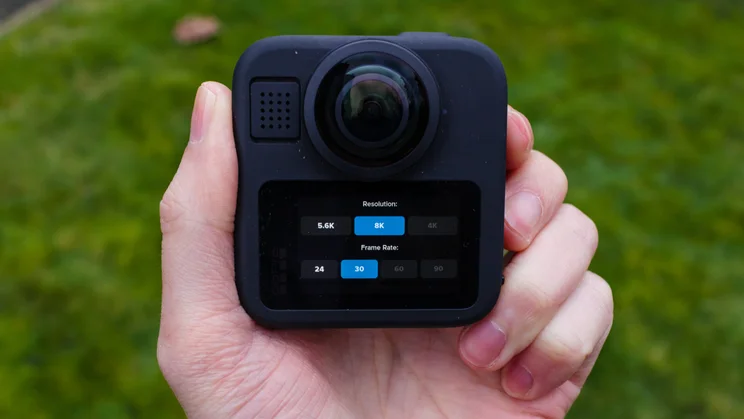
The Max 2’s squat, boxy footprint feels more stable than some of its competitors – it doesn’t wobble around or feel as top-heavy as Insta360’s offerings when mounted to a helmet, for example. The form factor also enables the Max 2 to pack a fairly substantial, 1.82in touchscreen, which comes in handy for framing your shots or surfing the internal menus.
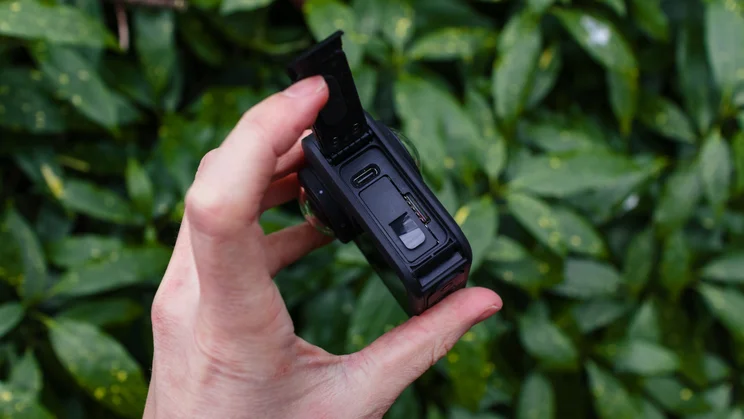
There’s a physical shutter button on the top, along with a power/mode selection button on the side. Both of these buttons are nicely pronounced, making them easy to toggle while wearing gloves or working with wet hands (the Max 2 is waterproof to 5m without the need for an external case). A water-tight side door houses the removable Enduro battery, microSD card slot, and USB-C port that’s used for charging and data transfer.
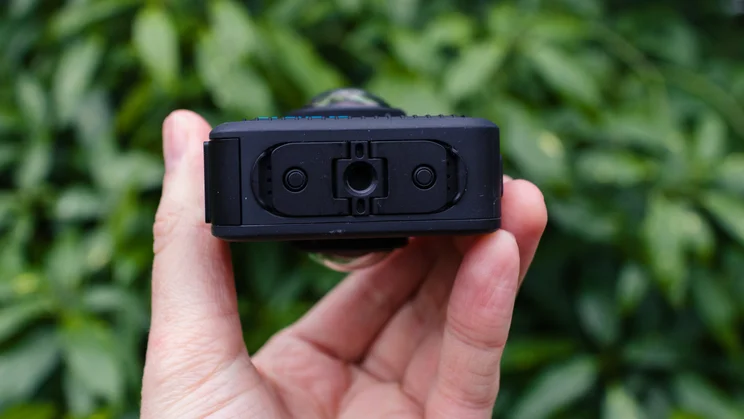
Oh, and finally: it has a standard threaded mount built right into GoPro’s traditional ‘folding fingers’ mount. No more adapters needed for your tripod – hallelujah. Like the GoPro Hero 13 Black, the Max 2 is also compatible with GoPro’s new magnetic mount accessories, although these will need purchasing separately.
On the front and the back you’re looking at a pair of f/1.8 lenses paired to 1/2.3in CMOS imaging sensors, while a suite of six microphones captures audio. 360 video tops out at a crisp 8K (7,680×3,840) at 30fps, while single-lens “Hero mode” video goes up to 4K60. Still photos, meanwhile, can be captured at up to 29MP in 360 mode or 12MP in single lens mode. Crucially, we also get 10-bit colour and GP-Log, which gives you way more flexibility to grade your footage in post.
Onboard, there are dedicated modes for video, photo and timelapses, with pre-installed presets to get you up and running. You can, of course, then tweak those presets to your heart’s content or create your own custom presets.
The camera records to an internal microSD card, and you can access your files directly from the card by plugging the Max 2 into your computer or by syncing the files using GoPro’s Quik smartphone app.
GoPro Max 2 review: What it does well?
The Max 2 sings when the lighting is good. GoPro has always nailed that “punchy” look, and that signature DNA is all here. The footage pops with vibrant, natural colour that doesn’t look overly processed or fake. I found the exposure and white balance settings to be reliable and consistent and the option to record in 10-bit and GP-log offers plenty of grading flexibility when editing.
The “True 8K” mode isn’t just marketing fluff – it’s a legitimate step up over the 5.6K offered on the original Max. The “True 8K” refers to how the camera reads from the sensor – essentially, the sensors on older cameras aren’t quite the same size as the output video, resulting in some wasted pixels.
The GoPro Max 2’s sensors utilise all of the available pixels, but it’s unlikely to be noticeably different to the casual eye. And it’s important to remember that what you’re getting is an 8K image stretched over a 360 sphere, so you’re unlikely to be publishing in 8K. However, 8K recording gives you enough pixel density that when you go in to crop and reframe your 360 files into a standard 16:9 frame, you’re still left with a 4K image.
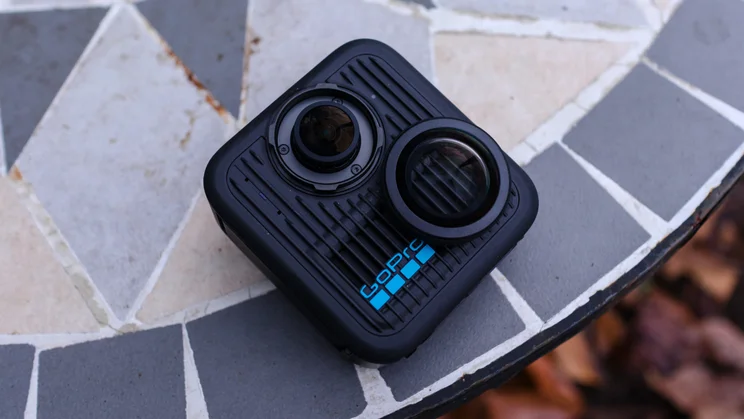
Another big win is the new “Twist-and-Go” user-replaceable lenses. This has been getting a lot of buzz, and rightly so. 360 lenses are bulbous, exposed domes, primed to pick up scratches on your adventures. On the DJI Osmo 360, a scratch means a repair ticket. On the Max 2, you just twist the old lens off and screw on a new one. It’s a massive peace-of-mind feature. I also greatly appreciate that GoPro gives you two separate lens caps rather than the rubber dual-lens caps found on DJI’s and Insta360’s offerings. This allows you to protect the rear lens while shooting in single-lens mode. Smart.
GoPro’s video stabilisation has long been the benchmark, and the Max HyperSmooth on offer here is practically wizardly. Combined with the 360° Horizon Lock, you can literally toss this thing spinning into the air, and the playback will look perfectly level and steady. The “invisible selfie stick” trick is also present and correct, and GoPro’s stitching is excellent. When you hold it right, the stick vanishes entirely, and you’re left with a surreal, floating drone-like perspective that makes 360 cameras so addictive to use.
The Max 2 pairs with GoPro’s Quik smartphone app for editing your footage. Software is a fairly major component when it comes to 360 cameras, as converting those 360 spherical files into flat videos you can watch back on your phone, computer, or TV takes a bit of work. The GoPro Quik app is quick to set up, quick to use – once you’ve got the footage synced – and its intuitive layout enables everyone from novice to pro to get their files edited, exported, and pushed out to social media.
GoPro Max 2 review: What could it do better?
While the Quik app offers plenty of creative freedom, I’m not certain it’s going to suit all post-production workflows. GoPro has abandoned its plans for a full Quik desktop editor (at least for now), which means your editing options are limited to the Quik smartphone app, GoPro’s rather basic GoPro Player desktop app, or using a plug-in for Adobe Premiere or DaVinci Resolve.
Quik is fine for getting content pushed out to social media quickly, but trying to scrub through an 8K timeline and set precise keyframes on my Google Pixel while squinting at the screen isn’t what I’d call optimal. The workflow feels like a bit of a walled garden. GoPro really wants you to be a subscriber (this will set you back an additional £28 for the first year, £55 each year after).
If you are, the camera auto-uploads your files to the cloud once you return to base, and you can then pull them down and edit at will within the Quik app. Seamless-ish. But if you want to transfer files directly to your phone over Wi-Fi? Grab a coffee. It’s frustratingly slow, and your phone is basically held hostage during the transfer.
GoPro’s Achilles’ heel also remains: low light. It’s a familiar story for GoPro users. In bright sunlight, it’s glorious. Venture indoors or let the sun go down, however, and noise creeps in fast, quickly erasing a lot of that lovely 8K detail. If you shoot a lot of indoor content, the DJI Osmo 360’s larger sensors offer an edge here.
The camera can also run a little hot when pushed hard. In my tests, it started feeling toasty after 20 minutes of 8K recording and shut itself down for a thermal nap around the 30-minute mark.
Also, despite the 29MP photo specs, there is no RAW or DNG support for 360 photos. As a working photographer, I find this particularly limiting. While the output images have that classic GoPro look to them, you’re quite restricted as to how far you can push the files in editing without having the full RAW or DNG data to work with. This is a shame as the GoPro Max 2’s ultrawide perspective offers up some rather unique photographic possibilities.
GoPro Max 2 review: Should you buy one?
So, should you buy one? The short answer is yes… with an asterisk.
The GoPro Max 2 is a fantastic update that drags GoPro right back into the fight. If you’ve already invested in the GoPro ecosystem, you’re already familiar with the interface, have some mounts, like the Quik app, and certainly if you have a GoPro subscription this is a no-brainer.
But the playing field is different now. If you have no brand loyalty, the choice is tougher. The DJI Osmo 360 offers better low-light performance along with 50fps recording in 8K, while Insta360’s software and accessory ecosystem is more mature.
If you want that signature “GoPro Look,” the best stabilisation in the game, and lenses you can swap out when you inevitably drop it, the Max 2 is a triumph. It took its sweet time getting here, but it’s definitely ready for action.