To help us provide you with free impartial advice, we may earn a commission if you buy through links on our site. Learn more
- Nothing else like it on the market
- Good performance in a small package
- Surprisingly easy to upgrade
- Only two USB ports
- The bundled dock is not ideal
- Fixed, flat, typing angle
Once upon a time, the computer-in-a-keyboard form factor was as common as muck. Machines like the Commodore VIC-20, Commodore 64 and Acorn Electron were to be found up and down the country during the 1980s.
Now, after a 30-year hiatus, HP is seeking to reinvent the type with the EliteBoard G1a, a fully-fledged PC squeezed into a keyboard.
But unlike the rather bulbous and bulky models of yore, the new EliteBoard is a sleek, compact affair, designed to look at home in the most voguish of offices and homes.
HP EliteBoard G1a: What you need to know
Make no mistake, the EliteBoard G1a is not some odd retro affair aimed at novelty hobbyists. It runs on an up-to-date AMD Ryzen CPU with a 50 TOPS NPU for local AI tasking. It has expandable RAM and Type-C ports. In other words, it’s a grown-up PC for grown-ups.
Of course, that means there’s a grown-up price tag. The only model currently available via HP in the UK will set you back £1,439. You only need to click through a few reviews here on Expert Reviews to see that you can buy a very nice laptop for that sort of money.
Price and competition
Configuration tested: 6-core AMD Ryzen AI 5 PRO 340 CPU, AMD Radeon 840M iGPU, 32GB RAM, 512GB SSD; Price when reviewed: £TBC
HP’s international spec sheet for the Eliteboard mentions three models of processor: AMD Ryzen AI 7 Pro 350, AI 5 Pro 340 and AI 5 330. Those come with a selection of different storage solutions, from 32GB eMMC to 2TB SSD, and various amounts of RAM from 16GB to 64GB.
The only model currently available in the UK features the AI 7 PRO processor, 16GB of single-channel RAM and a 512GB SSD. That’s the model that will set you back £1,439. My review model was a little different in that it had the AI 5 Pro CPU and 32GB of dual-channel RAM.
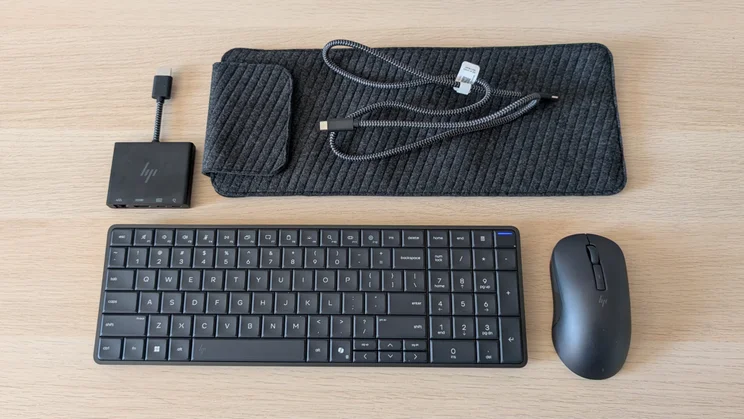
In the box along with the EliteBoard and its USB-C charger, you’ll also find a USB-C dock, about which more below, a 1m braided USB-C cable, a Bluetooth / 2.4GHz mouse and a soft slipcase with a magnetic flap.
There’s really nothing currently on the market to compare to the EliteBoard. It would be a stretch and then some even to compare it to a Mini PC of similar specification and price.
Design and features
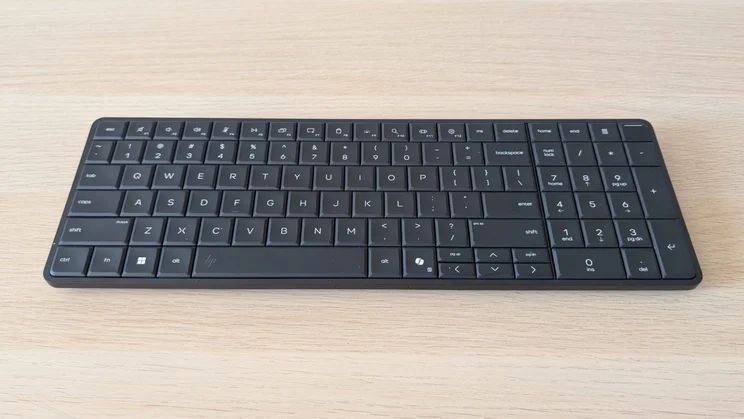
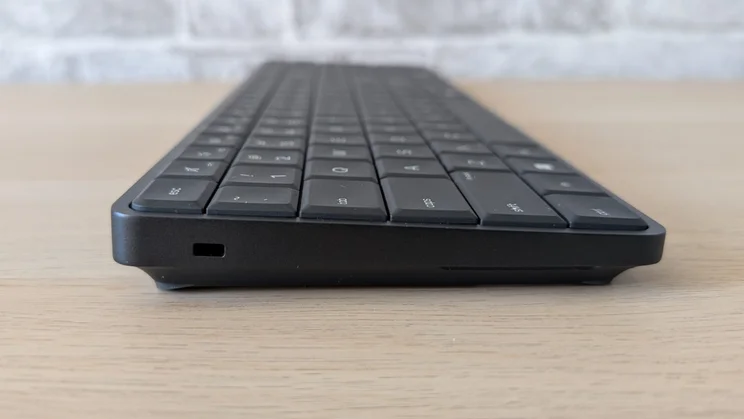
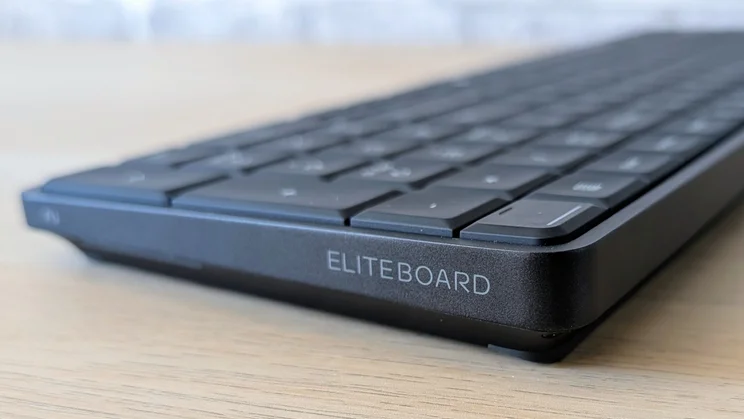
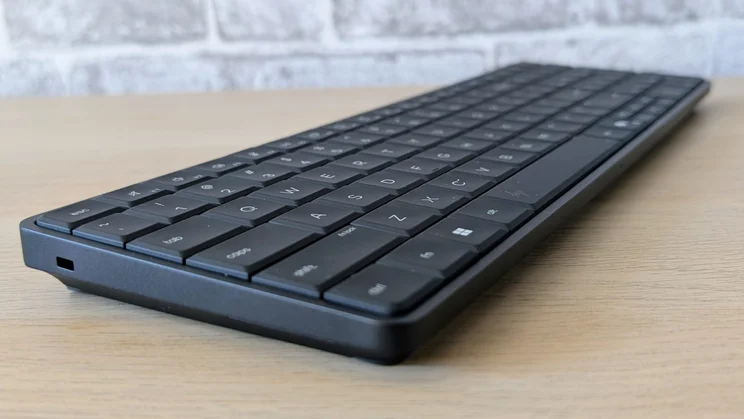
Ask someone to unbox the EliteBoard G1a blindfold, and they will tell you you’ve bought a heavy keyboard. That’s exactly what the EliteBoard looks and feels like, a 665g full-sized PC keyboard.
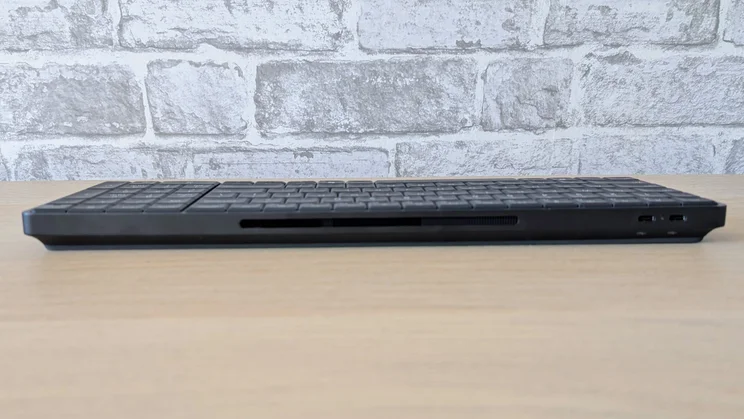
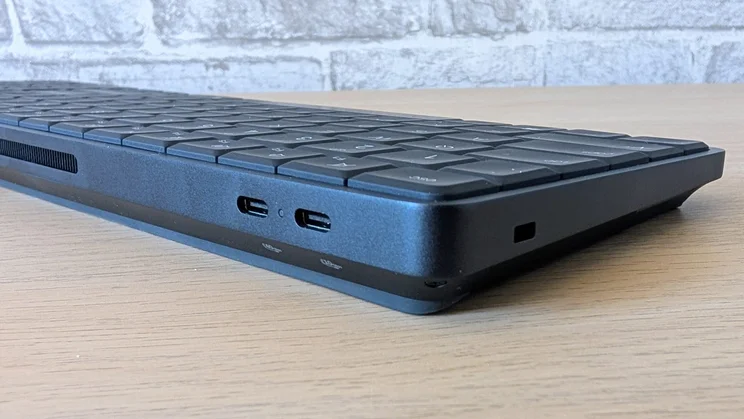
The only external giveaways other than the weight are the brace of Type-C ports at the back, the speaker outlets on either side, and the vent grille on the bottom. At 355 x 119 x 20mm, it’s the same size as your average keyboard.
The build quality is rather better than the average PC keyboard, though. It’s a solid all-metal affair without even a hint of creak or flex, no matter how you manhandle it.
HP has seen fit to give the EliteBoard a grand total of two I/O ports, both Type-C, one 40Gbits/sec spec, the other 10Gbits/sec. Both ports support DisplayPort video output, the former at v2.1 spec, the latter at v1.4.
That’s too meagre a selection for my taste – there isn’t even a 3.5mm audio jack – but HP could have redeemed itself by bundling a good Type-C dock.
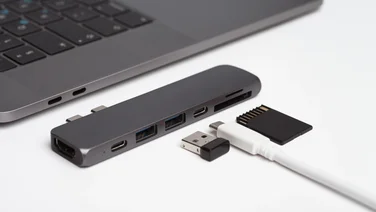
HP does indeed bundle a dock, but it’s a strange affair with a 5cm-long HDMI cable coming out of one end and two USB-C ports, RJ-45 Ethernet, and HDMI sockets at the other.
So someone at HP actually thought nobody would want to plug a USB-A accessory into the EliteBoard? Or they did, but decided users would prefer the ability to run two monitors and connect to a wired network via a dock dangling around the back of one of those monitors? I beg to differ.
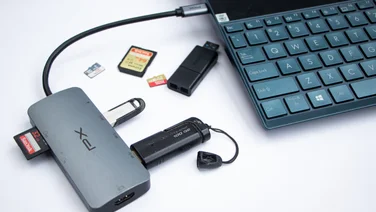
I immediately put the HP dock back in the box and plugged in my own Anker 7-in-1 dock. This has an HDMI output, two USB-A and two USB-C ports and a fixed USB-C cable at the end to plug into the host. Granted, it lacks Ethernet, but otherwise it beats the HP dock hands down.
If HP has fumbled the ball with physical connectivity, there’s nothing wrong on the wireless side of the bed with the MediaTek Wi-Fi 7 MT7925 WLAN card supporting 6GHz Wi-Fi 7 and Bluetooth 5.4.
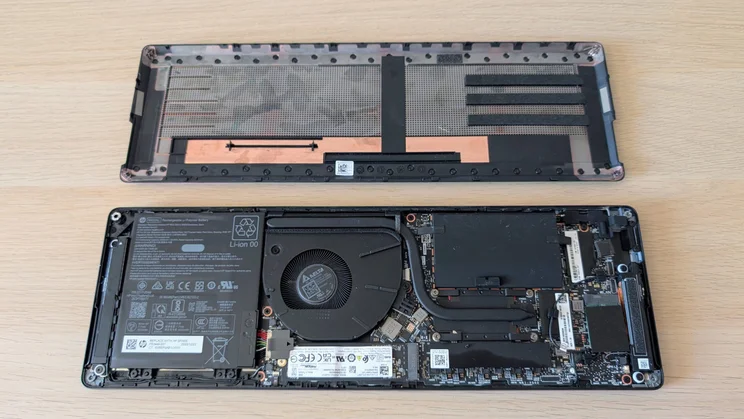
Getting inside the EliteBoard is surprisingly easy, and once in, you can replace the SSD, swap out either of the SODIMMs, replace the WLAN module and battery and perform other basic maintenance tasks. HP has posted a handy video to walk you through all the DIY opportunities.
Keyboard and speakers
The more alert among you will have noticed that my review machine has a US keyboard layout. If you buy one, you’ll get the traditional UK layout with the £ sign in the right place.
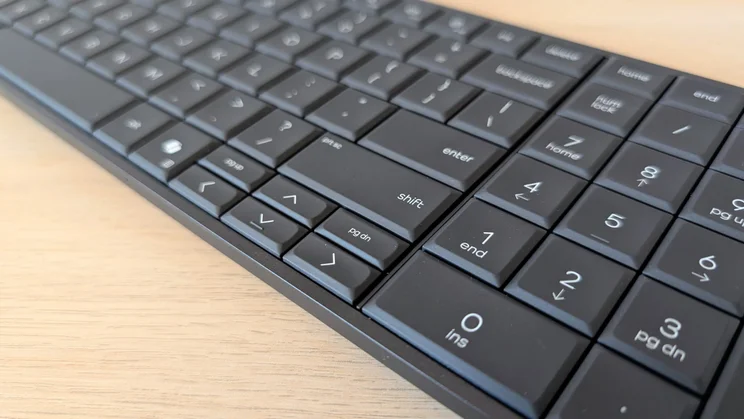
The positives are that the typing action is very clean and crisp, the two-stage white backlight works perfectly, the keycap graphics are models of clarity, and the base of the keyboard is rock solid.
The negatives are that the layout is rather cramped, especially around the four half-height arrow keys, the key travel is a little too shallow for my taste, and there’s no way to adjust the angle at which the keyboard sits.
The face of the keyboard doesn’t quite sit parallel to whatever surface it’s sat on, but the angle at which it does is much shallower than on my Cherry keyboard, even with the rear legs folded away.
It’s actually more like typing on a laptop keyboard. If you like your keyboard at a steeper angle, some sort of stand or a set of stick-on riser feet is an absolute must.
Biometric security is provided by a fingerprint scanner built into the power button in the top right corner of the keyboard.
I wasn’t expecting the EliteBoard to actually have speakers, so I was quite surprised to find a couple of 1W drivers tucked away at each end of the unit. There are also a couple of microphones built into the front of the unit.
The speakers are not the loudest, averaging 75dBA when measured against a pink noise source from a distance of 1m, but there’s plenty of detail and even enough low-end bass to make listening to music rather enjoyable.
Thanks to their positioning at the ends of the chassis and the fact that they fire outward, stereo separation is excellent.
Performance
The AMD chipset inside the EliteBoard couldn’t be described as a stump-puller, but it still scored 237 points in our Handbrake-based 4K multi-media benchmark, which puts it on a par with laptops like the new Intel Core Ultra 5 325-powered Honor MagicBook 16 and Intel Core Ultra 7 258V-powered Dell 14 Plus and Acer Swift Edge 14 AI.
In other words, it’s got more than enough grunt to run everyday PC tasks, and it won’t get bogged down if you inadvertently end up with three dozen Chrome tabs open.
AMD’s quad-core 840M integrated GPU isn’t a match for its famous 890M brother, but it still managed to run the SPECviewperf 3dsmax 3D modelling benchmark at an average 29fps, compared with the 890M’s 39fps frame rate. Intel’s entry-level Graphics iGPU with four Xe cores can struggle to hit 15fps.
Did the designers of the EliteBook lie awake at night worrying about its capacity to play the 2018 Doom reboot at a decent frame rate? Probably not, but they can rest easy, at FullHD the game runs smoothly at around 50fps, no matter how much is going on on-screen.
As is often the case, AMD’s iGPUs prove more capable in the field than the sterile benchmark results from the likes of GeekBench suggest they should.
Finally, you should keep in mind that the Ryzen AI 7 Pro model, which is what UK buyers get, has two more CPU cores and a Radeon 860M iGPU with eight rather than four cores. So, assuming you upgrade the RAM to match my review unit’s 32GB, you’ll experience noticeably higher levels of performance.
Thanks to the 50 TOPS Ryzen AI NPU, the EliteBoard is fully compatible with Microsoft’s CoPilot specification, although given that Microsoft seems to be moving away from a unified AI offering in Windows, this is less of a selling point than it was even a few short months ago.
The 512GB Phison SSD turned in sequential read and write speeds on par with most laptops with a similar sort of price tag, 4,722MB/sec and 2,364MB/sec, respectively. That’s more than adequate for everyday use.
Considering how tightly the internals are packaged, the EliteBoard was impressively composed when it came to thermal management. Under maximum stress, both the CPU and GPU continued to run at 100% utilisation and fan noise was subdued.
The vent grille under the keyboard did become a little warm, but not by any more than the average laptop. And anyway, I struggle to think of a circumstance in which you’d use the EliteBoard on your lap to feel said heat.
Battery life
According to the HP specification sheet, the 32Wh internal battery is actually optional and should support “up to 3.5 hours of light productivity”. I subjected the EliteBoard to our usual laptop battery test, looping a video in VLC on a 1080p monitor, and it managed to just get past the 5-hour mark.
In general use, specifically writing this review, I managed to comfortably get four hours from a charge before plugging in the bundled 65W charger, suggesting that HP’s numbers are, if anything, pessimistic.
HP EliteBoard G1a review: Verdict
Will we see similar devices to the EliteBoard G1a from the likes of Asus, Dell and Lenovo? I suspect not: It’s an interesting idea, and generally well executed, but there is a slight whiff of it being the answer to a question no one has actually asked.
That said, if you want a highly portable PC and are assured of having access to a monitor or TV at your destination, the EliteBoard could be just what you want. Buy a wireless USB-C/HDMI extender and a Bluetooth trackpad, and it should make a rather good HTPC.
Either way, HP deserves plaudits for trying something just a little different.