
To help us provide you with free impartial advice, we may earn a commission if you buy through links on our site. Learn more



- Super light and stylish
- Anti-glare OLED touchscreen
- Good battery life
- Middling performance
- Mediocre sound system
- Webcam could be better
If you are after a 14in lightweight laptop and have around £1,400 to spend, you’re spoilt for choice. With every major laptop maker having something highly desirable to dangle before you, any new entrant into this most competitive of market segments needs to have a trick or two up its sleeve.
Acer’s new Swift 14 Edge is just such a laptop and it has its work cut out, going head-to-head with several laptops that – for very good reason – we’ve described as the best in class.
What you need to know
In 2025, simply having features like a good 2.8K OLED screen or 32GB of RAM simply doesn’t cut the mustard. That’s now pretty much the expected norm. The new Swift Edge 14 has those two basics covered and throws into the mix a 1TB SSD, comprehensive biometrics, and an Intel Core Ultra 200V chipset, Wi-Fi 7 and Thunderbolt 4 connectivity.
To really mark it out from the herd, Acer has also endowed its new compact with a new type of screen glass from Corning and a seriously low kerb weight. Acer quotes it as 990g, but as we shall see, the reality is even more impressive. I reckon the price is right too: £1,399 isn’t cheap, but you are getting your money’s worth.
It’s also good to see that Acer has spent some time on the aesthetics. This is an area I’ve often criticised Acer for. I’m not for a moment suggesting you should buy a laptop on looks alone, but if the likes of Asus and Apple can make their similarly-priced laptops drop-dead gorgeous, so should a company the size of Acer.
Price and competition
There’s only one model of Swift Edge 14 AI, and it comes with a 1TB SSD, 32GB of RAM and an Intel Core Ultra 7 258V CPU. For that sort of money, there are a lot of very good compact laptops to choose from, and here are just four worthy of consideration if you don’t like the cut of the new Acer’s jib.
The first Core Ultra S2 laptop we tested, the Asus Zenbook S14, is still a benchmark device. It’s a design classic, beautiful to behold and lovely to touch. The 2.8K 120Hz OLED touchscreen is glorious. Currently, you can buy the S14 for £1,199, which is a bit of a steal.
The daddy of compact laptops, the M4 Apple MacBook Air is a supremely competent and desirable bit of kit, and with prices starting at £999 for the 13.6in model, it’s quite the value pick if you can live with a 256GB SSD. If you want one with 1TB of storage and 32GB of RAM, you’ll need to find £1,799.
The Honor MagicBook Pro 14 is a truly great compact laptop, thanks to a powerful chipset and a scrumptious 120Hz 3.2K OLED touchscreen. The potent Core Ultra 9 285H CPU lacks the Lunar Lake NPU, though, so you have to forgo a lot of Microsoft’s Copilot+ AI goodies like Recall. Other than that, it’s pretty faultless.
Dell’s Pro 13 Premium is an expensive option – an Acer-matching spec with a 14in 2.8K OLED touchscreen will set you back close to £2,000, but for that you do also get great battery life, a superb quad-speaker audio system and a very good webcam.
Design and features
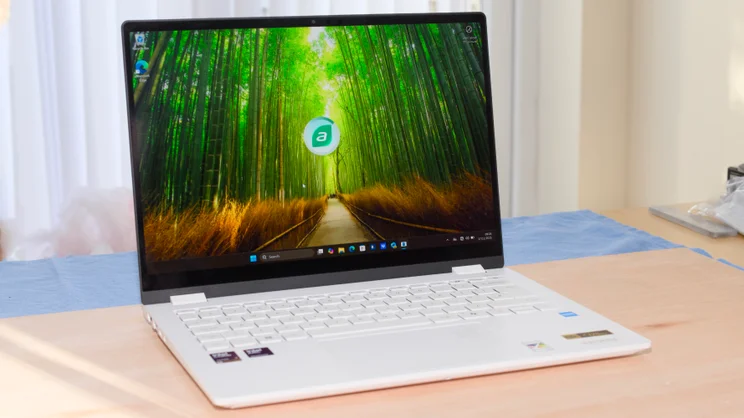
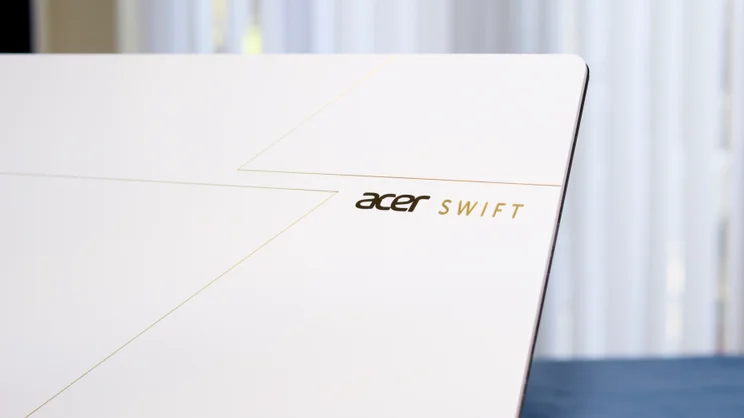
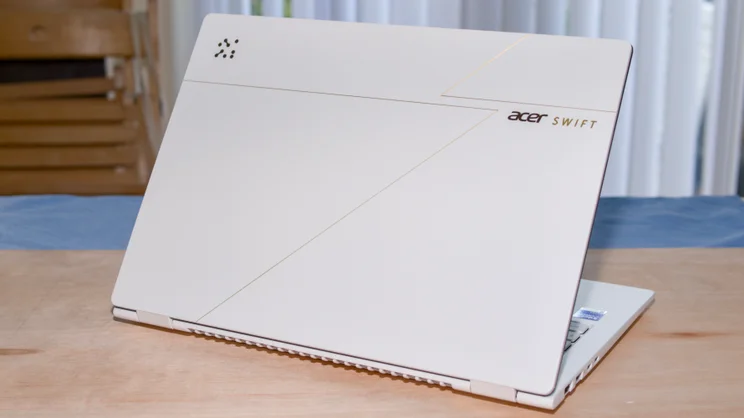
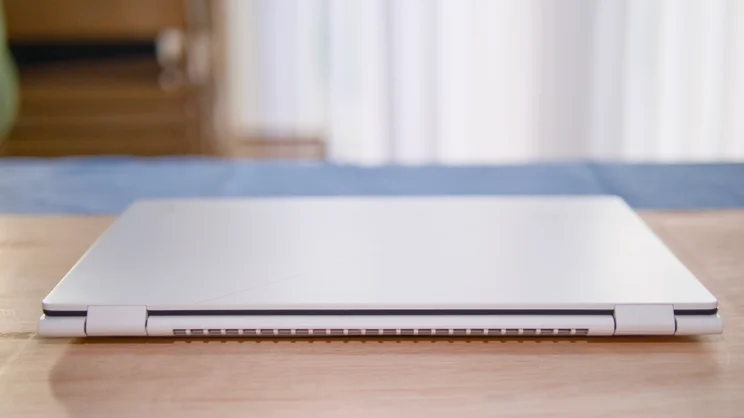
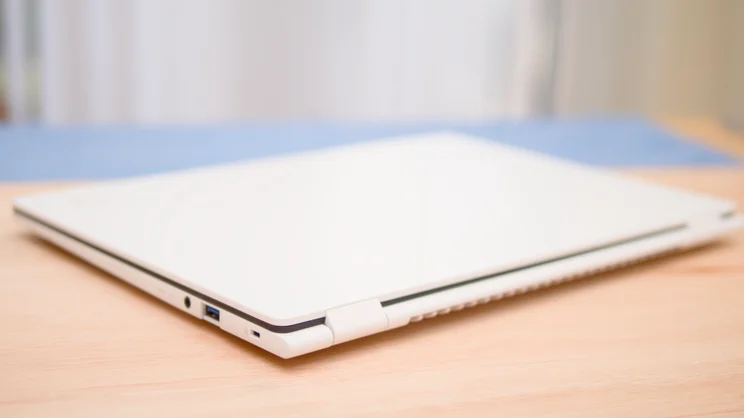
Aesthetically, the new Swift Edge is one of Acer’s better recent efforts. The magnesium/aluminium alloy case has a rough-finish powder-coat that feels pleasant to the touch and doesn’t show fingerprints. There’s only one colourway: a rather striking white.
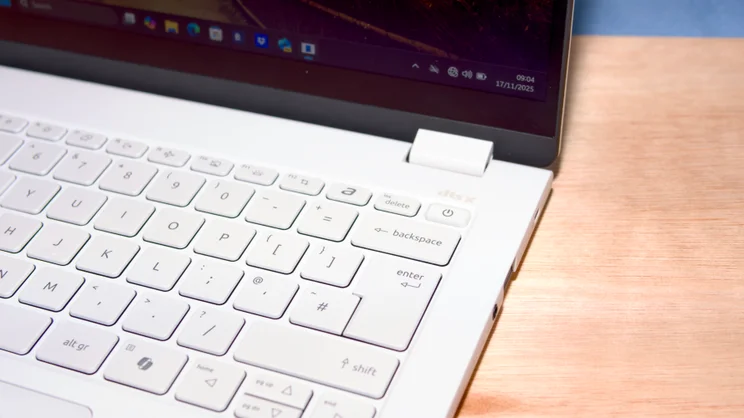
The lid is decorated with a gold pinstripe that apparently “symbolises speed, agility and an ultra-thin profile” and Acer’s AI Activity Indicator logo, which is repeated on the touchpad, where it flashes when the chipset’s NPU is working.
On the whole, I don’t think the Swift Edge 14 is quite as pretty as the Asus Zenbook S14 or the Zenbook S16, but it comes close, which is praise enough in my book.
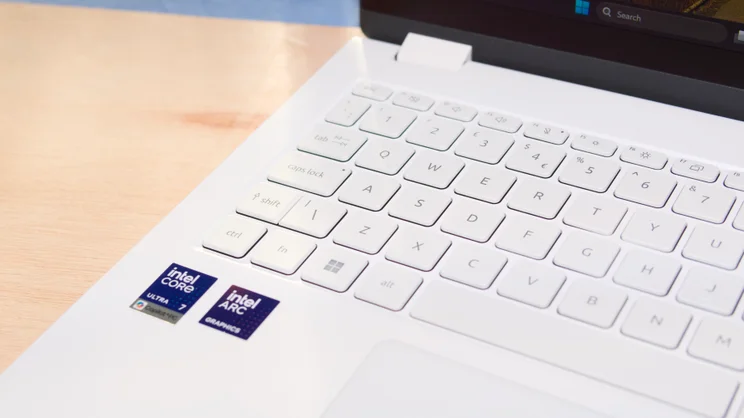
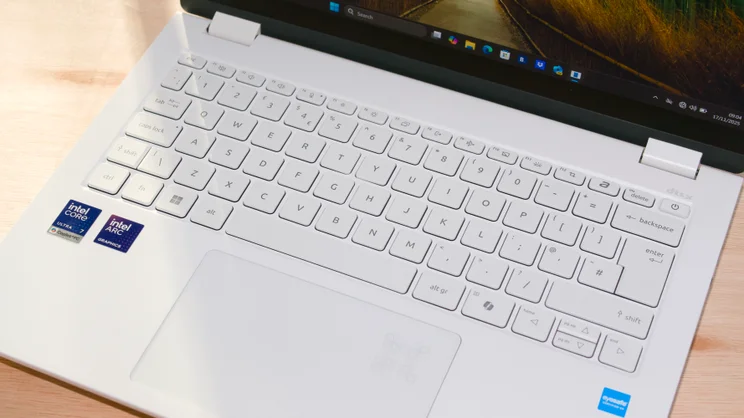
The handsome looks of the Swift Edge 14 make it all the more vexing that Acer has plastered no less than six ugly stickers across the palm rest. None of them felt like they would come off without a fight.
Lighter than Air
The Swift Edge’s weight, or the lack of it, would be fairly impressive if it actually weighed what Acer says it should, 990g, but remember that’s only the same as the larger Swift 16 Air.
But it doesn’t. According to my scales, it tips in at just 805g, or to put it another way, two-thirds of an Asus Zenbook S14 or an Apple MacBook Air 13-inch. That’s altogether more impressive.
Despite being a certified featherweight, the Swift Edge 14 suffers from none of the feelings of fragility that you get from some of LG’s superlight Gram laptops and it’s MIL-STD 810H-rated to withstand shock, vibration, particle ingress and temperature changes.
Ports, sockets and Wi-Fi
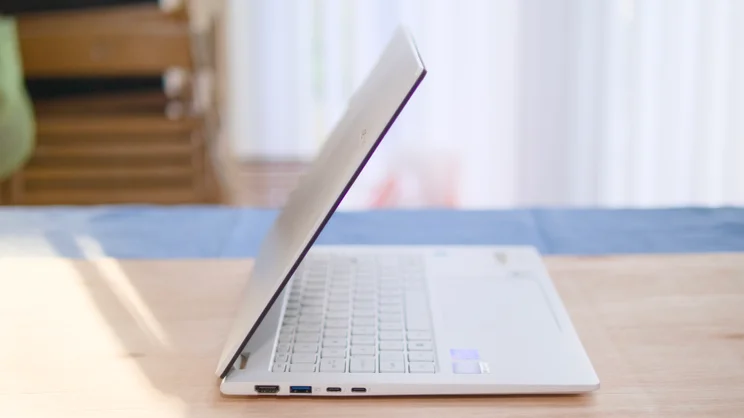
Acer has thankfully not reduced the port count beyond the point of sanity while chasing reduced size and weight.
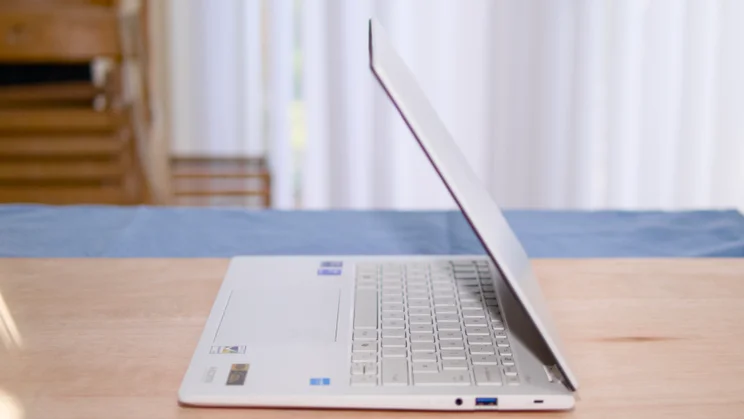
Despite being just 14mm thick, you’ll find two Thunderbolt 4 ports around the laptop’s edges, as well as a 10Gbits/sec USB-A port and an HDMI 2.1 video output on the left. On the right is a second USB-A port (this time 5Gbits/sec for some reason), a 3.5 mm audio jack and a Kensington nano lock slot.
Wireless communications are bang up to date with the Killer BE1750i card supporting Wi-Fi 7 and Bluetooth 5.4. But while getting inside the Swift Edge is easy enough if you have the right Torx screwdriver to hand, there’s no room for a second SSD, and everything else is soldered to the motherboard.
Keyboard, touchpad and webcam
There’s probably a mathematical formula to express how bad the typing experience on a laptop keyboard is in relation to how light and thin said laptop is, but thankfully the Swift Edge 14 isn’t bound by it.
For such a light laptop, the keyboard is impressively solid with only a little give in the centre, while the keys themselves have a light and positive action. I like the layout, too, and the clear black-on-white keycap graphics.
A white keyboard with a white backlight (two-stage in this case) isn’t always the best choice, but the Swift Edge’s keyboard remained easy on the eye, no matter the ambient light.
The mechanical touchpad is just as good. It’s a 125 x 80mm glass-covered affair, and pretty much perfect in every respect. The surface is smooth and the click-action is light, crisp and very precise. It’s quiet, too.
In the top right corner sits Acer’s AI indicator light. This is entirely a piece of design frippery. I can think of no good reason to know when the chipset NPU is doing something rather than twiddling its thumbs, but you can turn it off in the AcerSense control panel if you want.
The 1080p webcam is something of an also-ran, with picture quality that looks just a bit fuzzier than I’d like and the colour balance changes dramatically with only minor alterations in the viewing angle.
On the positive side, the camera array does have Windows Hello IR facial recognition, which, when combined with the fingerprint scanner built into the power button, makes this laptop very convenient to log into.
Display and audio
The touch-enabled display is extremely good. It refreshes at 120Hz and has a resolution of 2,880 x 1,800 and is as sharp as a tack. It covers 162.7% of the sRGB colour space, which translates to 115.2% of the DCI-P3 and 112.1% of the AdobeRGB spaces. It’s usefully accurate, too, returning an average Delta E colour variance score of 1.55 against the DisplayP3 profile.
I recorded peak SDR brightness of 391cd/m2, which is pretty much par for the OLED course, but put Windows into HDR mode and that same metric jumps to 645cd/m2, which is more than enough to earn the VESA DisplayHDR 600 sticker plastered on the palm wrest.
The interesting, and unique, thing about this display is that it’s covered with a sheet of Corning’s new Gorilla Matte Pro glass, which is touted as being able to reduce screen reflections by up to 95%.
On balance, I’d say Corning’s claims are on the button. It is not quite as limpid as a conventional glossy OLED screen, but the difference is far less than with a traditional matte-finish panel, and the reduction in reflections, both indoors and out, is very impressive.
The speaker system, on the other hand, is something of a letdown. There’s plenty of volume on tap – 79.2dBA as measured from a pink noise source at a 1m distance – but the sound is constricted and brittle with little in the way of low-end presence. Listening to music on the Swift Edge is a tiresome experience, and that’s a darned shame.
Performance and battery life
Intel’s octa-core Core Ultra 7 258V processor with its max Turbo Boost frequency of 4.8GHz is hardly a byword for stump-pulling performance, but it’s more than adequate for everyday use.
Our 4K multimedia benchmark score of 238 put the Swift Edge 14 in last place in my comparator group, but all the rivals I’ve selected here have more potent chipsets, and the differences were still marginal. The only one stretching out a significant lead was the Honor MagicBook Pro 14 with its 16-core Core Ultra 9 285H processor. Giving just 9 points away to the M4 MacBook Air is no disgrace.
The Arc 140V integrated GPU continues to impress. Being able to run the SPECviewperf 3dsmax modelling benchmark at 25fps, more than twice as fast as the Iris Xe iGPU, and undemanding 3D games like Serious Sam 4 at over 100fps gives modern thin’n’light laptops like the Swift Edge 14 capabilities beyond the wildest imagining of even their more recent forebears.
And while some ultralight laptops (for instance, the LG Gram SuperSlim) can suffer from thermal throttling because the minimalist chassis and reduced cooling plumbing hinder heat transfer, no such issues affected the Acer Swift Edge 14 AI. Even after two hours of running under maximum system stress, the CPU never dipped below 89% utilisation, and the noise from the single fan never rose above a whisper.
The storage performance from the system’s 1TB Kingston SSD, however, returned class-average sequential read and write speeds of 3,836MB/sec and 2,687MB/sec, respectively.
Battery life
In our video rundown battery-life test, the Swift Edge lasted just over 16 hours before the lights went out.
It’s a testament to the massive improvements in the battery runtime of the latest Windows laptops, especially those running on Qualcomm’s Snapdragon+ ARM chipsets like the Microsoft Surface Laptop 13, which can almost hit the 24-hour mark, that 16 hours isn’t in any way remarkable.
Acer could perhaps have fitted a larger battery than the 65Wh unit they opted for, but that would have increased the weight. As it stands, I think the compromise between weight and battery duration (remember, the Swift Edge 14 still has the M4 MacBook Air beaten, if only by 14 minutes) is pretty much spot on.
I’m less minded to forgive, given the striking looks and price of the Swift Edge 14, the provision of a basic rat-and-tail USB-C charger. Something like Anker’s compact foldable 100W charger would have been more appropriate.
Acer Swift Edge 14 AI: Verdict
The Swift Edge 14’s lightweight design and clever anti-reflective screen clearly mark it out as a machine optimised for use out and about in various environments and situations, and for that, it’s one of the very best on the market.
The featherweight, but still solid and attractive, design is to be applauded and there’s not much arguing with the price when you are getting a 1TB SSD and 32GB of RAM as well.
Sadly, the Swift Edge 14 has been slightly hamstrung with a subpar speaker system and webcam; for the money, both should be better than they are. If more attention had been paid to those two areas, I’d have unhesitatingly given it a Best Buy badge rather than a Recommended award.


