
To help us provide you with free impartial advice, we may earn a commission if you buy through links on our site. Learn more

- Stylish, lightweight design
- Superb OLED screen
- Class-leading performance and AI capabilities
- Limited port selection
- Screen resolution could be higher
It’s been a while since we last saw anything that might be called a flagship Chromebook. Google retired the Pixelbook line years ago, with no replacement for the much-loved 2019 Pixelbook Go. The Chromebook Plus line of devices promised much, but failed to deliver a genuinely new high-end Chromebook and while Acer’s Chromebook Spin 713 and 714 came close, the most recent versions showed little appetite for innovation.
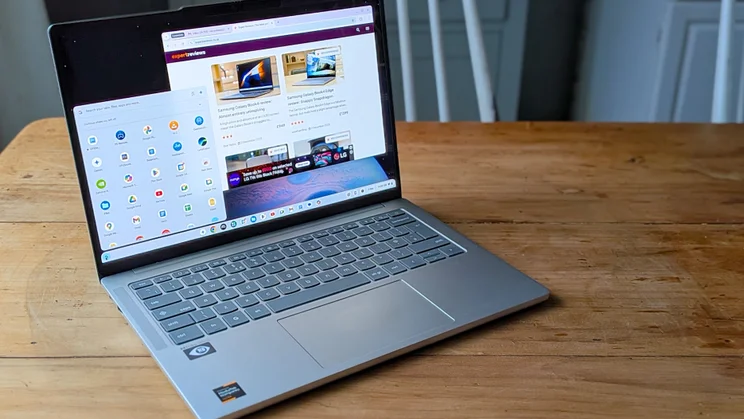
This makes the Lenovo Chromebook Plus 14 Gen 10 feel special. For a start, it’s a genuinely new device rather than a reworked Windows laptop, with signs of Google’s close involvement all over its design. It actually feels more expensive than it is and ships with a fantastic OLED screen.
Most importantly, it combines Google’s Gemini AI features with a spec designed to make the most of them, including a new MediaTek processor that does for Chromebooks what the Qualcomm Snapdragon X line has done for Microsoft’s Copilot+ PCs since 2023. This might not be a new Pixelbook as such, but it feels like a true successor.
What you need to know
The Lenovo Chromebook Plus 14 Gen 10 is a premium Chromebook Plus device at what we’d normally consider a mid-range or even budget price point. The entry-level version, reviewed here, incorporates a Mediatek Kompanio Ultra 910 processor with 12GB of RAM and 128GB of UFS 3.1 storage.
The step-up model upgrades the RAM to 16GB and the storage to 256GB, while adding a fingerprint reader. Both models share the same basic design and the same 14in 1,920 x 1,200 resolution OLED screen.
Price and competition
The Lenovo Chromebook Plus 14 Gen 10 debuted at around £599 for the cheaper version and £699 for the high-end model, but you can regularly find them both with a £100 discount and they’ve turned up even cheaper in recent sales.
Amazingly, this makes them relatively expensive by other Chromebook standards, with models like the Acer Chromebook Plus 516 and HP Chromebook Plus 15a appearing for £300 to £400, but that’s not really a fair comparison. The Chromebook Plus 14 Gen 10 is a serious step up in terms of design, build quality, screen quality and performance.
Instead, the best comparison points are the Acer Chromebook Spin 714 (£650 to £750) and the Samsung Galaxy Chromebook Plus 15, which sells for around £500. Alternatively, you could look at Windows-based devices like the value-packed Asus Zenbook A14, which has a similar OLED screen and basic Snapdragon X Plus processor. This is also something of a discount magnet, with price drops from £899 to £599 in recent months.
Design and build quality
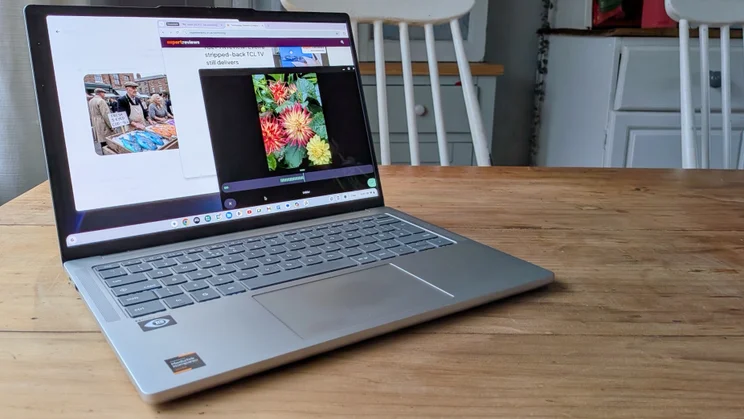
This is a remarkably sleek and well-built Chromebook, particularly given the price. The aluminium shell is just 15.9mm thick and weighs a mere 1.17kg, making it lighter than the MacBook Air 13 or the Microsoft Surface Laptop 13in.
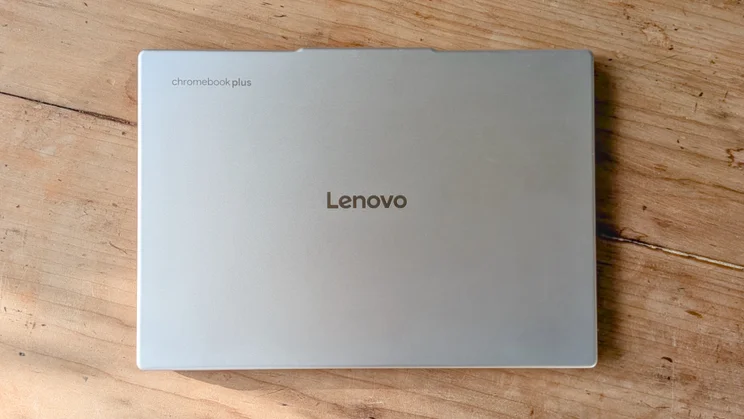
It comes in a lovely Seashell finish – that’s silver, but with some slight gold undertones – and has some distinctive touches like the vertical speaker grilles left and right of the keyboard, and the ridged underside with its chunky rubber bars that practically keep the thing glued to your lap. From its rounded edges and corners to smooth hinge, it’s a classy device, not to mention practically silent in everyday use.
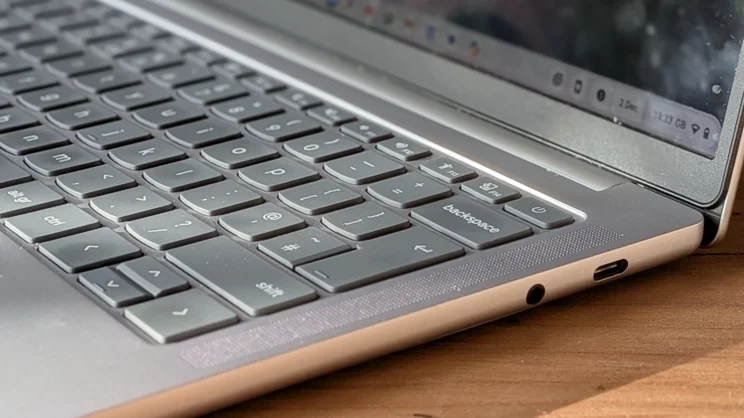
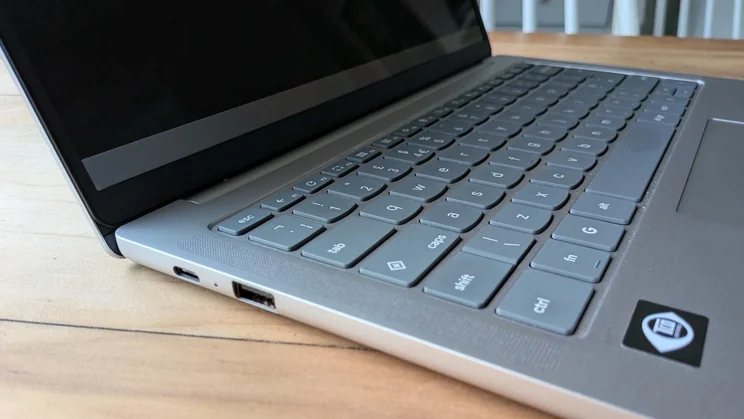
There’s not an awful lot in the way of connectivity, just a USB-C 3.2 Gen 1 port on either side, plus a single USB-A 3.2 Gen 1 and a 3.5mm audio port. Both USB ports support DisplayPort 1.4 for an external screen, but there’s no USB 4.0 or HDMI. However, wireless connectivity is up to date, with Wi-Fi 7 and Bluetooth 5.4, and at least you have a spare USB-C port when you’re charging using Lenovo’s compact 65W wall adapter.
Keyboard, touchpad and webcam
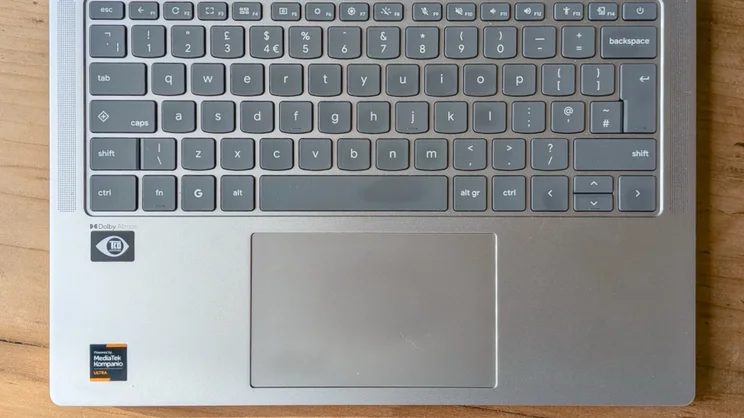
Even Lenovo’s cheaper laptops tend to have decent keyboards, and the Chromebook Plus Gen 14’s keyboard feels markedly better than those found on the brand’s previous IdeaPad Chromebooks. In fact, the keys feel similar to those on the Yoga Slim series Windows laptops. Its square keys have a rounded edge at the front and a slightly concave surface.
The layout isn’t fussy, provided you can get used to Chromebook conventions, which now include a G key beneath the Z key that summons up the Chrome OS launcher, while what would be the Caps Lock key on a Windows laptop or MacBook has switched function to become the Quick Insert key. This provides context-sensitive options, including Help me Write for AI text generation and Create image for generating a quick photorealistic image or illustration from a prompt.
The feel is relatively light, but the keys have a quick, tactile response that’s great for long patches of typing. I’m just as impressed with the touchpad. It’s clearly plastic, but very smooth, and with the pointer speed ramped up in the Chrome OS settings it’s fast, accurate at tracking and adept with multi-touch gestures.
If I have to criticise the 1440p webcam, I’d note that colours are on the pallid side and it’s prone to grainy pictures in low artificial lighting. Otherwise, it’s great with detail and does a decent job of handling exposure, even when there’s strong daylight coming from one side. If you’re looking for a Chromebook that can make you look good in Web meetings, this one fits the bill.
Display and audio
OLED screens are still rare on Chromebooks, with the Samsung Galaxy Chromebook Plus 15 the only other one that springs to mind. The 1,920 x 1,200 resolution screen used here is a beauty, making up for its less than eyeball-battering brightness – 391.6cd/m2 in SDR colorimeter tests – with strong colour capabilities, deep black level response and superb contrast.
It covers 99.9% of the sRGB colour space with a 109% volume, and 76.7% of DCI-P3, which is more than good enough for anything but critical video-editing and design work. In fact, it’s superb for streaming Netflix or high-definition video on YouTube, and you can do a lot worse for game streaming as well.
Colour accuracy is excellent, with an average Delta-E of 0.99. While I’d ideally like a slightly higher QHD+ 1600p resolution, what’s here is still perfectly sharp on a 14in screen. Oddly enough, the 16:10 aspect ratio even makes it seem a little larger than it is.
Take the claims of Dolby Atmos audio with a pinch of salt. The output has a certain spaciousness about it, with some decent clarity and detail, but you’re not going to imagine that it’s coming from all around you. All the same, it makes movies and games sound good at medium volume levels, and will do for background music if you don’t push the volume up too high. Speech in video calls is crisp and easy to follow.
Performance and battery life
ARM processors are nothing new for Chromebooks; Lenovo has been using them in its Duet series for years. What’s new about the Kompanio Ultra 910, however, is that this isn’t some slow but energy-efficient effort. Instead, it’s a powerful octa-core chip running at up to 3.62GHz, with an 11-core, ray tracing-capable GPU and a 50 TOPS NPU. It’s in no way second-rate.
In fact, the Chromebook Plus 14 Gen 10 is comfortably the fastest Chromebook that we’ve tested. In Geekbench 6 it scored 2,566 for single-core performance and 8,087 for multi-core. Our previous fastest Chromebook in this benchmark, the Acer Chromebook Plus Spin 714, scored 1,889 and 6,651, and that was with a 10-core Intel Core i5-1335U.
The difference is even clearer in Geekbench 6’s GPU test, where the Chromebook Plus 14 Gen 10 scores a stonking 18,785 to the Spin 714’s 9,990. The Acer scores 84fps in GFXBench’s Aztec Ruins offscreen benchmark and 80fps in its Car Chase test. The Chromebook Plus 14 Gen 10 scores 221fps and 132fps.
The Lenovo has the benefit of more RAM to work with – 12GB on our entry-level version – but these results are impressive, all the same. What’s more, they’re reflected in other benchmarks. The Chromebook Plus 14 Gen 10 scores 337.6 in the Jetstream benchmark and 238 in WebXPRT 4. The Chromebook Plus 714 hits 227.8 and 218 in the same tests.
Look beyond other Chromebooks, and the Chromebook Plus 14 Gen 10 even holds up against some Windows devices. For example, it’s faster in Geekbench 6 than the Asus Zenbook A14 with its Snapdragon X X1-26-100 processor (2,116 single-core, 6,406 multi-core), even if it can’t quite match the Microsoft Surface Laptop 13in with its faster Snapdragon X Plus X1-42-100 (2,443 and 11,299). It’s also faster than the LG Gram Book AI with its Intel Core i5-1334U (2,258 and 6,766).
What does that mean? Well, given that Chromebooks tend to be more effective with lower-end processors than their Intel equivalents, these benchmark numbers tell you that the Lenovo can handle anything you throw at it.
Web apps and Android apps aren’t going to pose any problems, and you won’t even struggle with most Linux apps if you want to go down that direction. Keep your Chrome browser running with a dozen tabs open and the Chromebook Plus 14 Gen 10 won’t falter. It’s unstintingly slick and smooth in operation.
The 50 TOPS NPU – a Chromebook first – also gives you more scope for local AI operations. Right now, Chromebook Plus models use a mix of local and cloud-based processing for their AI features, but the Chromebook Plus 14 Gen 10 has enough NPU horsepower for AI-powered object removal and background expansion in Google Photos, generating AI wallpapers and intelligently grouping browser tabs together.
As with all Chromebook Plus models, you also get Gemini’s text generation and auto summary features (Help me Write and Help me Read) at a tap of the Quick Insert key or a right-click.
The Kompanio Ultra 910 also mirrors the Snapdragon X competition by combining impressive performance with energy efficiency. With the screen set to 170cd/m2 Lenovo’s Chromebook managed 14hrs 53mins of HD video playback before running out of puff.
Given the Acer Chromebook Spin 714 only reached 13hrs 19mins, that’s another strong result. You won’t be left waiting long for a recharge, either. With the laptop connected to the 65W charger for 30 minutes, the level of charge rose from near zero to 47%.
Lenovo Chromebook Plus 14 Gen 10: Verdict
The Chromebook Plus 14 Gen 10 is the most exciting Chromebook in years, delivering a winning package of performance, screen quality, usability, AI capabilities and battery life, while still remaining surprisingly affordable. It’s not just an exceptional Chromebook for the money, but an excellent laptop too.
There’s more competition on the horizon from other manufacturers with Mediatek and potentially Qualcomm chips, but Lenovo and Google have done a fantastic job of setting a new Chromebook benchmark. Whether you’re an established Chromebook user or Chrome OS-curious, this is the one to buy.


