To help us provide you with free impartial advice, we may earn a commission if you buy through links on our site. Learn more
- Compact and lightweight
- Powerful enough to run complex LLMs locally
- All the computer most people will ever need
- Major price hike over previous model
- RAM and storage upgrades are very expensive
The Mac mini has been my favourite Mac ever since Apple switched to its own silicon. Cheaper than a MacBook Air and neater, too, it has long been the best value way into the macOS ecosystem; a way of trying Apple’s way of doing things without having to go all in. But this year, with the 2026 model, that truth is under threat.
That’s because prices are going up – a lot. Indeed, the base Mac mini with the latest M6 processor now starts at £899, whereas in 2024 the base M4 model was just £599, and there have been deals on it since, reducing the price to £499.
That’s a £300 hike over two years, and the model I have for review here – the M5 Pro – is even more expensive, starting at £1,699. Despite the performance upgrades, which I’ll get into below, this means the mini is no longer the people’s Mac it could once claim to be and that puts it in a tricky spot.
What you need to know
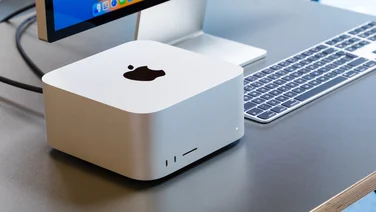
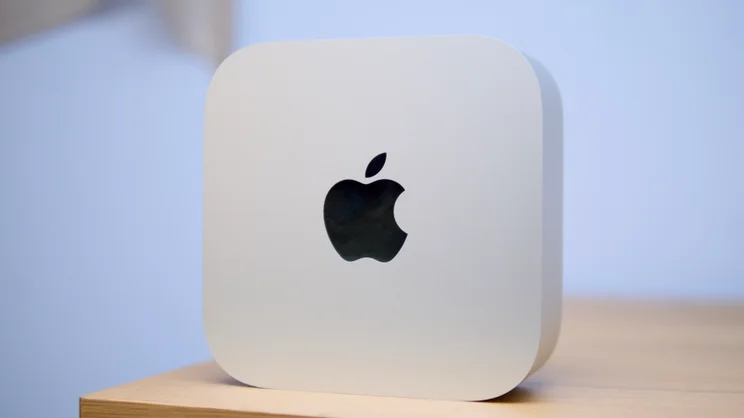
Setting such fiscal unpleasantness aside for a moment, though, the Mac mini is still the same compact computing marvel as before. It’s small enough to hide away on the rear of your monitor, if that’s what you want from it, or elegant enough to have out on show, and powerful enough to be your main desktop PC – for most tasks you could possibly think of.
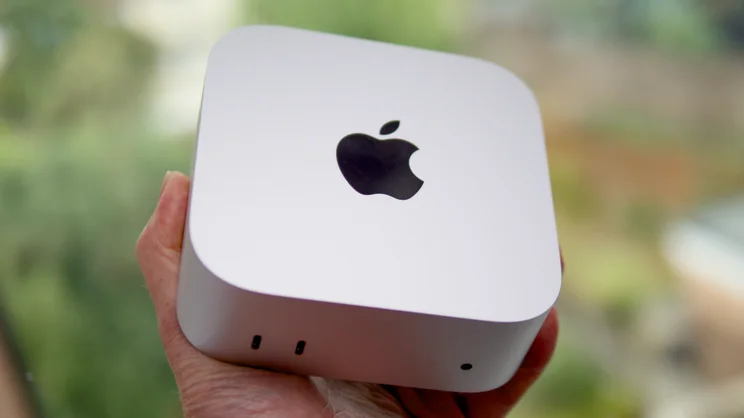
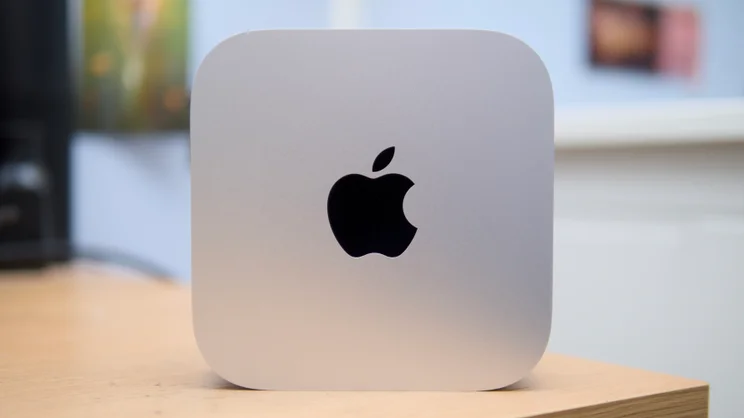
Physically, nothing has changed. The aluminium chassis still feels rock solid, it still measures a dinky 127 x 127 x 50mm, weighs little enough to pop in a bag and is just as well appointed with ports and sockets at both the front and rear.
The main change – in fact the only change aside from the price – is to the silicon inside: an upgrade (in the base model) to Apple’s latest M6 silicon from M4; and in the Pro model from M4 Pro to the M5 Pro – the same chip I saw in my review of the most recent 16-inch MacBook Pro from earlier this year.
The base memory and storage remains at 16GB and 256GB in the M6 model (configurable up to 32GB and 2TB), while the M5 Pro gets 24GB of RAM (configurable up to 64GB) and 512GB of storage (configurable to 8TB) in its base specification.
Price and competition
Configuration tested: Apple M5 Pro (18-core CPU, 20-core GPU), 24GB RAM, 1TB SSD. Price: £2,199
The setup Apple has sent on loan for this particular review is representative of how costs can rise quickly once you get stuck into the configurator on Apple’s website. That’s definitely worth bearing in mind if you want to run large local AI models, as you need a lot of RAM to do that properly.
Go from 16GB to 32GB of RAM in the M6 Mac mini and you’ll add a whopping £400 to the price, while doubling the 24GB of RAM in the cheapest M5 Pro Mac mini to 48GB adds £600. These prices are more than double the market rates for laptop DDR5 memory.
And if you want to pair it with proper Mac accessories, nice though they are, be prepared for that price to rise even further. For this review, Apple sent me a Studio Display with the height and tilt adjustable stand, a Magic Mouse, Magic keyboard and Magic TrackPad, a bundle that would set you back an extra £2,206.
Still, the Mac mini on its own does at least still provide the cheapest entry point into the “proper” Mac ecosystem. At £899, the M6 model works out £400 cheaper than the M5 13.4in MacBook Air, and the M5 Pro model starts at a price that is £800 less than the MacBook Pro equivalent. If you want a powerful Mac and you don’t need to take it out and about, then the Mac mini is still the best value choice, relatively speaking.
Of course, you can get more for your money if all you want is a small, powerful PC and don’t care whether you’re running MacOS or Windows. Pop over the Minisforum UK website and you can find a 16-core Intel Core Ultra 7 356H-powered box with a 4-core Arc B390 GPU, 32GB of RAM and a 1TB SSD on sale for £895. Or you can purchase one with a 14-core Core Ultra 5 125H CPU with 7-core Intel Arc graphics, 32GB of RAM and a 512GB SSD for a mere £759.
Design
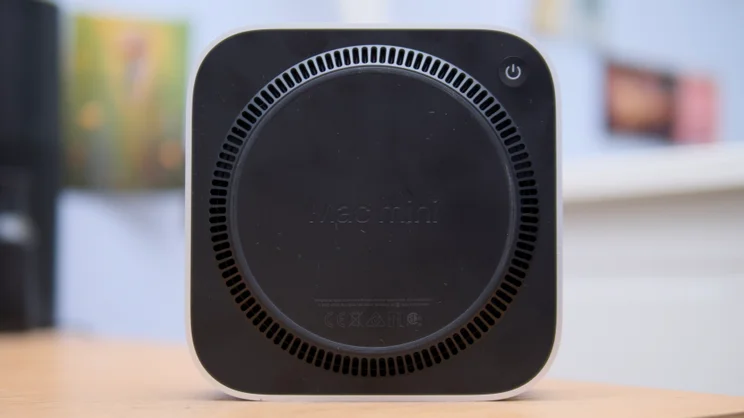
As already noted, the design hasn’t changed at all, but this is most assuredly not a bad thing. I love how neat and compact this latest Mac mini chassis is and even the weird bottom-mounted power button doesn’t really bother me. I’ve barely touched it since I first powered the Mac mini on.
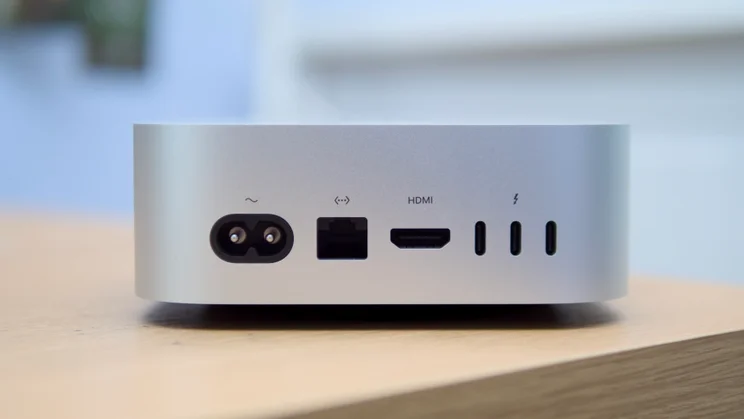
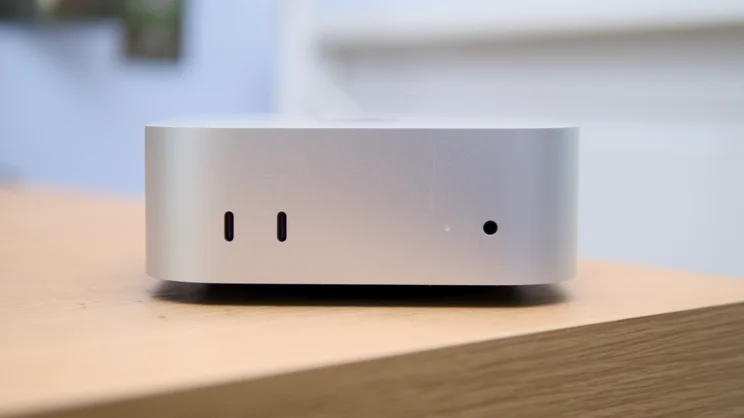
And Apple squeezes an awful lot of connectivity in here, given the small size of the chassis. You get two USB-C 3.0 ports on the front at the left-hand side and a 3.5mm audio jack to the right, next to the power LED. On the rear are three Thunderbolt sockets next to an HDMI output for legacy displays and an Ethernet socket supporting 2.5Gbits/sec connections (or for £100 extra you can upgrade that to 10Gbits/sec).
The speed of the rear Thunderbolt connections differs depending on the processor, with Thunderbolt 4 connectors on the M6 Mac mini (up to 40Gbits/sec), and Thunderbolt 5 on the M5 Pro for up to 120Gbits/sec data transfers.
The only bit of bad news is that you can no longer upgrade the internal SSD with this latest Mac mini as you could with the M4 and M4 Pro models. The NAND chips are now directly soldered to the board.
Performance
It used to be enough in the performance section to simply run our usual set of benchmarks, compare them against previous models and evaluate whether or not the improvements were worth having. I have done that here, with both with our timed media conversion and a selection of third-party tests and the Geekbench 6 CPU and GPU tests the results from which you can see below.
As a reminder, the Mac mini M5 Pro supplied to me for this review came with the 18-core CPU, 20-core GPU variant of the chip, backed up with 24GB of RAM.
These tests, particularly the media conversion ones, still max out both CPU and GPU, and impressively, the Mac mini stayed nice and quiet throughout, although it did get rather warm to the touch. SSD storage speeds are effectively double that on the M4 Pro Mac mini I tested in 2024, which is nice.
However, manufacturers are increasingly marketing their products as being ready for running LLMs on local hardware instead of the cloud, and to this end the M6 and M5 Pro chips across all models of 2026 Mac mini are now equipped with what Apple is calling Neural Accelerators. These are embedded into the integrated GPU and are aimed at helping you run classic AI chatbots locally.
Coupled with an increase in memory bandwidth, which is up from 120GB/sec in the M4 to 170GB/sec in the M6 model, and from 273GB/sec in the M4 Pro to 307GB/sec in the M5 Pro, there should be a big boost for this type of activity.
Anecdotally, LLMs run quite nicely on this Mac mini. I installed LM Studio and downloaded a demanding 12-billion parameter Google Gemma 4 model with quantized aware training and gave it a couple of tasks to complete: first, to produce a Bash script to download and install the ML Perf Client benchmark GUI; second to analyse a series of five images and create alt tag descriptions of them. These jobs took 41 seconds and 59 seconds, respectively.
For a more formal measurement of the Mac mini, I downloaded and ran the MLPerf Client benchmark on the M5 Pro Mac mini (using the Llama 3.1 8B Instruct model). This runs tests on various text-based generative AI workloads, and while I don’t have the M4 Pro Mac mini to hand for comparison, I do have an M5 MacBook Pro and a Dell XPS 16 equipped with an Nvidia RTX 4070 GPU to give you an idea of where the M5 Pro Mac mini sits.
What these results highlight is that while the M5 Pro Mac mini is impressive, it only beats a two-year-old laptop with a mobile Nvidia chip by a little. A full desktop setup with an RTX 5000-series card is going to beat it handily, as likely will a machine equipped with Nvidia’s latest RTX Spark processor.
Verdict
So what does this all mean to the average Mac mini fan on the street? Not yet all that much, I suspect. While cloud-based AI is widely adopted right now, running your own locally is something that’s so far largely been for experimenters and the more technical.
Coders and developers will be interested, I suppose, and perhaps businesses seeking to rein in AI budgets, but for anyone with only a casual interest in AI and less technical awareness, if it’s not going to produce silly memes of your office colleagues in seconds, I suspect it’s not going to drive sales.
So for the majority, this latest Mac mini is simply more of the same. It’s faster than the previous model and just as cute, but it’s also considerably more expensive, so much so that I can’t bring myself to love it in the same way I’ve loved previous iterations.
Perhaps when the RAM crises abates (if it ever does) prices on future Mac minis will fall back to more palatable levels. For now, though, I’d advise you skip this variant and either stick with you’ve already got, or go down the refurbished route.