
To help us provide you with free impartial advice, we may earn a commission if you buy through links on our site. Learn more
- Hugely powerful
- Decent battery life
- Great display quality
- The bathtub notch needs to go
- Models with the top spec GPU are very expensive
- A little on the hefty side
The MacBook Pro is an industry stalwart because you know exactly what you’re getting when you spend your cash. You’re getting a robust, aluminium-clad laptop with the ability to munch through even the most power-hungry of tasks. You’re also getting great ergonomics, a fantastic display and unbeatable battery life.
The M5 Pro MacBook Pro changes none of these things. What it does do, however, is provide a massive performance boost. It’s so fast and so potent that I think most owners simply won’t ever push it to its limits. It’s roughly double the speed of the standard M5 MacBook Pro I reviewed back in November 2025 and faster than many of its Windows rivals.
The question is, then, is it worth spending upwards of £2,699 on it simply for the bragging rights? Do you really need the power? Or should you save your money and stick with something better suited to your needs?

What you need to know
These latest MacBook Pro devices aren’t the first to use the M5 chip. I’ve already tested and reviewed the standard 14in M5 MacBook Pro, but that wasn’t significantly faster than the M5 MacBook Air. This is the first time Apple’s M5 silicon has reached the 16in model, and it’s the first time the proper workstation-grade M5 Pro and M5 Max chips have been available in this generation.
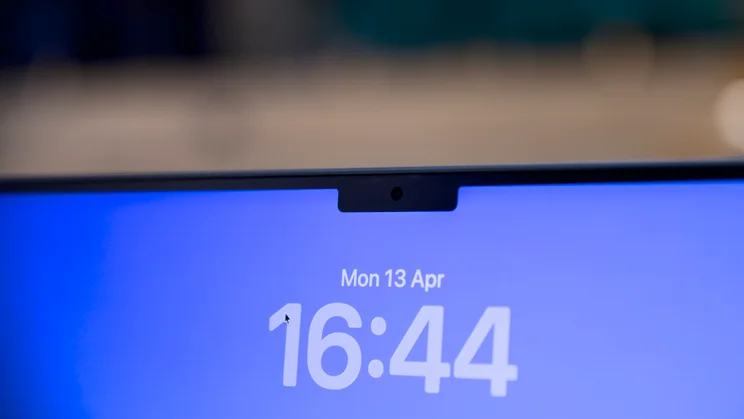
The new chips boost performance across the board and bring Wi-Fi 7 to the MacBook Pro for the first time. There’s a new Centre Stage 12MP webcam that adds auto-framing and tracks your face as you move around. Everything else, however, remains the same as in the M4 MacBook Pro range.
Price & competition
Configuration tested: M5 Pro (18-core CPU, 20-core GPU); 64GB RAM; 4TB SSD; 16in 3,456 x 2,234 Liquid Retina XDR display. Price: £4,449
Apple once made buying laptops easier than the Windows competition, but that’s changed slowly over the last few years, and the 2026 MacBook Pro lineup is the most confusing yet.
The cheapest model is £2,199 and that gets you the 14in M5 Pro (15-core CPU, 16-core GPU, 24GB RAM, 1TB SSD). This rises to £2,699 for the base 16in model (18-core CPU, 20-core GPU, 24GB RAM, 1TB SSD). And if you want the M5 Max instead of the M5 Pro, prices start at £3,599 for the 14in with 18 CPU and 32 GPU cores, and £3,899 for the 16in model. Expect to pay £300 more for the 18-core 40-core GPU.
A fully tricked-out 16in MacBook Pro with the M5 Max, 128GB of RAM and an 8TB SSD will set you back £7,199.Our review unit is a “mid-range” spec 16in model with an 18-/20-core M5 Pro, 64GB of RAM and a 4TB SSD, with the optional nano-texture matte display; this model will set you back £4,449.
The closest rival we’ve tested recently is the Samsung Galaxy Book6 Ultra. It’s nowhere near as configurable as the new MacBook Pro – it’s only available with a 1TB SSD and 32GB of RAM – but it has an OLED touchscreen and an Nvidia GeForce RTX 5070 GPU on board. The price is £3,619, which places it somewhere between the base 16in M5 Pro MacBook Pro and the one I have been testing.
Design
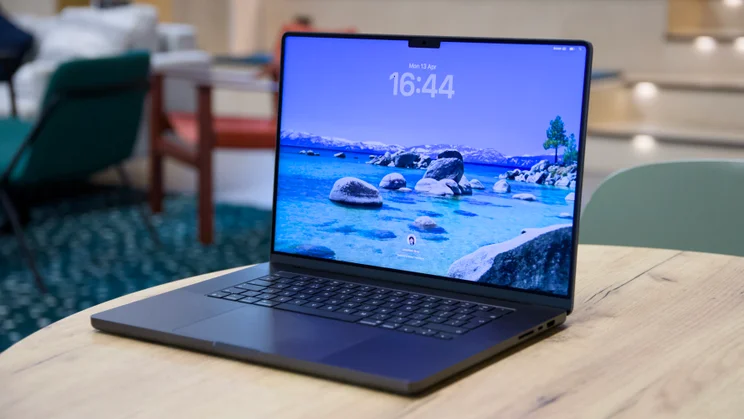
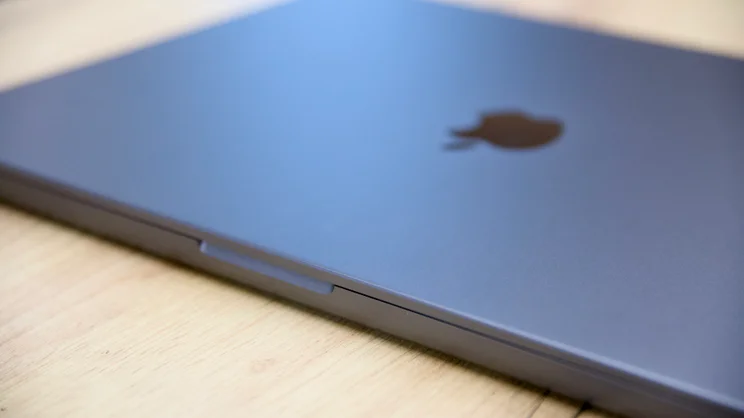
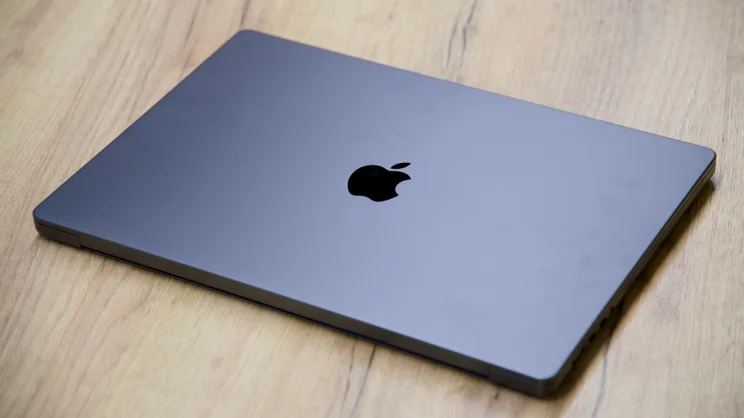
For a design not updated since 2021, the MacBook Pro looks remarkably fresh and modern. It isn’t as eye-catching as the MacBook Neo with its Fruit Pastille-palette of colours, but this is a serious, work-orientated machine and as such Space Black and Silver are suitably sober colour schemes.
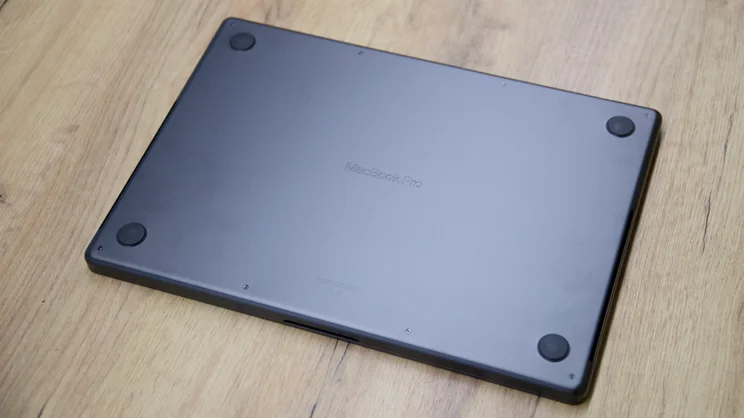
Build quality is as strong as ever. The base resists any attempts to twist it out of shape like a champ and the lid provides the fragile display beneath with an admirable degree of protection. No amount of poking and prodding on my part could produce any amount of show-through.
The payback for this degree of over-engineering is that it is heavy and rather thick: the chassis weighs 2.14kg and is 16.8mm thick, while the 14in machine is a chunky 1.6kg and 15.5mm thick. The Samsung Galaxy Book6 Ultra may not be the ultimate featherweight, but it is thinner (15.4mm) and lighter (1.89kg) than Apple’s 16in workhorse.
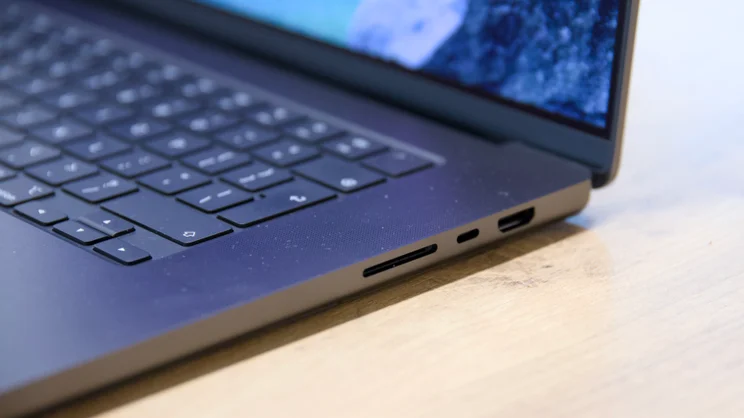
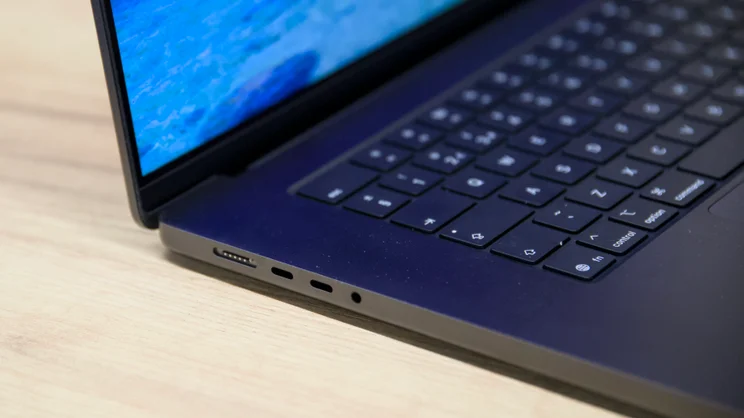
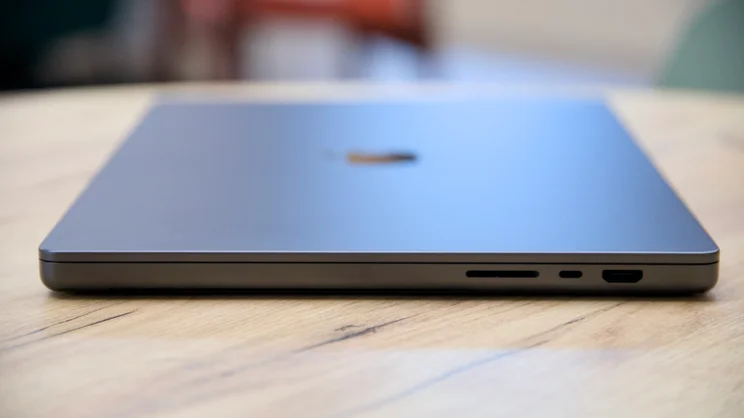
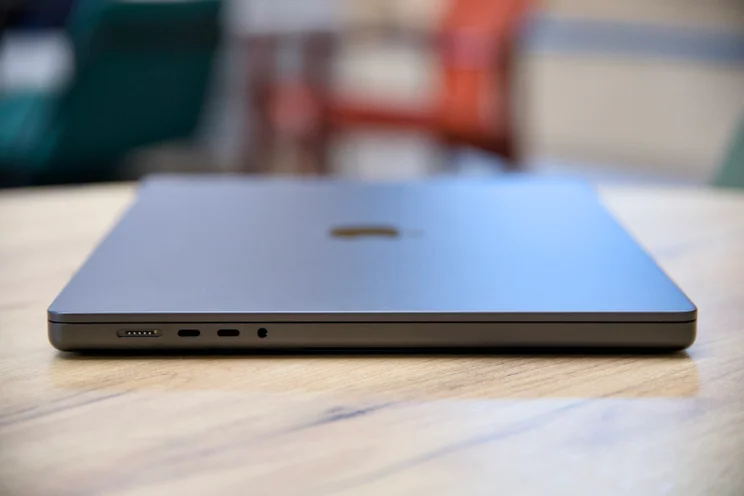
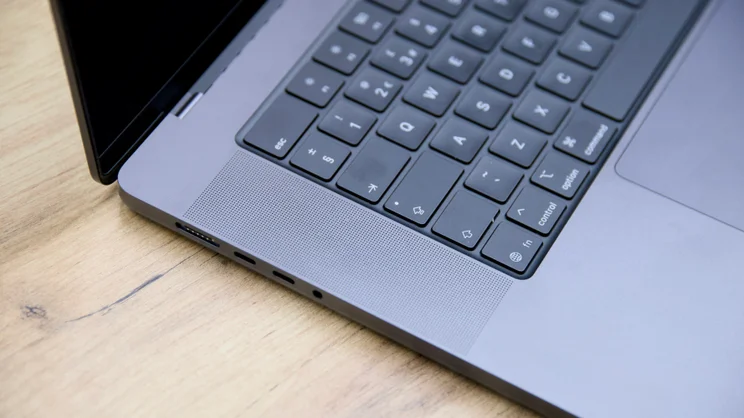
Still, Apple is at least providing a good selection of physical ports and sockets here, with three Thunderbolt 5 sockets (120Gbits/sec), a MagSafe 3 connector for charging, one HDMI output, one full-size SDXC card slot and a 3.5mm audio jack. Those ports allow connection of three 6K 60Hz external monitors on the M5 Pro and up to four on the M5 Max laptops, and there’s also – at last – support for Wi-Fi 7 network connection.
Keyboard and touchpad
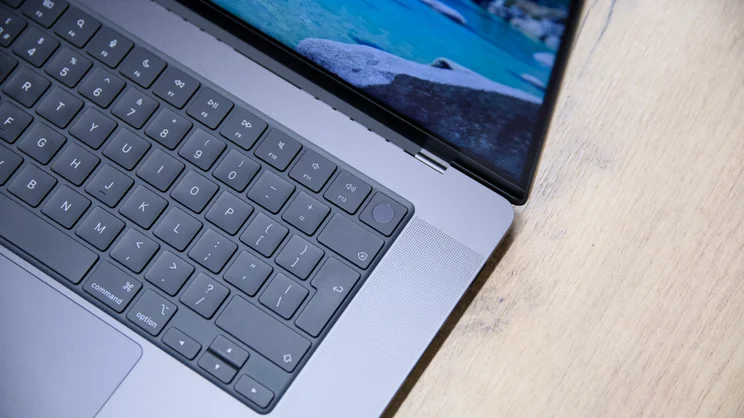
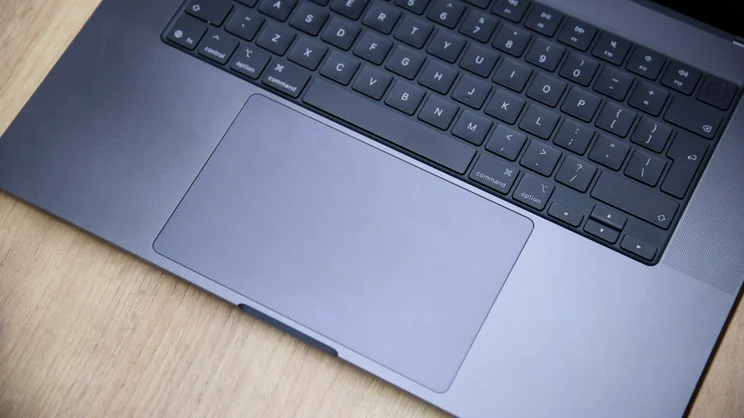
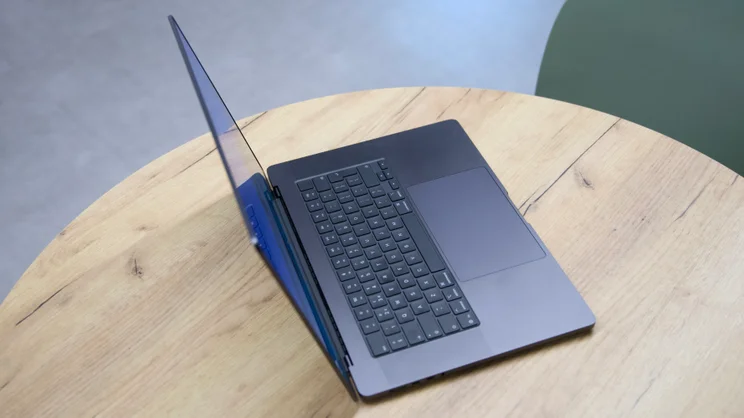
The keyboard and touchpad are unchanged, which is a good thing. I’ve yet to come across a laptop with a better built-in pointing device than Apple’s ForceTouch trackpads. On the 16in MacBook Pro, it’s an absolute giant of a thing, providing acres of space in which to do your swiping, scrolling, pointing and clicking. Once you’ve adjusted the sensitivity to your liking, there’s nothing else that can match the feel and the consistency.
The keyboard is pretty good, too, although there’s nothing particularly special about it. The keys have a little more travel than on the MacBook Air and they’re pretty comfortable. However, I’d still connect a full-size mechanical keyboard to it given the opportunity, and there’s no excuse for providing such small cursor keys when the chassis is this large.
Audio and webcam
Audio-wise, you still have the same six-speaker sound system with “force-cancelling woofers”, which produces prodigious level of rich and warm stereo sound. This is accompanied by an equally impressive “studio-quality” triple-microphone array, which captures surprisingly full-bodied audio without the need to plug in an external microphone. This isn’t good enough to replace a proper podcasting or wireless mic for professional use, but it’s great as a fallback for the odd emergency voicover.
The new 12MP/1080p Centre Stage webcam isn’t nearly as impressive. It produces reasonably crisp images in good light, but faces take on an overly pink tinge and a rather soft appearance when the light deteriorates. And while some of the new extra features that Centre Stage brings are useful – I like the way auto-framing keeps your face central as you shift position – other features feel half-baked.
Desk View, for instance, is supposed to give you a quick way of showing others on a video call an item on your desk in front of the laptop – a printed document, perhaps, or a small product. However, the image it produces is low-res and out of proportion, and you need to tilt your screen forward to display what you’re trying to show. It just doesn’t work very well.
Display
The display, on the other hand, is unimpeachable. On the 16in machine I’m testing, that means you’re getting a Liquid Retina XDR Display with wide P3 gamut coverage, peak brightness of 1,600cd/m2 and a resolution of 3,456 x 2,234, which delivers a pixel density of 254ppi.
As with the other Pro range models, you can specify the display with a matte “nano-texture” (a £150 extra), which disperses reflections amazingly well. With the torch on my iPhone 17 Pro shining directly at the screen, it reduced it to a gentle orange glow, and it’s great at resisting the inevitable finger smudges, too. Plus, as with all MacBook Pro displays, this one comes equipped with Apple’s True Tone tech, which automatically adapts the white balance to the lighting in the room you’re in.
The display is both vivid and colour accurate, with native colour reproduction at around 97% of the P3 colour space. As with all Pro MacBooks, there are several pre-calibrated profiles to select from in the Display settings if absolute colour accuracy is your thing. I spot-checked the sRGB and DCI-P3 D65 modes, and these returned an average Delta E of 0.47 and 0.73 respectively – just the thing for ensuring no nasty surprises when you’re working as a professional with colour.
Brightness-wise, however, I couldn’t quite get it to hit the mark. Apple quotes 600cd/m2 in day-to-day use, and up to 1,000cd/m2 sustained full-screen brightness with standard dynamic range content outdoors, and up to 1,600cd/m2 with HDR material playing.
However, I was unable to push the brightness above 640cd/m2 with SDR content or HDR, even with a very bright light source shining directly at the light sensor. I can only assume that my light source wasn’t bright enough to persuade the algorithm to turn the wick right up – or that the MacBook Pro’s auto-brightness algorithms need a tweak. Either way, 640cd/m2 is plenty bright enough for most purposes.
Performance and battery life
The M5 Pro chip is the most interesting thing here, and it’s a belter. Our review model arrived with an M5 Pro chip with 18 CPU cores, of which 6 are the new “Super” cores and 12 are “Performance” cores. That’s a slightly different approach from previous Apple CPUs, which spread cores across Performance and “Efficiency”. Still, it doesn’t seem to have impacted battery life.
The 16in MacBook Pro lasted 19hrs 47mins in our video rundown test, with the display set to 170cd/m2 and all wireless communications disabled, which is impressive for a laptop capable of such high-power tasks.
With so much compute power on tap, you’d expect the M5 Pro MacBook Pro to deliver much more oomph than the 14in M5 MacBook Pro, which has a mere 10 CPU cores and 10 GPU cores. That proved to be the case, with benchmark results indicating a roughly proportional improvement in raw power.
In the Geekbench 6 CPU benchmarks, the 18-core M5 Pro delivers a massive 56% improvement in multi-core performance over the standard M5, and it’s 62% faster than the Intel Core Ultra 9 385H processor in the Asus Zenbook Duo (2026). There’s a similar gap in performance in our video and image conversion test, another highly multi-threaded task.
The M5 Pro’s GPU performance is muscular, too, but the advantage over the opposition isn’t as clear-cut here. The simple fact is that, if you buy a laptop with an Nvidia RTX GeForce 5070 inside – or even an older GPU such as the RTX 4070 – you’re going to get more raw graphics power for your money. If your workflow requires heavy duty GPU processing, you might be better off looking at a cheaper Windows-based laptop.
You can see this clearly in the Geekbench 6 GPU results and the results from my very basic Python-based AI text-image-generation benchmark, which put 100% load on the GPU for short bursts. In the former benchmark, the M5 Pro MacBook Pro handily beats the M5 MacBook Pro – you’d expect that given it has nearly double the number of cores – but is totally outclassed by the Galaxy Book6 Ultra with its RTX 5070.
My AI text and image generation test, meanwhile, completed in an average time of 10 seconds on the M5 Pro versus 22 seconds on the M5, while a 2024 Dell XPS 16 with an RTX 4070 on board completed it a second quicker in 9 seconds, and beat it handily in the Geekbench 6 GPU test.
If you want Nvidia-rivalling graphics compute – say for transcoding 8K video files for proxy editing – then you need to move up to the M5 Max, which provides either 32 or 40 GPU cores. But then, it may be more important to gain the extra media engine that the M5 Max brings with it as that will provide more of a performance gain than the extra GPU cores – at least for video editors.
One thing that is not in doubt, however, is the speed of the SSD storage in the MacBook Pro. It is absolutely lightning quick. With the BlackMagic Disk Speed test, I saw sequential reads and writes averaging 12,714MB/sec and 12,894MB/sec; astonishingly, that’s more than double the speed of the nearest competitor – the standard 14in M5 MacBook Pro – and means you can shunt around even the largest files with gay abandon.
Those who work with large LLM models and massive video files, rejoice. Reading large multigigabyte files from the SSD into memory and writing them back again will take half the time on this machine as on many others. That’s a huge boon for those who need it.
Verdict
Do those eyebrow-raising benchmark results make the Apple MacBook Pro a must-buy, though? For this conclusion, I’m going to break out the old “it depends” epithet.
Most people don’t need this much GPU compute power or sheer CPU grunt, and will be better served by purchasing an M5 15in MacBook Air. That laptop will do most of the stuff the M5 Pro MacBook Pro can, but at around half the cost. If you need to run your laptop at full gas, a MacBook Pro should be your weapon of choice as the extra cooling will help it keep going for longer. But either way, you won’t need an M5 Pro.
However, there are a couple of reasons you might consider the more expensive laptop. The first is longevity. If you purchase an M5 Pro MacBook Pro today, you can be pretty sure it will still feel fast and deliver professional-level performance in four, five or even six years from now. I’m still using an M2 MacBook Air day to day – its architecture is getting on for five years old now and it still feels as fast as ever.
The second is if your workflow depends on moving big files around, benefits from massively parallelised multithreading, and you need to do all that on the move; this is what the M5 Pro excels at (its bigger brother, the M5 Max even more so). Ultimately, there aren’t many laptops that deliver what the 16in M5 Pro MacBook Pro can – it’s an absolute beast and very hard to beat.


