
To help us provide you with free impartial advice, we may earn a commission if you buy through links on our site. Learn more
- Strong performance
- Long battery life
- High-quality OLED touchscreen
- Shallow keyboard
- Mediocre webcam
- No Thunderbolt 5
In Samsung-land, laptops are called Galaxy Books. With the arrival of Intel’s new 3rd-generation Core Ultra CPUs, we are in the sixth era of the Galaxy Book, or as Samsung puts it: the Galaxy Book6.
The basic Galaxy Book6 machines are standard-sized notebooks with Full HD IPS displays, RJ-45 and multiple USB-A ports. The Pro machines are thinner and lighter, with 2.8K OLED touchscreens. Like the basic Book6 models, they come in 14in and 16in flavours. At the top of the pile are the Ultra models with discrete GPUs and improved sound systems. They are only available with 16in displays.
The basic Galaxy Book has yet to be circulated to the press, but we’ve already tested the Pro and come away impressed. Now it’s time to run the Galaxy Book6 Ultra up the flagpole and see who salutes.
What you need to know
To turn a Galaxy Book6 Pro into a Galaxy Book6 Ultra, you simply stuff a 90W TGP Nvidia RTX5070 discrete GPU up its backside and add an extra pair of speakers. In one fell swoop, you turn a solid high-end general-purpose laptop with an excellent OLED display into one that can also handle even the most demanding creative tasks and 3D games without breaking into a sweat.
That’s the good news. The bad is that you also add £1,000 to the price. And given that the Galaxy Book6 Pro has jumped in price quite dramatically since we reviewed it back in February, that makes the Ultra a rather pricey thing.
Price and competition
Configuration tested: 16-core 4.7GHz Intel Core Ultra 7 356H CPU, Nvidia GeForce RTX 5070 GPU (90W TGP), 32GB RAM, 1TB SSD, 2,880 x 1,800 120Hz OLED touch display; Price: £3,619
When I started writing this review the Galaxy Book6 Ultra was priced at £3,099. By the time I’d finished it, the price had jumped to £3,619. And if you want a charger with your Galaxy Book6 Ultra, it will cost you another £34 for the 65W charger, or £76 for the 140W charger.
According to Samsung’s UK web store, there are two versions of the Ultra. If you click on Windows 11 Pro instead of the default Windows 11 Home OS option, you get an RTX 5060 GPU and a price drop to £3,049.
For creatives, the obvious competition is the new 16in MacBook Pro, which in M5 Pro form costs from £2,699. That gets you an 18-core CPU, a 20-core GPU, 24GB of RAM and a 1TB SSD. The MacBook has more and faster USB-C ports, a higher-resolution display, and it’s more powerful. A strong argument could be made for this being the Best Laptop in the World.
If you’re after a Windows alternative, and a much cheaper one, take a look at the Acer Nitro 16S AI at £1,799. It’s primarily a gaming laptop, but a slender one, and it can beat the Samsung’s graphics performance thanks to its Nvidia RTX 5070Ti GPU with 12GB of vRAM. It can’t match the Ultra’s sleek looks, display quality or battery life, but it’s much better value for money.
The new Asus Zenbook A16 is no match for the Ultra when it comes to GPU performance, but it’s lighter at around 1kg, while the wide-gamut OLED screen is one of the most accurate on the market. The new X2 Snapdragon processor is a very strong performer, and the battery life is great. At £2,099, it’s not cheap, but it is good value.
Acer’s new Swift 16 AI is the most affordable 16in Panther Lake laptop on the market at the moment. For £1,599, you still get a 2.8K OLED touchscreen and strong performance from the Intel Core Ultra X7 358H CPU and Intel Arc B390 GPU. The battery life and sound system can’t match the other laptops I’ve listed here, but the value proposition is hard to argue with.
Finally, the Samsung Galaxy Book6 Pro has the same strengths as the Ultra, but reduced graphics performance thanks to its Intel Arc B390 integrated GPU.
Design and features
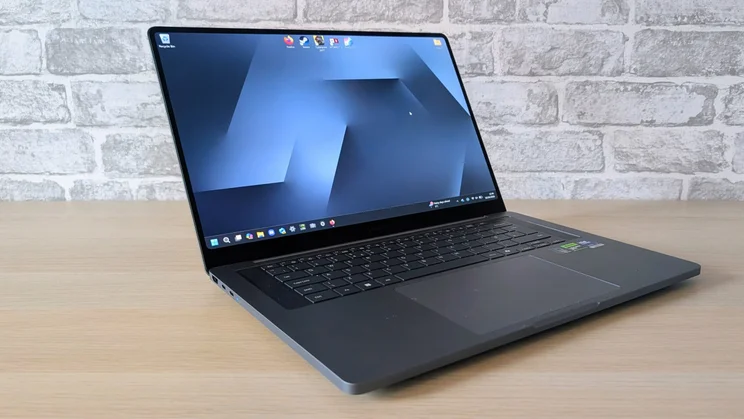
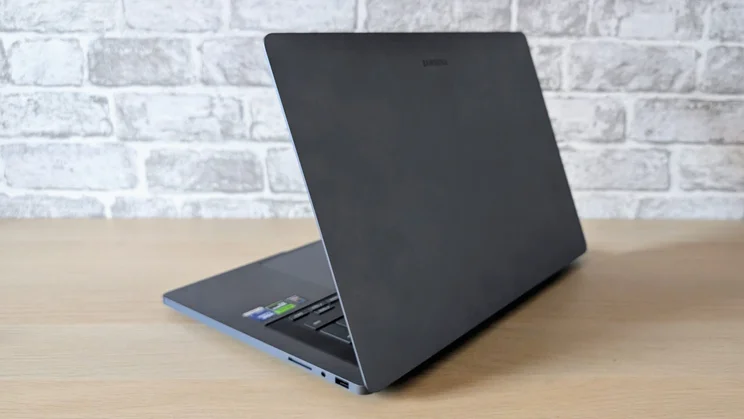
In terms of size, the Galaxy Book6 Ultra is similar to the Pro, just a little chubbier: it measures 357 x 248 x 15.4mm (WDH), which is 3.5mm thicker than the Pro and 300g heavier, but otherwise the same. Like the Pro, it is made from aluminium and thus it feels just as solid and looks just as smart and modern, if rather nondescript in its mundanely grey colourway.
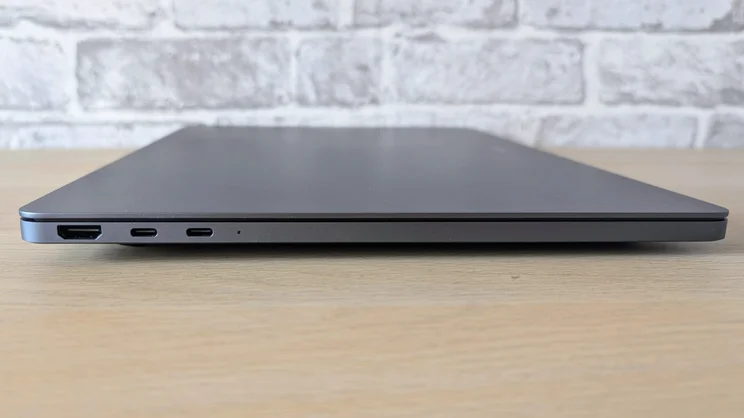
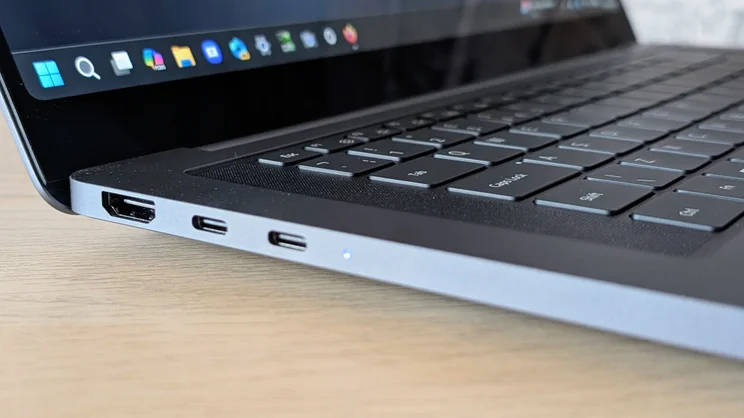
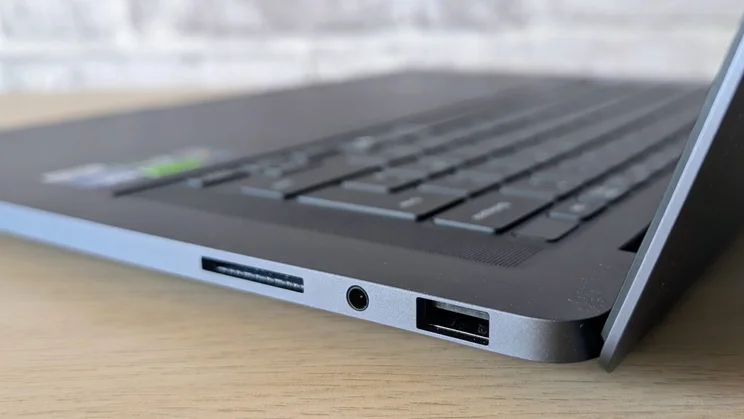
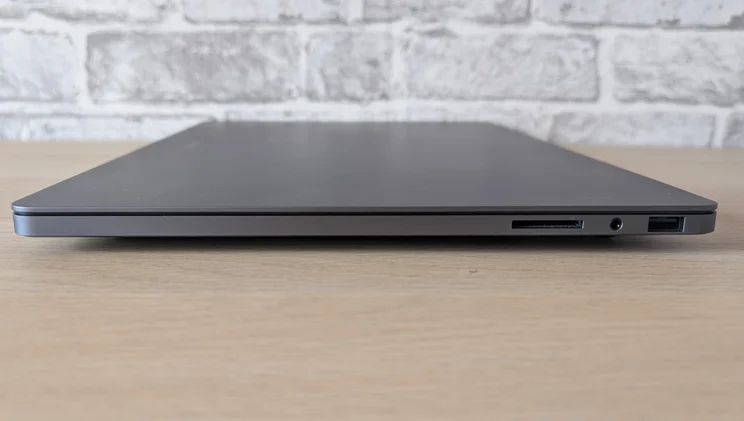
For a machine intended to function as a desktop replacement, the range of USB ports is a little meagre. Two 40Gbps (Thunderbolt 4) USB-C connectors and a 10Gbits/sec USB-A are the same as you’ll find on the Galaxy Book6 Pro and many other general-purpose Windows machines like the Asus Zenbook A16. For a workstation machine, I’d expect more.
Apple, unusually, wins on this front: the M5 Pro MacBook Pro 16in has three 120Gbits/sec (Thunderbolt 5) USB-C ports, and you don’t need to sacrifice one of the Mac’s ports for charging, thanks to the MagSafe connector. The Ultra also has an HDMI 2.1 video output, a 3.5mm audio jack and an SD card slot. I think Samsung should have added an extra one or two Type-C ports and an RJ-45 (a feature of the cheapest Galaxy Book6 models) to take the fight to Apple.
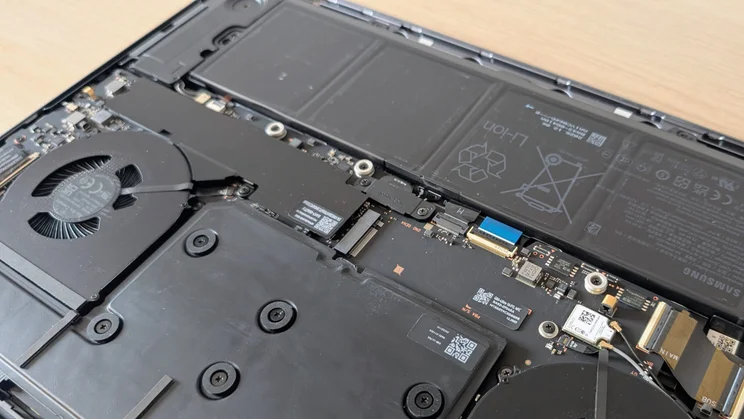
Wireless communications are, as you’d expect, bang up to date with the Intel BE211 card supporting 6Ghz Wi-Fi 7 and Bluetooth 5.4, and getting inside the Ultra is very simple, too. Once you’ve prised the four (unglued) rubber feet off and removed the Phillips screws concealed beneath.
Alas, the RAM is soldered directly to the motherboard, and everything else looks fixed in place, too. I suspect replacing the battery will be beyond most people – certainly, I couldn’t free it. However, there is space for you to add a second PCIe 4 M.2 2280 SSD, which makes up for the DIY-unfriendliness.
On the subject of SSDs, the (Samsung-made, naturally) PCIe 4 drive in the Ultra performed reasonably well, on a par with the rest of the Windows machines in my comparator group, but it was way behind the new PCIe 5 MacBook Pro in both sequential read and write speeds.
Like Acer, Samsung has a habit of loading its laptops with proprietary software. If you own a Samsung phone or tablet and are knee-deep in the Samsung ecosystem, then some of it may be of use. To the rest of us, though, it’s just bloat.
Keyboard, touchpad and webcam
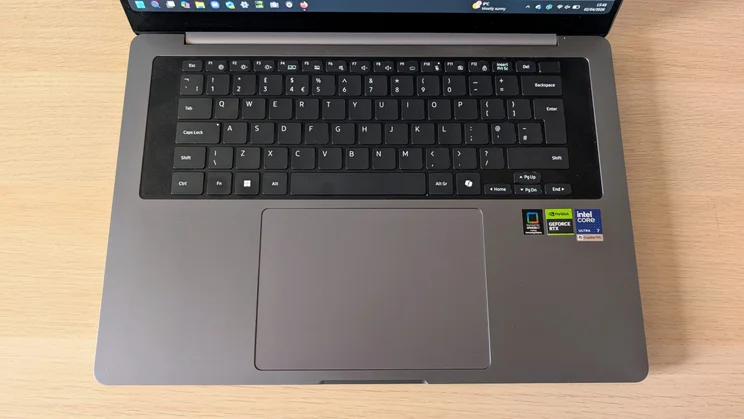
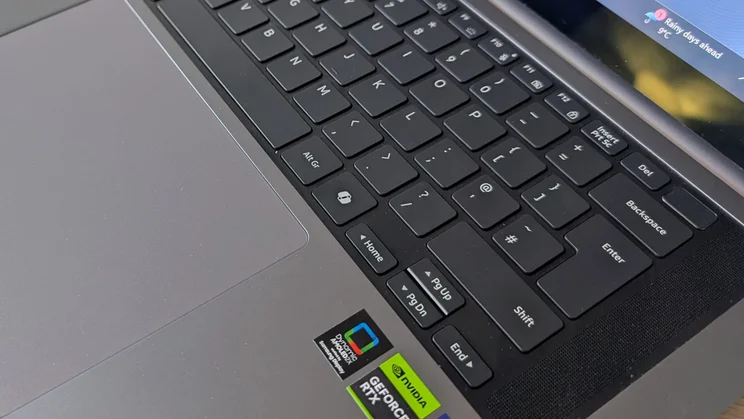
I found the keyboard to be the least convincing part of the Ultra. The action is just a little too shallow and light for my tastes.
On paper, the Ultra shares 1.3mm of key travel with the new Asus Zenbook A16, but I found typing on the latter a much more enjoyable experience thanks to its more weighty typing action.
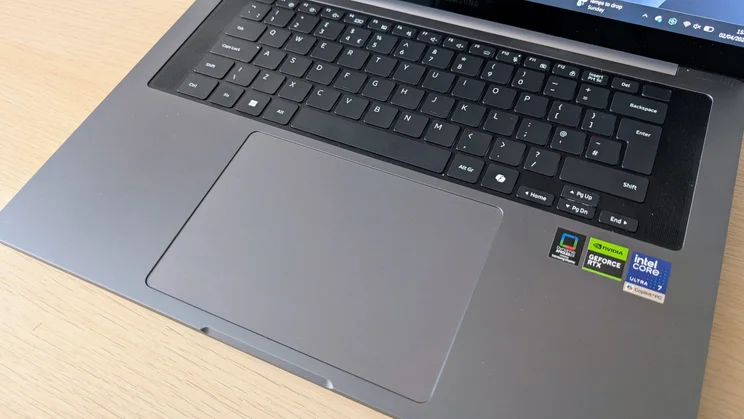
Of course, some people prefer a lighter typing action, and for those, the Ultra has much to offer. The layout is free of peculiarities, the keycap graphics are models of clarity, and the three-level white backlight is perfectly calibrated. A minor niggle is the half-height arrow keys. There’s ample space surrounding them; at the very least, Samsung could make the left/right keys full-size.
For biometric security, there’s a fingerprint scanner built into the power button in the top right-hand corner. This goes some way towards making up for the absence of a Windows Hello-enabled camera.
The 115 x 106mm glass-covered haptic touchpad is sublime. Wholly smooth, perfectly reactive and very quiet, it’s hard to imagine how it could be improved.
Turning back to the 1080p webcam, it sadly doesn’t offer much to redeem itself from the lack of facial recognition. Like the webcam fitted to the Pro, it’s rather drab, and images look overprocessed. There’s nothing in the way of a privacy shutter either.
Display and audio quality
Asus and Samsung laptops have some of the best OLED displays on the market. That shouldn’t come as a surprise, given that most of the OLED panels used by the former are made by the latter.
The Ultra’s 120Hz touch-enabled display delivers in spades with a peak SDR brightness of 508cd/m2 and peak HDR of 1,155cd/m2. There’s colour aplenty too, with wide gamut volumes of 161.3% sRGB, 114.3% DCI-P3 and 111.1% Adobe RGB.
You can lock the display to all three of those colour profiles if you want, and when you do, you’ll get average Delta E colour variances of 1.05, 0.87 and 1.6, respectively. The Asus Zenbook A16 is a little better, but the differences are beyond the human eye.
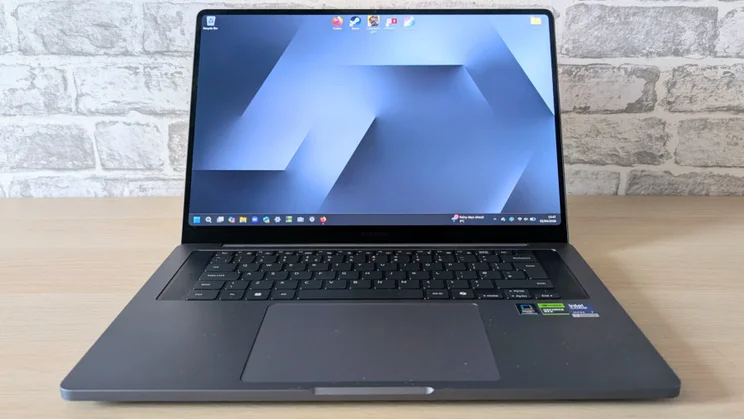
As for audio, there are no fewer than six Dolby Atmos-certified loudspeakers (two more than in the Pro) buried inside the Ultra, with two firing upward through the grilles that flank the keyboard. That’s a recipe for a warm, full-bodied and punchy soundscape with plenty of volume and detail.
Jumping between the trailer for Dune 3 and a live recording of Arvo Pärt’s Fratres was more than enough to underscore the fact that, when it comes to watching video or listening to music, the Galaxy Book6 Ultra is one of the best laptops on the market.
Performance and battery life
In our 4K multimedia benchmark, the Ultra scored a healthy 575 points, putting it comfortably ahead of the Windows competition. The new MacBook Pro has it well beaten, though, when it comes to demanding workloads. It scored a whopping 832.
CPU performance is very similar to the Galaxy Book6 Pro, but that should come as no surprise, as the Core Ultra 7 356H CPU in the Ultra and the Core Ultra X7 358H in the Pro are very similar.
The differences boil down to 0.1GHz higher boost speed in the 358H and the integrated GPU. With the 358H, you get the new and impressive 12 Xe-core Arc B390, while the 356H comes partnered with the basic 4 Xe-core Intel Graphics chip. Of course, the Ultra doesn’t need a powerful integrated GPU because it has that 90W TGP Nvidia GeForce RTX 5070.
It’s worth mentioning at this point that the Ultra lacks a MUX switch, either in Windows or in the BIOS, and uses the basic rather than the Advanced version of Nvidia’s Optimus GPU-switch.
The Ultra actually bested its Pro stablemate in the Geekbench 6 CPU tests by 2,828 to 2,749 in single-core mode and 16,333 to 15,999 in multi-core mode. However, in the graphics tests the Ultra left the Pro for dead. The SPECviewperf 3dsmax 3D modelling benchtest ran at 105fps, which is as fast as you’ll see from a laptop with anything less than an RTX 5080 or RTX 5090 with a high TGP.
Turning to games, Cyberpunk 2077 benchmark ran at 88fps in Full HD resolution with High detail settings enabled and no ray tracing. That compares pretty favourably with the 102fps from the Nitro 16S AI running a 115W TGP RTX 5060. Engage Nvidia’s DLSS tech and turn on Frame Generation, and Cyberpunk will happily run at 2.8K in the Ray Tracing: Medium preset at 140fps.
The Ultra delivers its performance in an impressively drama-free way. Even with the CPU and GPU running under maximum stress, the cooling system never sounded like it was struggling, and there was no sign of thermal throttling. The underside of the case did become rather warm around the vent grille, but not to an excessive degree.
And while there are laptops out there that can better the Ultra when it comes to out-and-out performance, few can match the Ultra’s battery run time. In our video rundown test using VLC with the display set to 170cd/m2, the Ultra ran for 20hrs 52mins. That’s almost three times as long as the Acer Nitro 16S AI and a full hour longer than either the Zenbook A16 or the new MacBook Pro.
Samsung Galaxy Book6 Ultra review: Verdict
If you want a laptop that’s equally at home doing serious creative work, playing demanding games or feeding an all-day Netflix binge away from a power supply, the Galaxy Book6 Ultra has few competitors.
The strong performance, especially when it comes to graphics and gaming, long battery life, powerful sound system and high-quality OLED display make the Ultra a true master of all tasks. But, and it’s a big but, given the cost, it only makes sense if you really do need a machine that can do all those things well.
For hardcore creatives, the new M5 Pro MacBook Pro is a better recommendation. For those just wanting raw graphics performance, the Acer Nitro 16S AI is the pick of the bunch, while for those just wanting a high-end portable 16in laptop, the Asus Zenbook A16 is cheaper and lighter.


