
To help us provide you with free impartial advice, we may earn a commission if you buy through links on our site. Learn more


- Cheap
- Sturdy and lightweight
- Easy to repair
- Disappointing battery life
- Speakers a little shrill
- No keyboard backlight
The MacBook Neo, in case you hadn’t realised by now, is important. Not necessarily because it is a great laptop – although we do heartily recommend it – or because it’s suitable for everyone. It’s important because of the influence it is set to wield for years to come on the broader laptop industry.
For years, Windows laptop and Chromebook manufacturers have had this space all for themselves, with Apple sticking to its guns at £1,000 or above. But no more. Now, whenever anyone has around £600 to spend on a laptop, every purchase will be judged by a new standard: the MacBook Neo standard. If Windows laptop manufacturers want to compete in this space, they are going to have to up their game. Big time.
What you need to know
It’s a shame because products like the Google PixelBook Go and the Microsoft Surface Laptop Go prove they can do it if they want to. If equivalents existed today, the Neo would have a much harder time of it. But with the PixelBook now a fond but distant memory, and the Microsoft Surface Laptop Go simply too expensive, there’s currently no serious competition for the MacBook Neo – not at the price of £599 or (even better) £499 for students and staff in higher education.
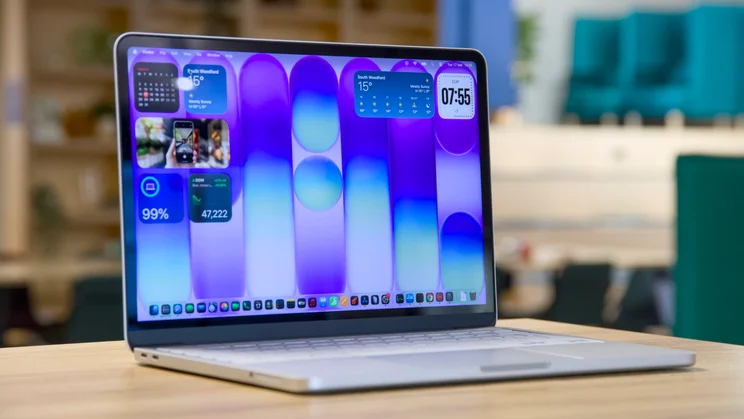
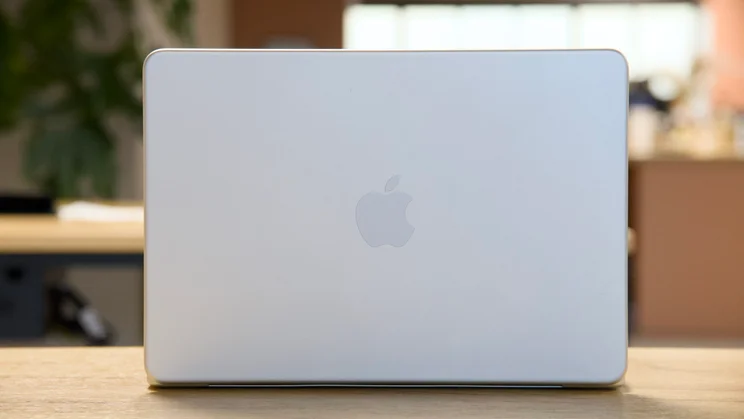
This is MacBook Air lite by another name. It’s a neat, 13in laptop that comes encased in a rigid, robust aluminium case and available in four colours. It runs full-fat iOS 26, just like all the MacBooks in the current range – including the MacBook Pro models. And it’s powered by an A18 Pro chipset, which fits in, performance-wise, somewhere between the M1 and the M2.
Price and competition
Buying a MacBook Neo is a mercifully straightforward process since there are only two models available: the base £599 model with 256GB of storage, and the £799 one with 512GB for £799. If you want a MacBook with a fingerprint reader, the latter is the one you’ll need to buy, as the former, for some strange reason, doesn’t have one.
There are some rivals to Neo at this price, but only one that has truly impressed us in recent times. That laptop is the Lenovo Chromebook Plus 14 (Gen 10), a lovely little 14in machine with great performance, a sleek build, a 400 nit OLED display and battery life for £549.
Otherwise, you’re looking at machines like the Lenovo IdeaPad Slim 3x (Gen 10) – our budget laptop of the year last year – but it’s considerably more clunky; or an older, discounted lightweight laptop like the Asus Zenbook A14. That’s currently £699 and has dropped to as low as £649, comes with a larger 14in display but has better battery life and is just as slim and light as the MacBook Neo.
Design
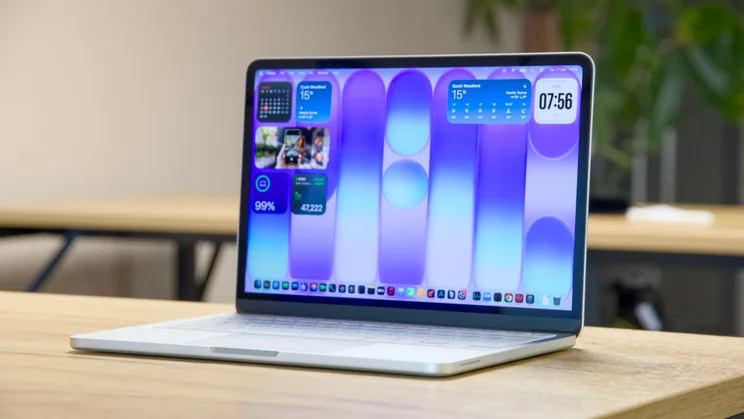
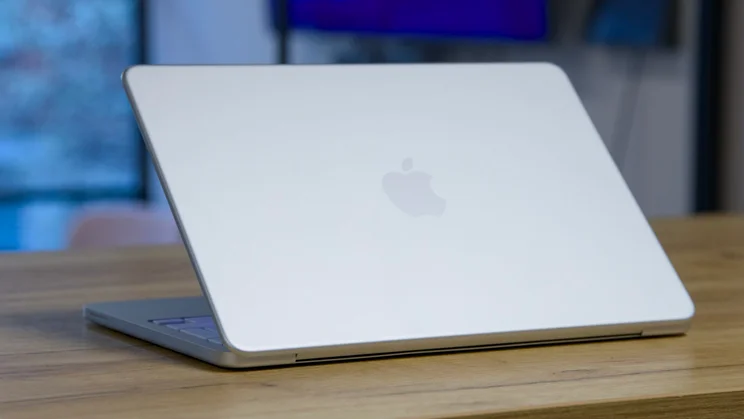
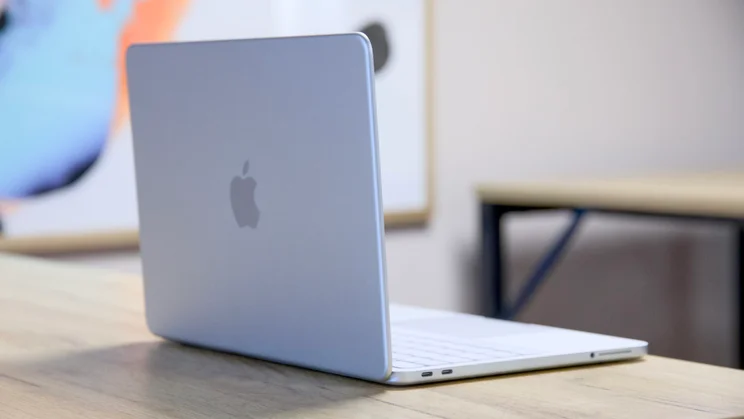
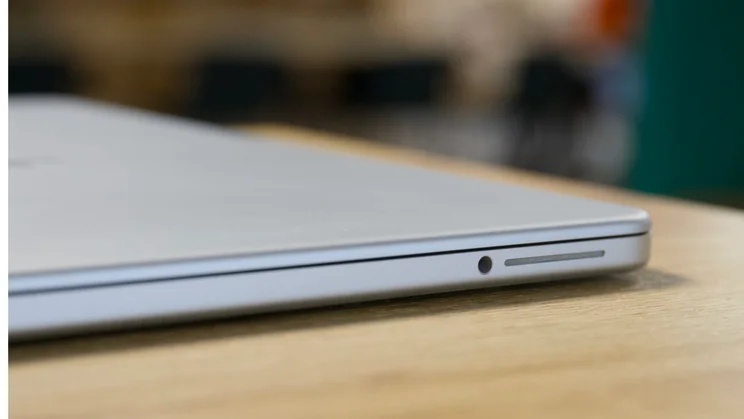
Despite its low price, the MacBook Neo gives nothing away in terms of build quality and looks similar to the more expensive MacBook Air. The lid has slightly softer curves but the aluminium chassis is made from the same tough, rigid-feeling aluminium as the Air, 90% of which the company says is now recycled.
Apple knows well by now how to put together a solid-feeling laptop and this one is no different. Twist the base, twist the lid and you’ll experience no creaks or groans. Pick it up and everything feels perfectly solid. Lift the lid with one finger and the base stays in place on the desk. It feels like a much more expensive machine than the asking price of £599 might suggest.
Build quality and size
MacBook Neo’s vital statistics are not particularly remarkable. It weighs 1.23kg and measures 298 x 206 x 12.7mm (WDH) – about the same heft as a MacBook Air 13.6in but in a slightly chunkier case. And you can buy lighter, slimmer Windows machines. The Asus Zenbook A14 comes in at under a kilo and has a bigger 14in display. But the Neo is hardly what you’d call a porker. I’ve compared weight and volume against a number of well-known alternatives in the charts below to provide a visual guide. There isn’t an awful lot in it.
The new colour alternatives are bright and fun, too – the citrus is particularly good looking – but I suspect the boring old silver model will wear its years with slightly more grace, as any serious scratches and scuffs revealing the underlying aluminium will be camouflaged.
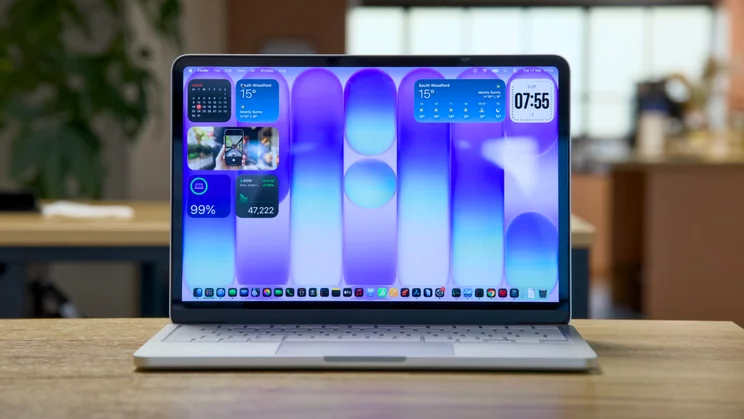
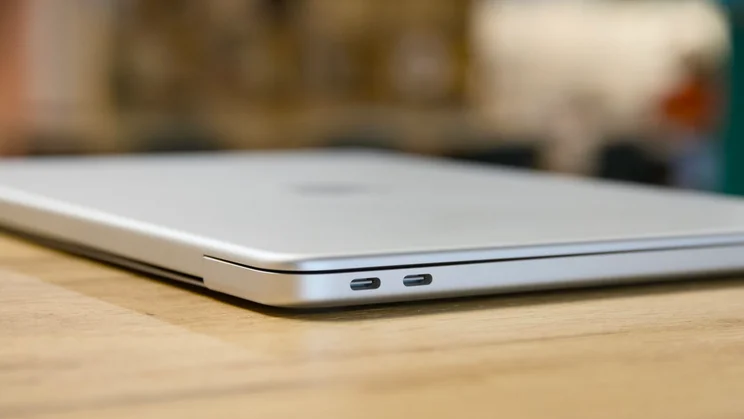
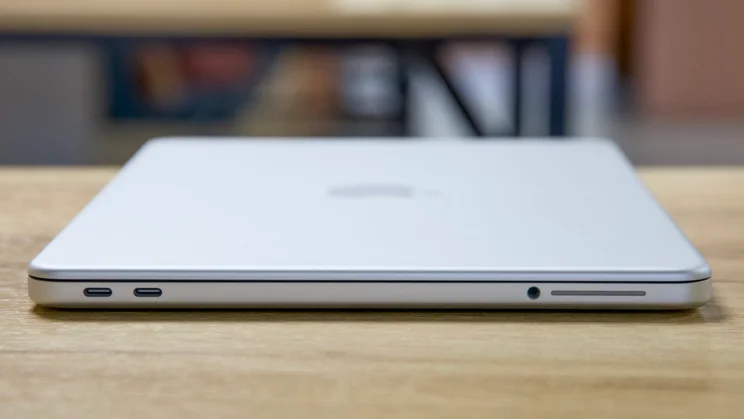
Otherwise, there’s not much to say. Unlike the MacBook Air and Pro models, there’s no notch to accommodate the camera, leaving the screen neat and square – that’s because this doesn’t have to accommodate the extra bits and bobs the Air’s Touch ID camera needs. And the port selection is rather minimalist, with only two USB-C ports and a 3.5mm audio jack on the left edge. That’s not particularly surprising in a slim, light laptop, but the fact that only one is USB 3, while the other is limited to 480Mbits/sec USB 2, is a touch disappointing.
Repairability
However, depending on your proclivities, you may be willing to forgive this once you crack open the laptop for a look at its internals (trust me, this is more fun than it sounds). That’s because, unusually for a MacBook, the Neo is both easy to get into and impressively straightforward to repair.
The base requires eight screws for access and the interior is entirely modular, with no glue used to hold in the battery or any other component. With a bit of care and patience, this is a laptop that can be completely disassembled and put back together in a matter of minutes.
There’s no removable RAM or storage here, but the USB ports and 3.5mm jack do have their own separate mini modules, which means if you damage them, there’s no tricky soldering to do. You simply unplug the damaged ports, reconnect the new ones and you’re done. That’s great news for the longevity of this particular laptop.
And thanks to the EU’s right to repair regulations, all the instructions on how to do this are freely available on Apple’s website, with parts ready to buy from Apple’s Self Service Repair Store, once the laptop hits the shops.
Keyboard and touchpad
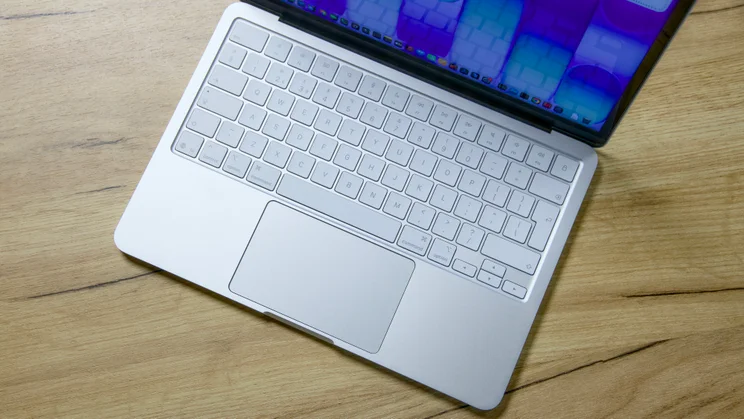
I’m less bowled over by Neo’s keyboard. Not because the key action is uncomfortable – in fact, I think it is better than the MacBook Air’s. There’s more travel to the keys and overall it’s a more satisfying experience.
My problem is that it has no backlight. Now, I’ve seen some people online hand-waving this as not a problem. But I certainly don’t view it like that. It’s not a question of typing in the dark necessarily. Once you’ve got your fingers located on the keys, you can touch-type as quickly on this laptop keyboard as any other.
But when you’re not hunched over the keyboard bashing out the latest chapter in your novel, picking out lesser-used keys – numbers, symbols, function keys, and media controls – is more difficult in dim and dark conditions. The other moan is that there is no fingerprint reader on the base model, which means you’re going to spend a whole lot of time typing your password in at first as you install your apps.
The touchpad is absolutely fine, though. Although it isn’t a fancy haptic feedback “Force Touch” unit, it is in a class above most mechanical touchpads because it isn’t hinged along the top edge; you can click wherever you like on the surface and the click will register.
Webcam and audio
As for the webcam, that’s a 1080p unit embedded in the top edge of the display and it’s pretty good. There are no fancy bells and whistles here (no Face ID or centre stage tracking and zooming), but image quality is excellent. It’s sharp and well balanced, in fact I think it’s better than the camera on the M2 MacBook Air I usually use day to day and right up there with the best around.
The MacBook Neo’s stereo speakers are pretty good but they are a little shrill, and lack the warmth and body the MacBook Air’s speakers are capable of putting out. They’re fine for a podcast or a video call, but I’d recommend connecting your headphones for watching movies or listening to music.
Display
Nothing to complain about here. You don’t get an OLED screen as you do on the Lenovo Chromebook Plus 14 (Gen 10), there’s no True Tone ambient colour matching, and the colour reproduction isn’t as good as it is on a MacBook Air, but the Neo’s IPS display is sharp, bright and colour accurate.
Apple claims peak brightness of 500 nits, which is enough for the screen to be readable in most conditions, except perhaps really intensely bright summer sunshine. I measured it higher than that at 519cd/m2 (canedela per square metre, the same as nits).
Colour reproduction is limited to the sRGB colour space, which means HDR videos look duller than they should, but again I suspect that for most people this will be perfectly sufficient. Moreover, good colour accuracy means you can edit photos and videos and be confident they’re not going to look odd when they’re uploaded. I measured the average Delta E colour error at 0.7 versus sRGB, which is as good as it gets.
In short, the MacBook Neo’s display is great. It isn’t as vibrant or saturated as it could have been had it shipped with an OLED panel, but it’s a long way from the dreadful, dull screens that many Windows machines at this price come with.
Performance
The most eyebrow-raising aspect of the MacBook Neo, aside from the price, is the fact that it is powered by a smartphone chip – and that this is not a problem for the most part. The A18 Pro powering the Neo was last seen in the 2024’s iPhone 16 Pro, and here it is backed by 8GB of RAM and either 256GB of SSD storage or 512GB.
In some ways, though, we shouldn’t be surprised by this. The current M-series of processors that power the “grown-up” MacBooks employ the same ARM-based architecture as the A18 Pro. They’re essentially the same thing, just with slightly different specifications and a different name.
Like those chips, the A18 Pro is made up of a number of different components. It has a 6-core CPU with 2 performance cores and 4 efficiency cores, a 5-core GPU and a 16-core Neural Engine capable of putting out 35 TOPS (trillion operations per second). It’s built on a 3nm manufacturing process node and delivers 60GB/sec of memory bandwidth. Here’s how it compares with the M1 and M2 base processors:
On paper, it doesn’t look all that impressive. The A18 Pro has fewer cores in all the areas that matter, and lower memory bandwidth. But it performs better than you’d expect it to, thanks in the main to higher CPU clock speeds. Because it has the same number of efficiency cores (the cores you use most of the time) for everyday tasks it will feel just fine, and will only show its inferiority when pushed to the absolute max.
In the benchmarks, you can see this play out clearly. In Geekbench 6 you can see that the MacBook Neo outperforms the M1 in single core and multi core tests. It’s also faster than the M2 in the single core test, but it lags behind for multi-core.
However, it falls behind both in our 4K media benchmarks because they fully stress all the laptop’s cores for minutes on end. When it comes to GPU performance, the Neo is slower, too, but if you want to play games on the move, you’re better off getting yourself a larger, clunkier Windows machine with a dedicated GPU, or a handheld games console. The Neo is not the answer here.
What I’m most concerned about, though, is the 8GB of RAM that this laptop finds itself limited to. New users will likely not notice this limitation right away, but it will come into play when you eventually fill up the laptop’s 256GB storage and the operating system attempts to write excessive amounts of swap data to an already full SSD.
Battery life
Perhaps even more significantly, the Neo isn’t all that impressive when it comes to battery life, lasting only 11hrs 51mins in our looping video playback test, compared to nearly 15 hours for the M1 MacBook Air and around 17 hours for the M2 MacBook Air.
That’s not all that surprising given the Neo’s relatively small 36.5Wh battery (versus 49.9Wh in the M1 and 52.6Wh in the M2), but disappointing nonetheless especially when Windows rivals running Snapdragon processors and 2nd generation Intel Core Ultra CPUs consistently achieve significantly more.
Note that we carry out our test with the screen brightness set to a standard 170cd/m2 and do so across all the laptops we test. The reason it doesn’t match the official claimed figure of 15 hours for the Neo is that Apple sets screen brightness to “8 clicks from bottom” for battery testing, which equates to far lower brightness levels.
Apple MacBook Neo review: Verdict
All of which brings me to my verdict, which I must admit is proving trickier than I had first envisaged. Looking at the specifications, the build and the price, I thought it would be a slam-dunk recommendation for the MacBook Neo, especially for students, who only pay £499.
But it does have weaknesses.
There’s no backlight for the keyboard, physical connectivity is limited, battery life isn’t as good as the MacBook Airs of old and that 8GB of RAM will limit multitasking performance, particularly once you fill up the SSD. These are all things that should be acknowledged.
However, the MacBook Neo gets so much else right and its rivals are generally so mediocre at this price, that it doesn’t really matter. This is a genuinely likeable laptop: it’s well-made and looks great. Its performance for most tasks is fine, and it has a great webcam, keyboard and touchpad. It’s easy to fix and it’s a joy to use on a day to day basis.
If you’re a student on a budget – or anyone else looking for a compact laptop for day to day use, for that matter – the MacBook Neo is ideal and, quite possibly, the perfect laptop. It’s a no-brainer of a recommendation and, despite its few flaws, one of Apple’s greatest products to date.


