
To help us provide you with free impartial advice, we may earn a commission if you buy through links on our site. Learn more
- Good performance for the price
- Space for a second SSD
- Upgradable RAM
- Diabolically bad display
- No keyboard backlight
- Mediocre battery life
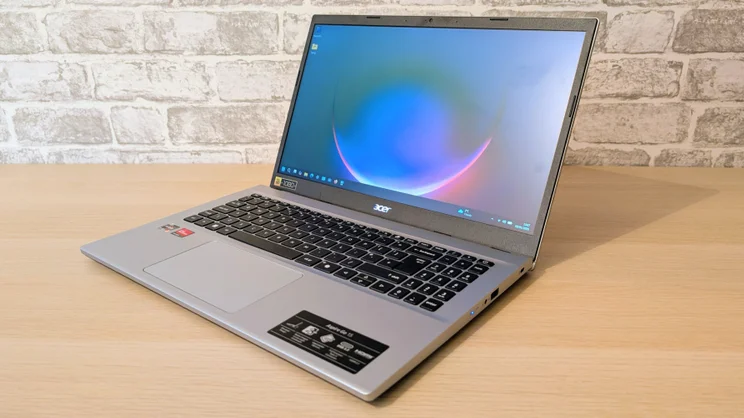
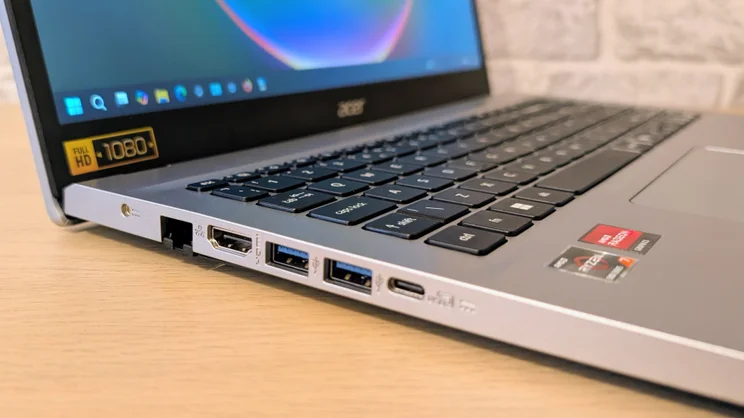
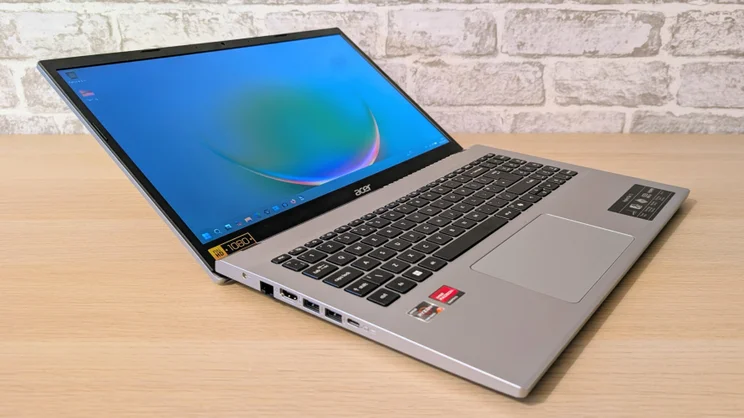
The stickers on a laptop give you a good idea of what to expect before you even power it on. The biggest sticker on the Acer Aspire Go 15 sits below the screen on the left side and proudly proclaims “Full HD 1080”.
This is akin to a car maker announcing that one of its models comes with Bluetooth or carpets, and is an indication that we are well and truly in the realm of the low cost laptop. That’s not necessarily a bad thing. Cheap laptops can also be good laptops – the arrival of Qualcomm’s ARM CPUs has proved that in recent times.
Alas, the Acer Aspire Go 15 isn’t one of those; it simply cuts too many corners to be be considered among the best in its price bracket.

What you need to know
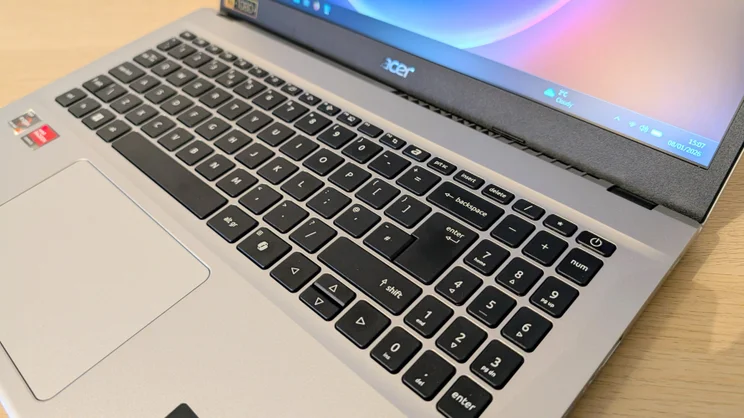
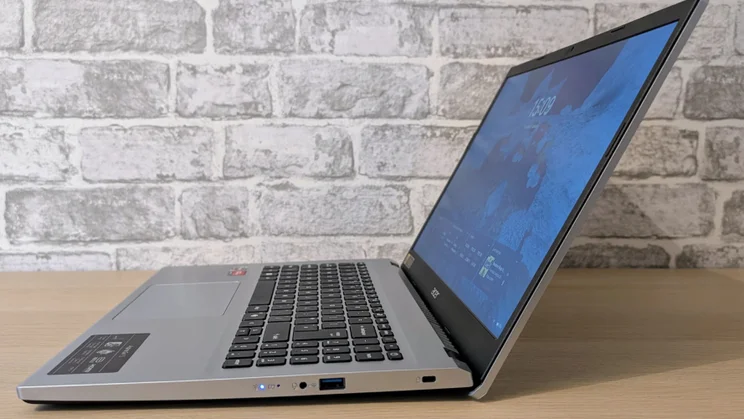
As you might expect given the name, the Aspire Go 15 comes with a display that measures 15.6in across the diagonal. That screen is a 1,920 x 1,080, 60Hz effort, as indicated by the Full HD tag, and there’s a full-size keyboard with a number pad squished in to the right just below.
The Aspire Go runs Windows 11, is powered by AMD Ryzen 5000-series processors – either the Ryzen 5 5625U or the Ryzen 7 5825U – comes with 16GB of RAM and a 512GB SSD. The display is, as you’d expect at this end of the market, rather basic and you only get a 720p webcam without support for facial recognition.
So while performance is reasonably respectable, the rest of the specification is as basic as it gets.
Price and competition
Configuration tested: AMD Ryzen 7 5825U CPU, Radeon Vega graphics, 16GB RAM, 512GB SSD (Model number: AG15-42P), 1,920 x 1,080 LCD non-touch display. Price: £550
There are two particular models for this particular variant of the Acer Aspire Go 15: the one built around the 6-core AMD Ryzen 5 5625U processor can be had for £450 at Amazon, while the other, built around 8-core Ryzen 7 5825U, is around £550 – and if you buy it through Amazon, you’ll get a 1TB SSD instead of the 512GB in my review laptop.
Providing you can live with a smaller screen, the Lenovo IdeaPad Slim 3x is a viable alternative. Performance is good, battery life is strong, and there are lots of options to choose from, including an OLED screen, when you order directly from Lenovo. The keyboard is a little bouncy, though, and the speakers leave a bit to be desired.
LG’s Gram Book offers direct competition to the Acer and is built around an Intel rather than an AMD chipset. It’s generally a little cheaper than the new Aspire Go 15, though it’s not as powerful. The display leaves something to be desired, though, as we shall see, so does that on the Go 15. Overall, it’s decent value.
Lenovo’s Lenovo Chromebook Plus 14 is cheaper than any of the Windows machines listed above at just £499 for the non-touchscreen model. For that, you get a superb 14in 1,920 x 1,200 OLED screen, an excellent speaker system and long battery life. It’s currently our favourite budget laptop by some margin – but is only for you if you don’t mind Chromebooks.
Design and features
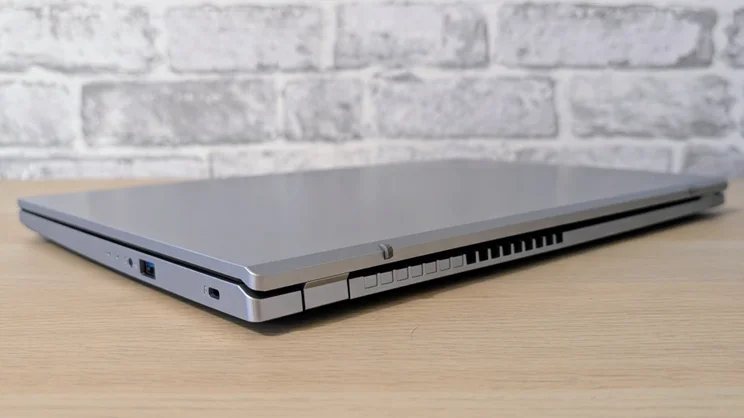
For a 15.6in laptop, the Aspire Go 15 is relatively light and compact, weighing 1.78kg and measuring 363 x 241 x 20mm (WDH) when closed. That makes it easy to slip into a backpack and carry around for the day.
The body of the Go 15 is a wholly plastic affair, but it feels solid and looks rather more upmarket than the price tag suggests. In the absence of any metal, the lid is a bit wobbly, but the silver paint does an excellent job of not showing fingerprints.
The screen bezel rather gives the budget game away. It’s 10mm wide at the sides, 15mm deep at the top and 20mm at the bottom, and it looks rather ugly.
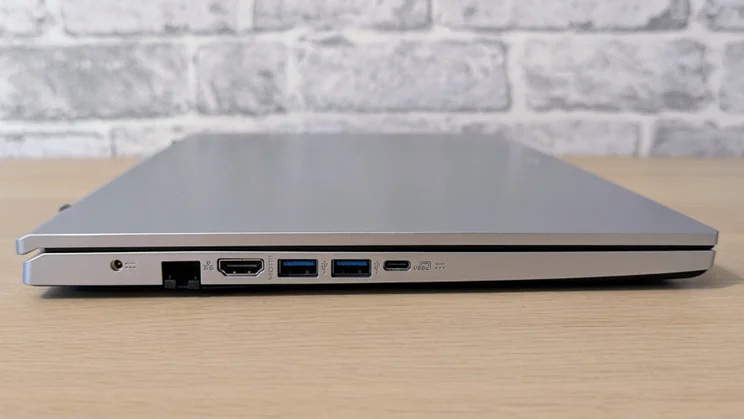
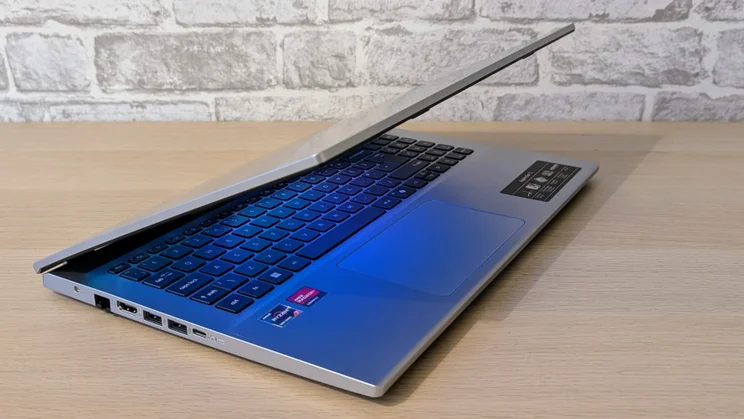
On the left side of the Go 15, you’ll find two 5Gbits/sec USB-A ports, an HDMI 2.1 video output and a single 10Gbits/sec USB-C port, which also supports DisplayPort video and Power Delivery charging.
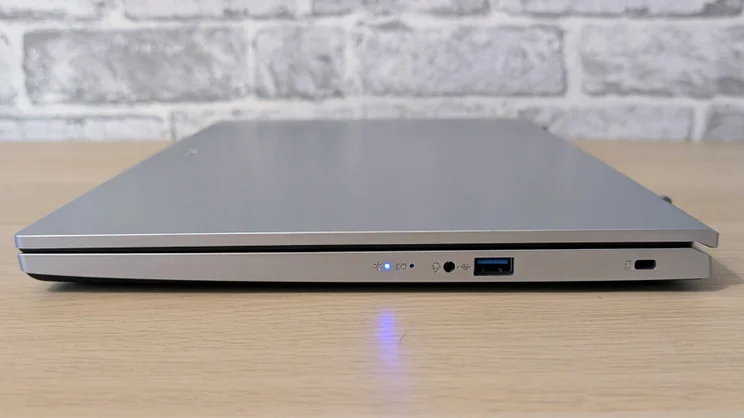
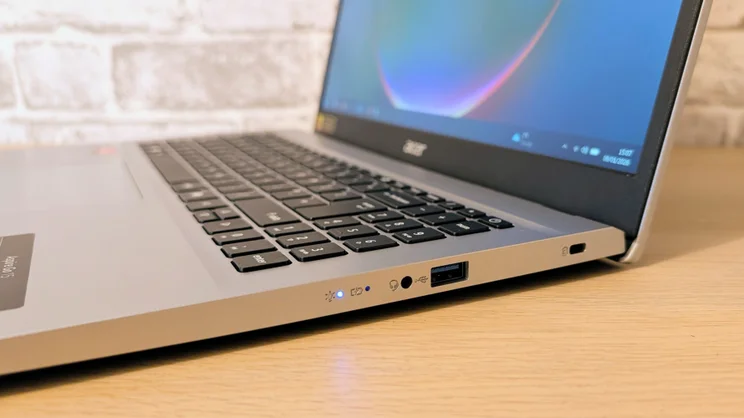
On the right, there’s a third USB-A 3.2 Gen 2 port, a 3.5mm audio jack, a Kensington lock and a brace of blue LED status lights. That’s a decent selection for a cheap laptop, although I’d prefer to see a second USB-C port instead of a standard barrel connector as the principal source of power.
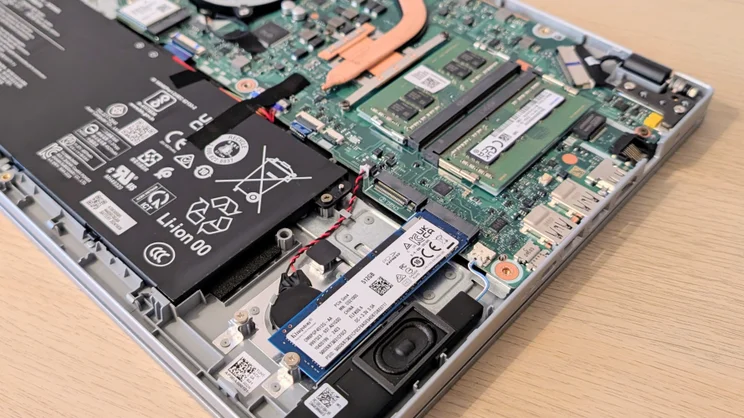
Remove the base plate from the Go 15, and you’ll get a genuine surprise. Not only can you upgrade the RAM in both the SODIMM mounts, but there’s space for a second 2280 SSD.
Curiously, there’s also space, and locating pins and screw holes, to mount a 2.5in drive, but no way to connect it to the motherboard. Presumably, the chassis is from Acer’s parts bin and harks back to a time when 2.5in drives were more common.
The Kensington 512GB SSD installed in this machine proved to be a mediocre performer, recording sequential read and write speeds of 3,019MB/sec and 1,879MB/sec, respectively. These speeds are more than adequate for the sort of casual use the Aspire Go 15 is intended for.
The MediaTek MT7921 wireless card only supports 2.4/5GHz Wi-Fi 6 and Bluetooth 5.2, which compares poorly to the ARM-based laptops, which all support 6GHz Wi-Fi 7.
Keyboard, touchpad and webcam
The keyboard lacks anything in the way of a backlight and there’s no fingerprint reader for convenient logging in, but that’s hardly unexpected at this price point. The good news is that the keyboard deck is reasonably solid, while the keys have a positive, albeit somewhat short, travel.
The 125 x 80mm plastic touchpad beneath it is pretty good, too. It’s smooth and responsive with a nicely damped and quiet click action in the lower half.
The webcam, on the other hand, is rather basic. It’s a 720p unit and, as you’d expect, comes with none of Microsoft’s Studio enhancements or support for Windows Hello face-recognition log in. The images it produces are bright, but colourless and rather fuzzy.
Display and audio quality
The 15.6in 1,920 x 1,080 display is a severe disappointment. Peak brightness is a dismal 246cdm/2, which and combined with a high back luminance of 1.13cd/m2 at maximum brightness, gives you a very low contrast ratio of just 216:1. Such limited brightness makes the Go highly unsuited for use outdoors or in brightly lit indoor environments and its lack of contrast leaves images looking flat and washed out.
Combine that dismal contrast ratio with an sRGB gamut volume of just 51.3%, and you have a recipe for a display that looks as colourful and absorbing as a child’s Etch A Sketch. Colour accuracy is as farcically bad as you’d expect given those numbers, the Delta E variance coming in at a stratospheric 12.1.
The low-rent screen isn’t so much of a problem when you are using the Go 15 for basic productivity and web browsing, but it does make it ill-suited for watching Netflix or YouTube.
The speaker system is thankfully much better. There’s ample volume, the 2W speakers hitting 77dBA when playing a pink noise source and measuring it from a metre away, and the detail levels are good. There’s not enough bass to make things bounce around on your desk, but what’s there is sufficient to make music playback pleasant enough.
Performance and battery life
For such a cheap laptop, the chipset is surprisingly capable. The AMD Ryzen 7 5825U CPU is a 2022-vintage 8-core, 16-thread affair with a maximum turbo clock speed of 4.5GHz. It’s paired with AMD’s Radeon Vega integrated GPU.
In our 4K multimedia benchmark, the Go 15 scored 202 points, which is quite impressive for a sub-£600 laptop. For comparison, the LG Gram Book, which runs on a 10-core, 12-thread Intel Core i5-1334U CPU, scored 176.
Some of the differences can be attributed to the fact that the Acer is equipped with dual-channel RAM, and the Radeon Vega integrated GPU is more capable than its Intel counterpart in the LG. The latter is starkly illustrated by the Geekbench 6 OpenGL GPU benchmark score, in which Acer wins 14,645 to 10,585.
It’s worth mentioning, though, that the ARM CPUs in the two Lenovo machines – a Qualcomm Snapdragon in the IdeaPad and MediaTek Kompanio Ultra in the Chromebook – handily outperform both the Intel and AMD offerings.
The Acer performed well under stress, managing to run both the CPU and GPU at near full capacity for prolonged periods without generating excess heat or fan noise. Battery life at 7hrs 50mins is better than the LG Gram, but nowhere near Lenovo’s IdeaPad Slim 3X or Chromebook Plus 14, which both lasted nearly double that, at around 15 hours.
Acer Aspire Go 15: Verdict
As a cheap laptop, the Acer Aspire Go suffers from many of the same problems as the LG Gram Book, most of which I expect to find on any laptop costing less than £600. The Acer is more powerful than the LG and has a better selection of physical ports, but the Acer’s display is poor, even compared to the LG’s less-than-stellar offering.
This is the rub: The LG and Acer machines are cheap because they are made from old and cheap components from the parts bin. The Lenovo IdeaPad Slim 3X and Lenovo Chromebook Plus can be had for a similar price or less with vastly better OLED screens and more potent chipsets because they are built around far more modern budget components.
Given how poor the Acer Aspire Go 15’s display is, I can’t recommend it at the usual asking price of £600. If you see it on offer for substantially less, like the £429 I saw it while writing this review, then it undercuts the ARM competition by enough to forgive the poor quality screen. Otherwise, I’d caution you to steer well clear.


