
To help us provide you with free impartial advice, we may earn a commission if you buy through links on our site. Learn more
- Compact, clever design
- Great CPU and graphics performance
- Impressive battery life
- A little heavier than a regular 14in laptop
- Expensive
Asus’ twin-screen Zenbook Duo wowed us when it was first released a couple of years back, both with its practicality and value for money. But it was, to be honest, somewhat clunky. The hinge that joined the machine’s two displays created an awkward step that didn’t look great and meant you couldn’t use the screens in portrait mode without angling one screen slightly away from you.
The 2026 model fixes that key issue, introduces a lighter, more minimalist design, and one other key change that makes it an even more desirable laptop to own. This is the first laptop I’ve had in the Expert Reviews offices with one of the latest Intel Core Ultra Series 3 processors inside it.
What you need to know
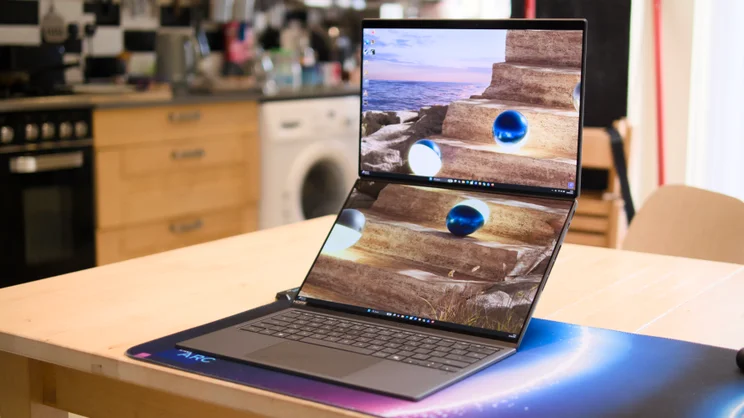
The Asus Zenbook Duo apes its predecessor in the fundamentals of its design. It takes the form of two 14in screens joined by a long hinge, with a sturdy kickstand at the rear that allows it to be propped up on your desk.
The package comes with a Bluetooth keyboard that can be used separately from the main laptop so that you can view both screens at once, or popped on top of one of them, enabling the system to be used as a traditional, single-screen laptop. It’s an ingenious system, refined this time with slimmer bezels and a hinge that allows the screens to fold out and sit flat on the same plane.
A huge 99Wh dual-battery system delivers all-day stamina (I was sceptical, but it delivered in testing as you’ll see below), while the new, top-of-the-range Core Ultra chip and its integrated Intel Arc B390 GPU deliver workstation-grade performance suitable for a range of heavy-duty creative tasks.
It even comes with an active stylus that allows you to sketch and scribble on the screen. So this is a laptop that can act as a dual-screen desktop productivity monster, a digital art tablet, a workstation workhorse – or as a regular on-the-go laptop for everyday emailing,
Price and competition
Configuration tested: 5.1GHz Intel Core Ultra X9 388H processor with 16-core CPU and 12-core Intel Arc B390 iGPU, 32GB RAM, 2TB SSD, 2 x 14in 48-144Hz 3K OLED displays. Price: £2,500
According to the Asus website, the laptop is available in three configurations: I’m testing the top-end model with an Intel Core Ultra X9 (£2,500), but you’ve also got Core Ultra 9 386H (£2,299) and Core Ultra 7 355H options available.
The main difference between the version I tested and the Core Ultra 9 and Core Ultra 7 is that the lower spec CPUs don’t come with Intel’s most powerful 12-Xe3 core Arc B390 graphics; instead, they’re equipped with the 4-Xe3 core standard Intel Arc graphics.
Direct competition for the Zenbook Duo is somewhat limited. No other manufacturer makes a laptop quite like this. We do, however, have true folding laptops (like giant folding phones) from HP and Lenovo to compare, but neither of these is available anymore, leaving only the previous generations of the Zenbook Duo 2025 as any comparison.
The UX8406 is the 2024 model, and it was still available from a variety of retailers at the time of writing. At £1,799, it has a decent spec: a 16-core Core Ultra 9 185H CPU, 32GB of RAM, 2TB of storage, but it is significantly slower than the new model, and its 11 hours of battery life (with one screen on) isn’t great by modern standards.
We haven’t tested the 2025 model with Core Ultra Series 2 chips inside, but it uses the same chassis as the 2024 model, and you can pick one up for even less: £1,599 at the time of writing gets you the Duo with a 16-core Intel Core Ultra 7 255H CPU, 16GB of RAM and a 1TB SSD.
Design – double the fun?
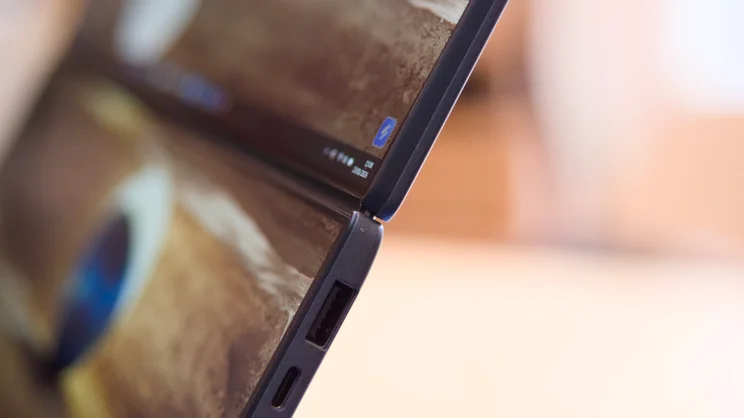
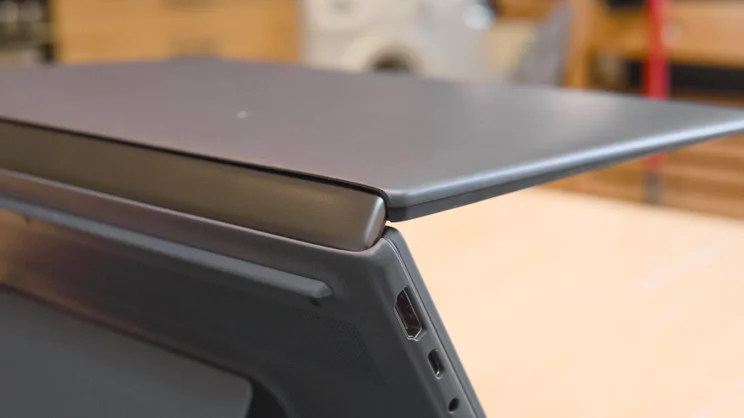
As mentioned, the key difference between this machine and the previous model is the new “hideaway hinge”. This has a smaller gap between the two screens of around 8mm – a 70% reduction according to Asus. That’s nice, but the bigger benefit is that the screens now sit flat when opened. This means you don’t have to angle one of them slightly away from you to get a stable setup in portrait mode.
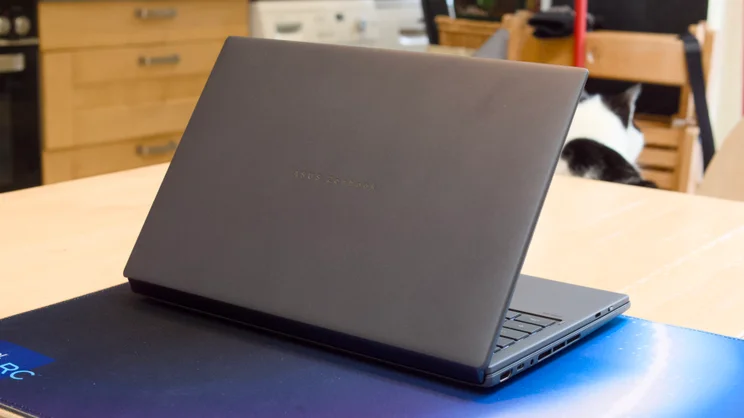
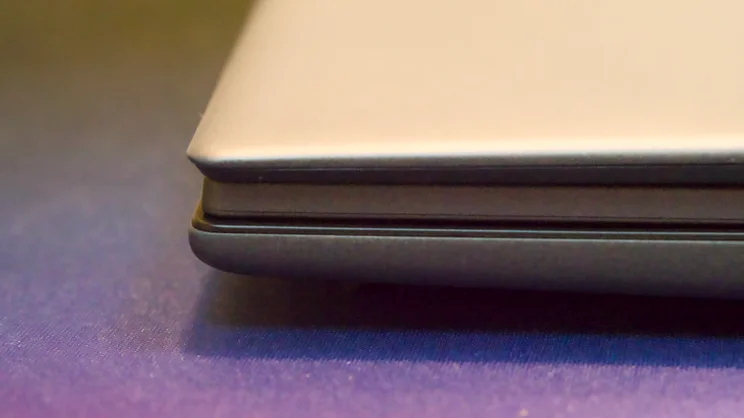
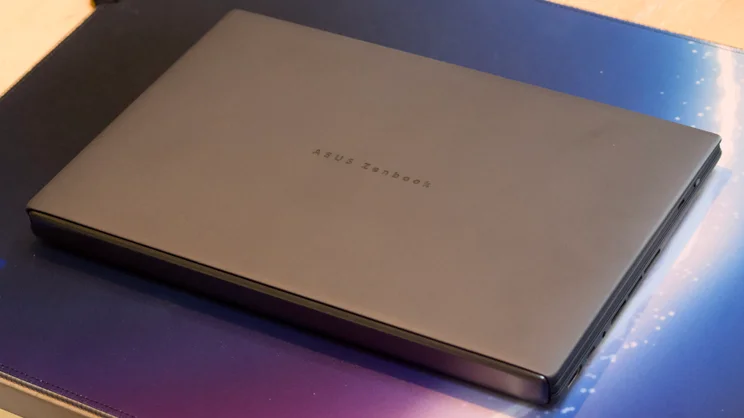
The overall design of the Duo has also been updated. It now has a slightly softer feel to its ceralanium finish and more rounded edges and corners. That, to my mind, is a net benefit. It’s also a tiny bit smaller overall: when folded, with the keyboard sandwiched between the two halves of the clamshell, the Duo now measures 23.3mm thick compared with 24.5mm before. It weighs pretty much the same, though, at 1.65kg including the keyboard.
Despite the changes, it works the same as the previous model. When folded, the keyboard sits neatly between the two displays, connected via a series of pogo pins along the front edge. These keep the battery in the keyboard topped up and provide a data connection when the keyboard is attached.
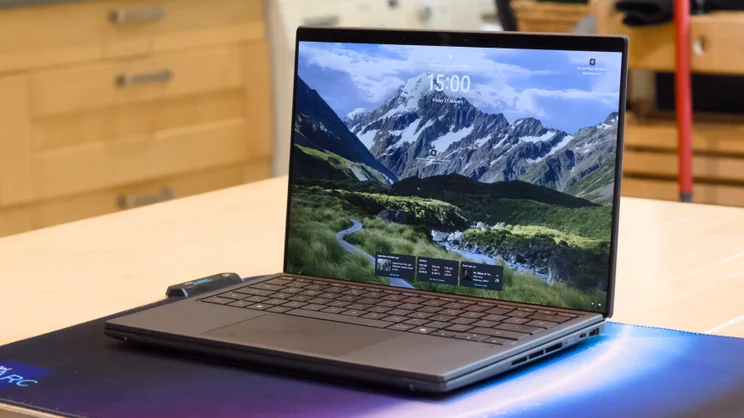
In this configuration, the Zenbook Duo looks just like a chunky 14in laptop. The keyboard completely covers the lower screen, leaving you to work on only the upper display. It’s quite usable in this mode and, indeed, you’ll want to work this way whenever you’re travelling or on the go.
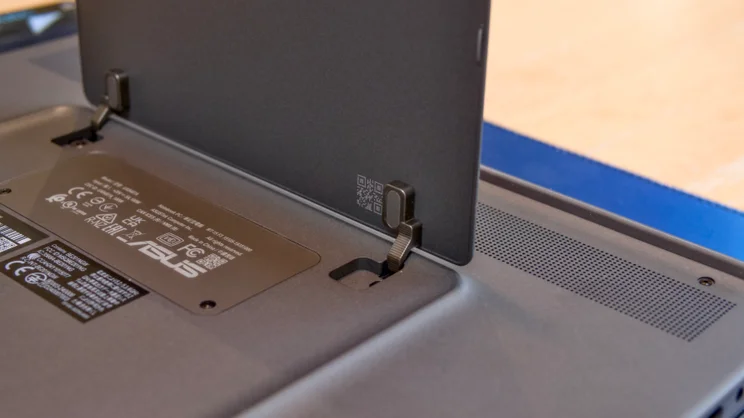
When you reach your hotel room – or a spacious coffee shop table – you can unfold the Duo, lever out the sturdy kickstand from the rear, then lift off the keyboard and place it in front. At this point, the lower screen becomes active and, hey presto, you have a dual-monitor setup in what is a relatively small footprint.
It’s certainly exotic, and some might argue more than a little niche, but it works, and it works well. And the hardware is accompanied by some genuinely useful software tweaks that let you make the most of working on the two screens. If you start dragging windows around, for instance, a small window pops up that lets you dock the window quickly into a specific spot.
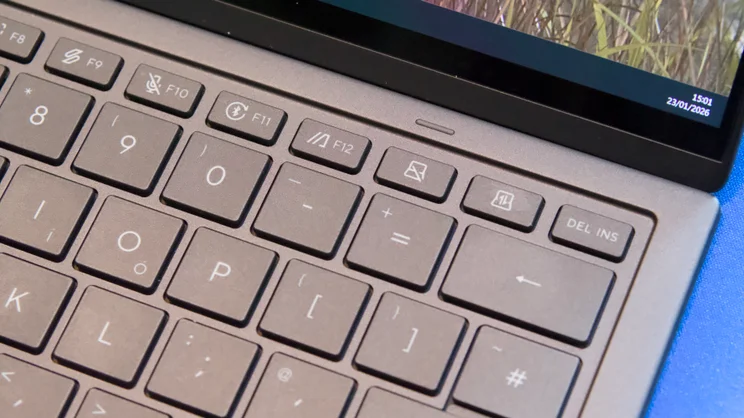
There’s also a shortcut key on the keyboard that lets you swap the contents of the two screens, and another for disabling and enabling the second, lower display – for example, if you want to eke out more battery life but you prefer to keep the primary screen at a more ergonomically comfortable eye height. Asus’ ScreenXpert application, meanwhile, is on hand for more advanced tweaks, allowing you to independently adjust the brightness of each display should you wish to.
You can also take advantage of what Asus calls “Sharing Mode”. With this switched on, you can flatten the displays, place the laptop between two people on a table or desk and the upper screen is flipped so that your companion can view the screen properly – the screen can be mirrored from your own, or extended so they can browse or view material while you work on your screen. It would work better if it had a 360 hinge, so you could fold it into tent mode. Alas, it cannot, which means you’re stuck using sharing mode with the laptop flat on a desk.
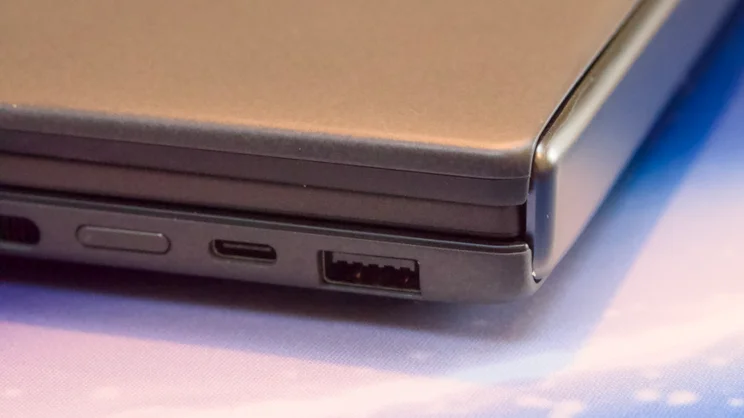
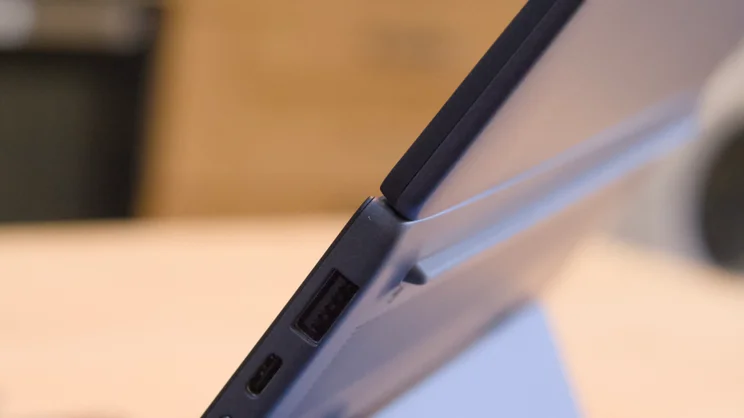
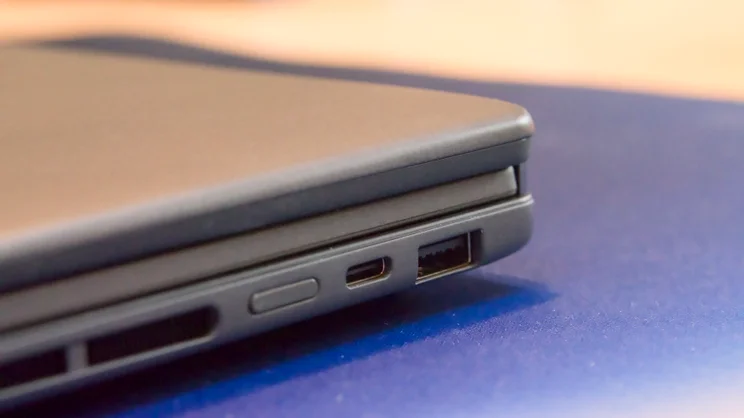
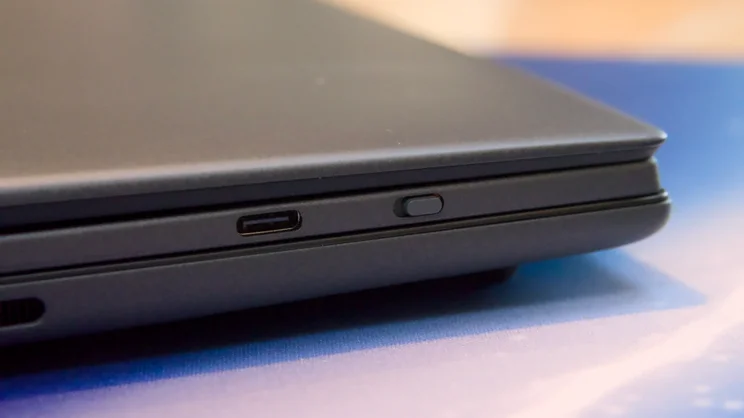
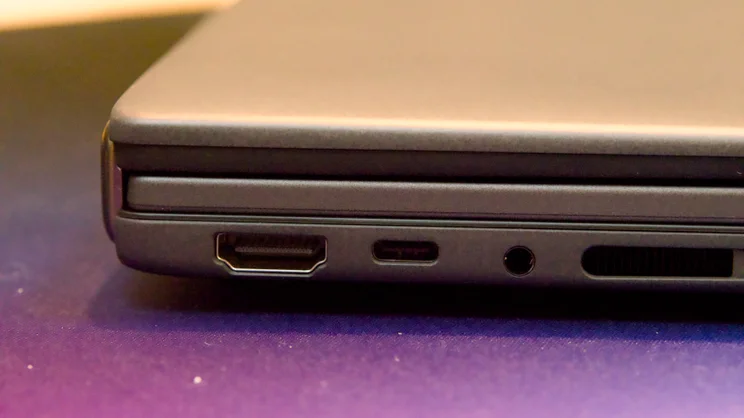
Otherwise, the physical features of the Zenbook Duo are as you’d expect of a flagship workstation laptop in 2026. On the left edge, you’ll find a single full-size HDMI 2.1 port right next to one Thunderbolt 4 USB-C port and a 3.5mm audio jack. Flip to the right edge, and you’ll find another Thunderbolt 4 USB-C port next to the power button and a legacy USB-A 3.2 Gen 2 socket. Both the Thunderbolt 4 ports will transfer data at up to 40Gbits/sec, support USB power delivery and DisplayPort Alt Mode, so you can run a triple monitor setup with the addition of just one extra screen.
Keyboard and touchpad
Given that it’s a very slim Bluetooth model, the Asus Zenbook Duo’s keyboard is actually pretty pleasant to use. Its keys have plenty of travel and a good amount of soft feedback with large, flat-topped Scrabble-style keys. I was able to get up to a decent typo-free touch typing speed fairly quickly on this keyboard.
The layout is sensible enough, although even the UK model I had didn’t come with a double-height Enter key, and the cursor keys are all half-height. Thankfully, though, they are not closely surrounded by other keys, so they’re pretty easy to get on with.
Plus, there’s a three-stage white backlight, which makes the keyboard usable in dark and dim conditions, a power switch to save battery life when you’re not using it, and a USB-C port on the left edge for charging it up. Note, though, most of the time you’ll not need to use this, as the pogo pins from the laptop will keep it topped up.
The touchpad is fairly large (127 x 79mm), sensitive and responsive both to single finger and multi-touch gestures. It isn’t a haptic pad, which means you can’t click it along its top edge (and clicking in the top half is heavy going), but I found the click action from about 50% down towards the bottom to be light and well-damped.
Display and audio
The double displays of the Zenbook Duo are its chief appeal; they’re both excellent displays. Each measures 14in across the diagonal, with a resolution of 2,880 x 1,800, a refresh rate of 144Hz and claimed peak brightness with HDR material of 1,000cd/m2.
In testing, both displays impressed. I measured native colour gamut reproduction at 114% of DCI-P3, which equates to 161% of sRGB. Colour accuracy was decent too, measured at 1.02 with sRGB selected in the MyAsus application and 0.97 in DCI-P3. I measured peak brightness without HDR enabled at 490cd/m2 and up to 650cd/m2 with HDR material. With automatic brightness enabled, the peak brightness shot up to an incredible 1,120cd/m2 when I shone a very bright LED torch at the light sensor.
In short, you’re not going to struggle to watch your favourite Netflix shows, wherever you happen to find yourself, and with the correct settings enabled, you should have no issues editing video or photos, either.
Audio quality is exceptional, too. I fired up my go-to chillout test mix on YouTube and was pleased to hear plenty of volume, body and richness and even a modicum of bass. This is one great-sounding laptop. There’s no breakup at maximum volume, either. Switch the sound mode to Dynamic in the MyAsus app, and you’ll hear even more width and an impressive sense of spaciousness and depth, too.
Performance and battery life
All of this is good, but the most exciting and interesting part of the Zenbook Duo 2026 lurks under the hood: its Intel Core Ultra X9 388H (nee Panther Lake) CPU. This is Intel’s latest chip – a 16-core part with a Turbo Boost mode of 5.1GHz, and a 12-core Xe3-based Intel Arc B390 integrated GPU – and the first laptop CPU I’ve tested that utilises a 1.8nm manufacturing process.
Usually, a move to smaller transistors means increased efficiency and better battery life, and that’s absolutely what this system delivers. In our simple local video playback test, with only one screen enabled, it lasted more than 21hrs 9mins on a single charge. With both screens switched on and the video playing across both, it lasted a still-impressive 10hrs 36mins. That’s double the length of time the original double-screen Duo lasted back in 2024, and longer than the M4 Apple MacBook Pro I reviewed just a couple of months ago. Very impressive.
And yet, despite the long battery life, the Duo produces some pretty impressive performance numbers. In our in-house image and video conversion benchmark, the Duo returned an overall score of 455, handily beating the Honor MagicBook Pro 14 from 2025 featuring a second-generation Core Ultra 9 285H.
It’s perhaps more surprising that it’s not faster in Geekbench 6 than the Honor MagicBook Pro 14, but it’s the graphics performance that really stands out here.
My usual go-to games for testing out integrated graphics are Doom: The Dark Ages, Serious Sam 4 and Shadow of the Tomb Raider, and in every test, the Arc B390 iGPU impressed.
In 1080p resolution, I was able to get around 50fps in Doom, even when the action ramped right up, while the Serious Sam benchmark at the same resolution with low settings enabled returned an average frame rate of 187fps. Shadow of the Tomb Raider returned an average of 128fps in Full HD.
One of the key upgrades with the Arc B390 is support for the new XeSS 2 upscaling technology, which, like Nvidia’s DLSS, uses MFG (multi-frame generation) to inject “fake” AI-generated frames into the graphics pipeline to give the impression of faster performance. And in games that support it, the improvement in performance can be dramatic.
The problem with this is that not many mainstream games support XeSS 2 as yet, and even XeSS 1 support is short on support compared with DLSS. Shadow of the Tomb Raider is, as luck would have it, one that supports XeSS1 and with the technology enabled, I saw an uplift of 13% in frame rate – an improvement not to be sniffed at.
Critically, compared with the integrated graphics from the previous generation of Intel Core Ultra CPUs, this graphics performance is on another planet. No, it still can’t compete with a discrete mobile graphics chip like the Nvidia GeForce RTX 5060, but in the Serious Sam benchmark, it was an impressive 80% faster than Intel Graphics 140T. That’s a huge step up, and I will be interested to see if that translates into the humbler Core Ultra Series 3 chips.
And storage speed is pretty quick, too, with the 2TB drive inside the Zenbook Duo reporting average read and write speeds for large file transfers of 3,276MB/sec and 3,593MB/sec. That’s slightly faster than the drive in the M4 MacBook Pro and slightly behind the Honor MagicBook Pro. Nothing at all wrong there.
Asus ZenBook Duo (2026, UX8407) review: Verdict
This is a laptop, in my opinion, that has it all. For a relatively small penalty in weight and size, you get the most flexible machine it is possible to own.
You can use it as a desktop productivity beast with two screens, or you can use it as a regular laptop with one. Either way, it performs brilliantly depending on what you want to do with it. It delivers great battery life, it’s quick, the screens are great, and the graphics performance from Intel’s latest iGPU is a revelation. Add impactful audio, great ergonomics and a decent webcam, and you have the most impressive mobile all-rounder I think I have ever reviewed.
The big issue here is price. At £2,500 for the model reviewed and even the cheaper Core Ultra 9 386H model costing £2,300, the ZenBook Duo represents quite the investment – and that price might increase in the coming months as RAM and storage prices rise. It’s only that that holds me back from handing out a Best Buy award here, because this is otherwise a truly special piece of hardware.


