
To help us provide you with free impartial advice, we may earn a commission if you buy through links on our site. Learn more
- 3.2K OLED touchscreen
- Nvidia GeForce RTX 4050 GPU
- Quad-speaker sound system
- GPU is throttled to 40W
- The keyboard is an acquired taste
- Battery life could be better
Marmite, for anyone who is reading this and is not a native of dear old Blighty (that’s the UK to you), is a savoury spread made from yeast extract and was invented in 1902. Since that date, it has divided the nation into those who think it’s the best thing since sliced bread and those who believe it was cooked up in Beelzebub’s own kitchen.
The Dell 14 Premium (9440), just like our divisive spread (and the Dell XPS 13 Plus and XPS 14), is a laptop you are either going to like or hate – thanks in the main to the design of its keyboard and its touchpad. Cards on the table time. I like Marmite – and I like this laptop, too.
What you need to know
In the brave new world of Dell’s product lineup, “Premium” is the new XPS. So far, the new Premium machines are only available in 14.5in and 16in guises. Presumably, a 13 Premium will come along at some point to replace the XPS 13 and XPS 13 Plus.
The big difference between the XPS 14 and the 14 Premium is the chipset. The XPS 14 ran on Core Ultra S1 processors, while the new model uses the S2 chips; to be specific, the Arrow Lake Core Ultra 7 255H and Core Ultra 7 265H. The two are very similar, the latter having a slightly higher Turbo clock speed of 5.3GHz rather than 5.1GHz.
You can also have your 14 Premium with a discrete graphics card, in this case the Nvidia GeForce RTX 4050 with 6GB of vRAM, although that is only an option with the 255H processor. According to Dell, the RTX 4050 has a TGP of 30W, but the GPU in my review model showed a TGP of 40W.
Price and competition
Picking various options on Dell’s website causes the price of the 14 Premium to bounce around dramatically. At the time of writing, you can get the model with the RTX 4050 GPU, a 3.2K OLED screen, 32GB of RAM, and 1TB of storage for £1,799, which strikes me as solid value.
The most obvious competition at this end of the premium laptop market comes from the rejuvenated MacBook Pro 14. The big difference between this and previous-gen MacBook Pro 14 is the M5 processor’s ability to chew through AI tasks thanks to the Neural Accelerators that have been added to each graphics core. A high-quality omni-competent device, only Apple’s gouging for larger capacity SSDs leaves a sour taste.
In the Windows world, there is wider choice and far lower prices if you don’t mind compromising here and there. We particularly like the Asus TUF Gaming A14, in either RTX 5050 or RTX 5060 guises. Battery life is solid, the 165Hz screen decent, and prices start at around £1,000.
Honor’s MagicBook Art 14 has a very similar base specification to the Dell, with the same Intel Core Ultra 7 255H CPU and a superb 14.6in 3,120 x 2,080 120Hz OLED touch display. Weighing just over 1kg and only 11.5mm thick, the MagicBook Art 14 still feels every inch a solid premium product. The detachable webcam is a clever feature, and the price has settled down to an enticing £1,099. There is no discrete GPU option, though, and battery life is a little disappointing.
A more overtly business-oriented-focused laptop, the 2-in-1 HP EliteBook X Flip G1i uses a more efficient Lunar Lake chipset and thus offers Mac-like battery life of over 20 hours. The keyboard is excellent, too, and although the 14in touchscreen is a 1,920 x 1,200 IPS affair, you can specify it with an eye-watering 800cd/m2 peak brightness. Starting at £1,600, it’s not cheap, but it is very good.
Design and features
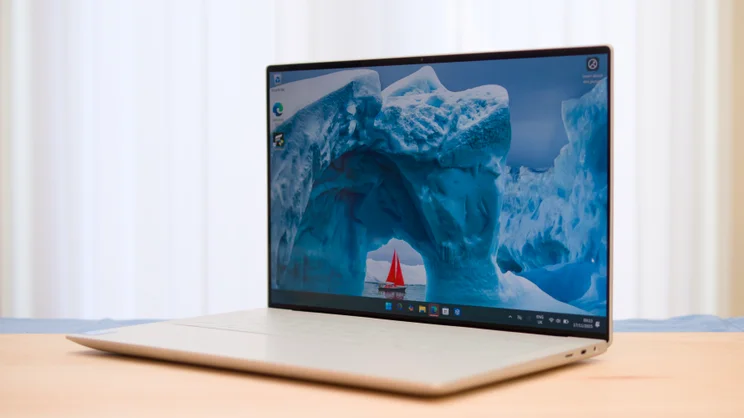
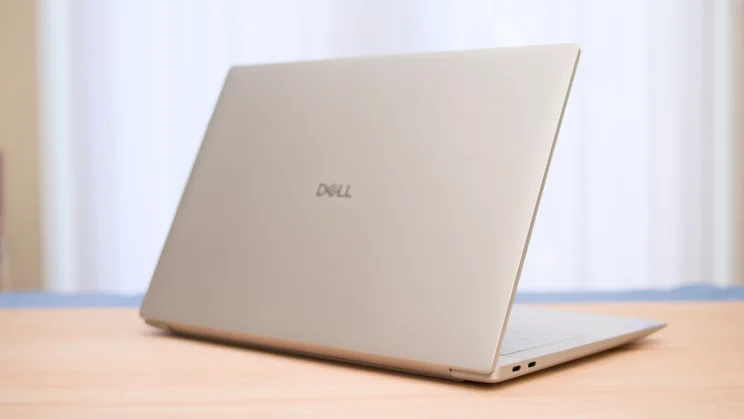
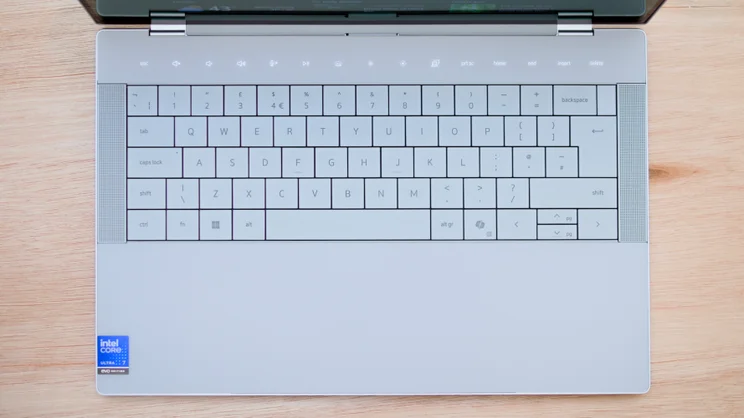
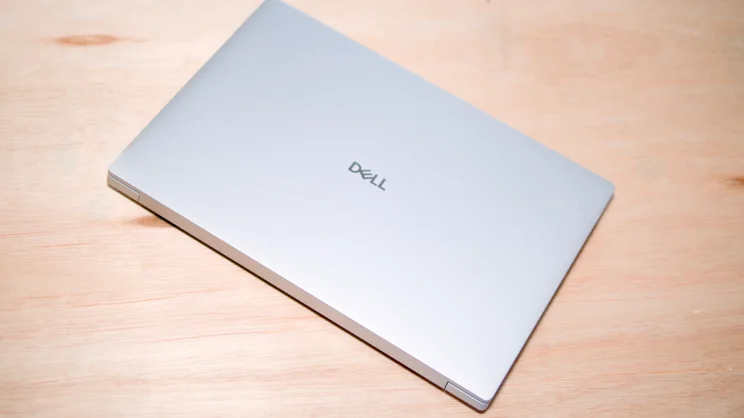
Visually, the 14 Premium is every bit an XPS machine; in fact, it’s a carbon copy of the XPS 14 it replaces, right down to the loudspeaker grilles that flank the keyboard and the colour options, Platinum (light grey) and Graphite (dark grey).
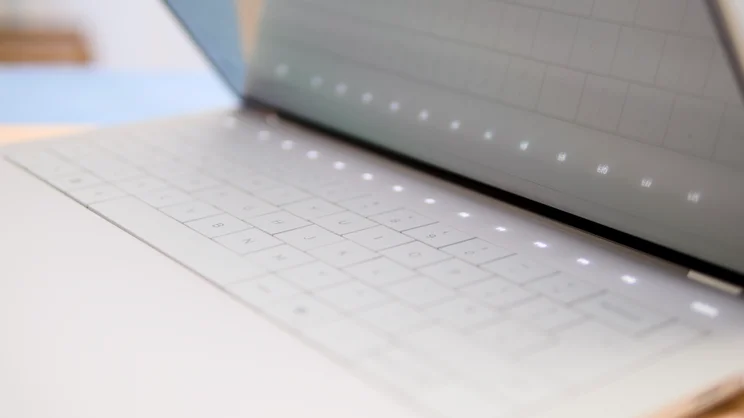
Made from CNCed aluminium and with Corning Gorilla Glass 3 covering the palm rest and capacitive function row, the 14 Premium is, like the XPS 14, a reassuringly solid laptop.
However, that solidity does come with a weight premium. The 14 Premium is a bit of a porker at over 1.7kg, which makes it heavier than the 14in M5 MacBook Pro. The Dell is a little wider and taller than the MacBook, although less deep.
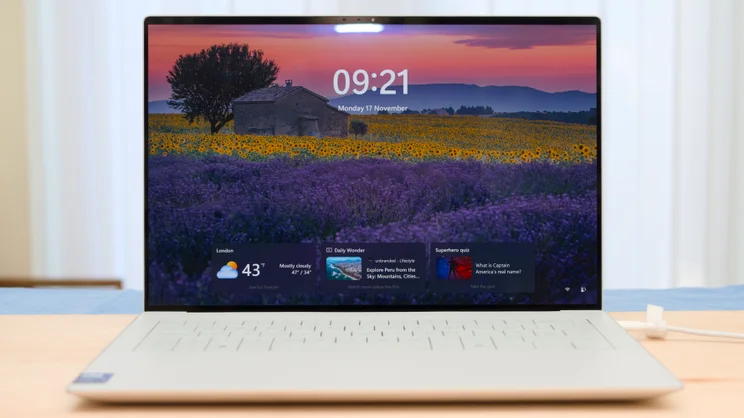
The bezels surrounding the touchscreen are extremely slender, measuring just 4mm at the sides and barely 2mm more at the top and bottom. The lid only opens to 135 degrees, though, so you can’t lay it flat.
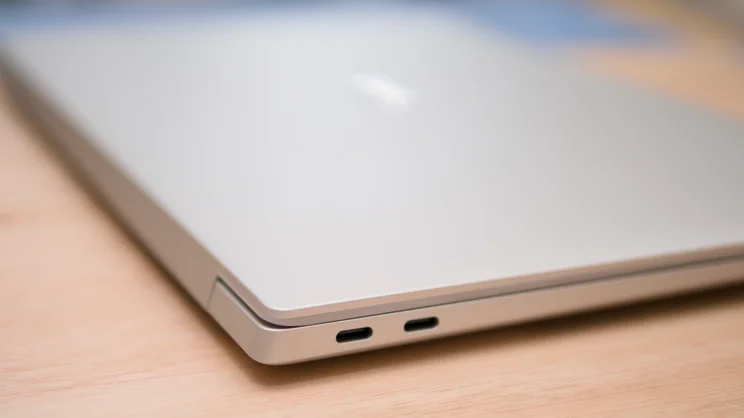
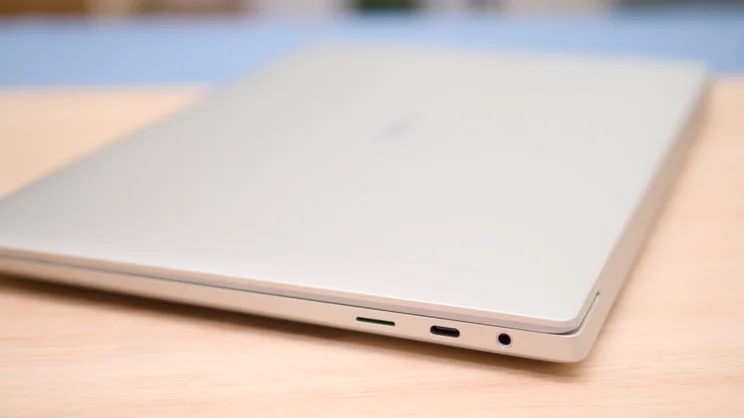
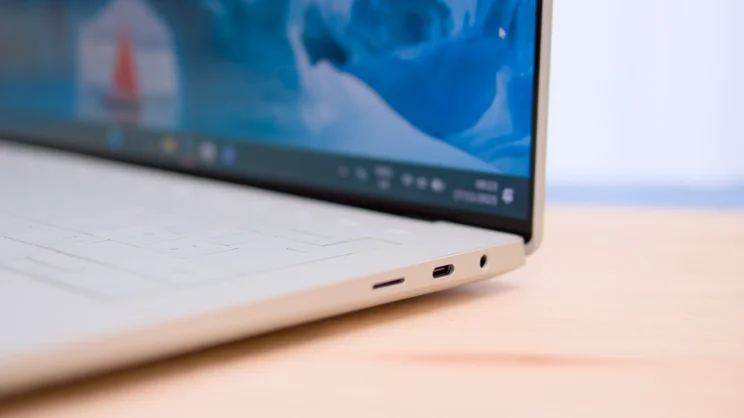
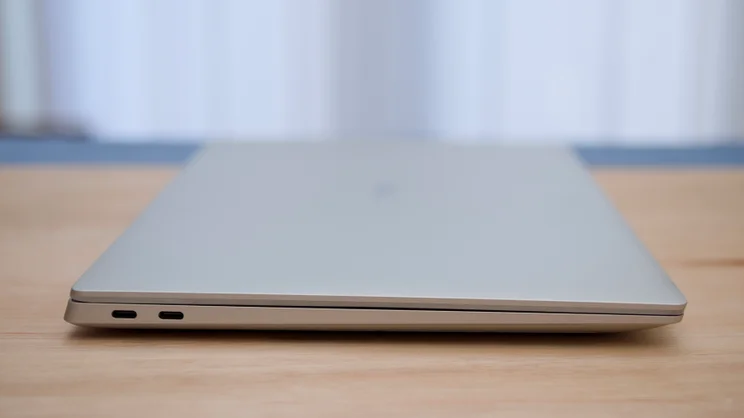
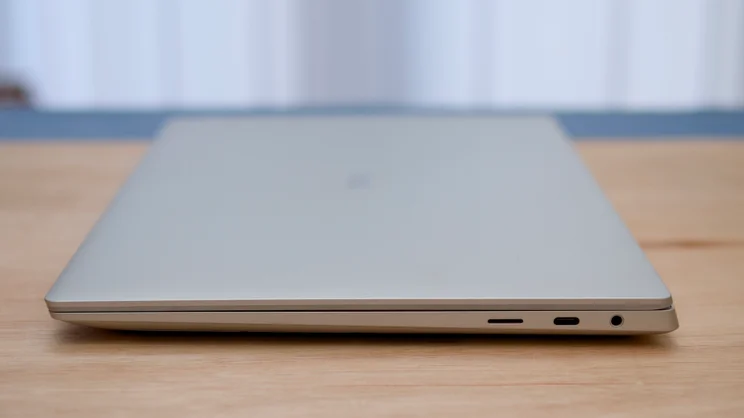
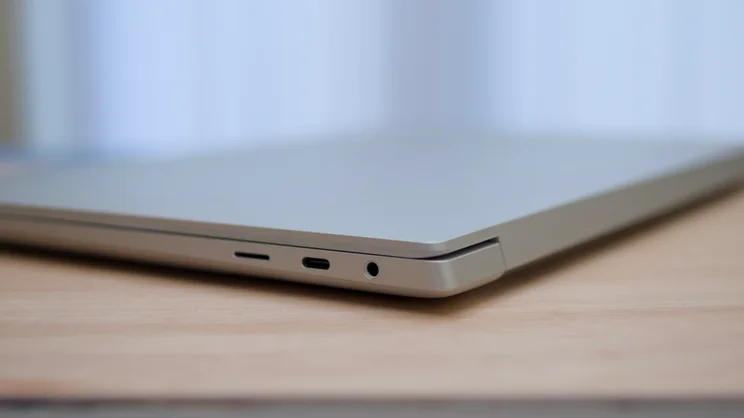
The first XPS laptop to use this design language, the 13 Plus, only had two USB-C ports, but Dell quickly realised that was going too far and added a third, plus a 3.5mm audio jack for subsequent models. The Dell 14 Premium also adds a microSD memory card slot.
Given its Premium name, Dell should perhaps have gone with Thunderbolt 5 rather than 4 ports (I could make the same criticism of the new 14in M5 MacBook Pro), but at least you get Wi-Fi 7 and Bluetooth 5.4.
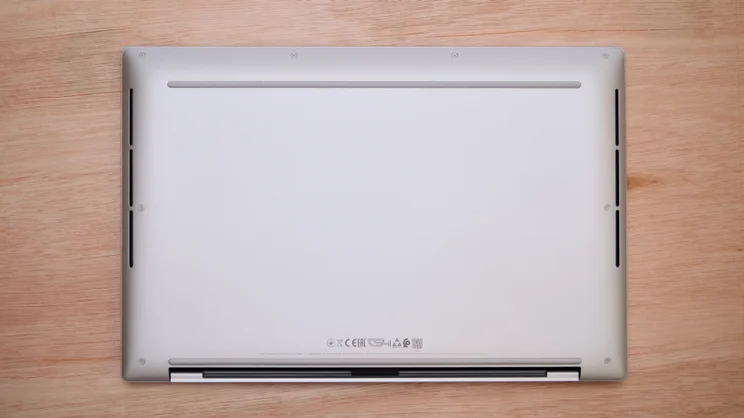
Getting inside the 14 Premium is straightforward, making for easy cleaning and basic maintenance, but don’t get any ideas about upgrading; alas, there’s no space for a second SSD, and the RAM is fixed in place.
Keyboard, touchpad and webcam
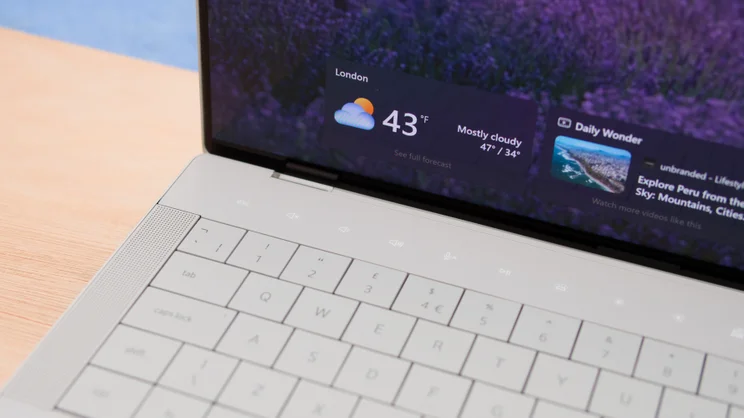
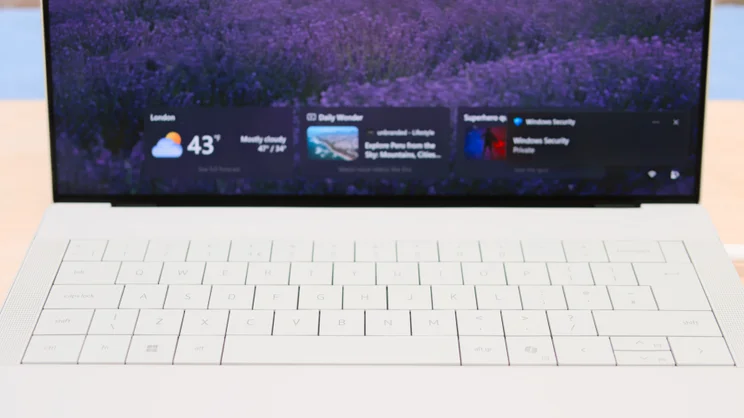
Dell’s zero-lattice keyboard, complete with its capacitive function keys and invisible, seamless touchpad, is either a brave attempt to re-imagine the laptop keyboard or the answer to a question nobody has ever asked. The truth, as always, lies somewhere in the middle.
Personally, I’ve always liked the large keys and solid deck that have traditionally been the signature features of the XPS keyboard. The worse typist you are, the more you are likely to appreciate the large, nearly 20mm square keys.
The single-stage white backlight works fine in very low light or darkness, but in other circumstances, it has the unfortunate ability to make the keycap graphics almost invisible. This probably won’t be an issue with the darker Graphite colourway, and for this reason alone, I’d suggest picking that option.
The invisible haptic touchpad takes some getting used to because there’s no visual reference as to where the thing starts and finishes. I very quickly got used to it, though and started to appreciate how smooth, tactile and quiet it is. The click-action feels rather shallow, but it’s also very positive and crisp.
The 1080p webcam may be technically unremarkable, but it does a good job, too. The video looked crisp, colourful and bright, and things held up well when the light levels dropped. It supports both Windows Studio Effects and Windows Hello facial recognition, which is a handy alternative to the fingerprint reader built into the power switch.
Display and audio quality
Displays don’t come much sharper than this. The combination of a 3,200 x 2,000 resolution, 120Hz refresh rate and a 14.5in corner-to-corner size makes for absolute crystal clarity and fluidity and a 14in MacBook Pro-beating pixel density of 254ppi.
There are wider gamut OLED displays on the market, but I can’t see anyone complaining about 144.2% coverage of the sRGB colour space, 102.1% of DCI-P3 and 99.3% of AdobeRGB. When measured against the DisplayP3 profile, the screen returned an excellent average Delta E colour variance of just 0.84.
In SDR mode, the display hit a maximum full-screen brightness of 359cd/m2, a figure that jumped to 610cd/m2 in HDR mode from a 10% screen area. As with the gamut coverage, the Acer Swift Edge 14 AI (late 2025) does a wee bit better than the Dell, but the difference is invisible to the naked eye.
The display is covered by a sheet of Corning Gorilla Glass 3, and although it lacks the trick anti-reflection surface of the new Gorilla Matte Pro glass used on the Acer Swift Edge 14 AI (late 2025), it does a good job keeping reflections in check.
As for audio, that’s pretty decent, too. The 14 Premium has a quad-speaker sound system with a pair of 2W main drivers and two 2W tweeters for 8W in total. The system isn’t the loudest around. I measured an output of 74.9dBA against a pink noise source at 1m, but the upward-firing position of the speakers on either side of the keyboard creates a wide and spacious soundscape, and there is ample bass to underpin the detailed sonics.
Performance and battery life
Our review machine arrived fitted with a 16-core 5.1GHz Intel Core Ultra 7 155H CPU, 32GB of RAM and an Nvidia GeForce RTX 4050 discrete GPU. That’s a pretty potent combination for a compact laptop.
In our bespoke Handbrake-based multi-media 4K benchmark, the 14 Premium scored a creditable 345 points. That’s a score indicative of a machine that can cope with even demanding tasks without getting its knickers in a twist.
After two hours of hard stress testing, the CPU and Nvidia GPU were running at 85% and 98% respectively, and the fan noise was surprisingly low – barely above a whisper.
Before you get too excited about having an RTX 4050 GPU under the hood, remember that only has a TGP of 40W, which has a deleterious effect on performance. For instance, the SPECviewperf 3dsmax 3D modelling test ran at 57fps compared to 77fps on a 100W version of the same GPU.
The low TGP also hampers gaming performance, should you have that in mind. You can run Cyberpunk 2077 at Full HD resolution and High detail setttings and get 75fps out of it, but you need to turn off Ray Tracing and enable all the Nvidia DLSS frame-rate boosters to get that. Switch to the detail setting to Ray Tracing High, and the frame rate drops to 22fps.
Unfortunately, the battery life isn’t great. The 69.5Wh battery in the 14 Premium kept the lights on for just shy of 10hrs 40mins, which is a pretty mediocre showing by late-2025 laptop standards. The new M5 MacBook Pro delivered nearly twice that in the same test, while the Asus TUF A14 outlasts the Dell by nearly three hours – and that’s a bona fide gaming laptop.
Clearly, Intel’s job for 2026 is to get Arrow Lake performance and Luna Lake efficiency from the same chipset. Let’s hope its upcoming Panther Lake CPUs deliver exactly that.
Dell 14 Premium: Verdict
Defending Dell’s XPS Premium design language is a hill I’m still not prepared to vacate without fisticuffs – or at least a serious argument. I’m not for a moment advocating for form at the expense of function, but Dell has proved to my satisfaction that you can get radical with the former and still keep the latter within the boundaries of Bauhausian practicality.
Design aside, the 14 Premium is a very appealing package with strong performance, an excellent OLED display and a great quad-driver speaker system. Longer battery life wouldn’t go amiss, but I could certainly live with the 14 Premium’s performance on this front.
The thing that might put you off is the price, which at the RRP of £2,199 is very expensive for a laptop of this specification. That said, I’ve seen it a lot lower very recently, so it may be worth waiting for the sales before splashing your cash.
Dell Premium 14 specifications
| Processor | Intel Core Ultra 7 255H |
| RAM | 32GB |
| Additional memory slots | No |
| Max. memory | 64GB |
| Graphics adapter | Nividia GeForce RTX 4050 |
| Graphics memory | 6GB |
| Storage | 1TB |
| Screen size (in) | 14.5 |
| Screen resolution | 3,200 x 2,000 |
| Pixel density (PPI) | 260 |
| Screen type | OLED 120Hz |
| Touchscreen | Yes |
| Pointing devices | Touchpad |
| Memory card slot | Yes, microSD |
| 3.5mm audio jack | Yes |
| Graphics outputs | USB-C DisplayPort AltMode x 3 |
| Other ports | Thunderbolt 4 x 3 |
| Web Cam | 1080p |
| Speakers | Stereo, 4 speakers |
| Wi-Fi | Wi-Fi 7 |
| Bluetooth | Bluetooth 5.4 |
| Dimensions, mm (WDH) | 320 x 216 x 18 |
| Weight (kg) – with keyboard where applicable | 1.7 |
| Battery size (Wh) | 69.5 |
| Operating system | Windows 11 Home |


