
To help us provide you with free impartial advice, we may earn a commission if you buy through links on our site. Learn more
- Fun to use
- Beautiful design
- “Eras” filters look good
- App is fiddly
- Mediocre battery life
- Expensive
Fujifilm’s Instax brand has proven itself to be an enduring success with a generation of younger people who yearn for something a bit more tangible in a world that’s increasingly less so. From the basic point-and-shoot Mini 12 to the more sophisticated Mini 99, its wide format cameras and Evo range, the Instax train doesn’t appear to be slowing down anytime soon.
I’ll confess that I belong to the same generation that reveres physical media while bringing words like “rizz” into common parlance – although I tend to fall into the former camp more than the latter. So I was very excited by the prospect of a new Instax product that mimics the look and feel of an old 16mm cinema camera: the Mini Evo Cinema.
What do you get for the money?
Launching at £330, the Instax Mini Evo Cinema is the latest edition to the company’s Evo range of “hybrid” cameras. These are essentially digital cameras that double as Instax printers, allowing you to choose the shots you want to print. We reviewed the Instax Mini Evo back in 2022, giving it four stars and a Recommended Award.
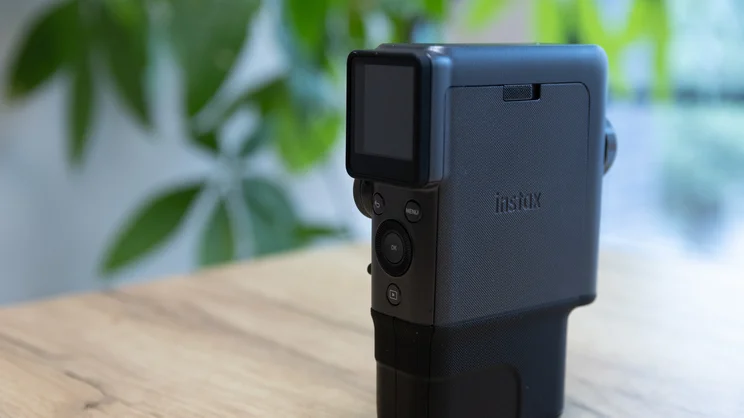
The Mini Evo Cinema houses the same 4.9MP digital camera, albeit accompanied by a smaller 1.54in LCD display. The main point of departure from the previous Instax Mini Evo, however, is that in addition to taking still photos it can shoot 15 second video clips at either 600 x 800 or 1,080 x 1,440.
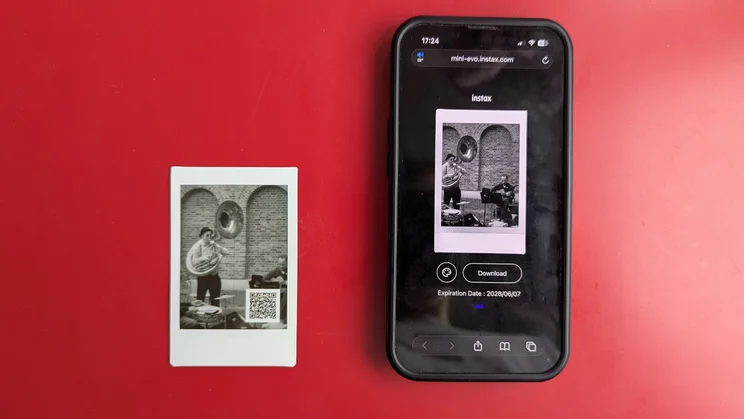
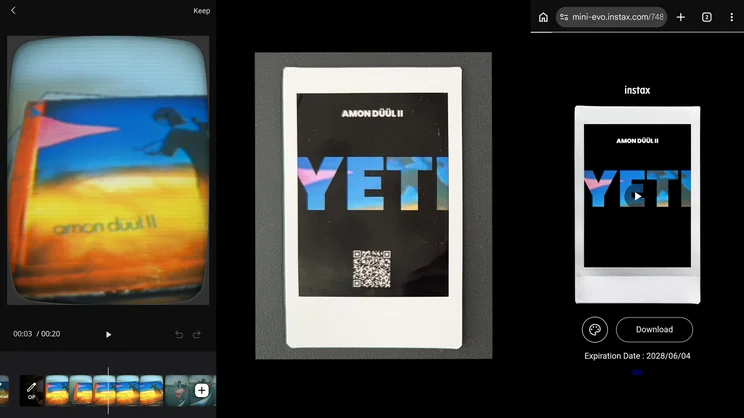
The videos can then be printed as stills on Instax Mini film, complete with a QR code allowing you to view the clip back on your phone – provided it has been backed up onto the Mini Evo app.
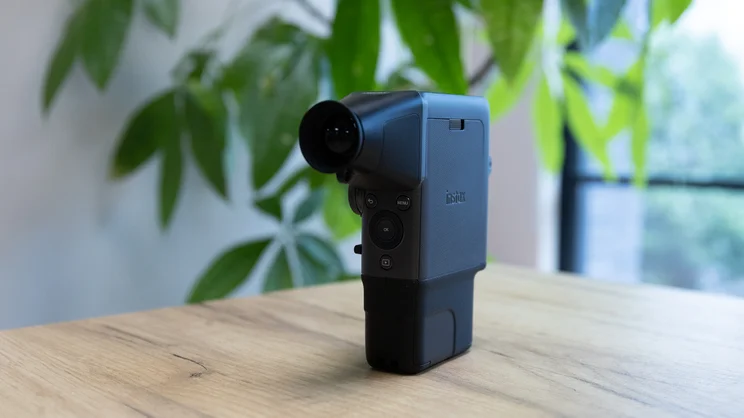
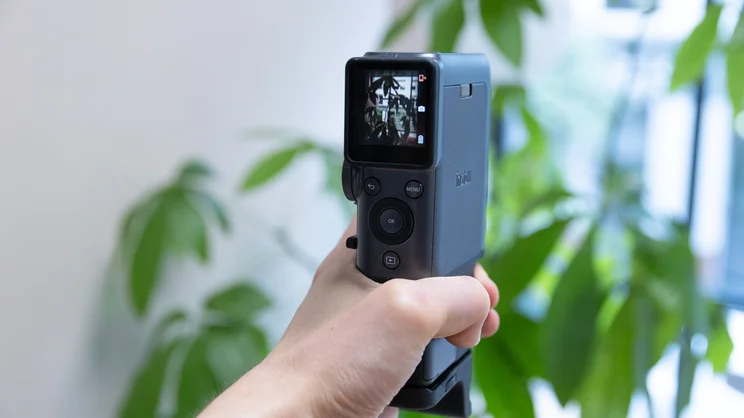
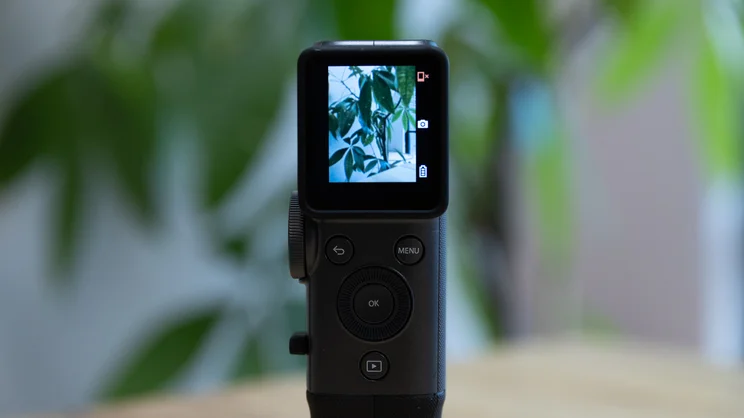
A tidy control panel underneath the camera’s LCD display lets you scroll through the shots you’ve taken, as well as access the camera’s menu (where you can adjust exposure, flash and other general settings).
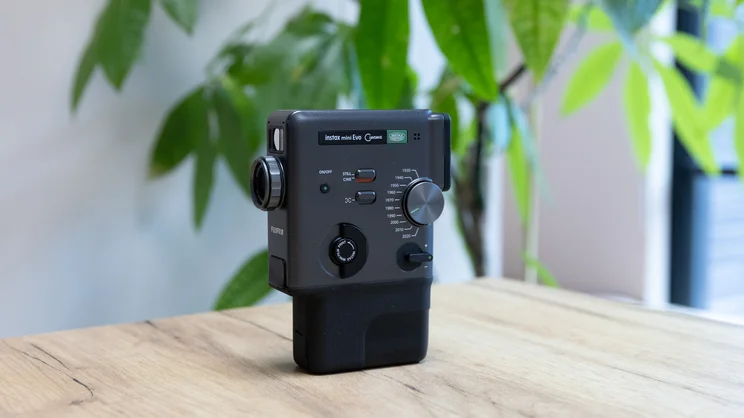
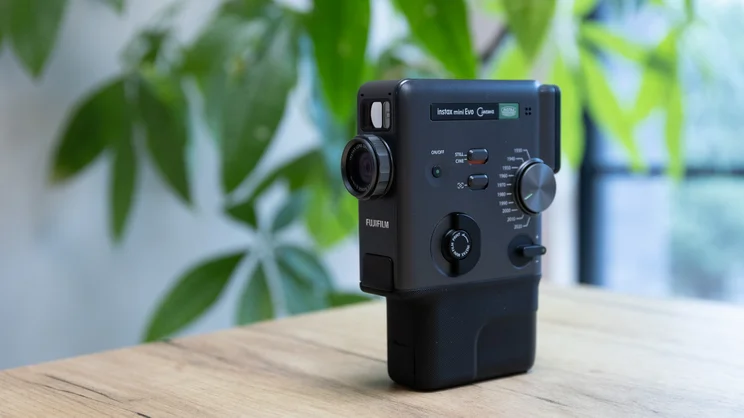
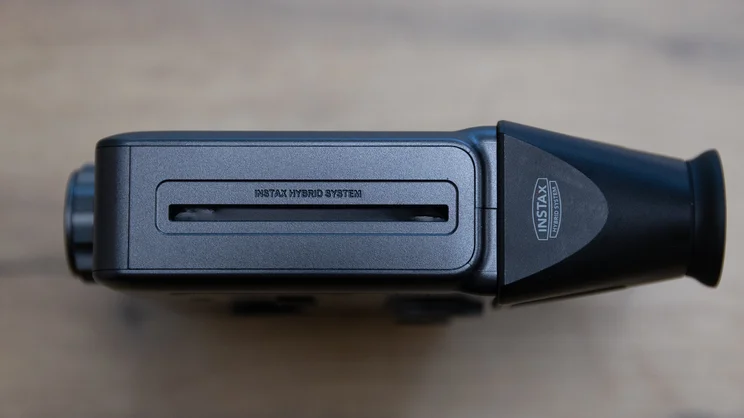
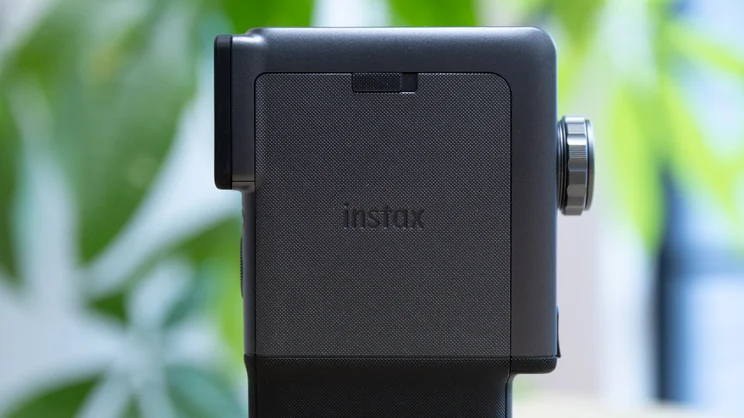
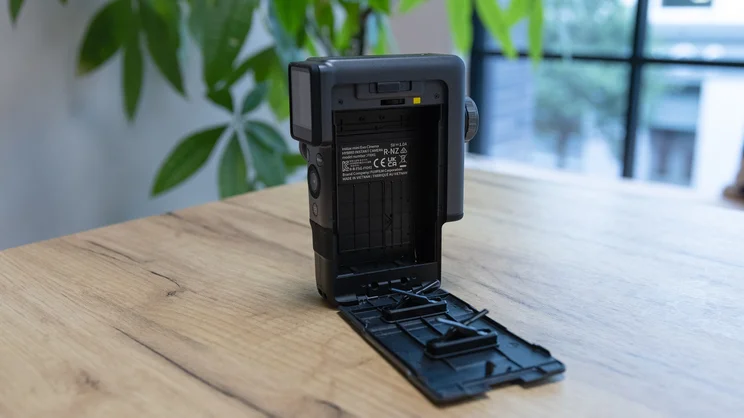
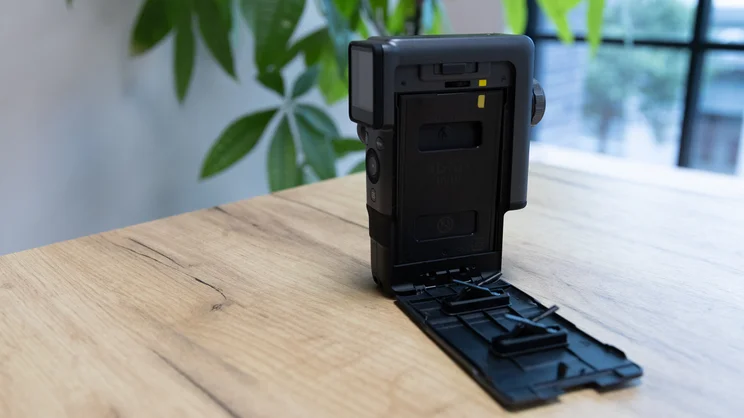
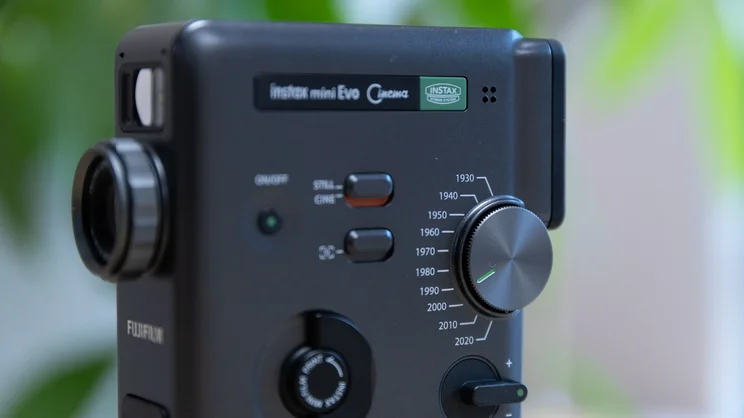
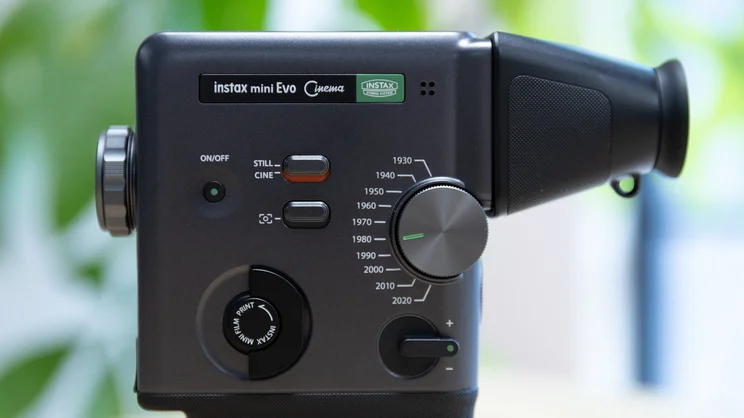
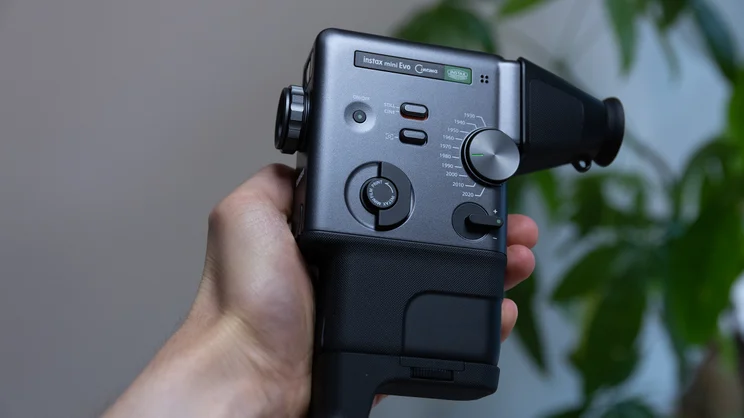
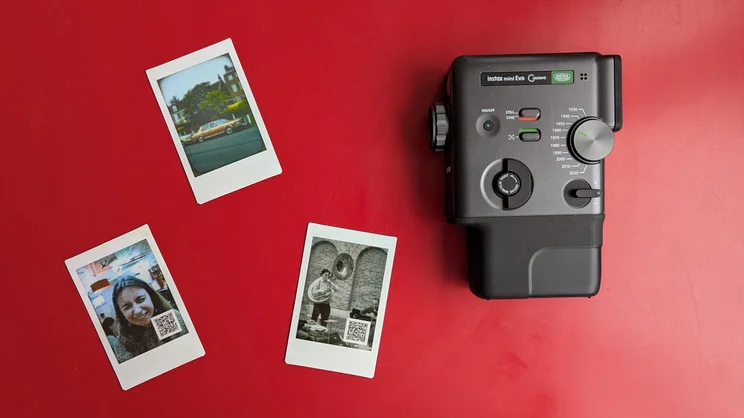
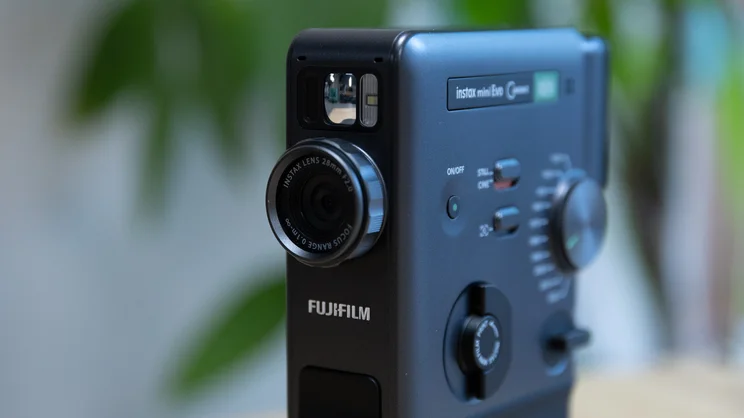
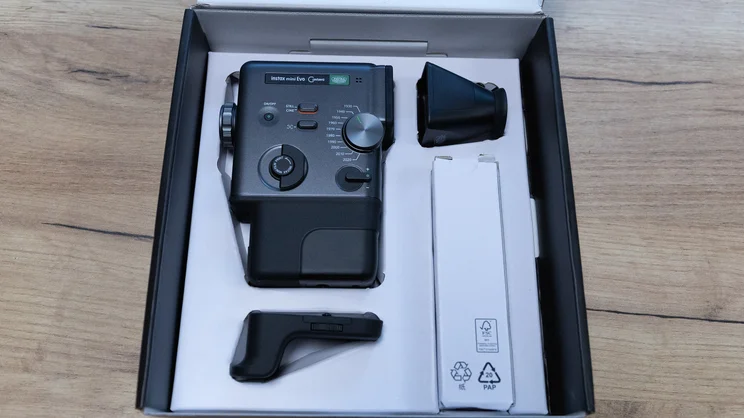
On/off button, zoom lever, filter options and switch to toggle between still photos and video are found on the left-hand side of the camera, while film is loaded into a panel on the opposite side. Prints are dispensed from a slot in the top of the camera, and you can choose to print from the camera itself or the app. The former is the more tactile option: give the “Instax Mini Film Print” tab a twist to the left and it makes a rather pleasingly mechanical clicking noise, before proceeding to print.
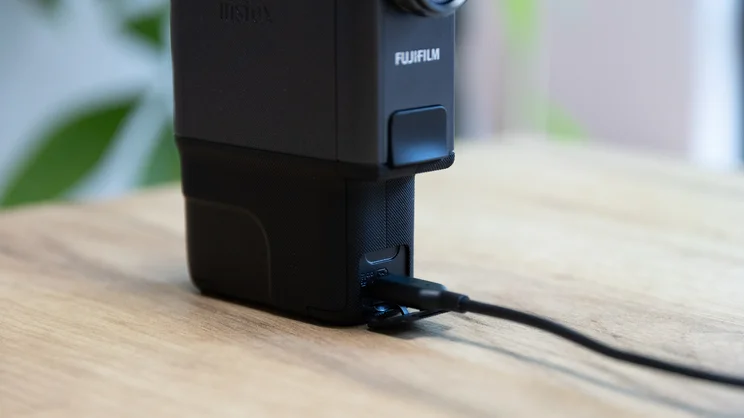
The camera’s internal storage holds around 50 shots or ten video standard quality (600 x 800) video clips, which can be extended with a microSD card up to 256GB in size. A card slot is found towards the base of the camera, alongside a USB-C charging port. Battery life is middling, dependent on use, while Fujifilm quotes the charging time at around two to three hours.
The other big draw of the camera is the “Eras Dial”, a little wheel on the left side of the camera that lets you cycle through ten filters corresponding to different decades of film (or “Eras”, as Fujifilm has tailored it for the Gen-Z audience), from 1930 to 2020. For instance, 1930 will give your footage a scratchy black and white grain, 1970 looks like a CRT television image and 1990 has a retro camcorder aesthetic.
You can fine-tune the intensity of each of these filters via the lens dial and also overlay additional effects such as corner rounding, datestamps, or even a YouTube Live interface for those who might feel nostalgia for the 2010s. In short, there’s plenty of customisability on offer here.
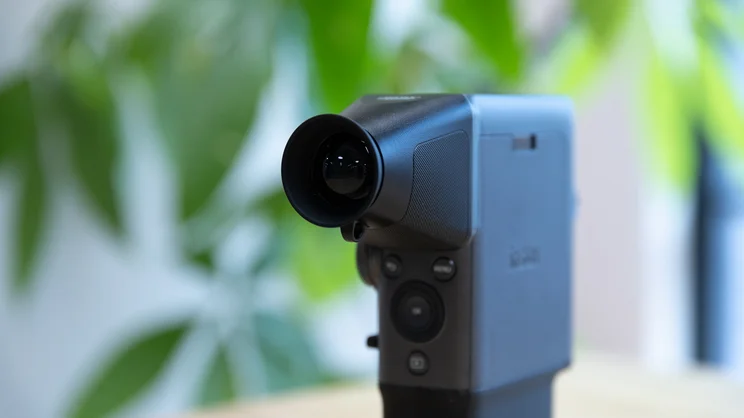
The external design of the Instax Mini Evo Cinema has also had a retro makeover. While the Mini Evo mimicked the look of a rangefinder camera such as the Olympus Trip, the Cinema is designed to evoke the look of an old 16mm Super 8 movie camera. It comes with a handful of attachments, including a grip that screws onto the base of the camera, an optical viewfinder that clips onto the display, and a hand strap.
How I tested the Instax Mini Evo Cinema
Having already got my hands on the Instax Mini Evo Cinema earlier this year at a Fujifilm press event, I already knew what to look out for when the press sample arrived with me – what I really wanted to find out was how well the camera worked with the app.
I had the camera for a two-week trial period, which was plenty of time to get to grips with its various features and work through a ten-pack of Instax Mini film. The best use I got out of it was on a weekend that happened to be packed with activities, allowing me to see how it fared in different environments and scenarios. I used it to take both still shots and videos, some of which I printed, using a range of the Era filters. I also used the app’s “Projects” mode, splicing clips together to make longer films.
During my testing, I noted what I liked and what I didn’t like about the camera. In particular, I focussed on how easy it was to use, what the picture quality was like, how long the battery lasted, and how well the app worked. The following sections of my review are based on these factors.
What’s the camera like to use?
First things first, Fujifilm has nailed the design of the Instax Mini Evo Cinema. It looks really lovely, and feels just as nice in the hand. The grip attachment and viewfinder further enhance the vintage aesthetic, and I noticed a fair few curious glances when I took it out and about to test.
Functionally, the viewfinder is less impressive: it doesn’t stay clipped on very securely and, since it magnifies a relatively small LCD screen, picture quality is poor. As a result, I didn’t find myself using this attachment much at all. The same, fortunately, cannot be said for the grip, which really is useful.
Operating the camera is relatively simple, and the tactile nature of the controls are pleasing. It’s really fun to play around with the Eras dial, which produces some cool-looking shots and clips, and I appreciated the different shutter sounds the camera makes to match the chosen era. It’s a neat touch.
Sadly, the Mini Evo Cinema isn’t always accommodating of spontaneity. For instance, I took it out to a pub gig one evening, but whenever I wanted to capture something on the spur of the moment, the time it took for the camera to boot up, settle into its selected Era and get ready for shooting meant the moment had passed before got the chance to record it. You’ll get much better use out of it if you plan ahead, which seems to undermine the Instax ethos of capturing memories as they happen.
Battery life is also a little disappointing. From a full charge, it lasted just a few days of intermittent use before the battery life was in the red. Your own experience might well vary depending on how often you use it and how many photos you print, but I’d recommend making sure it’s fully charged if you’re planning on taking it out for any extended period of time.
Are the images good?
As I mentioned above, the Mini Evo Cinema houses a 4.9MP digital camera. It shoots still images at 2,560 × 1,920 pixels, and video at 600 x 800 pixels (or 1,080 x 1,440 if you’re using the 2020 Era) and 24fps.
As a result, image quality isn’t exactly stellar. But in the context of the Mini Evo Cinema, that doesn’t matter – particularly when playing around with filters that are intended to mimic a mid-century aesthetic. Printed Instax photos lend themselves rather well to this “inferior” look.
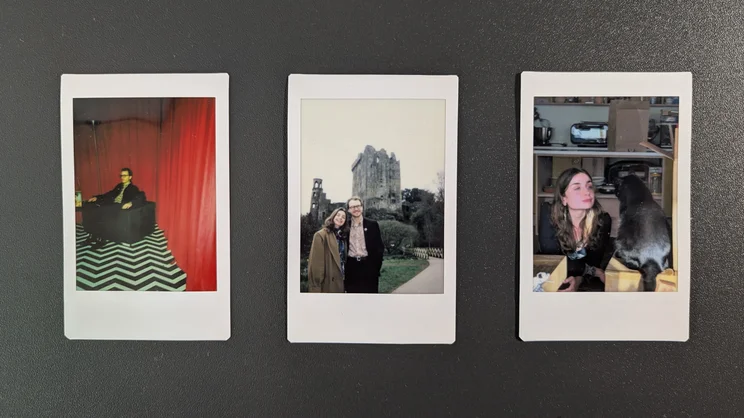
I was naturally drawn most to the 20th century Eras – particularly the 60s and 70s – and found plenty of opportunity to put these to good use when testing the camera. Above, you can see some of the shots I printed after a day out in Dulwich Village. I used the 1930 Era to film a jazz band playing on the lawn outside Dulwich Picture Gallery, and the 1970 Era to snap some classic cars that were parked at the side of the road.
I’m really pleased with these, and I think they’re a perfect example of where the Instax Mini Cinema really shines. Having a tangible snapshot of a memory you can view back later is a really nice concept.
Do I wish that you could take videos longer than 15 seconds? Of course, but I understand why Fujifilm has gone down this route.
What’s the Instax Mini Evo app like?
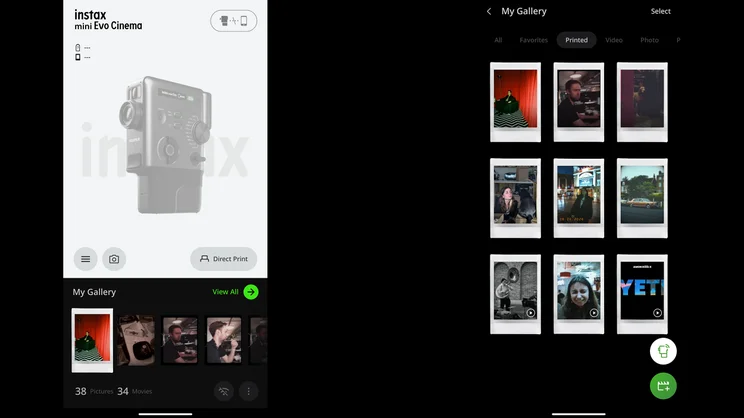
Despite its vintage aesthetic and panache for capturing a mid-century aesthetic, the Instax Mini Evo Cinema is very reliant on its companion app – particularly when it comes to printing stills from your videos.
Here’s how this works. When you capture a clip or photo on the Mini Evo Cinema, it uses a Bluetooth connection to transfer your footage from the camera to the smartphone app (you can also opt for a quicker transfer via Wi-Fi). From there, videos you choose to print are uploaded to a cloud server, where they’re stored for 24 months. During this time, they can be viewed and downloaded on any smartphone by scanning the QR code on the print. Pretty simple.
However, it’s not always a straightforward process. Transfers can be slow, and sometimes a clip I printed failed to upload to the app/cloud before I printed it. You can usually remedy this manually later, however.
You can also create “Projects” on the Mini Evo app, allowing you to splice clips into longer videos and add movie poster-like covers. It’s a neat feature, but customisability is pretty rudimentary and it can be pretty fiddly to use on a phone screen. Nevertheless, I gave it a go during some downtime on a work from home day, putting together a short video showing some snippets from my vinyl copy of Yeti, the debut album by “Krautrock” pioneers Amon Düül II. By giving the print to someone, this could be a neat, unique way of recommending the album to a friend. Das ist cool!
As with the Instax Mini Evo, you can also use the Mini Evo Cinema to print photos from your phone’s camera roll, which is a great feature to have. It’s just a shame that you can’t apply the Eras filters to these; instead, you have a choice of 19 more basic filters. Inversely, it’s also irritating that you can’t save every image you’ve captured with the Mini Evo Cinema to your smartphone’s camera roll. In fact, you can only download those photos and videos you’ve already printed, which appear under the “Printed” tab in the Instax app’s gallery.
On a more conceptual level, I’m still in two minds about the Mini Evo Cinema’s central premise. While I do like it, it does bother me that a camera with such an analogue focus is so reliant on a smartphone app and connected storage. There’s something a bit superficial about printing a photo, a chunk of which is obscured by a QR code (small but still very obvious and ugly), so you can then watch a very short video on your phone – a video with a 24-month expiration date, no less.
In his review from 2024, Christian Hopewell already pointed out that the Mini Evo will likely fail to win over analogue purists. Perhaps my complaints can be chalked down to cynical grumbling from that very same camp. But it seems to me the Mini Evo Cinema is torn between a desire to provide meaningful, tangible memories – set apart from the oft-ephemeral nature of smartphone photographs – and a need to pander to social media and the modern digital lifestyle.
It could be that I’m reading too deep into something that’s just meant to be a fun bit of tech. But when that fun tech costs £330, I think I deserve to get a little bit philosophical. Adorno would be proud, I’m sure.
Is it worth all that money?
That brings me neatly to my last point: the price. Instax cameras are rarely cheap. I bought my partner one for Christmas last year and spent a great deal of time agonising over which was best to invest in.
The most basic Instax Mini 12 will normally cost you around £70 – with the new Mini 13 set to launch for £10 more – while the more sophisticated Mini 99 costs £175. The “hybrid” range and larger format cameras rarely fall below the £150 mark: the Mini Evo retails at £170; the Square SQ40 at £130; the Wide Evo at £320; and the Mini LiPlay+ at £190.
It doesn’t make an awful lot of sense to compare the Mini Evo Cinema to the rest of the competition, simply because not many other brands are doing something like this. For the sake of covering all bases, though, we might look at the dinky, fully analogue Polaroid Go (£80), or the digital Kodak Mini Shot 3 Retro (£90) as points for comparison.
Back to the Mini Evo Cinema: this is Fujifilm’s most expensive Instax camera. What you’re essentially getting for the extra £155 (the difference between the Mini Evo and Mini Evo Cinema’s price tags) is the ability to shoot video alongside the extensive customisation that the Eras dial affords you – as well as a very stylish retro shell and a handful of attachments.
Throw in the cost of film, which currently stands at around £16 for a pack of 20 shots (a good bit cheaper, I should add, than Polaroid’s Go film at £19 for 16 shots), and you have to admit that you’re paying quite a bit of money for a gimmick. Yes, it’s a very enjoyable gimmick and, despite my grumbling, I do see its appeal. But it’s not a purchase to make lightly.
Should I buy the Fujifilm Instax Mini Evo Cinema?
There are many things I like about the Instax Mini Evo Cinema: its tactile nature, beautiful design and Eras filters all make it a fun camera to use. And the hybrid approach to capture and print makes it versatile, allowing you to avoid wasted film while giving the option to output duplicates as well as snaps from the camera roll on your smartphone. All really great stuff.
But the issues I had with the Mini Evo app and the camera’s sluggish performance – not to mention a rather complicated marriage between the tangible analogue and the transient digital – make it difficult to agree that it’s worth spending £330 on. If it was more affordable, I’d be less inclined to complain.
I won’t pretend there aren’t instant photography enthusiasts out there for whom the Mini Evo Cinema is a very exciting thing indeed – perhaps even a must-have – and more power to them. For me, however, I’d be equally happy with a fully analogue Instax or a 35mm point-and-shoot camera.






