To help us provide you with free impartial advice, we may earn a commission if you buy through links on our site. Learn more
- Loads of free content, including Freely
- No aerial required and super simple to set up
- Responsive performance
- Lacks some popular apps
- Unintuitive Tivo+ Free layout
- No Dolby Vision support
Stock alert: Get the Manhattan Aero at OnBuy
The Manhattan Aero has flown off the virtual shelves, and I've been keeping an eye out for stock wherever I can find it. If you're truly desperate, you can grab this excellent Freely streamer at OnBuy right now for £119 – but I must warn you, this is an inflated price tag and a retailer we don't often recommend. Purely in the interests of helping you get your hands on the Aero, the link below will take you to OnBuy's store. Don't say I didn't warn you!
£119 RRP £70!
Regular readers may be sick of me banging on about Freely, but, as a huge fan of British broadcasting, I genuinely believe that it adds something to any television it’s on. Plenty of TV manufacturers support it, with Hisense, Panasonic, Philips, TCL and more offering options that give you easy access to the UK’s fastest-growing IPTV platform.
However, a couple of huge brands are missing from the list of operating equipment manufacturers that support Freely, namely LG and Samsung. According to research conducted by YouGov last summer, over 70% of 2,149 LG and Samsung TV owners want Freely on their next TV. This indicates massive demand and a gap in the market for the TiVo OS-powered Manhattan Aero 4K TV Streamer.
Manhattan knows a thing or two about making set-top boxes, having produced several Freesat and Freeview-based products in the past. By teaming up with Freely and TiVo, it provides a wealth of free and paid-for content that requires nothing more than the box and an internet connection (10Mbps or above is recommended). That’s wonderful news for homes without a TV aerial, but is the Manhattan Aero the UK’s next must-have home entertainment gadget? I’ve spent the past couple of weeks testing it to find out.

What do you get for the money?
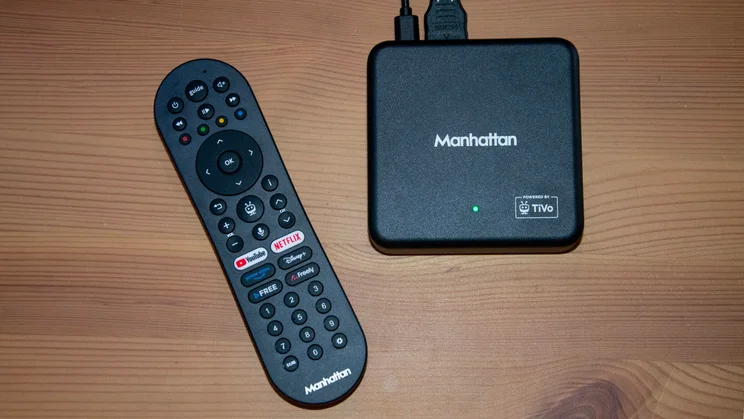
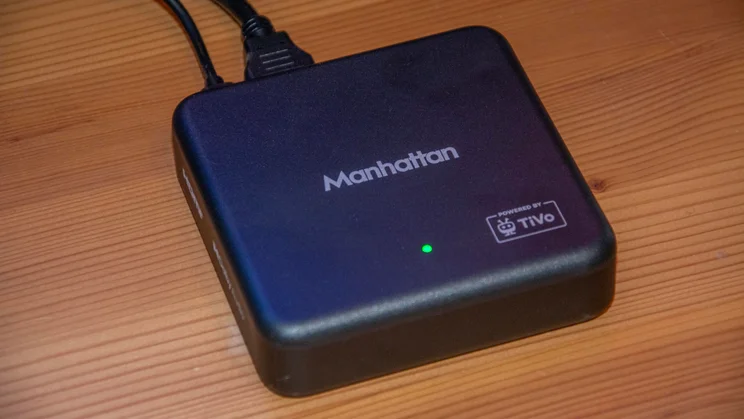
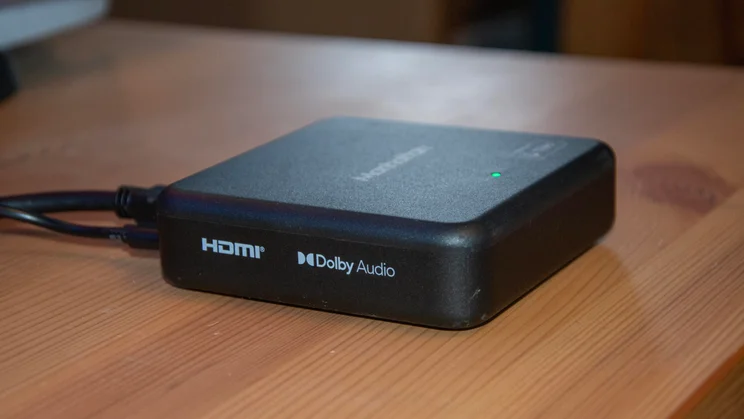
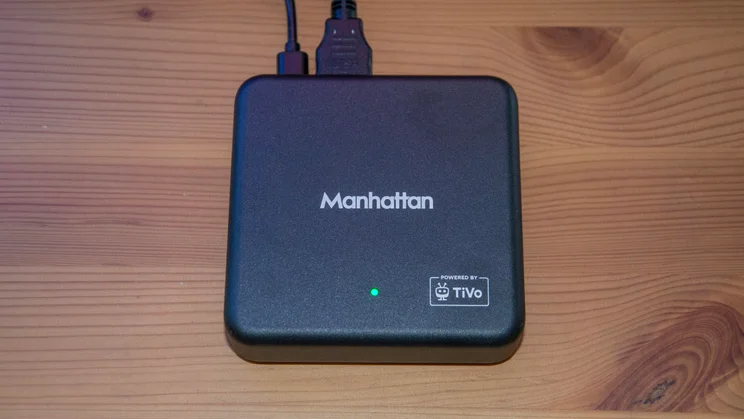
The Manhattan Aero costs £70 and is available from various retailers, including Amazon, Currys and John Lewis. It’s a plain-looking device measuring 96 x 96 x 26mm (WDH), but it doesn’t need to be stylish; the focus here is on delivering substance while being as unassuming as possible.
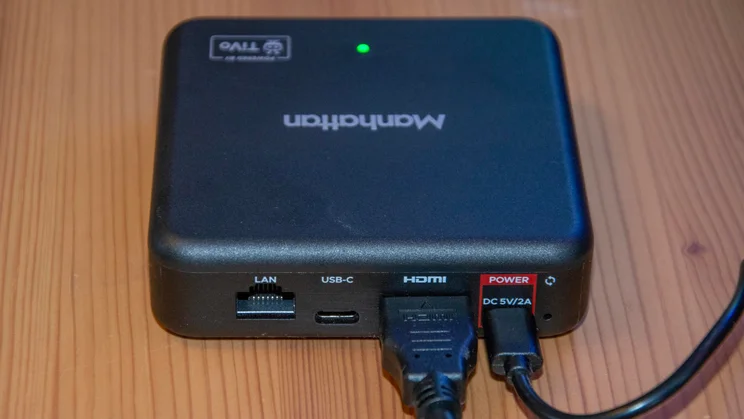
There are four inputs on the rear of the box: two USB-C ports – one of which is used to connect the supplied power lead – an HDMI port, and an Ethernet port for hooking it up directly to your router. Most people will likely leave the latter alone and use Wi-Fi; Wi-Fi 6 is supported.
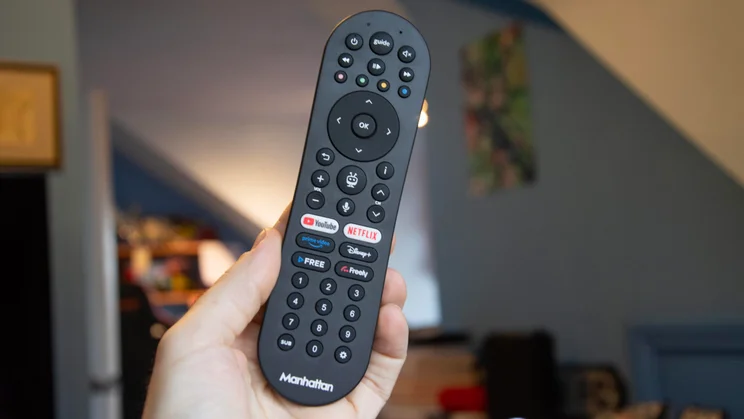
Manhattan includes a 1.2m HDMI cable that supports 4K resolution at up to 60Hz, along with a remote control and a pair of AAA batteries with which to power it. The remote doesn’t wow in the design department, but it’s comfortable to use and features shortcuts for Freely, TiVo+, Disney+, Prime Video, Netflix and YouTube.
A microphone button above those shortcuts indicates support for voice commands courtesy of TiVo Voice. You’ve also got a TiVo Home button and a Guide button for jumping straight into the Freely EPG when desired.
What does it do well?
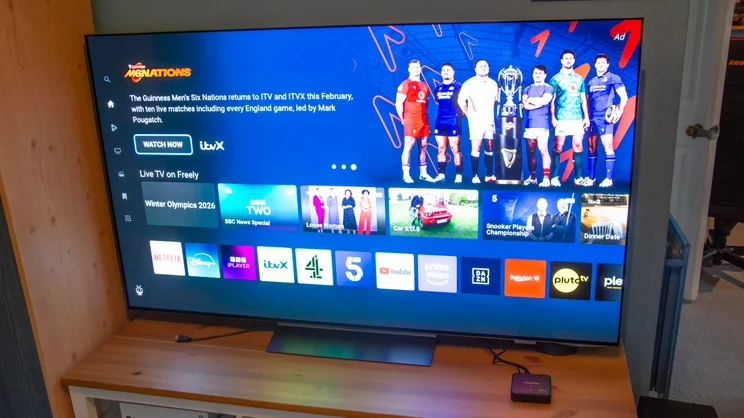
The breadth of free content available on the Manhattan Aero 4K TV Streamer is the obvious place to start. Of primary importance to many will be Freely’s selection of over 70 live channels, including staples like E4, U&Dave and CBeebies, and support for all the UK TV catch-up apps, such as BBC iPlayer and ITVX.
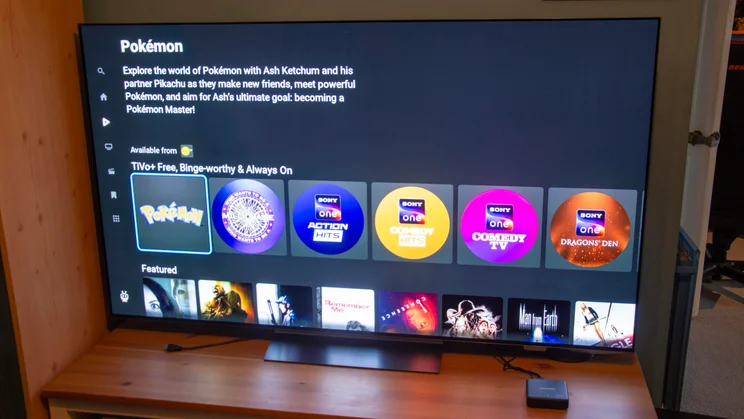
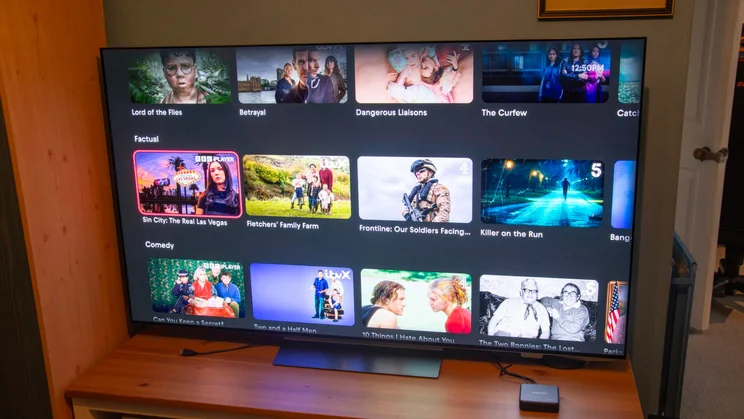
You also have more than 400 free ad-supported streaming television channels available through TiVo+ Free. There’s something for everyone, whether you’re into sports, sci-fi, nature, news, rom-coms or reality TV. In short, even if you don’t pay for content, you won’t ever be short of something to watch.
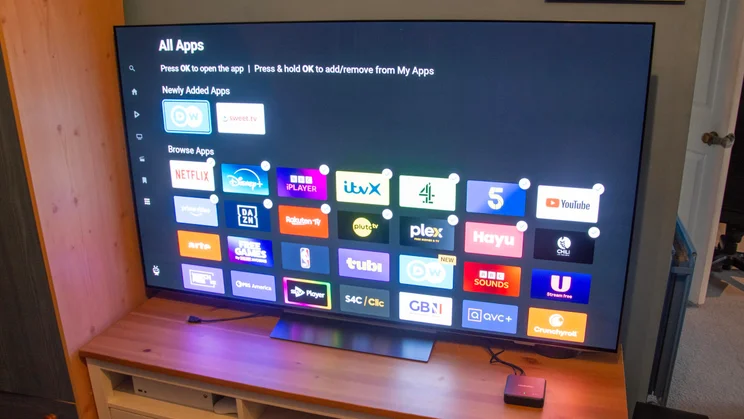
If you already have paid-for subscriptions to popular platforms, you’ll find that TiVo OS supports most of the corresponding apps. I’ve mentioned several of the biggest streaming platforms available through TiVo OS above; they’re just the tip of the iceberg, with options like DAZN, Mubi, and Crunchyroll also supported. There are a few notable absentees, though, which I’ll discuss later.
The Aero isn’t directly responsible for the visual quality of the content you watch (your TV and streaming service subscription determines that). Still, support for 4K at 60Hz and HDR10+ means that, as long as you’ve got a 4K HDR television, you can enjoy crisp, smooth images on compatible content.
I tested the Manhattan Aero with last year’s LG C5 OLED, and the latest series of Bridgerton on Netflix looked great in HDR10+. The lavish costume design and Regency-era London burst with the oversaturated colours that characterise the most recent season’s grading.
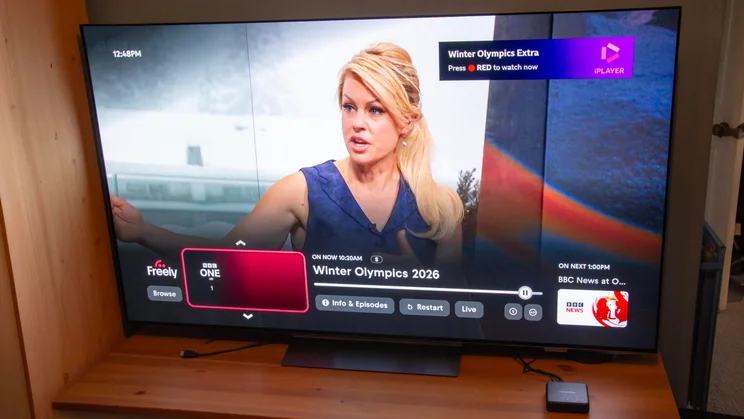
While I was watching the Men’s Cross-Country Skiing 4 x 7km Relay in the Winter Olympics on FreelY, the FHD images were sharp, if a little dim with HDR set to Auto in the Aero’s settings menu, which I imagine defaults to HLG for BBC broadcasts. However, manually selecting HDR10+ resulted in a punchier, more engaging visual spectacle that did a fine job of balancing the snowy backdrop with the skiers’ colourful race suits.
Throughout my time testing the Manhattan Aero, I found it very responsive. Moving between apps on the TiVo homepage is smooth, the apps load quickly, and launching them straight from the remote takes a matter of seconds in most cases.
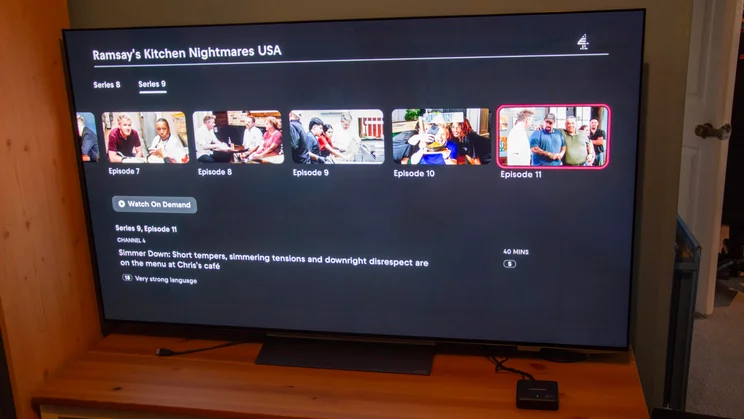
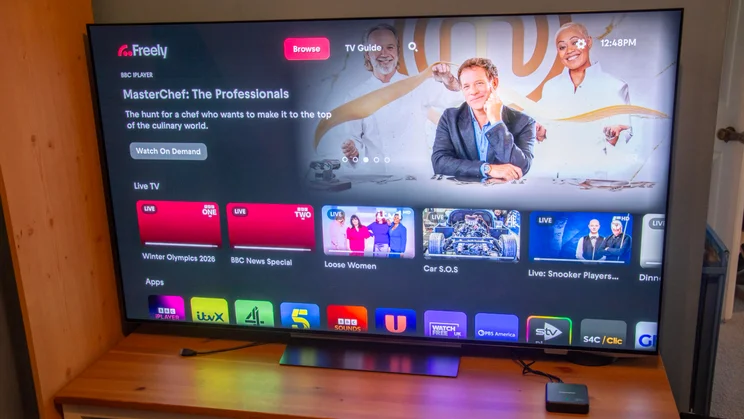
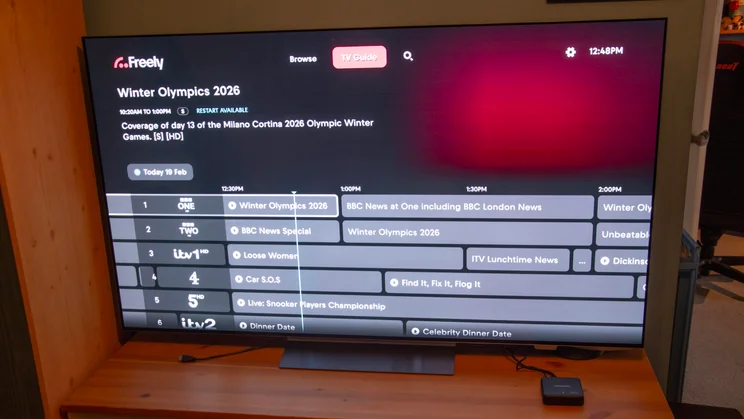
The Freely homepage pops up almost immediately when engaged, as does the Freely electronic programme guide (EPG), and navigating both is a breeze. Cycling through channels is swift, and you can browse back or forward by seven days to find things you might have missed or plan your upcoming viewing. If there’s something on live that you missed the start of, you can hit “Restart” within the EPG to be taken straight to the relevant programme on apps like BBC iPlayer or ITVX. Selecting “Info & Episodes” lets you browse the full list of available episodes of your chosen broadcast.
The Live TV content rail sits front and centre of the Freely app, but scrolling down the homepage reveals rails covering “Top Picks” and “Trending” on-demand content, as well as genre- and channel-specific rails. “Recently Viewed” and “My List” sections let you jump back in where you left off, or save shows to watch later. Freely is promising to add new features this year; I’m excited to see how what is already an impressive user experience can be further improved.
I touched on the remote earlier, but it deserves a mention here too. The button layout is comprehensive but not cramped, the buttons depress with a pleasing click, and the lightweight remote’s curvature makes it very comfortable to use.
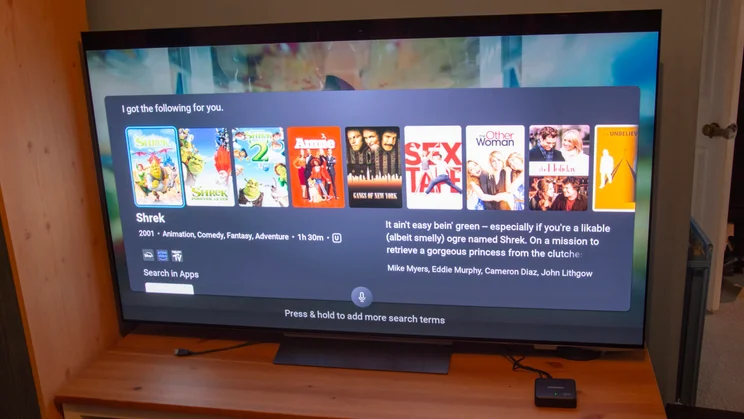
One of the strengths of TiVo OS is its voice controls, and they work the same here as they do on TVs that run the operating system, such as the Sharp GM6 and Bush UT24SB. You can use basic commands like “Find me X” or “Show me Y” to search content, navigate the OS using commands like “Open Netflix”, and adjust key settings like volume.
But TiVo Voice goes a layer deeper, allowing you to refine results using follow-up commands. For science, I asked it to “Show me Cameron Diaz films”. It obliged quickly, pulling up an extensive list of her back catalogue. I then said, “Only those from the 1990s”. This cut the options down to nine. Finally, I followed up with “Only those with Jim Carrey”, which of course led me to The Mask. TiVo then displays the apps where the film can be found and tells you whether it’s free, included with an existing subscription, or available for rent or purchase. After selecting Prime Video, which I’m a paid-up member of, I was watching a boyhood favourite of mine within a minute.
Finally, I want to give a nod to how easy it is to set up the Manhattan Aero. Stepping into the world of smart and streaming television can be daunting if you’re not tech-savvy. But adding smart functionality to an older TV with the Aero couldn’t be simpler. Connect the box to your power outlet, hook it up to your TV via HDMI, input your Wi-Fi password, select your maturity restrictions and a PIN code, add channels, and BOSH, you’re good to go.
What could be improved?
Impressive as TiVo’s content offering is, it does omit a few popular platforms. There’s no Apple TV, Now, Discovery+ or Paramount+ – four big hitters – and the absence of this quartet might put people off. It wasn’t a problem for me, as I could access all of those apps via LG’s webOS, but if you don’t own a TV that supports them, they’ll remain a hole in your streaming arsenal. New platforms are added to operating systems regularly, though, so this may change.
There’s also no support for the most widely used HDR format, Dolby Vision. You do get HDR10+, which most streaming services now support, but it would have been nice to have the choice between the two.
While I love the breadth of choice TiVo+ Free offers, it’s not the most user-friendly interface. Without a definitive list or guide covering all the channels I had at my fingertips, I was often left scrolling aimlessly through rows of options before finding something appealing.
I’m hopeful that the “Because You Watched” and “Recommended For You” will populate with more appropriate suggestions over time. However, after ten days of use, I was still being recommended things I wouldn’t dream of watching, like Ambulance Code Red and Geordie OGs. If the latter had been about Alan Shearer or Kevin Keegan, count me in, but it was about the “stars” of Geordie Shore.
As a result, I relied heavily on voice searches. More often than not, these worked successfully, especially when I searched for something specific, such as The Butterfly Effect. However, either the voice recognition could do with a bit of work, or I could do with elocution lessons, as my commands were occasionally misinterpreted. “Jim Carrey” was mistaken for “Jim Kerry”, while “TiVo+ Free” was translated to “TiVo bus three”.
It’s also worth noting that I received error codes stating “Voice is Temporarily Unavailable” several times during testing. The client error code suggested there may be an issue with the internet connection to the Aero, but I didn’t have any such issues when loading app content and other devices on the network were working fine.
Should you buy the Manhattan Aero 4K TV Streamer?
The Manhattan Aero 4K TV Streamer is a fantastic product that will benefit countless UK homes. It’ll prove most useful to those with non-smart TVs, without access to a TV aerial, or looking to cut back on their paid-for subscriptions in favour of free content.
The breadth of free live and on-demand content available over your internet connection is a huge draw, and the Aero finally gives LG and Samsung TV owners a way to enjoy Freely, which is the best way to enjoy live and on-demand UK broadcasting content.
The Aero would be even better were it to support an even more comprehensive app roster, Dolby Vision and offer a more convenient way to pore over the wealth of content available via TiVo+ Free. But even still, I wholeheartedly recommend it. It’s incredibly easy to get up and running, sensibly priced, and the new poster child for effortless access to free TV content.