To help us provide you with free impartial advice, we may earn a commission if you buy through links on our site. Learn more
- Super easy to use
- Effective heating
- Smart tech and smart looks
- Fan-only setting lacks power
- Not as quiet as Dreo claims
- Can be expensive to run
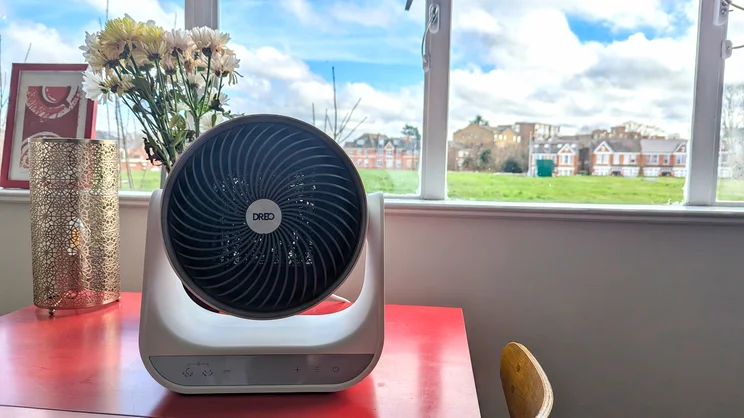
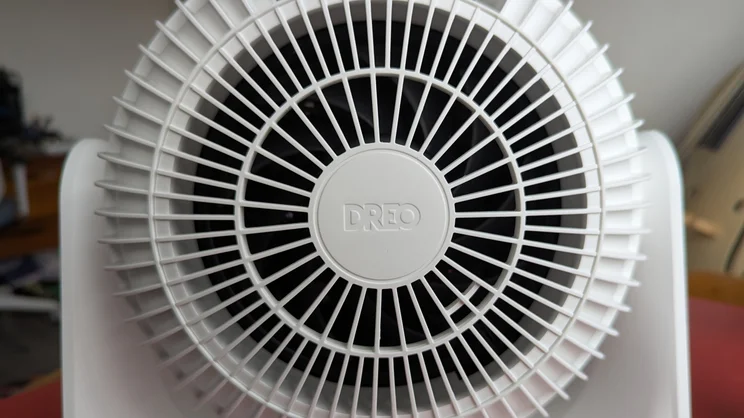
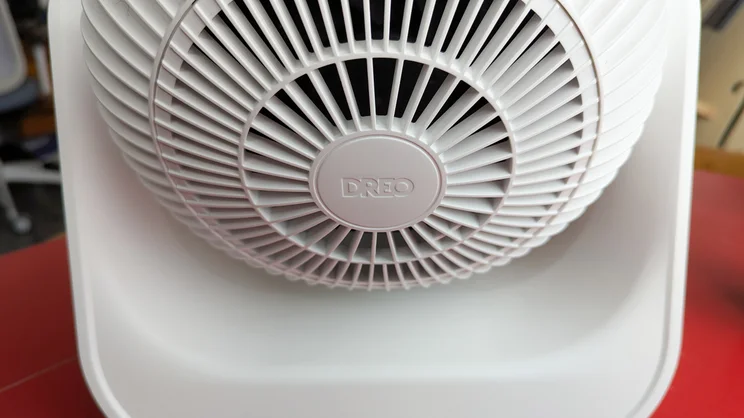
With a few exceptions, space heaters are often rather unattractive, utilitarian-looking things. The Dreo Smart Whole Room Heater 714s is one such exception: a smart fan heater that offers effective heating in a small package that doesn’t look very industrial at all.
While it succeeds as a compact source of heat, it’s lacking in terms of fan power. However, if you’re looking for a – relatively – inexpensive heater for a small space, it’s a sensible option.
Dreo Smart Whole Room Heater 714s review: What do you get for the money?
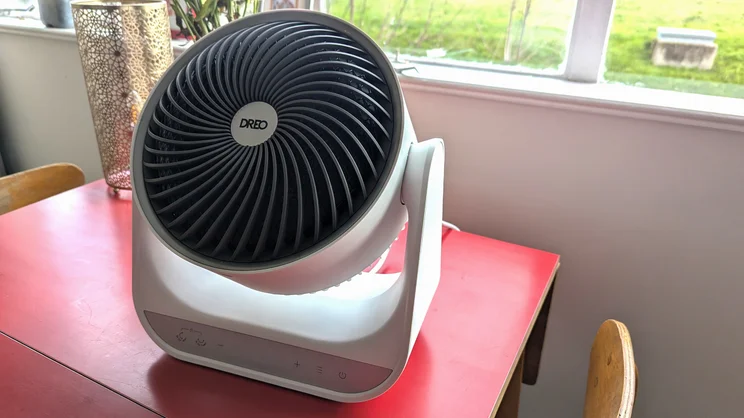
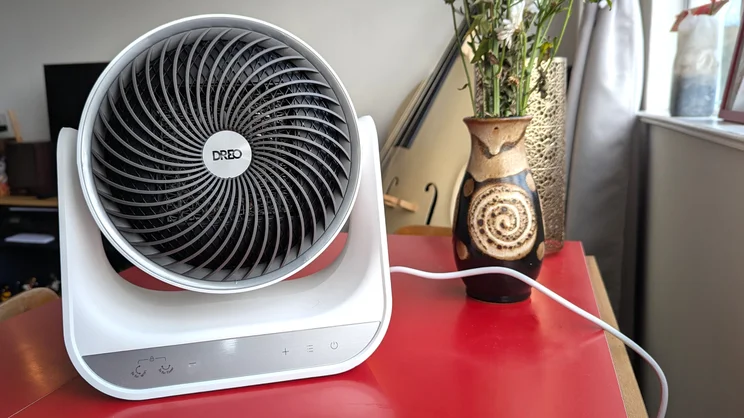
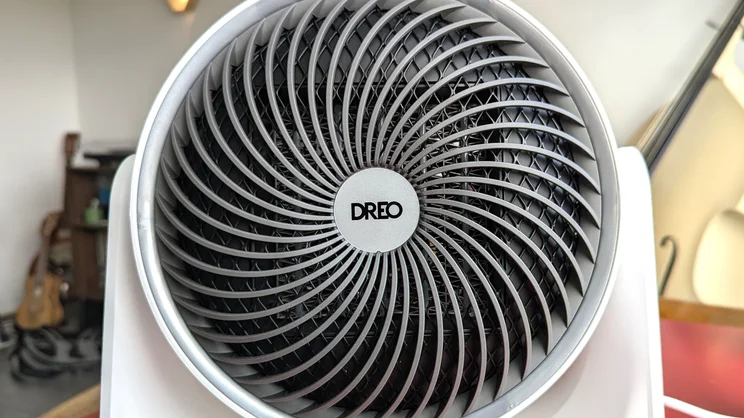
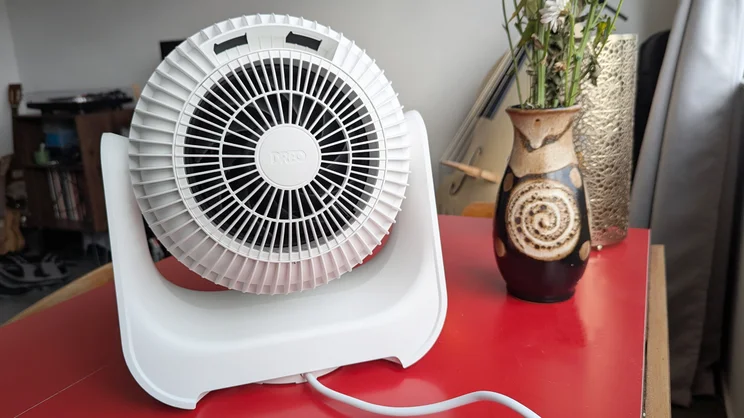
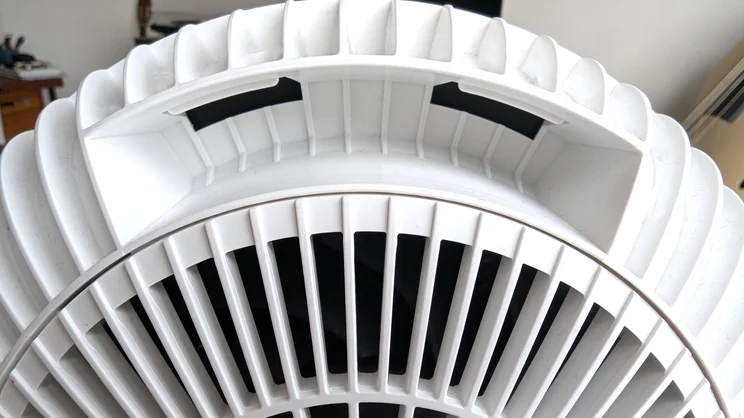
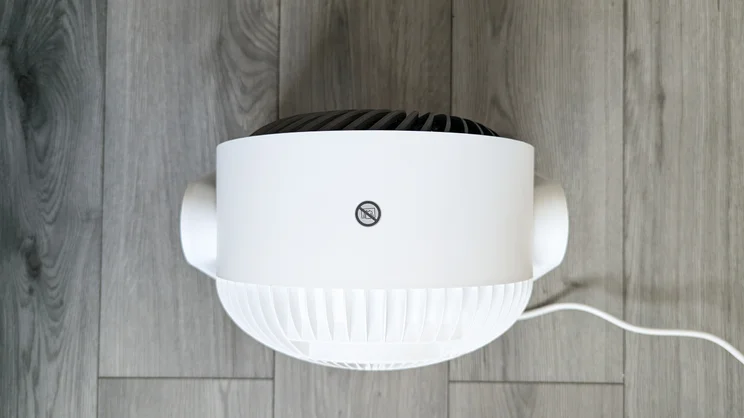
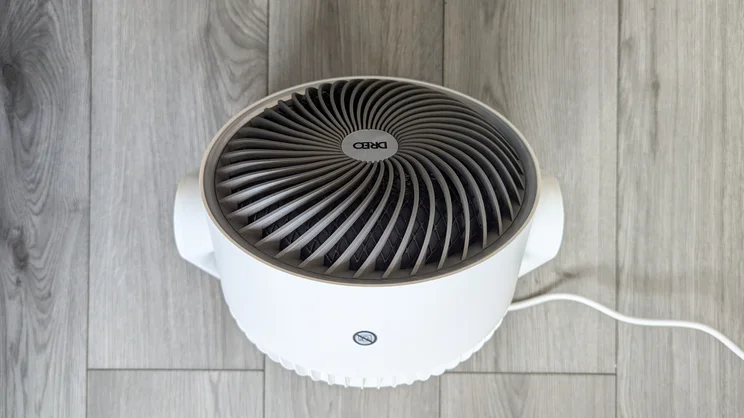
The Dreo Smart Whole Room Heater costs a penny shy of £100, and is available in black or white. Its minimalist design is simple, comprising a fan head hinged to a u-shaped base, with the whole unit measuring 28 x 18 x 31.5cm and weighing just under 3kg. Its small size and lightweight build means it can be easily used on the floor or a range of surfaces (provided they are flat, stable and not obstructing the fan) and there’s a small handle built into the back of the fan head for ease of carrying.
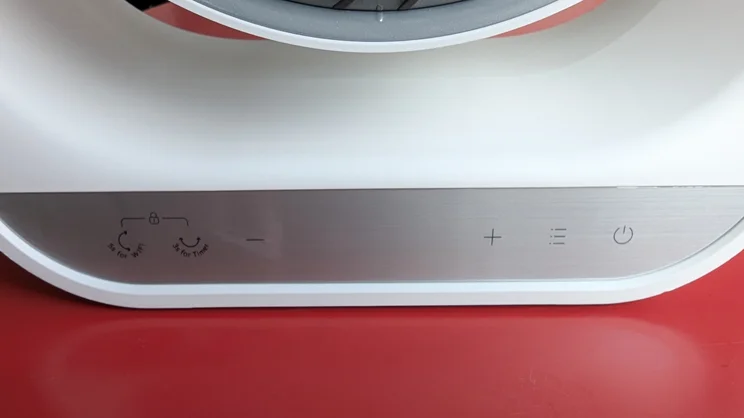
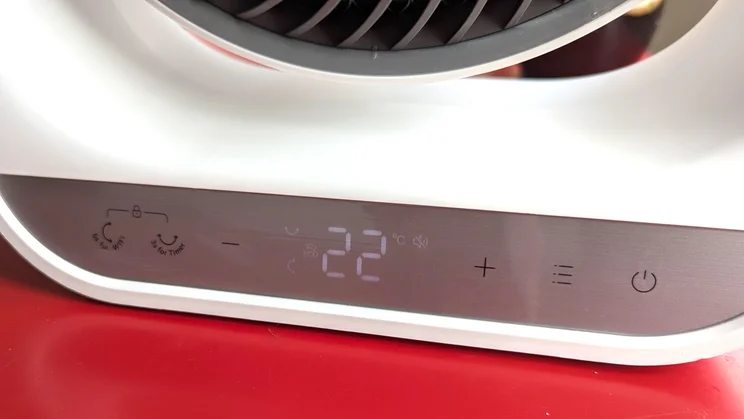
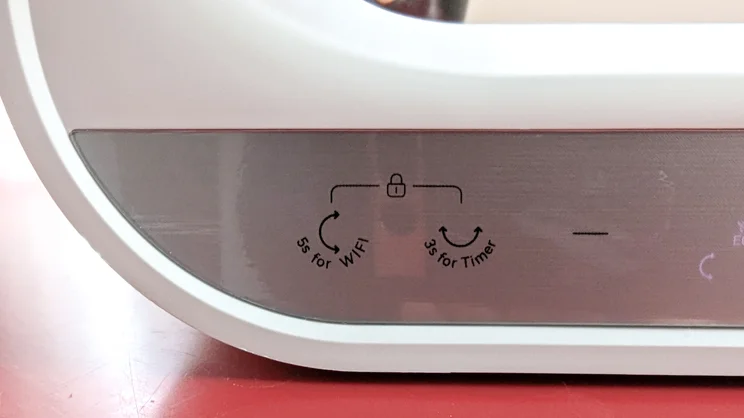
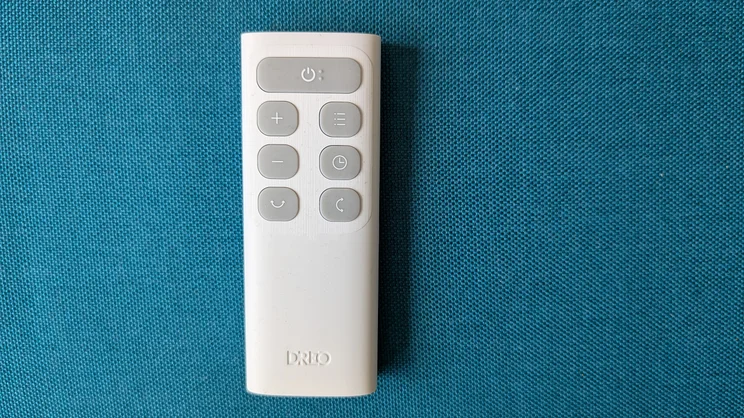
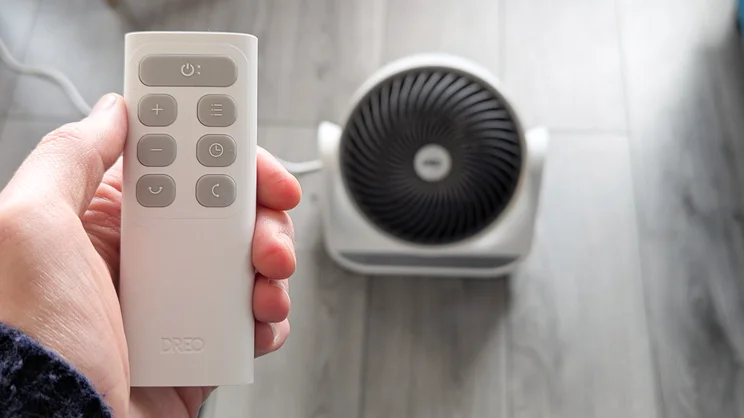
The Smart Whole Room Heater is mains operated, with a cable measuring around 170cm. A control panel on the front of base can be used to switch the fan on/off and to toggle between fan modes, oscillation and timer settings. A small remote control is included with the fan, alongside two AAA batteries. Functionality is the same here, with the icons on its buttons matching those on the fan’s LED display. If you want to set schedules or track usage and ambient temperature, you’ll need to download Dreo’s companion app – which I’ll discuss further in the next section, alongside details of the various modes on offer.
What features do you get?
Like many “hot-and-cool” appliances, the Dreo Smart Whole Room Heater can be used with or without heat functionality, and there are three different levels for both: H1, H2 and H3 for heat and F1, F2 and F3 for fan-only modes.
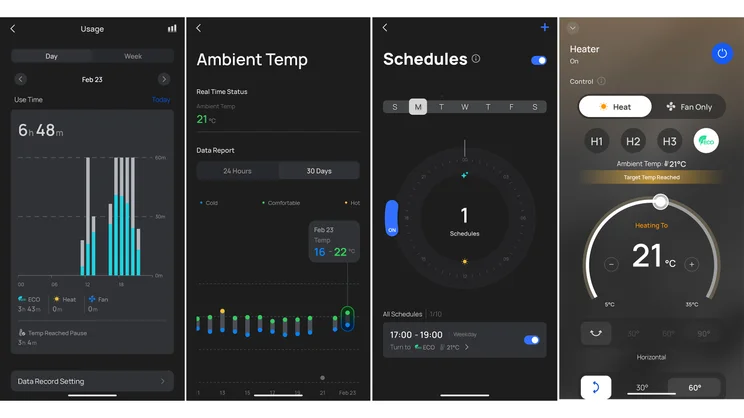
There’s also an Eco mode, which uses the inbuilt thermostat to adjust the fan speed accordingly, switching itself off when the target temperature has been reached and turning itself back on when ambient temperature drops around 3°C below target. Target temperature ranges between 5°C and 35°C, and you can set this via the remote or the app as well as on the unit itself. The 714s offers both horizontal and vertical oscillation, too: up to 90° horizontally, with a narrower 60° vertical range.
You get more customisation in the Dreo app, including the ability to set schedules throughout the week. It’s here that you can also track your usage of the Smart Whole Room Heater, view ambient temperature readings, or set up voice control with Alexa or Google Assistant.
How well did it perform?
Heating performance
I tested the Dreo Smart Whole Room Heater during a very miserable, damp February in the living room of my small one-bed flat: a room that, owing to its rather old windows, is prone to the cold and doesn’t retain heat brilliantly. As such, the heater’s Eco mode was a boon.
The fan delivers heat effectively: it brought the temperature of my living room up from a chilly 15°C to a much more comfortable 21°C in 19 minutes. This is according to the device’s in-built thermostat, which I found to be largely accurate, only ever differing by one degree when compared to the equivalent reading from our test anemometer. It really delivered on its “whole room coverage” claim too: upon leaving the room and re-entering later, the difference in temperature was striking.
Cooling and airflow
I carried out some tests on the air speed of the Dreo Smart Whole Room Heater. For the most part, this is gentle: on its lowest fan speed, my anemometer didn’t register anything, while speeds peaked at 1m/s at F2 (fan only) and 1.5m/s at F3. With heat switched on, this is even softer, with the anemometer only registering 1m/s at H3.
Considering these results, I’m hesitant to recommend using the fan-only mode when it comes to the hotter months: this is the weakest airflow that we’ve measured, matching only the Dimplex Rechargeable Desk Fan at its max speed. That said, the circulation afforded by vertical and horizontal oscillation may well compensate for the lack of airflow power, and I’d like to test the fan during summer before I make a definitive judgement on its cooling capabilities.
Noise output
I also tested the noise output of the Dreo Smart Whole Room Heater. I didn’t find it too disruptive during daily use, but readings were notably high at its max settings. On its fan only modes, this ranges from 41.6 to 53dBA: a maximum output beaten only by the Levoit Classic Pro (max 55dBA) and the Shark TurboBlade fan (56dBA). As a heater, it’s a little bit quieter, ranging from 41.1dBA to 50dBA.
These readings are a fair bit higher than the “HyperSilent” 34dbA that Dreo quotes. I rarely found this too bothersome, but when my partner and I were watching 28 Days Later with the heater running, I preferred to turn the fan speed down during the more suspenseful scenes.
Power usage
Finally, I tested the power output of the Dreo Smart Whole Room Heater. At max fan-only settings (with oscillation turned on), this peaked around 16.5W, which is not bad at all. At max heat settings, the plug-through power meter I use for testing exceeded its maximum capacity and I wasn’t able to get a reading, but at H1 (oscillation turned off) I recorded 968W. I also took kWh readings while using the heater in Eco mode. After 30 minutes, I measured 0.997kWh, and 2.000kWh after 60 minutes.
According to the current energy price cap (27.69p per kWh), this would have cost me around 55p. If I wasn’t on a fixed-rate tariff, I’d be pretty wary about how often and for how long I ran this thing.
Tests aside, I found the Whole Room Heater super easy to use. The app connectivity worked excellently, whether I was using it to adjust settings while working at my desk across the room, setting up scheduled heating for a couple of hours first thing in the morning, or turning it on in advance when I was on my way home.
I also liked its modern minimalist design. It looks nice and it’s small enough that I can tuck it away in the corner of the room when it’s not in use.
Who is it for?
The Dreo Smart Whole Room Heater is best suited to small-to-medium-sized spaces. I’m only concerned with heating my one-bed London flat and it did a great job of warming up my living room: it brought it up to a comfortable temperature quickly, and it didn’t take up a lot of space doing so.
However, while I haven’t had the chance to put it to the test in a larger space, its compact size makes me dubious of how effective it would be as a primary source of heat in a more spacious home. And given its high running costs, you could rack up quite a hefty electricity bill trying to warm up a big room.
Should I buy the Dreo Smart Whole Room Heater 714s?
The Dreo Smart Whole Room Heater is a compact, lightweight heater that’s ideal for the home office, bedroom or a small living room. It’s smart in both senses of the word: it looks nice and it’s easy to use with impressive app compatibility.
What it lacks in sheer force, it more than makes up for with its small footprint, and I love how easy it is to move and reposition (particularly with its integrated carry handle). That said, it’s a bit greedier when it comes to energy consumption, so I would certainly caution against excessive or unmoderated use.