To help us provide you with free impartial advice, we may earn a commission if you buy through links on our site. Learn more
- 3x optical zoom
- 17 stops of dynamic range
- Superb image quality
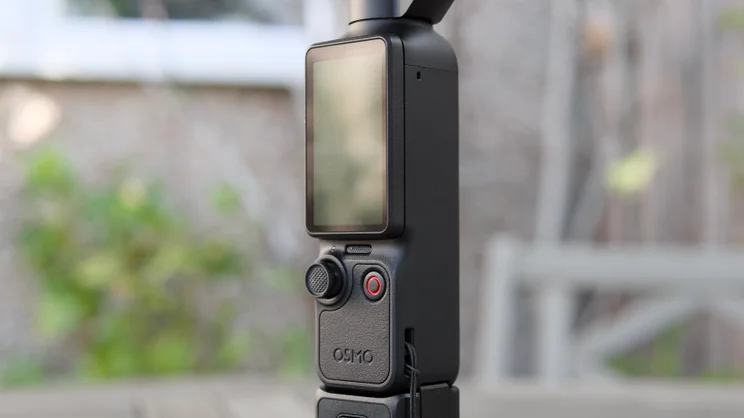
- Screen obscures controls in portrait mode
- Nothing else of note
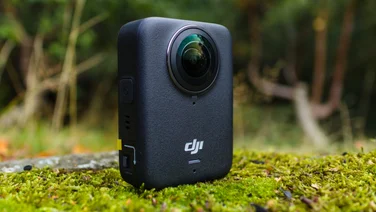
The DJI Osmo Pocket has, until this year, had very little competition and the eponymous pocket gimbal camera has been making hay. Creators the world over have been waking up to its charms: to the way it produces top-quality, noise- and shake-free video, seemingly without effort; to the reliability with which it tracks faces and subjects, keeping them in frame. This year, however, with Insta360 joining the party with its dual-lens rival, DJI has had to up its game: enter, the Osmo Pocket 4P.
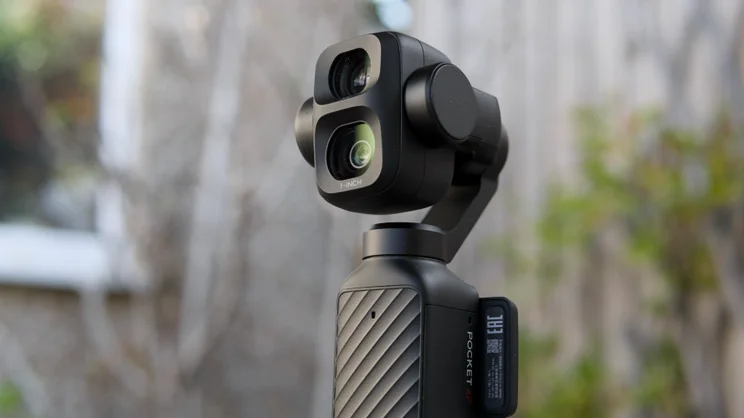
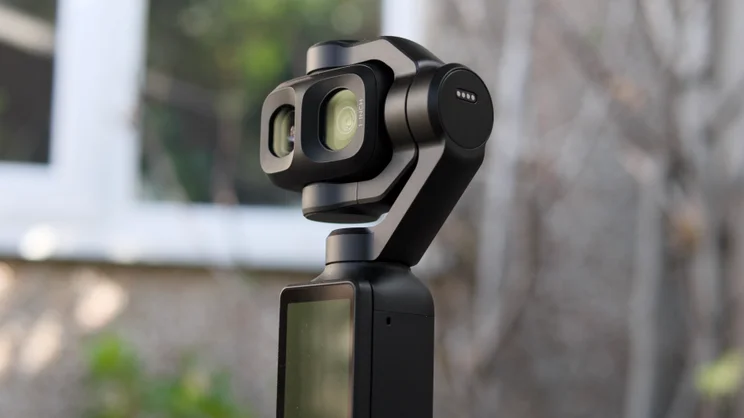
This is actually the second DJI pocket gimbal camera the company has launched this year. The first was the Pocket 4, a camera I really liked and gave a 5-star Best Buy award to. The 4P takes things up a notch, adding an extra camera with a 3x optical zoom to the mix and boosting the main camera’s quality levels even further.
The result is a device that offers image quality approaching professional levels, while keeping the package just as neat and compact as the standard version. The question is, how does it compare with the Insta360 Luna Ultra, a camera that on paper offers a slightly superior technical package and a clever modular design?

What do you get for the money?
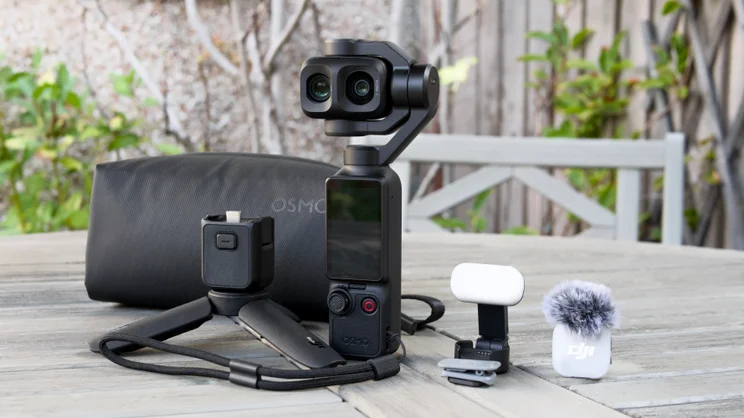
As usual, there are different bundles available for the DJI Osmo Pocket: the basic package will set you back £529 while the Vlog Combo, which includes a whole load of extras, is £605 (see table below for details). That’s not as expensive as I expected; indeed, it’s only an £84 premium over the standard Pocket 4, while the Vlog Combo is a £56 premium over the equivalent Pocket 4 Creator Combo. The difference between these two cameras in hardware terms is pretty stark.
| DJI Osmo Pocket 4P Standard Combo (£529) | DJI Osmo Pocket 4P Vlog Combo (£605) |
|---|---|
| Handle with 1/4″ thread | Handle with 1/4″ thread |
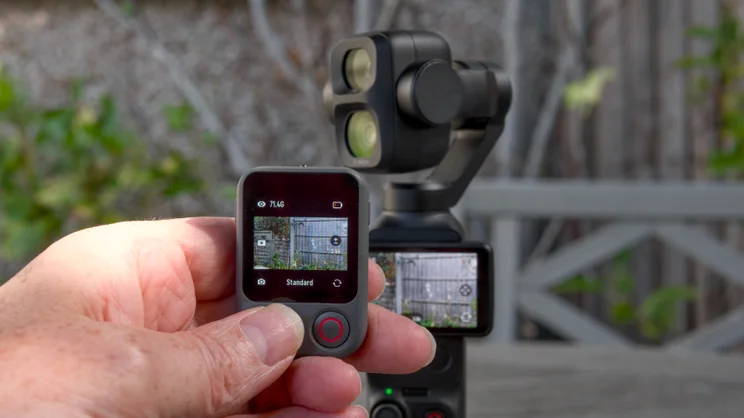
| Wrist strap | FrameTap remote control |
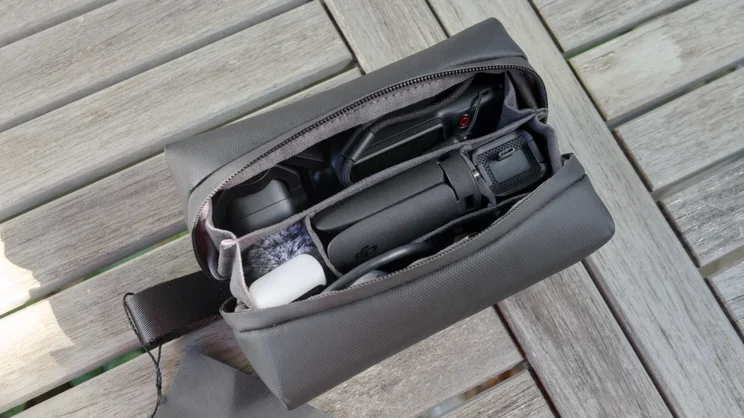
| Carrying Pouch | Wrist Strap |
| Fill Light | Fill Light |
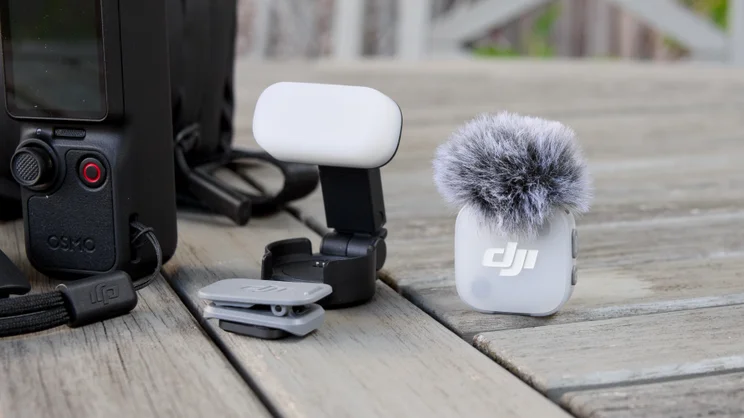
| DJI Mic Mini 2 Transmitter, clip and magnetic mounts | |
| Mini Tripod | |
| Carrying Pouch and bag |
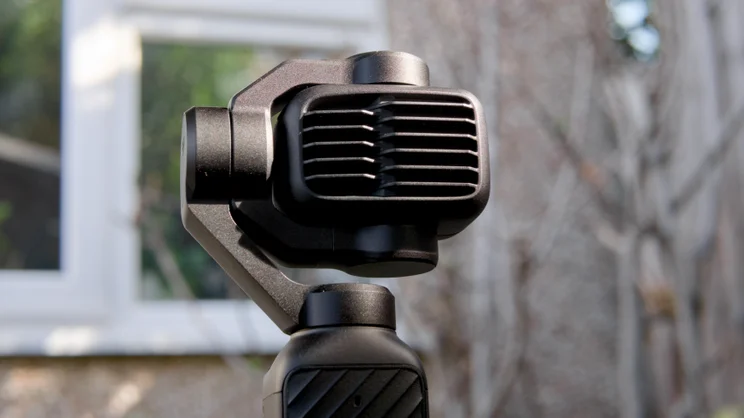
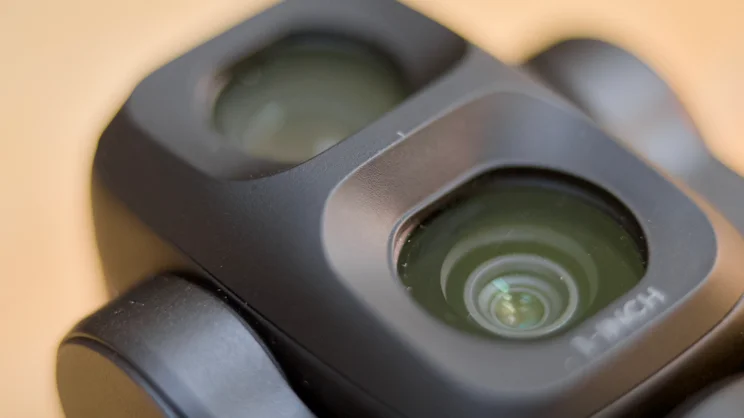
Not only do you get an extra 3x telephoto camera stuffed into the stabilised head of this camera, but the main camera next to it gains a new, updated 1-inch CMOS sensor with an extra three stops of dynamic range, plus the next generation of DJI’s tracking firmware, ActiveTrack 8.0. Slightly surprisingly, there’s no 8K recording like you get on the Insta360 Luna, but the updates the Pocket 4P does get are, arguably, even more valuable.
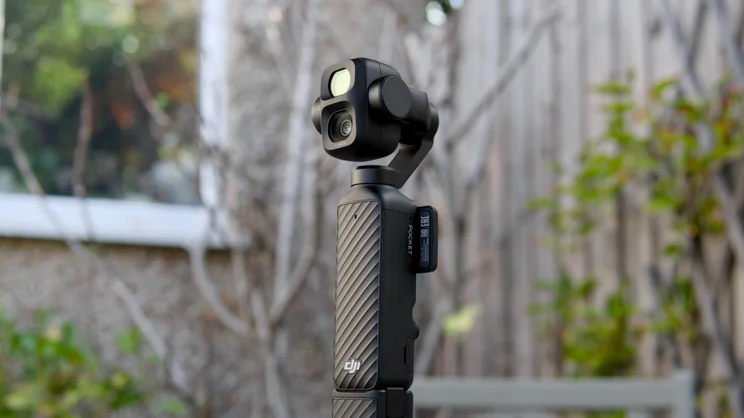
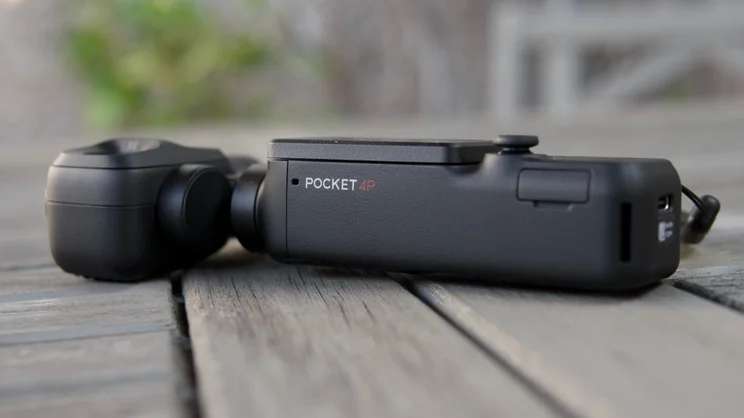
Despite the extra hardware and capabilities, DJI has kept the overall design similar and that’s crucial, because the main appeal of the DJI Osmo Pocket series has always been, not to be glib, its pocketability. The Pocket 4P is 39.5g heavier than the Pocket 4, 13.5mm taller at 162.5mm and its head is 21mm wider when stowed than the Pocket 4, but none of these make the Pocket 4P notably less convenient to carry.
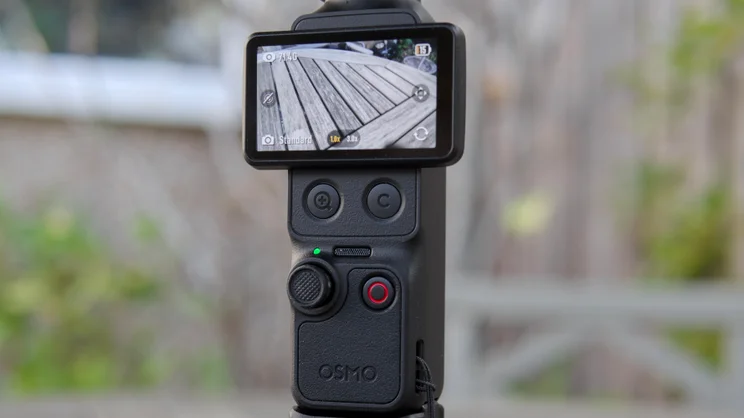
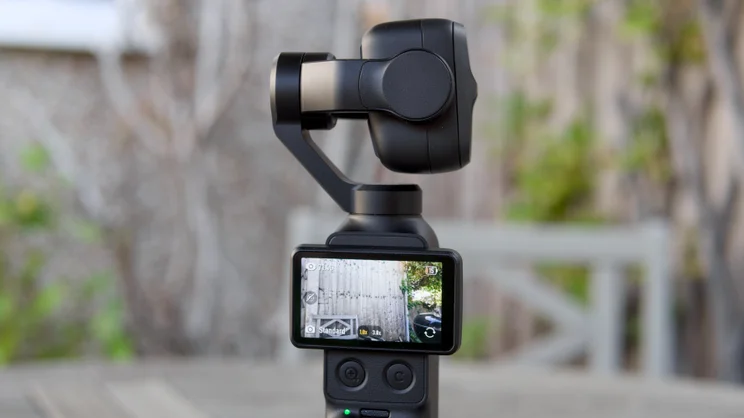
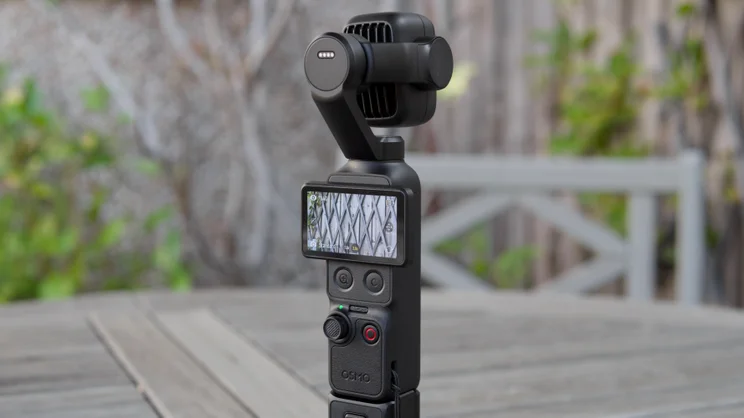
The handle, flippy 2in touchscreen and simple, tactile controls are all exactly the same as the Pocket 4 (and very similar to the 3), so if you’ve spent the last two or three years getting proficient with the Pocket 3 and you’re looking to upgrade, the Pocket 4P will feel very similar. As a reminder, the controls comprise a four-way clickable joystick, a zoom button, a customisable button and a record button. The screen still obscures the zoom and customisable button when you’ve got it in portrait mode, too, which is something of a negative point.
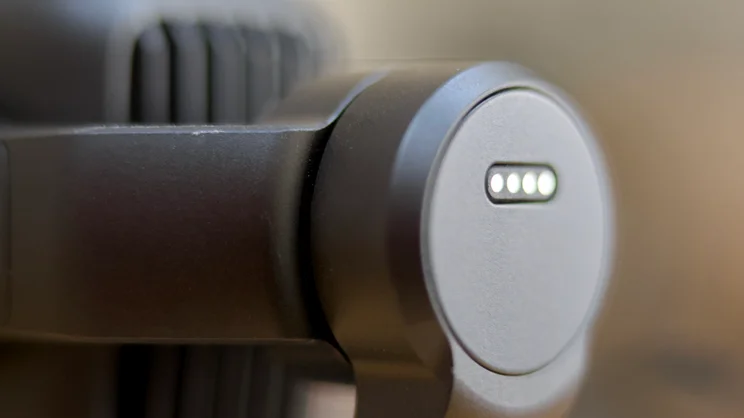
It’s also compatible with all the same accessories as the Pocket 4, so if you already have a battery handle extension there is no need to purchase another. This includes the nifty fill light that attaches magnetically via a pogo pin connector to the back of the camera head. And there’s still a good chunk of internal storage, 103GB to be precise, to go with the microSD card slot. This is always useful to have; I’ve lost count of the number of times I’ve left home with a camera but no storage card and had to revert to using my phone instead.
A couple of small things to note, however. First, there is still no tripod thread in the main handle. You have to clip-on the bundled extension if you want to secure it to a tripod. Second, this model has no gimbal protection clip to prevent unwanted movement when you stow it away in your bag or pocket. It does latch into place when the camera is off, so it doesn’t swing around all over the place, but it’s quite easy to disengage this inadvertently, so you’ll need to be careful and keep it in a case when you’re not capturing video with it.
How did I test the DJI Osmo Pocket 4P?
I spent a good few weeks using the DJI Osmo Pocket 4P before publishing this review. As well as comparing it directly, side by side with its predecessor, the Osmo Pocket 4, it I took it to press events and used it on a professional basis to record footage for social media posts.
For more than a month, this camera has been my constant companion, always in my bag. I’ve used it to shoot stills in good light and poor, and a lot of 3K 60fps vertical video for Instagram posts, and throughout I’ve tried to push its capabilities to the extreme, analysing the results carefully after the fact.
In short, I’ve had plenty of time to put it through its paces and discover its weaknesses. Below you’ll find my observations, thoughts and conclusions from that testing.
How good is video quality?
In a word, superb. But then, the Pocket 4 was already pretty brilliant with 14 stops of dynamic range and 2x lossless zoom. The question is, is it worth paying the extra cash for 17 stops and a 3x optical telephoto? I would say yes, especially given how little extra you’re paying, but you do need to be aware of some caveats.
First up, there’s no difference between the Pocket 4 and 4P when it comes to resolution and frame rate. They both shoot video at up to 4K and 60fps, which is a surprise, given the Insta360 Luna Ultra captures at 8K. Other modes include slow motion footage at 4k at 240fps (awesome fun, by the way) and RAW stills at 37MP.
Testing both cameras side by side, it’s actually quite hard to see a noticeable difference between them in regular use. Both perform well in low light and good light and handle noise at high ISO very well.
It’s only when you push things to extremes that the differences can be readily seen. At ISO 12,800 in low light, the output from the Pocket 4P is visibly less noisy than that from the Pocket 4 and you can push the 4P even higher if you’re feeling masochistic, up to the heady heights of ISO 25,600. Not that you’d actually want to use footage at this extreme level of gain but it’s good to know you have the headroom.
Dynamic range is impressive, too. I compared the Pocket 4P by shooting my face in a darkened room against a bright window frame with both cameras set to manual exposure, the Pocket 4 using its D-Log 10bit setting and the 4P with its D-Log2 10bit setting enabled. I then brought the two clips into DaVinci Resolve for comparison and grading. The Pocket 4P’s footage looked a little greener but had noticeably more image information to play around with, particularly in the shadows.
DJI boldly claims the camera rivals the ARRI Alexa 35 cinema camera for dynamic range and, on paper, yes it does. Since you can’t swap lenses or shoot RAW footage with the DJI, that’s not a particularly meaningful comparison, but what this comparison does tell you is the demographic that DJI is targeting with this camera. It’s aimed at professional, full-time content producers who do all of their editing in desktop apps like Davinci Resolve Studio, Final Cut or Adobe Premiere; as such, you’ll only get the most out of it if you’re au fait with editing footage in those environments.
How good is that zoom?
Still, there’s a big step up in quality over the Pocket 4, as you’d expect, and there is another reason you might want to consider buying the DJI Osmo Pocket 4P beyond pure quality. One of the biggest selling points of the DJI Pocket 4P, if not THE selling point, is something the Pocket 4 completely lacks: the 3x telephoto camera.
It’s important to note at the outset that this lens is not backed by the same 1in sensor as the main 20mm f/2. Instead, it makes use of a 1/1.28in sensor, which coupled with the f/1.8 aperture and a 60mm equivalent focal length gets you 3x closer to the action. That’s not perfect for portraits, but it does generate a more flattering angle than the wide angle lens does, and adds a nice creamy bokeh for a more professional look. The extra reach also gives a little extra flexibility.
It also gets you three times the maximum digital zoom at 12x and, while quality in this mode isn’t great, at 6x it’s actually pretty usable and that, at the risk of stating the obvious, gives you the option of shooting objects further away or, more usefully, getting really close up.
At this point I will say it would have been nice if DJI had added focus peaking since, nice though the display is, it can be tricky to see what the camera has actually focused on unless you tap it deliberately on screen. More importantly, it’s also worth noting that you can’t use the D-Log2 flat colour mode while using the tele lens. In fact, you can’t zoom at all when you’re using D-Log2.
Is stabilisation and tracking still as good?
Of course, it is not just image quality that has made the Pocket series of cameras so popular over the years, there’s also its super-compact motorised gimbal arm. It’s important to know that it won’t deliver the unerringly smooth footage you might get from an action camera, but the point here is that it’s still very good, and you don’t lose image quality due to dynamic cropping as you do with digital stabilisation.
I do wish the five-way joystick was a little less fiddly to operate, though, and having to tap the screen or the customisable button to switch from gimbal control to zoom control is awkward. For a camera at this level I’d expect to see dedicated physical controls for each function. This not only makes it irritating to use but it also feels like a less serious piece of equipment as a result.
The subject tracking remains impressive, however. This can be enabled at all zoom levels with the Pocket 4P, and it’s super simple to use. Just tap your subject using the touchscreen and the camera will move its head left, right, up and down to keep your subject in frame. There are other options, too, including “dynamic framing” where you can tell the camera where to place your tracked subject in the frame – handy if you’re doing product demos and you want to be always on the left or right side.
And there’s a new multi-person tracking feature for the Pocket 4P. This does exactly what you’d expect it to, detecting multiple faces and attempting to keep the camera in a sensible position to keep them all in frame. I can’t quite envisage when this might come in useful, but the option is there if you want it.
Should you buy the DJI Osmo Pocket 4P?
The DJI Osmo Pocket 4P is a brilliant little camera. It’s better than the Pocket 4 while remaining nearly as pocketable. If you can see a reason why you might use the 3x optical zoom, and you haven’t already purchased a Pocket 4, then I recommend jumping straight to the Pocket 4P instead.
The most impressive thing about the Osmo Pocket 4P, however, is the price, which is not a huge amount more than the Pocket 4 and a good deal cheaper than the Insta360 Luna Ultra. In my book, that makes it an outright bargain.
In summary, then, this is a fabulously flexible tool that delivers professional results and won’t take up much room in your bag or pocket. It’s a no-brainer of a purchase and an easy recommendation from me.