To help us provide you with free impartial advice, we may earn a commission if you buy through links on our site. Learn more
- Lovely OLED screen
- Innovative and thoughtful design
- Ryzen Z2 Extreme offers good performance
- Horrendously expensive
- Battery life isn’t as strong as the competition
- Quite heavy for extended use
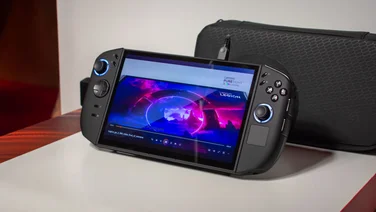
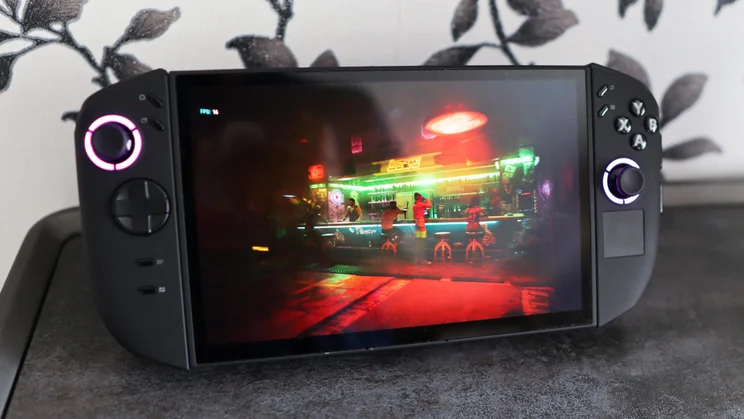
The Lenovo Legion Go 2 feels like a supersized Nintendo Switch 2 in every respect – it’s got more power, has a huge, nearly 9in OLED screen and a much, much bigger price tag
Powered by AMD’s Ryzen Z2 Extreme system-on-chip, it’s on par with both the MSI Claw A8 and Asus ROG Xbox Ally X, but is arguably even more dazzling with an 8.8in OLED screen and more versatile with detachable controllers. All of that comes with a higher price tag, though, and recent market conditions make the Legion Go 2 an even tougher sell than it was several months ago.
I’ve been putting it through its paces for the last couple of weeks to see how it fares against some very tough competition.
What you need to know
The Legion Go 2 was one of the first gaming handhelds to release with AMD’s Ryzen Z2 Extreme chip inside, which, as things stand, is one of the beefiest SoCs available – it’s the same chip you’ll find in rivals from Asus and MSI.
The difference is that Lenovo’s handheld comes with 32GB of RAM, and in my sample, a comparable 1TB SSD. This handheld also has a large 8.8in, 1,920 x 1,200 144Hz OLED screen and a reasonably large 74Whr battery.
The OLED screen sets it apart from the aforementioned competition (though the upcoming Asus ROG Xbox Ally X20 model will also feature one), and its detachable controllers and integrated kickstand make this feel more like a supersized Nintendo Switch 2 than a PC gaming handheld.
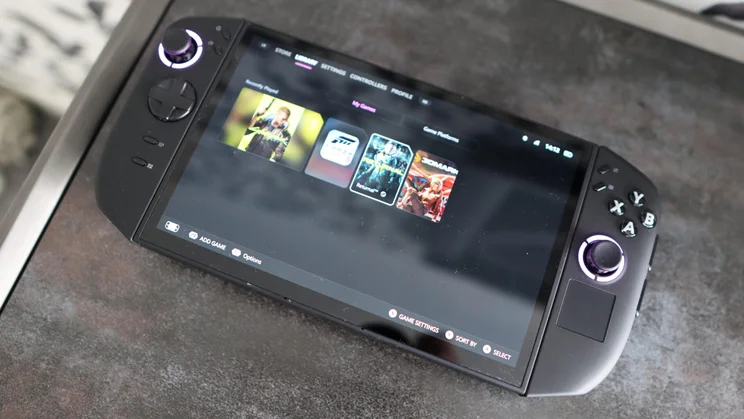
By default, the Legion Go 2 uses desktop Windows 11, unlike the Asus ROG Xbox Ally X, which runs Xbox Full Screen Experience out of the box. The Legion Go 2 can have that enabled, though, which results in a more console-like gaming experience.
Price and competition
When the Legion Go 2 was first released, it started at £849 with the base Ryzen Z2 processor; to get the beefier Z2 Extreme, it started at £1,100, rising towards £1,300 for a model with more storage.
However, Lenovo raised prices across the board due to the ongoing RAM crisis, pushing the base Z2 model up to £1,296 and the Z2 Extreme model I’m reviewing here up to £1,620. The 2TB version costs an eye-watering £1,800.
This puts the Legion Go 2 in a very difficult position, as it’s significantly more expensive than the Asus ROG Xbox Ally X and the MSI Claw A8 BZ2EM with comparable specs. Those models pack the same core power and are available for around £900, but don’t have an OLED screen or detachable controllers.
Also consider this: the upcoming Intel Arc G3 Extreme handhelds from Acer and MSI may hit a similar price point to the Legion Go 2 and have more grunt under the bonnet. This leaves Lenovo in a precarious situation with its flagship handheld.
Design and connectivity
When I said the Legion Go 2 is a supersized Nintendo Switch 2, I meant it. This is a big handheld, not least thanks to its hefty 8.8in screen, which makes it more unwieldy to hold than Asus’s and MSI’s entries.
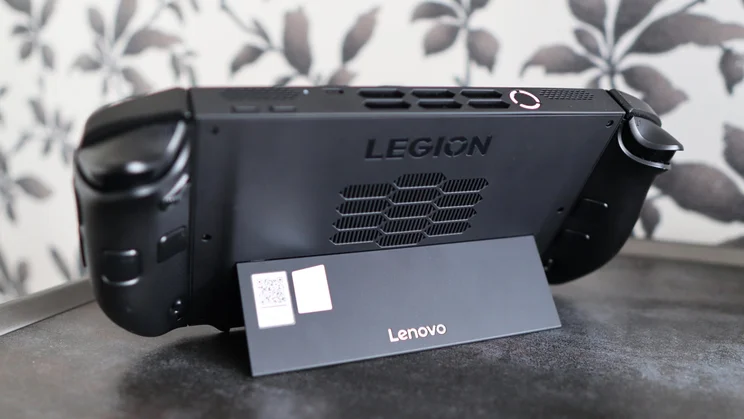
Nonetheless, it isn’t a flat slab, and the sculpted handgrips fit your hands nicely. Lenovo has also added a sturdy flip-out kickstand on the rear to prop the console up and let a table take some of the weight.
You can feel the extra size of the Legion Go 2, too; it tips the scales at 920g with the detachable controllers attached. For reference, the MSI Claw A8 BZ2EM weighs 765g, while the Asus ROG Xbox Ally X is positively dainty at 715g. The Go 2 is like constantly holding an Asus Zenbook A14.
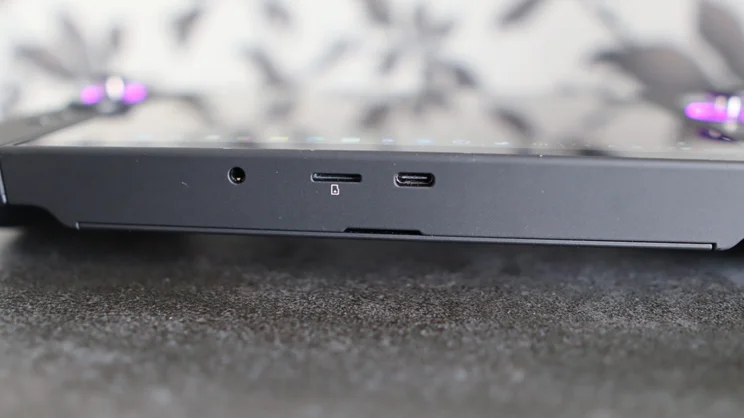
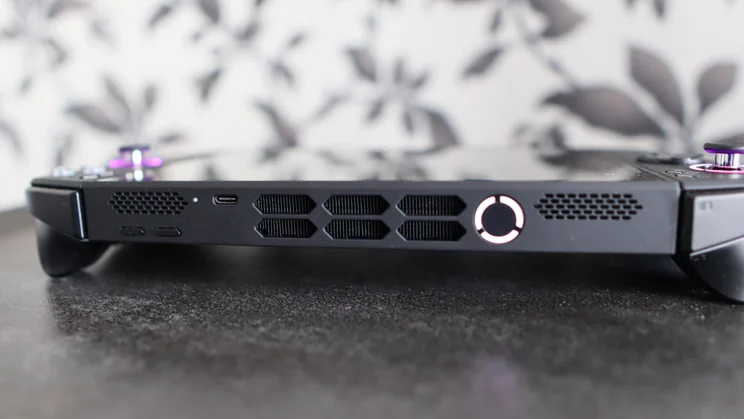
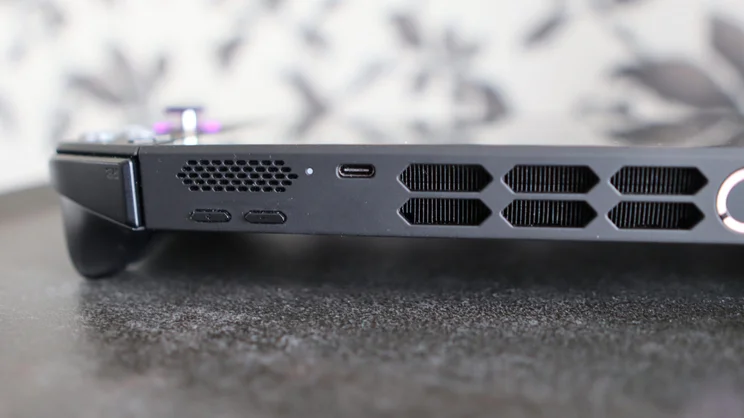
Connectivity is split across the top and bottom of the unit, with a single USB4 Type-C port on the top and another on the underside. The one on the bottom is alongside a microSD card slot and a 3.5mm headphone jack. This is a bit of an odd place for most of the ports to go; they’d be more accessible on the top side.
Controls
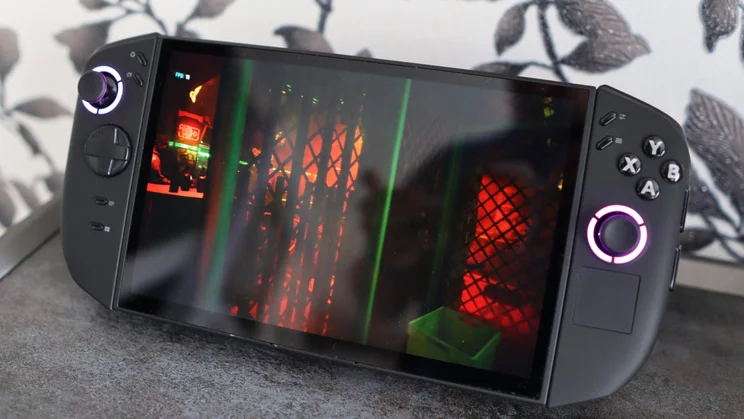
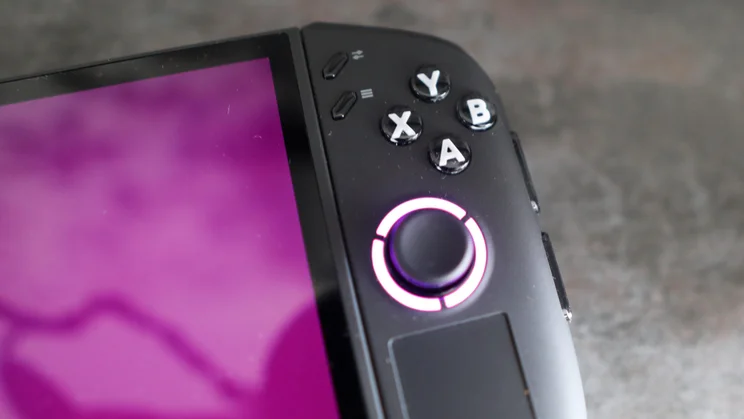
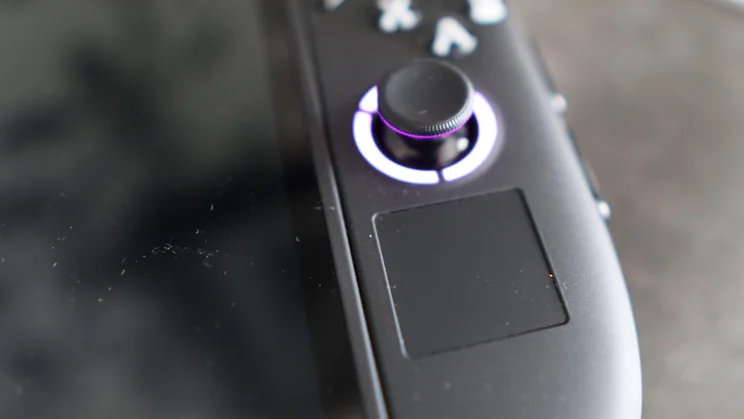
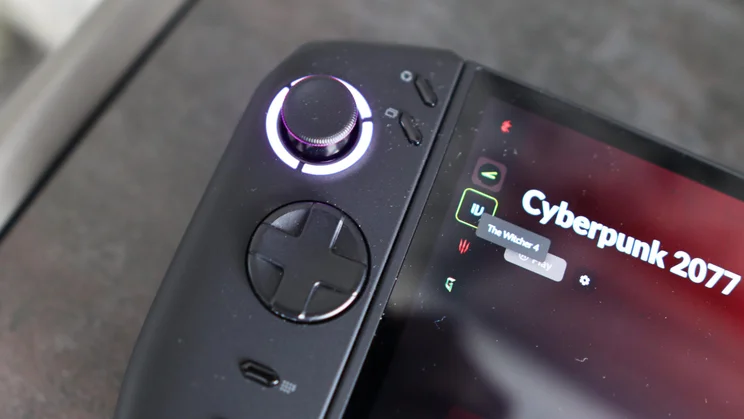
For anyone used to Xbox controllers, the Legion Go 2 is likely to be very comfortable, as it uses a very similar control scheme. That means diagonally-opposing, textured thumbsticks on either side of the screen, plus a D-Pad on the left and ABXY buttons on the right. You also get a decent-sized trackpad on the right for mouse navigation.
Two buttons on either side of the screen open settings menus or Lenovo’s own Legion Space launcher, plus a pause button and one to bring up a window switcher.
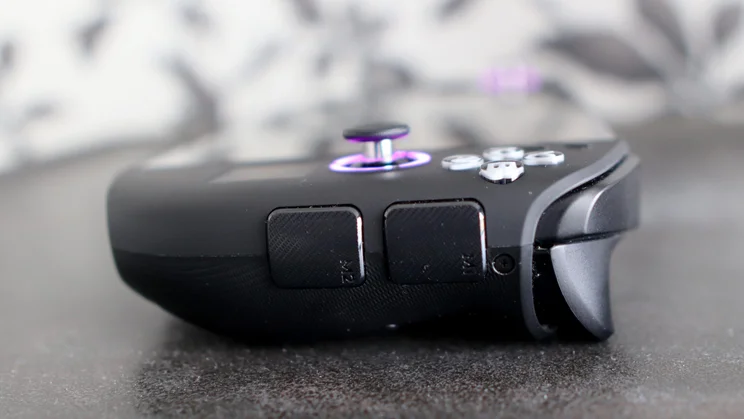
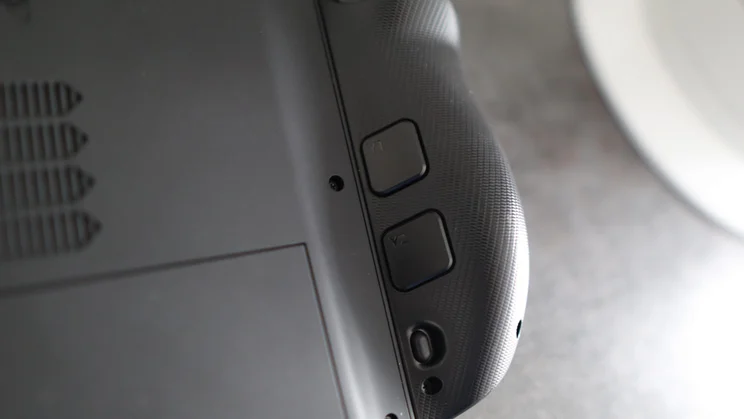
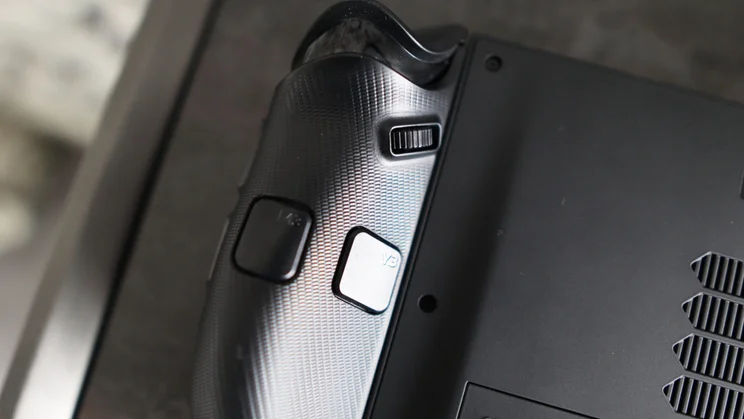
Across the top, you’ll find some wide shoulder buttons and deep triggers, while there are paddle buttons further down the rear of the controller grips. These don’t have identical placement on either side, though – the left side has two square buttons, while the right has a square button with a wider one below it. Further up on the right side is a neat scroll wheel, and there are two more buttons on the outside of the right handgrip that I didn’t notice at first.
The face buttons are quite tactile, and the triggers have a pleasant springy feel. Unfortunately, they aren’t impulse triggers with haptic feedback as on the ROG Xbox Ally X, although the thumbsticks have Hall Effect for greater precision and to eliminate pesky stick drift.
Nintendo Switch-like controllers
As with the original Legion Go, the controllers on this second-gen model are detachable. Getting them off with the toggle switch on the rear of the unit is easy, although reattaching them can be a little fiddly. Pogo pins keep the pair charged while docked to the main unit.
With an included adapter in the box, you can also take one of the controllers off and turn it into a mouse, just as you can with the Switch 2’s Joy-Con 2 controllers. You’re better off using the integrated touchpad or a proper wireless mouse, though, as using a controller with a 1980s joystick form factor as a mouse isn’t optimal. Nonetheless, it’s outside-of-the-box thinking that I appreciate.
Control modes
As with other Windows handhelds, the Legion Go 2 has a couple of control modes. By default, it boots into Windows 11, but you can use the Xbox app and Steam to navigate your game library.
You’re best using the touchpad to navigate a Windows 11 desktop as you would a laptop, but it doesn’t always bring up the on-screen keyboard when you need to type something. This means a specific combination of finger taps on the screen is required to bring it up; the thumbsticks and face buttons don’t do much for navigation.
Software
The Legion Go 2 runs Windows 11, which is both a blessing and a curse. On the one hand, it’s a familiar interface for anyone who’s used a PC, but on the other hand, it can be a nightmare for anything beyond basic navigation.
My sample didn’t boot directly into the Xbox FSE interface, unlike the Asus ROG Xbox Ally X, so I had to deal with desktop Windows 11 on a touchscreen, which isn’t a pleasant experience. It wasn’t too long before I hooked up a separate keyboard and mouse to install games via Steam, Ubisoft Connect and the Xbox app, plus the suite of benchmarking software.
Even with Xbox FSE booting straight into the Xbox interface, things weren’t perfect. Games wouldn’t automatically accept controller inputs, so I had to find a way to navigate to the desktop Steam app and remap the controller buttons. This hasn’t happened on other handhelds I’ve tested, where using the on-board buttons was seamless.
Once you’re set up, Xbox FSE works reasonably well, putting a slick, console-like UI with your game front and centre. It puts them in one place in a tidy fashion, regardless of the installer. It’s a bit of a faff installing several launchers to access all of your games, but when done, launching them via the Xbox app is easy. It pulls through the relevant process and boots the game with ease.
Windows quirks, but a choice of launchers
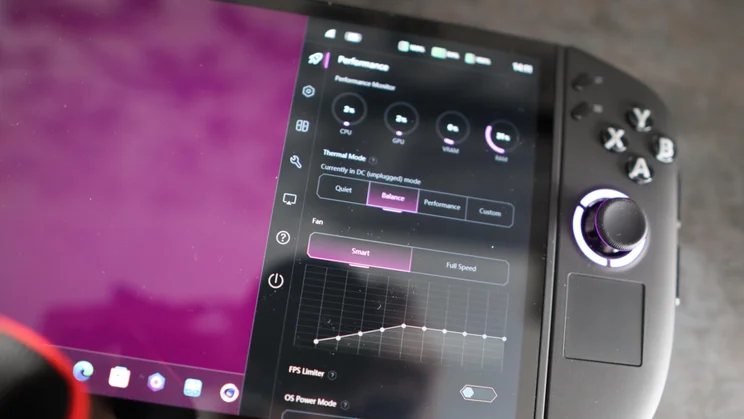
You also have the option to use Lenovo’s Legion Space. This works similarly, pulling your game library from various providers, while also giving you access to system settings such as power modes, controller button remapping and more. As with Asus’ Armoury Crate on the ROG Xbox Ally handhelds, it even gets its own dedicated button on the left controller.
In general, the software experience on the Legion Go 2 is fine whether you use Lenovo’s own launcher or want to go with the Xbox app – just be prepared for a few typical Windows quirks along the way.
Display
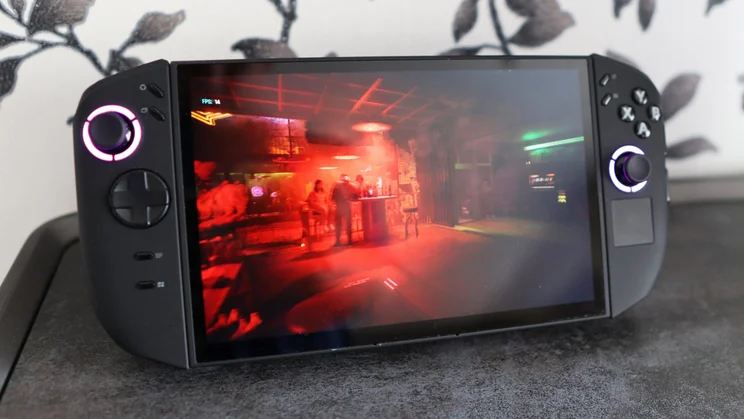
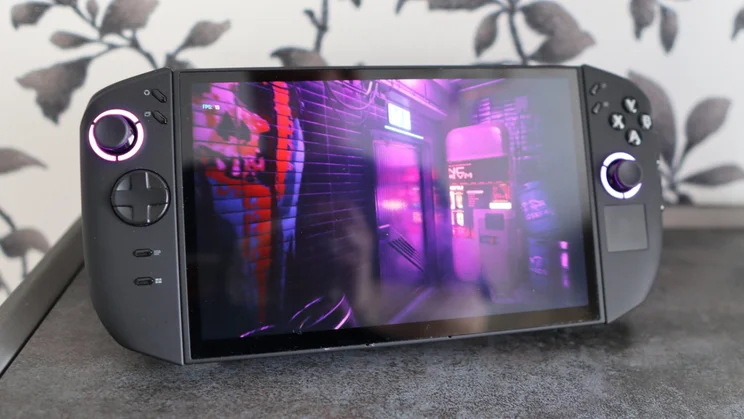
The Legion Go 2’s screen is one area where it shines above the competition, as it’s one of the few options to use an OLED panel instead of an IPS LED screen. At 8.8in, it’s also a fair bit bigger than the 7in screens you’ll find on handhelds from Asus and MSI.
It also gets a small refresh-rate bump to 144Hz against rivals’ 120Hz, while a 1,920 x 1,200 resolution makes a lot more sense than the 2,560 x 1,600 panel Lenovo kitted out the original Legion Go with. We aren’t yet at a point where these beefy APUs’ integrated graphics can handle anything past 1080p with playable frame rates, so it makes sense that Lenovo has toned down the resolution
The larger OLED screen increases immersion in titles such as Cyberpunk 2077 and Forza Horizon 5, with the improved colours and contrast delivering a stronger visual spectacle.
Putting a colourimeter to the Legion Go 2’s screen reveals it measures up well, too. I measured a maximum brightness level of 436.8 cd/m2, which is easily bright enough for indoor and outdoor use. The exceptional 0.03 cd/m2 black level and 15730:1 contrast ratio – the two main advantages of OLED – are readily apparent and elevate the Legion Go 2 above handhelds using IPS displays.
The pair of 2W speakers the handheld incorporates are up-firing and can get plenty loud, although they’re lightweight on bass. I’d recommend plugging in a pair of headphones or connecting them via Bluetooth for a satisfying audio experience.
Performance
The standout feature of the Legion Go 2, besides its dazzling OLED screen, is its raw power. It comes with AMD’s Ryzen Z2 Extreme chip inside, pairing eight Zen 5 CPU cores and 16 threads with a 16-core RDNA 3.5-based GPU.
It is essentially a very similar chip to the Ryzen AI 9 HX 370 laptop processor you’ll find in a lot of last year’s ultrabooks, complete with the same Radeon 890M integrated graphics. This is a capable chip in terms of its processor and graphical oomph, acting as a small but important step up from the older Ryzen Z1 Extreme found in the first wave of PC handhelds.
To go with it, Lenovo has paired it with 32GB of LPDDR5X RAM running at 8,000MT/s, giving you extra headroom compared with the ROG Xbox Ally X, which only comes with 24GB of RAM. Depending on the configuration, this handheld also comes with either a 1TB or 2TB SSD; mine came with the former. In theory, this might seem like enough storage, but with a couple of bigger games installed, that’s half your storage gone.
Your choice of power mode makes a big difference
The Legion Go 2 offers three preset modes – Quiet, Balanced and Performance – plus a Custom one if you want to fiddle around. In terms of wattage, these work out to 8W, 15W and between 30 and 35W. On battery power and in Balanced mode, I measured a 20-30% drop in performance across synthetic benchmarks and games compared with Performance mode.
In Geekbench 6, the 2,768 single-core and 11,278 multi-core results when it’s plugged in and running in Performance mode are strong and match the Asus ROG Xbox Ally X. Unplugging the console and running in Balanced mode resulted in lower scores, but they remained okay. General everyday tasks such as web browsing and some more intensive multitasking were handled well. Its score of 318 in our 4K benchmark test is where we’d expect it to be, though slightly behind the Asus ROG Xbox Ally X’s score of 336.
When plugged in, the Legion Go 2 has a brisk SSD, with top-line read and write speeds of 5,399.7 MB/s and 4,637.1 MB/s, respectively, when averaged out over five runs of the AS SSD test. 4K performance is on par with other PCIe 4.0-class NVMe SSDs, although I did see a sharp performance drop when running it unplugged – reads and writes dropped down to 2,767.1 MB/s and 2,695.6 MB/s, respectively.
Capable of handling demanding titles
In terms of games, I ran the Legion Go 2 through a couple of different titles to gauge performance. Cyberpunk 2077 is a good indicator of what a gaming device can handle, and at 1080p High settings, the Go 2 managed 30.9fps. Using the default FSR 2.1 Performance, I hit 46fps, resulting in surprisingly playable frame rates in a demanding title, albeit without ray tracing. Dial back some settings, keep upscaling enabled, and you’ll be able to hit 60fps with ease.
Moving over to Rainbow Six Extraction at its Ultra preset, the Legion Go 2 spat out a 65fps average at 1080p, while dropping down to 720p pushed results nearly into triple figures at 96fps. This proves lighter titles play nicely at surprisingly high settings on this Lenovo handheld. Unplugging the handheld and running the same benchmark in Balanced power mode reduced results to 63fps at 1080p and 88fps at 720p, respectively.
When playing Forza Horizon 5 at 1080p High preset with the handheld plugged in and in Performance mode, I saw an average of 73fps, which jumped to 90fps at 720p. If you’re happy with Medium settings, the Legion Go 2 can hit 81fps at 1080p and 102fps at 720p. Unplugging it saw results take a bigger hit than I expected, down to 49fps at 1080p High and 62fps at 720p.
While Indiana Jones & The Great Circle doesn’t have a built-in benchmark, I used a FPS counter to measure an average frame rate over the game’s opening scene. If you’re willing to reduce some settings or drop the resolution, you can achieve between 32fps and 45fps.
Battery life limitations
Playing titles like Cyberpunk 2077 or Indiana Jones & The Great Circle at more moderate settings with brightness set to around 50% yielded between two and three hours of runtime in the handheld’s Balanced power mode in my testing. In our video loop test, the Legion Go 2 lasted for 12hrs 5mins, which is several hours shorter than competing handhelds. However, it’s still long enough to let you use the console as a laptop replacement or stream media for a decent chunk of time.
Verdict
The Lenovo Legion Go 2 is a compelling choice if you want the power of AMD’s Ryzen Z2 Extreme chip in one of the more innovative handhelds of its kind. Its removable controllers and clever kickstand set it apart from its rivals, and its OLED screen is one of the best I’ve seen on any portable gaming console.
There are compromises, though. The device is very heavy and much dearer than the Asus ROG Xbox Ally and MSI Claw A8 BZ2EM models, which offer very similar hardware and performance. At this price, you also have to consider the upcoming Intel Arc G3 Extreme handhelds from MSI and Acer, assuming their prices land where we think they’re going to. If that is the case, then it makes the Legion Go 2 a harder sell than it was several months ago.
The Legion Go 2 may be one of the most feature-rich and interesting handhelds of its generation, but that higher price tag is a bitter pill to swallow.