To help us provide you with free impartial advice, we may earn a commission if you buy through links on our site. Learn more
- Incredible charging speeds
- Super-fast simultaneous charging
- Informative app and smart display
- Smartphone recharge speeds may vary
- Panel prone to fingerprints and smudges
There’s a new contender for the title of heavyweight power bank champion of the world. Poised to go up against the Cuktech 15 Ultra or Anker’s own A1695 Laptop Power Bank, the Anker Prime A110A jumps into the ring with two USB-C ports, one USB-A port and 300W of total output power. Charging one MacBook Pro is for wusses. The Prime A110A can tackle two at the same time.
Throw in 250W fast charging, a smart display and app control, and you have a power bank capable of handling some seriously heavy-duty workloads. However, all that comes at a price, and at £180 – or around £140 to £150 if you catch it in a sale – the Prime A110A is about as pricey as power banks get. I’ve spent the last week testing and using it to find out if the performance makes the price worthwhile.

What do you get for the money?
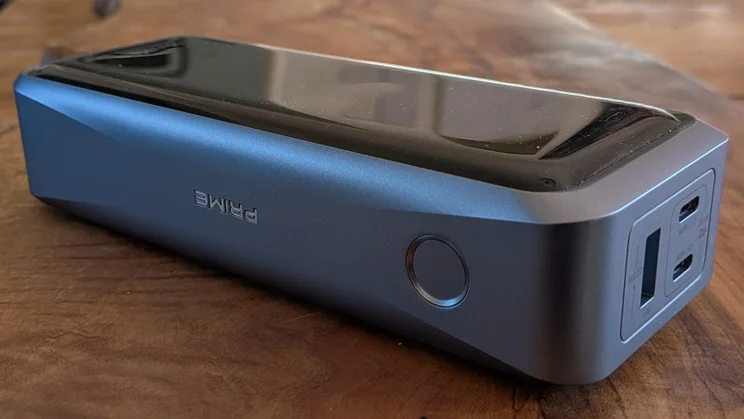
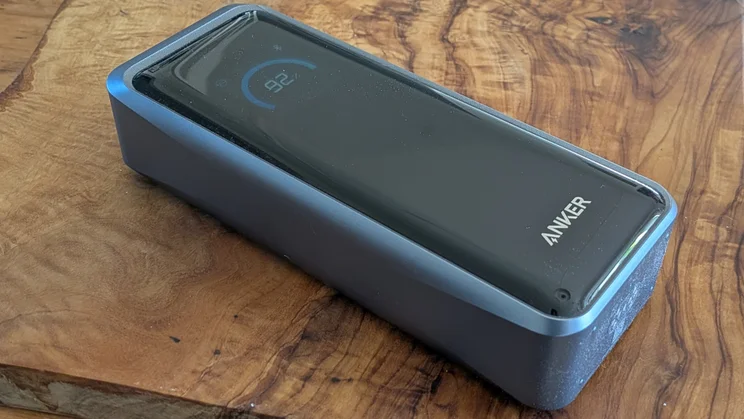
The A110A is a hefty 600g brick of a power bank, measuring 160mm long, 63mm wide and 38mm thick. With its 26,250mAh capacity. It can charge even high-end smartphones four to five times over, or even a compact laptop two to three times.
Charging speeds
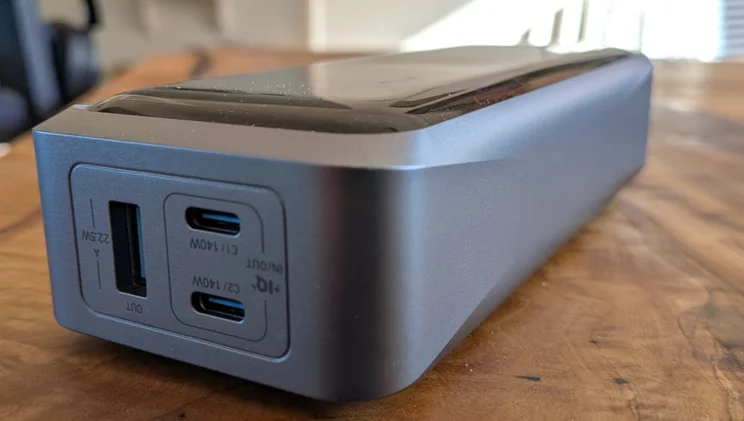
What’s more, it’s a powerhouse when it comes to charging speeds. Each of its USB-C ports is capable of delivering up to 140W, while its USB-A port can deliver 20-22.5W.
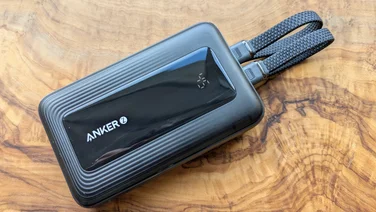
Even with all three ports in action, it can charge at 140W, 140W and 20W simultaneously. It’s a very solidly built unit, too, with a large gloss black panel covering one of the long, larger sides and silver plastic wrapping around the rest of the unit.
The Prime A110A’s other party trick is its 250W max input charging speed. To achieve this, you connect not one but two power adapters simultaneously, using both USB-C ports. According to Anker, this should get you up to 50% in 13 minutes or 80% in 40 minutes.
Display and connectivity
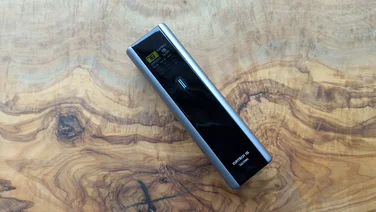
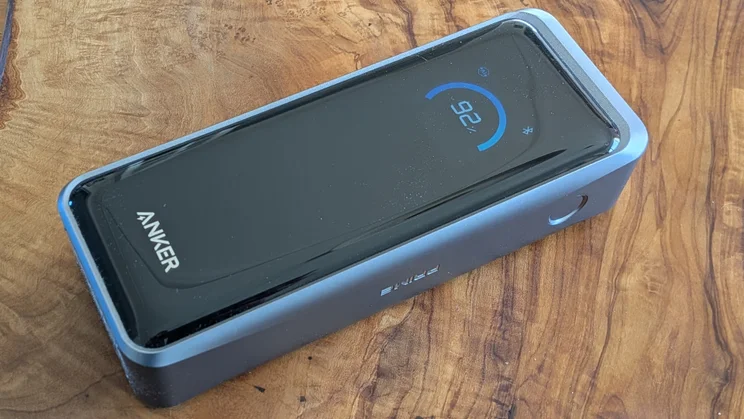
What sets the A110 apart from most of the competition, however, is its display, which makes up the top part of the gloss black side of this powerbank. This allows you to, at the press of a button, cycle through different screens that show various different statuses: the current charge level and total output rate; the charge and discharge rates by individual inputs and outputs; and the current temperature and the status of the Bluetooth connection.
There’s also Bluetooth connectivity. Why? Because you can also keep tabs on the Prime A110A via Anker’s smartphone app. This also gives you more control over the power bank, so you can set it to allocate power intelligently itself, prioritise power saving or use your own settings to customise the output from each port. You can also set up a clock screensaver to replace the normal blank lock screen and tweak the brightness of the screen itself.
What did we like about it?
There’s no doubt that the Anker A110A is an extremely powerful mobile charger. I don’t have a 100W laptop to test with, but it effortlessly reached 62.8W when plugged into my 65W laptop and a staggering 137.6W while charging another power bank (the Cuktech 15 Ultra).
What’s more, it had no problem doing so with both devices connected at the same time and a smartphone added via the USB-A port, the latter supplying a solid 20W, as per Anker’s claims, and 21.2W with only the USB-A port active.
These charging speeds also seem fairly stable. As you’d expect, speeds ramp down as your devices approach 100% state of charge, but where you can see charge speeds wobble on some power banks in the early stages, with the Anker A110A they seem to lock in and stay locked in.
The smart display is more a luxury than a must-have, but it can be useful for checking your charging speeds and making sure you’re getting what you expect – it’s all too easy to plug in with a dodgy cable and miss out on the optimal performance. The same goes for control via the app, especially if you want to customise the outputs for a specific set of devices, like your laptop, phone and Bluetooth headphones.
I don’t have two power supplies capable of hitting a combined 250W, but with a pair of 100W power supplies, I was able to reach a total input charging speed of 197W. This was enough to get the Prime A110A to 47% from zero in 15 minutes and to 88.7% in half an hour.
What didn’t we like?
The results in my smartphone charging tests were a little disappointing. The Prime A110A promised charging speeds of 50.04W, and my USB power meter confirmed these, which should have made Anker’s power bank the top performer on my benchmark table. Instead, the phone’s charge level only reached 37% – a long way off the 46% to 47% achieved with the Iniu SmartGoAir, the Cuktech 10 Mini and the Cuktech 15 Ultra with the same device.
I suspect the Prime A110A was throttling power output levels to make sure the phone didn’t overheat, as the charging level did fall off sporadically. What’s more, with phones that support other charging standards, it might be a different story. In the specs, Anker notes specific support for Samsung Fast Charging 2.0 and 40W fast charging for iPhones.
I should also mention that the glossy black panel is a magnet for fingerprints and other marks, although I’ve managed to keep it clear of scratches.
Should you buy the Anker Prime A110A?
This is one of the most expensive power banks I’ve tested, but its huge capacity and support for the fastest charging speeds makes it a great buy for anyone looking to charge laptops, tablets and handheld gaming consoles on the go, especially if time is short and you may not have access to the mains for some time.
It’s designated as flight safe, and the fact that it’s also extremely fast to recharge makes it all the more impressive. Having said that, there are some cheaper options out there if you can live with slower speeds, not least the Cuktech 15 Ultra and the Anker A1695, both of which can be found for under £70.