To help us provide you with free impartial advice, we may earn a commission if you buy through links on our site. Learn more
- Best router: At a glance
- How we test wireless routers
- The best wireless routers to buy in 2026
- 1. TP-Link Archer BE550: Best router overall
- 2. Asus RT-AX59U: Best budget router
- 3. Asus RT-BE58U: Best budget Wi-Fi 7 router
- 4. Netgear Nighthawk RAXE500: The fastest Wi-Fi 6E router we've tested
- 5. Netgear Nighthawk RS700S: Best premium Wi-Fi 7 router
- 6. Asus ROG Rapture GT-AX6000: Best router for gamers
- 7. Devolo WiFi 6 Router 3600 5G: Best 5G router
- How to buy the best wireless router for you
- We’ve reviewed hundreds of wireless routers over the years since Expert Reviews was first founded way back in 2010
- Together, our reviewers have decades of experience testing home networking equipment
- We evaluate routers on a number of factors, from features to software capabilities and also wireless performance. Importantly, we test routers in the same way for every review we conduct
- Our current favourite router is the TP-Link Archer BE550, because it delivers top-level features and performance at a price that’s surprisingly reasonable

If your Wi-Fi connection is constantly dropping, or if Netflix keeps buffering, the culprit is probably your router. Replacing it with a new model like our current favourite – the TP-Link Archer BE550 – can improve your Wi-Fi performance, speed and coverage – and ensure you’re getting the most out of your broadband connection.
To help you choose the best wireless router, we’ve picked out a selection of the best models you can buy, from bargain prices to premium options with the latest Wi-Fi 7 technologies. Each one has been through our rigorous testing procedure to make sure it delivers on its promises.
You’ll see our at-a-glance advice below on which models are best for different needs – or for a deeper look at what makes a router a winner, jump to our buying guide where we demystify the technology and explain what to look for.
Best router: At a glance
- TP-Link Archer BE550: Best Overall | Check price at Amazon
- Asus RT-AX59U: Best budget router | Check price at Amazon
- Asus RT-BE58U: Best budget Wi-Fi 7 router | Check price at Amazon
How we test wireless routers
All wireless routers we review are thoroughly put through their paces before we decide whether or not to recommend them.
Features:
- We explore all a router’s advanced features, including parental controls, network security, VPN support and other capabilities, to ensure your needs will be met
- We also look for conveniences such as LAN ports and USB connections, and weigh up how accessible and user-friendly the management software is
Performance:
- Every router goes through a battery of standardised performance tests, all performed in a domestic setting to give you an idea of how they might fare in your own home
- Download and upload speeds are presented in the reviews as comparative charts so you can see how the router compares against its closest rivals
For example, here’s how the routers on this page compare across our test locations:
Value for money:
- For each router, we weigh up the asking price, in light of its features and performance, and see how it stacks up against competing models, to help you get the best bang for your buck
READ NEXT: Best Wi-Fi extenders | Best mesh systems | How we test Wi-Fi routers and mesh systems
The best wireless routers to buy in 2026
1. TP-Link Archer BE550: Best router overall
Price when reviewed: £180 | Check price at Amazon

- Proper tri-band design with MLO
- Faster than similarly priced rivals
- Easy to manage with a decent feature set
- Full security and parental control features cost extra
- Doesn’t fully deliver on Wi-Fi 7’s performance potential
The TP-Link Archer BE550 is a great all rounder. Not only did it perform well in our testing, but we were also impressed with its all-round capabilities and – perhaps most of all – with its highly reasonable price.
For £170 it’s brimming with features and technically more capable than any other router we’ve tested in its price bracket. It’s a tri-band Wi-Fi 7 router, operating on the 2.4GHz, 5GHz and 6GHz frequency bands, where most of its contemporaries are mere dual-band offerings. And it’s one of the few cheaper Wi-Fi 7 routers that properly implement MLO (multi link operation), a technology that lets devices connect to more than one frequency band at the same time.
If we had to put our hands in our pocket for a new Wi-Fi 7 router, this is the one we’d go for – every time. It’s worth every penny.
Read our full TP-Link Archer BE550 review
Key specs – Wi-Fi standard: 802.11be (Wi-Fi 7); Stated speed: 9.2Gbits/sec; Ethernet ports: 5 x 2.5Gbits/sec; USB ports: 1 x USB 3.0

2. Asus RT-AX59U: Best budget router
Price when reviewed: £123 | Check price at Amazon

- Solid download speeds over
- Every setting and feature you could ask for
- Mesh option for extended range
- Not the fastest router you can buy
- Wi-Fi 6, not Wi-Fi 7
The Asus RT-AX59U is our top choice for budget-conscious shoppers. As our testing shows, it delivers strong wireless coverage, it’s highly versatile and the price is also very reasonable.
This is a router that delivers exactly what you need. Its Wi-Fi 6 radio goes up to a maximum speed of 3.6Gbits/sec – we measured its average download speed across all our test locations at 49MB/sec – while three network ports allow for a decent number of wired connections. It also has a pair of USB connectors, which you can use for external storage, printer sharing or 4G/5G mobile internet.
The Asus RT-AX59U also employs a best-in-class suite of software features. You can configure almost every aspect of your home network, apply security and parental control settings and define up to 16 VPN connections. Asus’ AiMesh technology also lets you easily pair other Asus routers to extend your wireless coverage.
If you’re willing to pay more, you can get a faster router with multi-gigabit Ethernet and better long-range performance. But for most homes those high-end models are overkill; the RT-AX59U is all you need.
Read our full Asus RT-AX59U router review for more details
Key specs – Wi-Fi standard: 802.11ax (Wi-Fi 6); Stated speed: 4.2Gbits/sec; Ethernet ports: 4 x Gigabit Ethernet; USB ports: 1 x USB 2, 1 x USB 3.2 Gen 1 (5Gbits/sec)
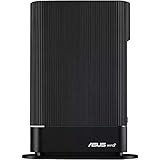
3. Asus RT-BE58U: Best budget Wi-Fi 7 router
Price when reviewed: £110 | Check price at Amazon

- Reasonable price
- More than fast enough for home use
- Amazingly versatile firmware
- Management can be fiddly
- No 6GHz radio
This is the cheapest Wi-Fi 7 router we’ve tested, but despite that it doesn’t miss out on much. In our testing, we found it delivered more than enough speed and range for most people; at no point did data transfers ever dip below 250Mbits/sec and in most of the tests it topped 500Mbits/sec.
And when it comes to features and management tools, the Asus RT-BE58U knocks it out of the park. It offers a hugely impressive breadth of technical control, supports MLO (multi link operation) and includes Trend Micro’s antivirus engine to keep internet nasties at bay. Not only that but it also supports Asus’ Ai Mesh feature, which lets you employ multiple Asus routers to create a proper mesh network system.
It isn’t a tri-band router, so it’s not quite as capable as some, but if you’re looking to upgrade your wireless network and don’t want to spend too much money, we can’t think of any other reason not to choose this router.
Read our full Asus RT-BE58U review
Key specs – Wi-Fi standard: 802.11be (Wi-Fi 7); Stated speed: 3,600Mbits/sec; Ethernet ports: 4 x Gigabit Ethernet, 1 x 2.5Gbits/sec; USB ports: 1 x USB-A 3.2 Gen 1
4. Netgear Nighthawk RAXE500: The fastest Wi-Fi 6E router we’ve tested
Price when reviewed: £150 | Check price at Amazon

- Great for… those demanding fast Wi-Fi speeds
- Not so great for… Those hankering after Wi-Fi 7
Wireless routers keep on getting faster, but the Netgear Nighthawk RAXE500 is an undisputed front-runner. It uses the recent Wi-Fi 6E standard, allowing it to transfer data over the 6GHz radio band when used with compatible client devices, and has an enormous total bandwidth of 11Gbits/sec.
This enabled it to deliver the fastest Wi-Fi transfer speeds we’ve ever seen in our tests, reaching mind-boggling download rates of 152MB/sec at close range and averaging 89MB/sec across all test locations over 6GHz networks. Multi-gigabit Ethernet is built in too, for ultra-fast wired networking.
The main catch is the price: you’re definitely paying for that phenomenal performance. And as Wi-Fi 7 routers start to appear, the RAXE500 might not keep its crown for much longer. For now though this router is the best of the best.
Read our full Netgear Nighthawk RAXE500 review for full details
Key specs – Wi-Fi standard: 802.11ax (Wi-Fi 6E); Stated speed: 11,000Mbits/sec; Ethernet ports: 4 x Gigabit Ethernet, 1 x 2.5Gbits/sec; USB ports: 2 x USB-A 3.2 Gen 1 (5Gbits/sec)
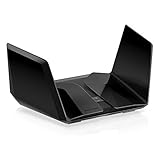
5. Netgear Nighthawk RS700S: Best premium Wi-Fi 7 router
Price when reviewed: £650 | Check price at Amazon

- Great for… early adopters wanting next-generation wireless technology
- Not so great for… anyone on any sort of budget
The Nighthawk RS700S is the first Wi-Fi 7 router we’ve tested, and it raises the performance bar to levels the competition can only dream of. It can go up to an incredible 11.5Gbits/sec on the 6GHz band, with an additional 5.8Gbits/sec of bandwidth for 5GHz connections.
To get those amazing data rates, however, you’ll need a Wi-Fi 7-compatible computer or phone, and those are hard to come by. It will probably be the latter half of 2024 before Wi-Fi 7 is commonplace on new computers.
Still, even with current-gen devices, the Nighthawk RS700S offers very speedy performance. We measured download speeds of up to 95MB/sec over Wi-Fi 6, and 137MB/sec using Wi-Fi 6E. There’s 10GbE too, for ultrafast wired connections. Netgear’s Armor platform provides security for your home network, and there’s a comprehensive Parental Control service, too, although these are add-on subscriptions.
It’s very pricey, no doubt about that, even with a recent price cut from £900 to £650, but if you’re looking forward to the massive speed potential of Wi-Fi 7, the Nighthawk RS700S is certainly a very good example.
Read our full Netgear Nighthawk RS700S router review for more details
Key specs – Wi-Fi standard: Wi-Fi 7 (802.11be); Stated speed: 19Gbits/sec; Ethernet ports: 4 x Gigabit Ethernet, 2 x 10 Gigabit Ethernet; USB ports: 1 x USB 3.2 Gen 1 (5Gbits/sec)

6. Asus ROG Rapture GT-AX6000: Best router for gamers
Price when reviewed: £306 | Check price at Amazon

- Great for… gamers seeking a premium online experience
- Not so great for… simple networking needs – it’s overkill
The ROG Rapture GT-AX6000 is a fantastic choice for online gamers – it’s cheaper than most the top-of-the-line gaming routers as it doesn’t support the latest Wi-Fi 6E or Wi-Fi 7 technologies, but it still has an impressive range of features.
These include a LAN port that automatically gives priority to devices connected to it, a “Game Boost” mode that prioritises internet traffic going to and from recognised game servers and built-in port-forwarding rules for over 70 games. There’s also a full set of home networking features, including parental controls and network security module – it’s a fabulous all-rounder.
Performance is superb too, with a rated top speed of 4.8Gbits/sec over 5GHz and 1.1Gbits/sec over 2.4GHz. In real-world testing we found the router performed very speedily in our network testing at close range, averaging 61MB/sec for downloads across our testing locations, although wireless speeds naturally fell off at longer distances.
Read our full Asus ROG GT-AX6000 review for more details
Key specs – Wi-Fi standard: 802.11ax (Wi-Fi 6); Stated speed: 6,000Mbits/sec; Ethernet ports: 4 x Gigabit Ethernet, 2 x 2.5Gbits/sec; USB ports: 1 x USB 3.2 Gen 1 (5Gbits/sec), 1 x USB 2
7. Devolo WiFi 6 Router 3600 5G: Best 5G router
Price when reviewed: £400 | Check price at Amazon
- Native, high-speed 5G
- Strong Wi-Fi 6 performance
- Tracks mobile data usage
- Pricey compared to other solutions
- Limited wired connectivity
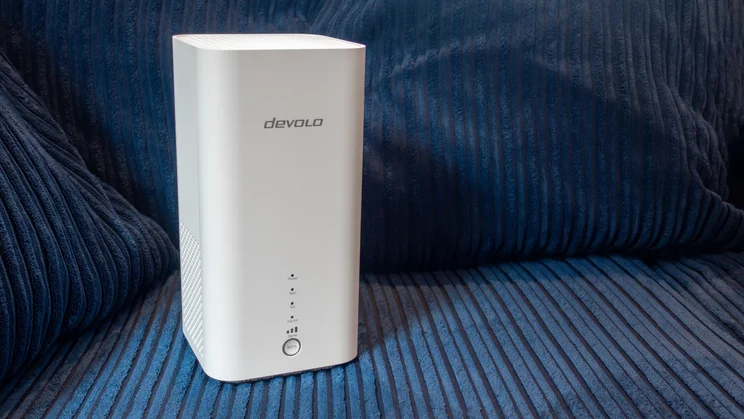
This Devolo router delivers an excellent combination of performance and versatility – and also includes a key feature most wireless routers omit. It has a SIM card slot in the base, allowing you to use a 5G cellular connection instead of wired broadband to hook your home to the internet.
That makes it deal for homes where you can’t get a fixed line, or for short-term rentals where it’s not economical to take out a regular broadband contract. And while it doesn’t support Wi-Fi 7, it proved in testing it was capable of providing fast, household-wide wireless internet access. It’s certainly more capable than most of the pocket 5G routers you can buy.
As with most mobile broadband routers the Devolo 3600 is quite pricey, but it backs that up with great performance and plenty of technical flexibility. As a result, it’s a great choice if you need it.
Read our full Devolo WiFi 6 Router 3600 5G review
Key specs – Wi-Fi standard: 802.11ax (Wi-Fi 6); Stated speed: 3,600Mbits/sec; Ethernet ports: 1 x Gigabit Ethernet, 1 x 2.5Gbits/sec; USB ports: 1 x USB-C (management only); Cellular connectivity: 5G via nano-SIM

How to buy the best wireless router for you
Before investing in a new router, first think about how it will work with your internet connection. The models listed above don’t have built-in modems, so they won’t connect directly to your broadband line.
What’s the first thing I should check?
If your ISP has provided you with a standalone modem then you can normally plug this into the router’s WAN port; otherwise, your ISP router may offer a “modem mode” that can be used to drive a third-party router.
If it doesn’t, all is not lost: you can still connect a new router to a spare Ethernet port on the old one, and use the new router as your main home network. However, in this configuration your new network will technically be a subnet of the old one: this could cause issues with communications between devices, or if you want to set up port forwarding.
Which wireless standard do I need?
The most common wireless standard today is still Wi-Fi 6, but with Wi-Fi 6E and Wi-Fi 7 systems now appearing at mainstream prices, we’d advise you to upgrade if you have the opportunity.
Having the latest technology in your home network might not improve things dramatically overnight, but they will future proof your connectivity to some degree, and could unlock benefits as you connect more and more devices to your home network in the future.
- Wi-Fi 6E – Routers supporting Wi-Fi 6E add the ability to connect in the 6GHz frequency range, alongside the 2.4GHz and 5GHz bands supported by Wi-Fi 6. This means there’s more bandwidth available for your devices. To get the full advantage your laptop or smartphone will also need to be Wi-Fi 6E compatible.
- Wi-Fi 7 – The newest standard is Wi-Fi 7. It’s the fastest, most up-to-date wireless technology around and, after a slow start, most new laptops and smartphones now support the technology. Wi-Fi 7 brings attractive new features such as 320MHz channels, 4K-QAM modulation and multi-link operation (MLO), which allows compatible devices to transfer data across all three radio bands at once, enabling huge connection speeds.
What’s the difference between dual-band and tri-band?
All modern routers can transmit and receive on both the 2.4GHz and 5GHz radio bands. The 2.4GHz band is slower, but it has a longer range so it can be good for big, old houses with thick walls. Wi-Fi 6E and 7 can also use a third radio band in the 6GHz range.
The tri-band design has two advantages. First, 6GHz connections tend to be faster than 5GHz ones (although they may have lesser range). Second, dividing communications across the 5GHz and 6GHz bands reduces contention and interference, helping to provide the maximum performance.
What’s the difference between a wireless router and a mesh system?
A mesh system does the same basic job as a router, but it combines the main unit with additional “satellites”, which you place around your home to help distribute the wireless signal more widely. A mesh kit will be more expensive than the average router, but if you’re struggling to get a decent connection in the far reaches of your home, it could be the perfect answer. If that sounds good, check out our guide to the best mesh Wi-Fi systems on the market.
What speeds can I expect to see?
Router manufacturers advertise some very fast transfer speeds, but these are theoretical maximums: you’ll never get close to them in real life.
They also have a misleading habit of adding up the speeds of different radios to come up with a total data rate. For example, if a router has a 2.4GHz radio that supports speeds up to 800Mbits/sec, plus a 5GHz radio rated at up to 1,200Mbits/sec, the manufacturer may advertise a total speed of 2,000Mbits/sec. In reality, though, the real-world transfer speeds you see will probably be less than half of that.
Don’t get too hung up on extreme speeds: it’s nice to be able to quickly copy big files around your personal network, but when it comes to downloads and video streaming, the limiting factor is usually your internet connection rather than the router.
How many wired Ethernet ports do I need?
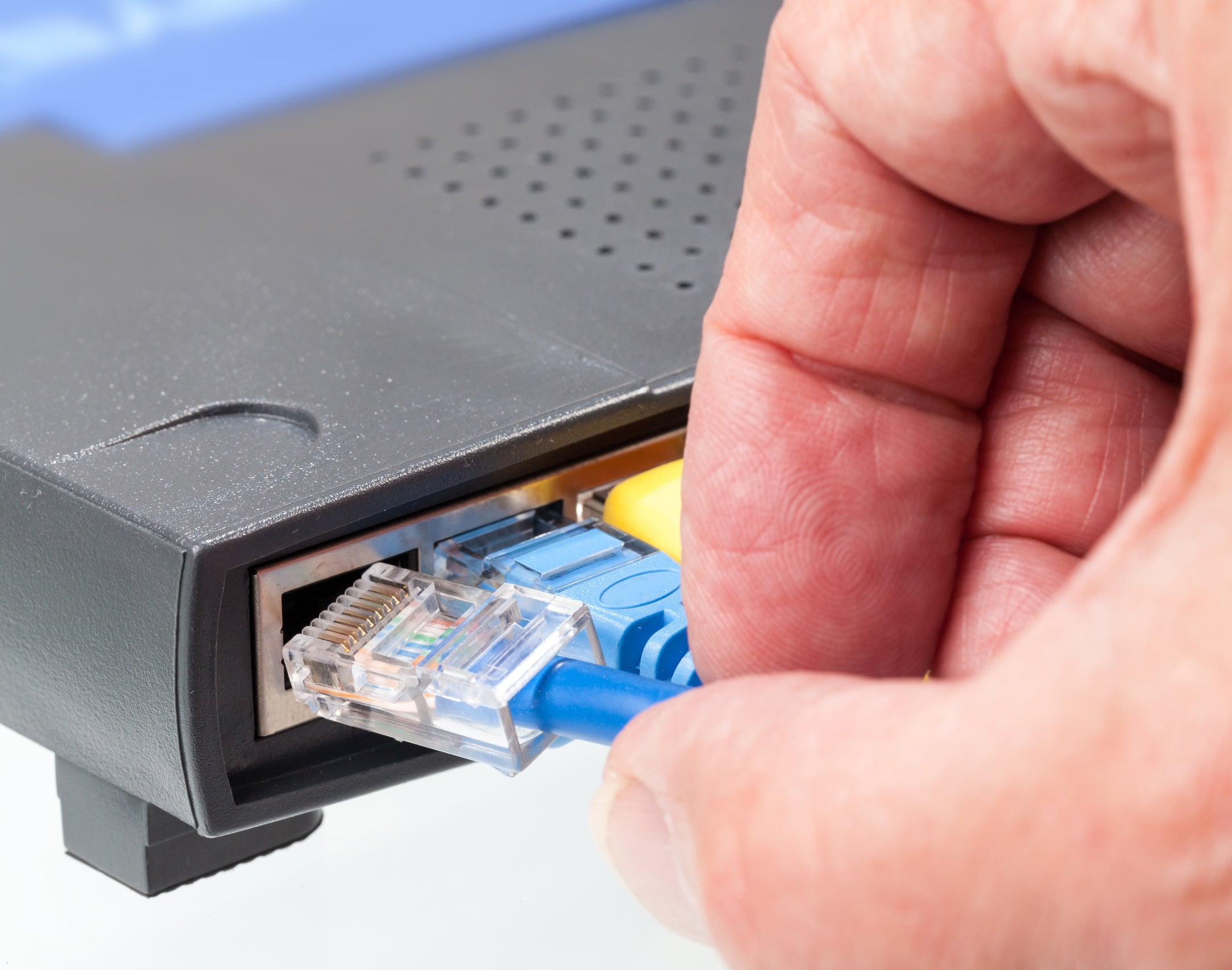
Ethernet ports are far from obsolete. Many “smart” home devices still come with hubs that need a wired connection to your router, and if you plan on adding a NAS drive to your network at any point, that’s also going to occupy a port. We’d suggest you look for a router with at least three gigabit Ethernet ports – if you need to, though, you can buy a low-cost Ethernet switch to attach more wired devices to your router.
Some high-end routers have multi-gigabit ports rated at 2.5Gbits/sec or even 10Gbits/sec. These are great for enthusiasts building high-bandwidth networks, but most homes won’t find much use for them. Even if your NAS box has a super-high-speed link to your router, when you want to actually access your files, the connection between your router and laptop will act as a bottleneck.
What other features should I look out for?
If you have kids, you might want to choose a router with built-in parental controls. Some models let you restrict access to the internet on a per-device basis at certain times of day, or limit it to a certain accumulated amount of time; some even provide category-based web filtering. There are software packages that can do the same thing, but router-based controls are easier to keep on top of and administer.
A USB 3 socket is another convenience to look out for; this makes it easy to share a hard disk or flash drive with your whole network. It’s a cheap alternative to a NAS appliance for easily sharing files, although it won’t give you the security of a properly configured RAID array. USB 2 works too, but it’s a lot slower.