
To help us provide you with free impartial advice, we may earn a commission if you buy through links on our site. Learn more
- Does the job with no fuss
- More compact than TP-Link models
- In-depth management console
- Slower than similarly priced rivals
- Unwelcoming smartphone app
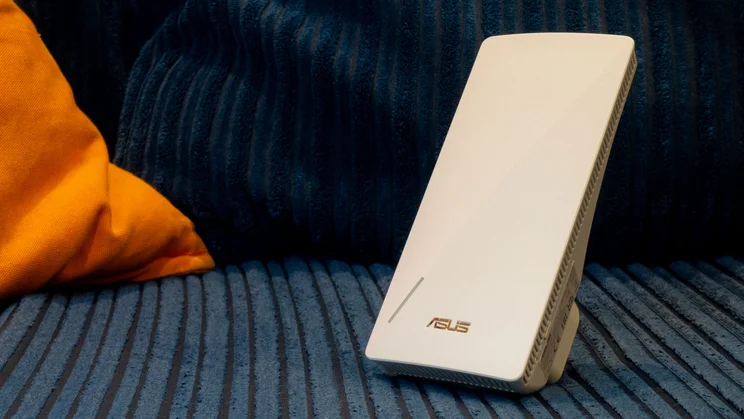
The RP-BE58 is the first Wi-Fi 7 extender we’ve seen from Asus. It works as a repeater, meaning it broadcasts its own network, and passes the traffic from connected devices back to your existing router.
Plug it in a room or two away and you can provide a decent Wi-Fi service over a wider area, without trailing cables or the expense of a mesh.
What do you get for the money?
Although the Asus RP-BE58 works with Wi-Fi 7, you don’t need a Wi-Fi 7 router to use it. It will happily extend a network via Wi-Fi 6, or an older standard, and older devices can connect to its extended network, too.
In fact, the RP-BE58 doesn’t really take much advantage of Wi-Fi 7 technology: its maximum connection speed on the 5GHz radio band is a fairly modest 2.8Gbits/sec, and it doesn’t support the fastest 6GHz frequency range at all.
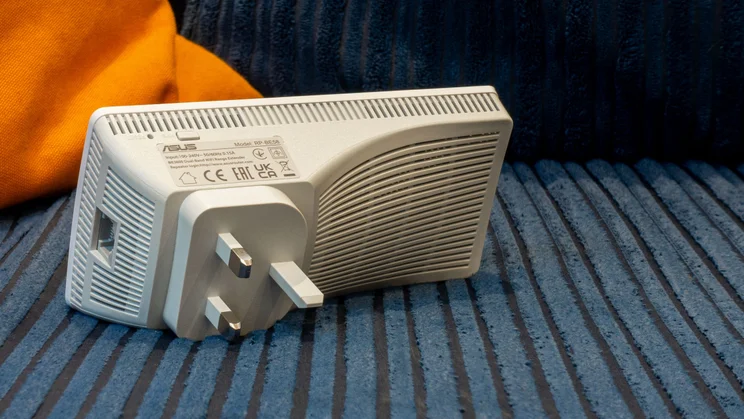
Then again, exactly the same applies to every other Wi-Fi 7 repeater I’ve seen so far, namely the TP-Link RE220BE, RE225BE and RE235. There’s also a gigabit Ethernet socket on the bottom of the unit, which you can use for wired clients, or a wired connection back to the router.
How did it perform?
The Wi-Fi specification of the Asus RP-BE58 is absolutely identical to those of TP-Link’s three rival extenders, to the point that I have to assume they’re all using a standard chipset. However, when I installed the Asus repeater in my upstairs study, configured to extend the network from the downstairs router, it proved slower than any TP-Link model.
At close range, the gap was small. Inside the study, the RP-BE58 delivered wireless download speeds of 38.1MB/sec – basically on par with the TP-Link RE235BE’s 41.1MB/sec, and a good improvement over the 29.9MB/sec I got in the same room when connecting directly to the router.
Things dropped off as I moved away, however, with the Asus falling to 16.9MB/sec in the bedroom and a pretty poor 11MB/sec in the dining room, which is less than half the speed of the RE235BE. Since the wireless hardware appears to be the same, I guess this is down to the Asus’ more compact casing, and the implied smaller antenna design.
What did we like about it?
The RP-BE58’s web interface puts a decent amount of technical information at your fingertips, and usefully supports AiMesh mode, which lets you pair it with an Asus router and manage the whole network as an integrated mesh system. Unlike TP-Link, it offers a “Media Bridge” configuration too, which doesn’t broadcast an extended Wi-Fi network, enabling it to give more bandwidth to the Ethernet port.
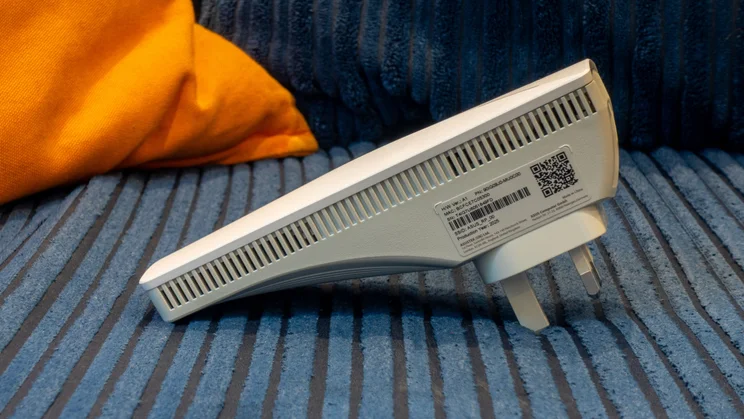
Another plus point is that, because the design is a little smaller than the various TP-Link extenders, and also flares out from the rear, the RP-BE58 is less likely to block access to neighbouring sockets.
What could it improve?
The RP-BE58’s web management interface will be familiar if you’ve previously used an Asus router – but it feels unnecessarily complicated for this particular device, since there isn’t an awful lot to configure.
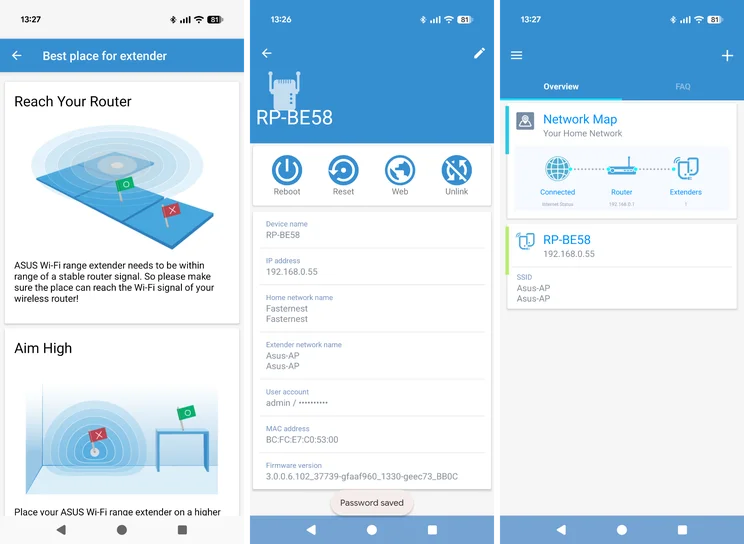
The companion app, meanwhile is surprisingly ugly and clunky, looking as if it was knocked up in Visual Basic, and unlike the TP-Link app it doesn’t include an active signal tester to help you find the best location for the extender. Still, a repeater ought to be a “set and forget” device, so once you’ve got past the initial configuration, you should have no need for further administration.
Should you buy the Asus RP-BE58?
Wi-Fi extenders are more about range than performance, and the RP-BE58 gave me a usable signal everywhere in my home, with enough bandwidth to easily support a 4K video stream or a FaceTime call – so I really can’t criticise it too much.
However, it’s currently only a few pounds cheaper than the TP-Link RE235BE, which proved faster in every location. Even if you don’t need the speed, that implies the TP-Link will be able to extend your network over a greater distance, or work more reliably through thicker walls, so with pricing as it stands it’s hard to see any reason for picking the Asus.





