
To help us provide you with free impartial advice, we may earn a commission if you buy through links on our site. Learn more

- Reasonably fast and versatile
- Easy to set up and operate
- Good value
- Doesn’t take much advantage of Wi-Fi 7
- 2.5GbE port is of limited use
The RE235BE is TP-Link’s top-of-the-line Wi-Fi 7 extender, at least in the sense that it has the highest model number. In practice, it does exactly the same job as the RE220BE and RE225BE models and, just to confuse things more, it’s currently cheaper than either.
That makes it potentially a smart choice if you want to boost Wi-Fi 7 coverage in areas that your router struggles to reach. It won’t be setting any records for speed, but it offers a simple, reasonably priced way to get a reliable connection all around your home.

What do you get for the money?
The RE235BE is proudly advertised as a Wi-Fi 7 device, but I can’t say it embraces the latest wireless standard. For example, while Wi-Fi 7 allows for connection speeds up to 11.5Gbits/sec (and theoretically beyond), this extender is limited to a maximum of 2.8Gbits/sec – slower than many Wi-Fi 6 routers. Wi-Fi 7 also improves support for the 6GHz band, but the RE235BE only uses the familiar 2.4GHz and 5GHz frequency ranges.
Does this matter? Not necessarily, as long as you’re focused on getting a good, stable signal rather than shooting for peak performance. At any rate, you won’t do any better elsewhere: TP-Link’s RE220BE and RE225BE models offer the exact same wireless specification, as indeed does Asus’ competing RP-BE58.
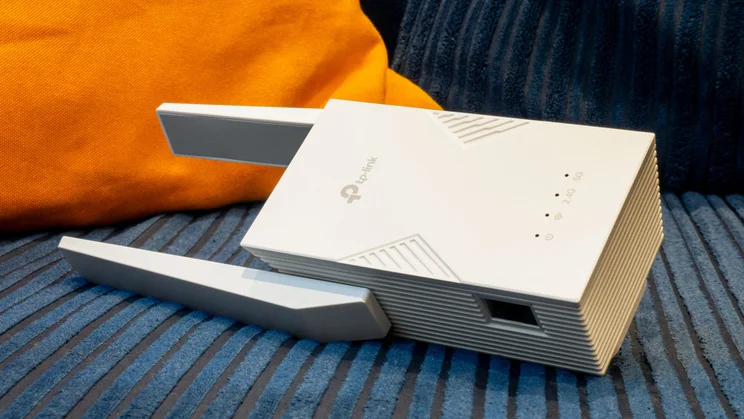
There are, however, two things that differentiate the RE235BE from TP-Link’s other models. One is the design; this one has two external antennas, similar to those on the RE225BE, but the main body casing is larger. It’s not clear why, as the spec sheet doesn’t point to any significant difference in the internal hardware.
The other distinguishing feature is a 2.5GbE network port, in place of the gigabit ones found on other models. I always like to see multi-gigabit Ethernet, but in this case it feels a bit of a pointless upgrade. As we’ll see below, the connection between the repeater and the router doesn’t come close to multi-gigabit speed, so any benefit will be limited to communications within the RE235BE’s own network.
How did it perform?
Although the design of the RE235BE resembles that of the RE225BE, I didn’t see any skew towards close-range speeds with this model. In fact, in my at-home performance tests the RE235BE performed all but identically to the RE220BE.
Thus, with the extender installed in the upstairs study, and my test laptop in the same room, I measured a download speed of 41.1MB/sec. That’s a big step up from the 29.9MB/sec I was getting from my router on its own. And as I moved around other rooms, performance held admirably stable, never dipping below a minimum download speed of 22.6MB/sec in the dining room.
As with the RE220BE, this gives me real confidence in the RE235BE’s ability to extend a decent signal – fast enough to stream video and get useful work done – at least one or two rooms beyond what the router alone would manage.
What did we like about it?
The RE235BE takes in all the usual plus points of a TP-Link extender. I found it quick and easy to set up, and if you have a TP-Link router then you can use the “EasyMesh” protocol to pair this extender (or either of the other models in the range) for convenient centralised management.
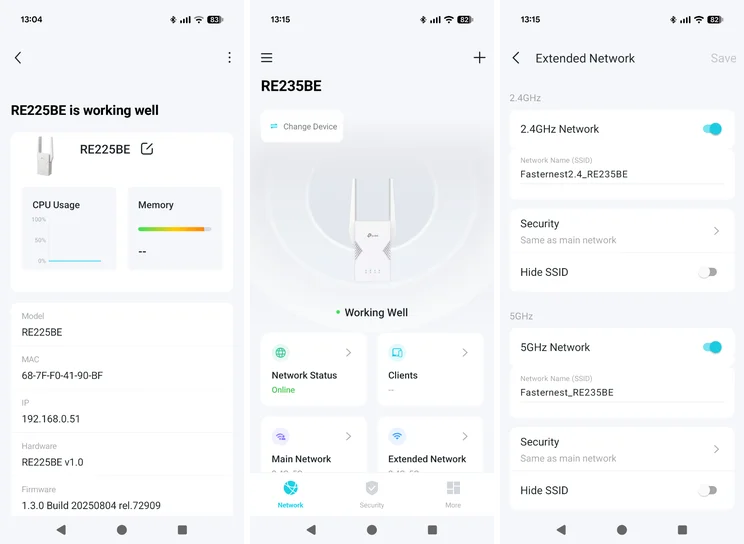
You also get on-the-go administration via the Tether app, including optional remote management if you sign into the TP-Link Cloud platform. A few simple security features are on offer, too, such as per-device access control and availability scheduling. Optionally, you can set the thing to shut off completely during certain hours, saving power as well as reducing the opportunity for intruders to sneak onto your network.
What could it improve?
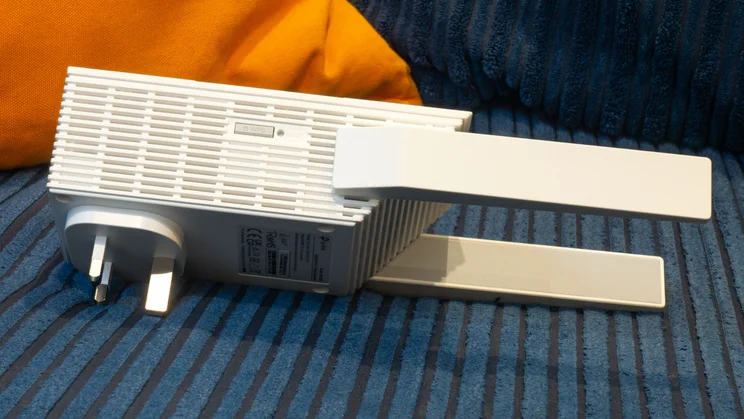
The RE235BE is a bit bulky, and its width can obstruct an adjacent power socket; admittedly that’s a complaint that could be made of many extenders, but TP-Link’s Wi-Fi 7 models are particularly guilty of this.
Aside from that, my only gripe is to do with expectation management. When a device is positioned as a flagship Wi-Fi 7 extender with 2.5Gbits/sec Ethernet, you might reasonably assume that both wired and wireless connections would be faster than the entry-level model – and for most purposes, they’re not.
Should you buy the TP-Link RE225BE?
Sure, why not? It works just as well as TP-Link’s other two models, and it currently costs a little less. It’s not the right choice for everyone: depending on your needs, you may well be fine with one of the best Wi-Fi 6 extenders.
It’s also wholly possible that prices will fall or switch around in the near future, making one of TP-Link’s other models more attractive. Right now, though, the TP-Link RE235BE easily takes the title of Best Buy Wi-Fi 7 extender.





