Phones

Samsung Galaxy A57: A good phone with mediocre cameras
A slim design and excellent battery life weighed down by a camera system in desperate need of an overhaul
£529
-
 Google Pixel 11 Pro XL: Better but still not good enough The Google Pixel 11 Pro XL is a moderate improvement on its predecessor but still not on par with the industry’s top dogs£1279
 -
 Google Pixel 11: Small improvements to a solid formula More starting storage, faster wireless charging and fresh new colours help to offset the Google Pixel 11’s higher starting price
 -
 Google Pixel 11 Pro and Pro XL: Just the HiLights The new HiLight feature spearheads an otherwise meagre selection of improvements for Google’s Pro Pixels
 -
 Google Pixel 11 Pro Fold : In the thick of it Despite several solid improvements, the Google Pixel 11 Pro Fold still isn’t on a par with the best foldables on the market
 -
 Oppo Pad 5: Solid but outclassed The Oppo Pad 5 is competent and well-priced, particularly the 5G version, but rivals offer just a little more value£329
 -
 Samsung Galaxy Z Fold 8 Ultra: Competent but falling behind Despite a couple of solid upgrades, the lack of IP68 protection holds the Galaxy Z Fold 8 Ultra back£1899
 -
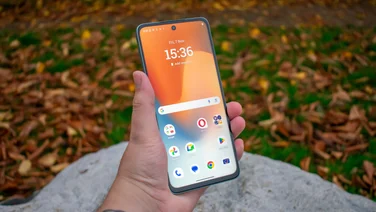 The best budget smartphones to buy in 2026 Looking to save money on your next smartphone? These are the best budget phones to buy in the UK, fully tested by our team of experts
 -
 Samsung Galaxy Z Fold 8: Great design but lacking key features The Galaxy Z Fold 8 is so much fun to use, but it’s hard to recommend with such a rudimentary set of features£1699
 -
 Samsung Galaxy Z Flip 8 hands-on review: A real Z-lister With few upgrades and a higher price, the Galaxy Z Flip 8 is going to have a hard time tempting people away from the Razr 70 Ultra
 -
 Samsung Galaxy Z Fold 8: Wide or die Samsung’s new, wider Z Fold 8 has a unique, eye-catching design and cheaper price – but lacks some premium features
 -
 Samsung Galaxy Z Fold 8 Ultra: Not exactly ultra With only a few upgrades and a £100 price increase, the Galaxy Z Fold 8 Ultra doesn’t feel like it’s living up to its name
 -
recommended
 Honor Magic V6 review: Feelin’ so fly like a V6 The Honor Magic V6 is stronger, longer-lasting and more powerful than ever – but it’s also now far more expensive£1999
 -
 Oppo Reno 16: Better than the Pro, but it still has cons The Oppo Reno 16 is better value for money than its Pro sibling, but it still falls short of the best in this price range£699