To help us provide you with free impartial advice, we may earn a commission if you buy through links on our site. Learn more
1
/
3
Our rating
Reviewed price
£157
inc VAT
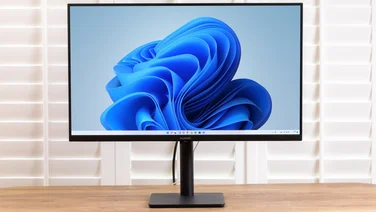
BenQ’s EW2420 is one of a few monitors we’ve seen to have a VA TFT panel. Unlike standard TN (Twisted nematic) LCD panels, a VA (Vertical Alignment) panel has liquid crystals that naturally align themselves vertically, making them easier to manipulate. VA panels are known for having better black levels, response times and viewing angles, so we were eager to see the EW240 in action.
Our first impressions weren’t good. From the side, photos looked washed out, and the unusual glossy finish means you’re more likely to see the other side of the room than the image. In fact we found viewing angles just as fussy as with a TN panel.
In our gaming and movie tests, we found the EW2420 didn’t handle movement very well either; in our Crysis test, foliage became a blur during fast movement, and there was visible ghosting on straight lines, even with the AMA overdrive setting turned on.
The LED backlight is bright and even, however, although we felt it had a slight blue cast that made images seem cold. Even with a bit of tweaking, colours were a bit duller than on other displays we’ve seen. Contrast is the EW2420’s highlight, however; blacks are deep, and our test copy of The Dark Knight really came to life. Good blacks help to bring out depth and 3D effects, so while there is blurring in games and films, at the same time it feels more real.
As usual, BenQ’s menu system was clear and easy to use, although the buttons are mounted on the side of the panel and the “Up” button takes you to the right in the menu, which is confusing. Basic brightness and contrast are joined by a Gamma control, and the colour section includes preset Bluish, Reddish and Normal modes, plus User mode where you can specify RGB values.
The EW2420 stands out for other reasons, too. Unlike many displays, it comes with a four-port USB hub, and it also has two HDMI inputs, so you could feasibly have multiple devices connected to it. Unlike some of the thinner LED-backlit panels, it still has a VESA mount and a built-in power supply.
We can’t recommend the EW2420 for work that requires colour accuracy and moving pictures, be they film or games, due to signs of ghosting. It’s not a terrible display, though, and the excellent contrast and deep blacks offer something different. If your environment isn’t full of bright lights that the glossy screen will reflect, then it’s a good choice.
Written By
Barry de la Rosa
Barry de la Rosa has written various articles on a range of topics covering everything from TVs to mobile phones.