To help us provide you with free impartial advice, we may earn a commission if you buy through links on our site. Learn more
- Good image quality
- Sharp QHD resolution
- Good motion clarity and low input lag
- Refresh rate is only 144Hz
- No height adjustment
With the price of memory, GPUs and storage going through the roof in recent times, it feels like bargains are few and far between when it comes to PC gaming. That’s why the Philips Evnia 27M2N3500NF gaming monitor is such a breath of fresh air.
This 27in QHD monitor is aimed squarely at shallow-pocketed gamers who want a responsive monitor without spending serious money. The really big surprise, however, is that it’s actually quite good.
What do you get for the money?
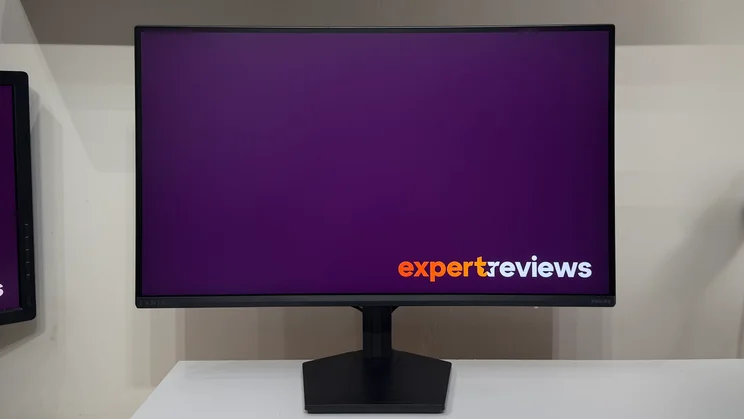
At the time of writing, the Philips Evnia 27M2N3500NF retails for around £130. For that money, Philips is offering a 27in IPS panel with a 2,560 × 1,440 resolution and a 144Hz refresh rate via both of the HDMI and DisplayPort inputs. You get official AMD Adaptive sync and unofficial Nvidia G-Sync support. Best of all, the QHD resolution means that even relatively modest graphics cards should be able to make the most of the Philips’ refresh rates with modern games – at least with a little scaling and some sensible detail settings.

Build and connectivity
As you’d expect for £130, the Evnia’s build quality is light and plasticky. That said, it doesn’t feel badly made, it’s just a far cry from the heavyweight 32in OLED monitors that have graced my desk in recent months. In fact, it was rather refreshing to be able to pick up the Evnia’s panel single-handed and click the basic stand into place without worrying about dropping it.
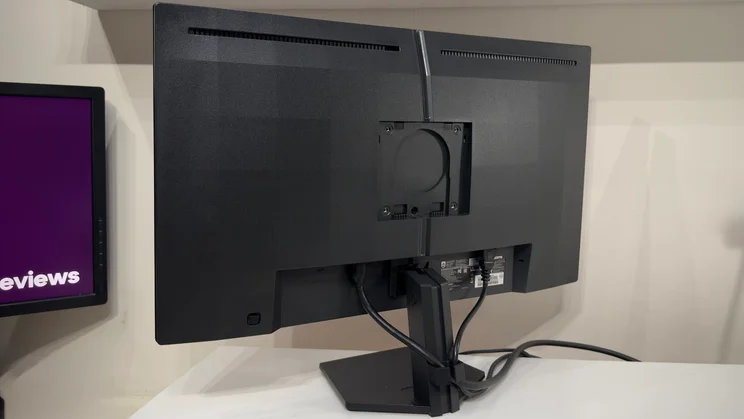
The stand provides some fore and aft tilt adjustability but exhibits a fair bit of side-to-side wobble. In honesty, a cheap VESA monitor arm would probably be a really good upgrade here. The light panel won’t need anything particularly pricey to support it, so you could spend around £20 and get a full range of adjustment and a neater look.
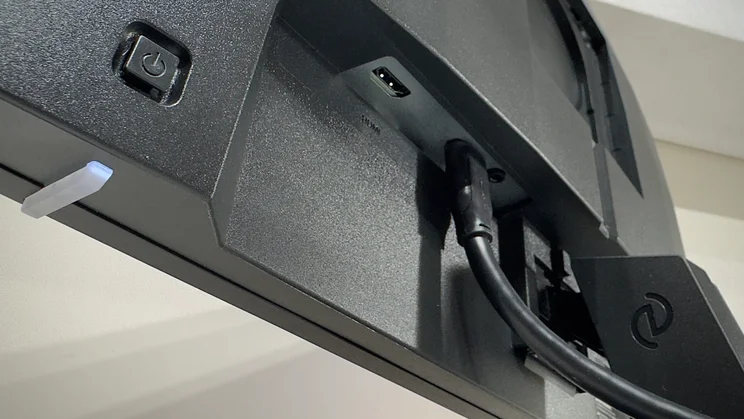
At the rear, connectivity is super basic. You get single HDMI and DisplayPort inputs and a 3.5mm audio output for hooking up headphones or speakers. You’ll definitely want to use it, too, as the internal speakers are awful.
Usability and features
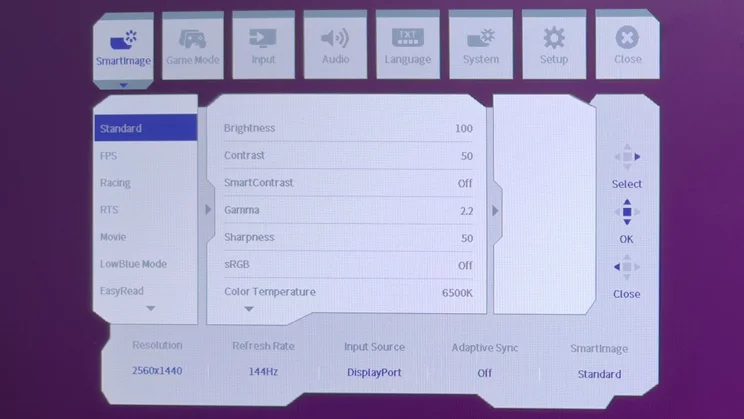
One pleasant surprise here is that the onscreen display is clear and usable. Some gaming monitors opt for fancy-looking OSDs, which sacrifice legibility for visual pizzazz – using red text on a black background, for instance – but the Evnia’s menus are simple and easy to get to grips with. The single button on the monitor’s rear doubles as a clickable four-way joystick for navigating the menus, and this works well.
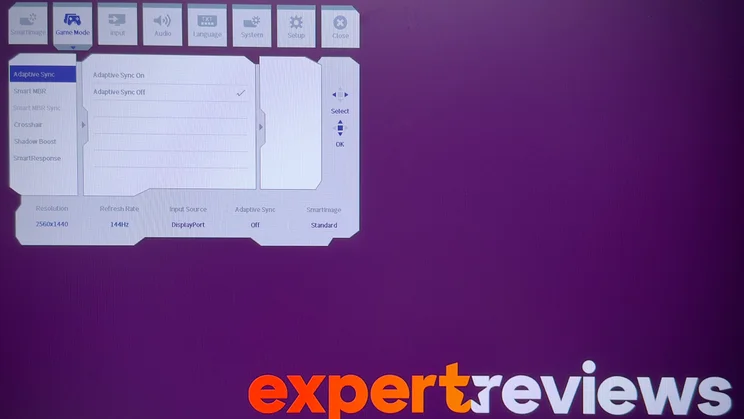
In terms of specific gaming features, you get a hardware crosshair, which can be handy, and a Shadow Boost function, which raises shadow detail in three stages. And you can choose between enabling Adaptive Sync and Smart MBR, or Smart MBR Sync, which attempts to blend the best of both worlds. MBR stands for motion blur reduction and this is a technology that employs backlight strobing – flashing the backlight in sync with the refresh rate – to create smoother motion.
If your PC is powerful enough to hold frame rates at the panel’s 144Hz refresh rate, then turning off V-Sync and using Smart MBR provides the clearest image quality. If frame rates are a little more variable, but remain above 60Hz, then MBR Sync will give you a good compromise. This does reduce overall brightness at higher settings, but not egregiously so, and judicious application of the feature can improve motion clarity.
What’s the image quality like?
As I reluctantly hoisted our previous monitor – a 4K 32in OLED – off my desk, I was expecting to find the Evnia a bit of a shock to the system. In fact, it was quite the opposite. I fired up Arc Raiders and just started playing, and it was only around two hours later that I remembered I was meant to be writing this review.
And that’s because, subjectively, there’s very little to complain about. The combination of a 27in panel and QHD resolution makes for a pixel density that’s noticeably lower than the 32in 4K monitor sitting on the floor next to me, but it’s still plenty crisp enough to make games look sharp and detailed. This goes hand-in-hand with natural-looking colours, albeit with a slightly warm tone, good contrast, and crisp motion.
Colour accuracy, brightness and contrast
In terms of colour accuracy and picture quality, the Evnia gets a lot right. The panel doesn’t cover the wider colour gamut of pricier models, but it delivers most of the sRGB range – a respectable 98% in my testing – and colour accuracy at default settings is good. An average Delta E of 1.42 is a solid result.
Combined with a 1,143:1 contrast ratio and a peak brightness of 327cd/m2, the on-screen images look solid and punchy and well-balanced. And if you want even better colour accuracy, you can simply toggle the sRGB mode on in any picture preset. Do that, and the average Delta E shrinks to 0.99.
One thing this doesn’t do, however, is make the white point a perfect 6,500k. It measures around 6,280k in both modes, which explains the slightly warm tone I noted in subjective testing. There’s also a little inaccuracy in the most saturated red and blue tones, partly because the panel does produce some tones outside the sRGB gamut, but the errors are not very noticeable.
The only other thing worth mentioning is that the panel has a tendency to crush the darkest shadow detail a little too eagerly. Thankfully, this is easily rectifiable by turning on the Shadow Boost feature. Setting this to Level 1 is a good compromise as it boosts shadow detail and does so without making the image look washed out.
Motion clarity and gaming
Motion clarity is far more important for a gaming monitor, and here the Evnia fares surprisingly well. The SmartResponse overdrive settings are left off by default, but nudging this up to Fast or Faster sees moving objects snap into sharper focus. I’d avoid using Fastest, however, as the inverse ghosting goes from noticeable to distracting. Depending on the game, and how intrusive you find the ghosting, I’d pick between the two slower settings.
In fact, it’s fair to say that I was very impressed by the Evnia’s performance. With Arc Raiders’ graphics settings adjusted to prioritise triple-figure framerates, the clarity on show with VRR enabled was superb. Amazingly, it didn’t feel like a huge step down from that high-end OLED monitor – and enabling Smart MBR mode provided an even better impression. Brightness does drop a notch, but even in our brightly lit office that was a worthy sacrifice for the subtle improvement in crispness. It’s not night and day, but it’s nice to have the option there if you’re seeking the very sharpest motion.
Input lag, text clarity and HDR
Input lag is vanishingly low, too. I tested the Evnia with the OSRTT tool, and the total input lag peaked at a maximum of 8.5ms. The average was just under 6ms, which is impressive for a budget display. Basically, you really haven’t got any excuses for losing – this monitor is not the weakest link.
And unlike far pricier OLED panels, the Philips’ IPS panel provides another benefit: text clarity is more than good enough for productivity purposes. The matte anti-glare finish does a good job of suppressing reflections, too, so you can use it under bright lighting or in sunlit rooms without any hassle. In short, if you’re after a sub-£150 monitor for work and play, the Philips Evnia 27M2N3500NF should definitely be on your shortlist.
One final word: don’t bother with HDR on this monitor. Although it supports it, the relatively low peak brightness and static backlight means that it’s just not capable of getting any benefit from HDR. In most cases, SDR content will look much better.
Should you buy the Philips Evnia 27M2N3500NF monitor?
If there’s one major reason not to buy the 27M2N3500NF, then it’s not because it’s not good in its own right – it’s because some of its own stablemates offer even better value. For instance, the very similarly named Philips Evnia 27M2N3501PA manages to cram in a 27in QHD panel with 260Hz refresh rate and a height-adjustable stand for a current price of around £185. For £55 more, that’s a far better deal.
But if you don’t want the higher refresh rate, or your PC rig simply can’t deliver those frame rate, and you’re prepared to put up with the lack of height adjustment, the Evnia 27M2N3500NF will deliver everything you need for very little money. Philips has concentrated on the essentials, useful features and surprisingly capable performance and this monitor more than delivers.