
To help us provide you with free impartial advice, we may earn a commission if you buy through links on our site. Learn more
- Stunningly fast 500Hz panel
- Great SDR and HDR image quality
- Gorgeous looks
- Demands a monster CPU and GPU
- No USB-C
- Expensive
If you’re reading this and seriously considering the idea of buying the Odyssey G60SF, then let’s be clear – you need to be very good at gaming for this to be your perfect monitor. Very, very good. You also need a very good CPU and GPU. Excellent, in fact. As the G60SF is the first QD-OLED monitor we’ve seen with a 500Hz refresh rate, you need to supply it with 500fps frame rates at a 1440P resolution for it to be at its best.
The price of admission for this level of performance is steep. With an RRP of £799, the Odyssey G60SF is very expensive for a 27in monitor with a mere 2,560 x 1,440 resolution. That kind of money would easily buy you a larger OLED panel. The question, however, is whether you’d benefit more from a more immersive 32in 4K panel with a sub-250Hz refresh rate, or whether you’re competitive enough to benefit from ultra-responsive, pin-sharp motion, which Samsung is promising here.
What do you get for the money?
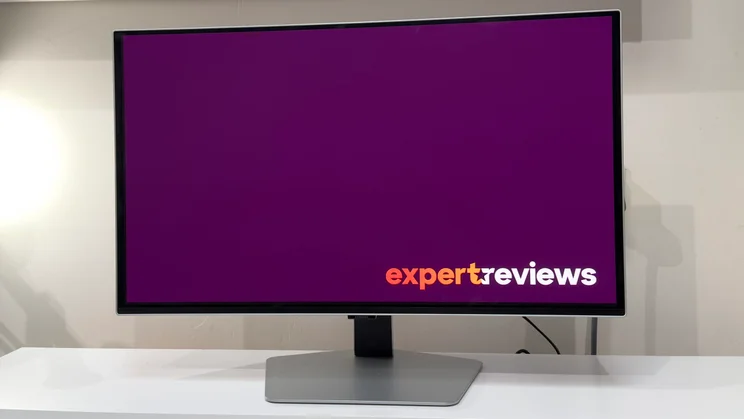
Well, you get an absolutely gorgeous monitor for starters. When spending this kind of cash on a mere 27in screen, you’d be forgiven for feeling a bit short-changed when pulling such a modestly sized monitor out the box.
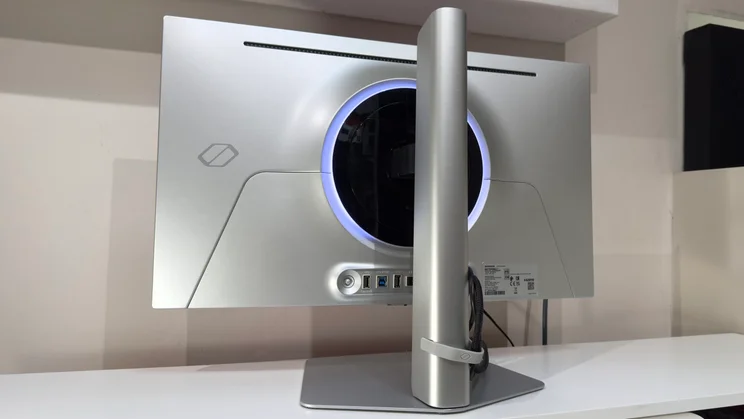
The Odyssey G6 immediately shows you where the money’s gone, though. The panel itself feels super sturdy, with a beautiful curved aluminium rear that tapers gently towards the centre.
Design
Naturally, there’s a big RGB-backlit ring which can be customised to provide anything from a gentle glow to a dizzying multi-coloured spin. Or, yes, you can turn it off completely. It’s just a shame that you can’t pick white as one of the colours to create a subtle bias light for the rear of the monitor – the gentlest option is a very pale blue, or you can lean into the gamer aesthetic with more lurid RGB shades.
The stand and base are pretty classy. There are no low-rent thumbscrews here – the base simply slots into place and automatically locks with a twist. It’s a big old base for such a dainty monitor and that means immense levels of stability. The stand provides 120mm of height adjustment, rotates left and right into portrait mode and provides more than enough tilt and swivel to achieve a comfortable viewing angle on any desk. That adjustment is on the stiff side – you’ll need two hands to fine-tune the position – but once it’s in place, it’s not budging.
Connectivity
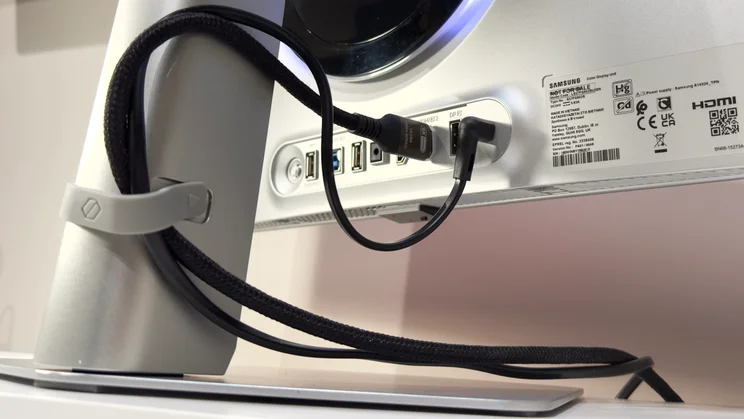
There is a small price to pay for the svelte design. The G60S needs a chunky external 140W mains adapter for its power, so it’ll need stowing away if you like running a minimalist setup.
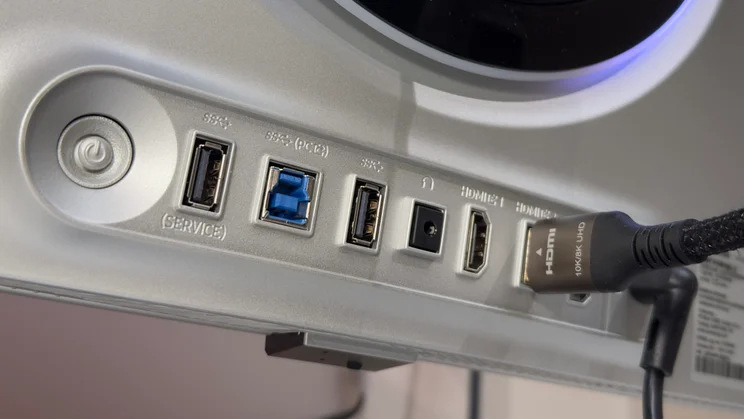
Otherwise, all the connectivity is collected around the lower centre of the panel. Samsung has opted for rear-facing ports and you get two HDMI 2.1 ports, one DisplayPort 1.4 port, a headphone output and a USB-B input which powers up the pair of 5Gbits/sec USB-A sockets.
There are two disappointments here: first, there is no USB-C connection; second, the ports on my review sample were loose. Pushing the cables in made the internal plastic panel bend inwards, and this meant I had to wiggle the power supply in and also to be careful while inserting the HDMI cable. Admittedly, most monitors won’t see as much action as a shared test unit like this, but it was a tad disappointing to see, especially on a monitor of this calibre.
On-screen display
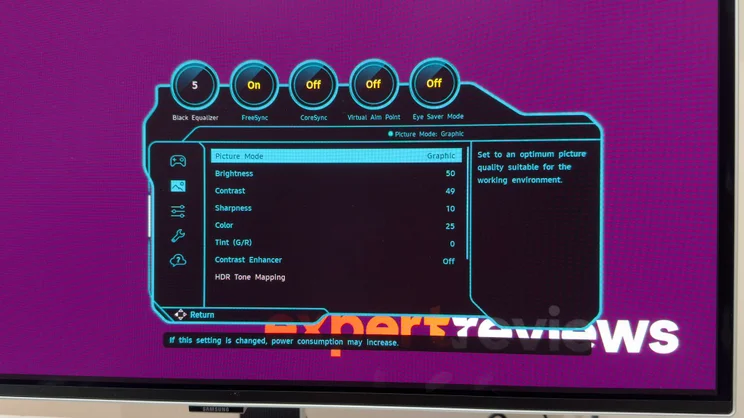
Samsung has, however, done a decent job with the on-screen display. The joystick hidden at the rear fires up a quick menu that gives rapid access to switching inputs or quickly adjusting basic features – you can tailor these options to your preferences – or you can tap into the main menu. Everything is laid out sensibly and clearly, and you get the usual gamer-centric features such as a hardware crosshair and a Black Equaliser feature, which aims to reveal enemies hiding in the shadows.
There aren’t too many menus and Samsung has resisted the temptation to adorn it with excessively bright colours or needless icons – it just gives quick easy access to features, and a little bar along the top details which features are currently active. The only complaint I have is that the joystick is recessed just a tad too far – you have to awkwardly crane your hand underneath to access it comfortably.
How good is the image quality?
Samsung has employed one of its own fully matte QD-OLED panels, and it offers a very, very different look to the semi-gloss or glossy panels we’ve seen from rival models. The big benefit is glare suppression.
Whereas the glossier panels do a good job of taming the intensity of really bright highlights, they don’t suppress them completely, and you get a perfect, albeit dimmed reflection of your surroundings in brighter lighting. By comparison, you can shine a very bright torch directly at the Samsung’s panel, or have it facing a bright window, and it diffuses the ambient light into a soft glow
The downside is that the matte layer also exaggerates QD-OLED’s tendency to raise apparent black levels with a soft reddish, purplish tinge. In rooms with lots of natural sunlight – or even facing a window – the Samsung fares better than its glossy counterparts, but at the cost of black depth. It’s not until the lights go down that you’ll see the intense, perfect contrast that OLED is famed for.
The sheer quality of the images here is impressive, though. At default settings, the Odyssey delivers a vast palette of colours with accuracy and oodles of brightness. In our tests, it covered 99.5% of the DCI-P3 colour space and 93.5% of Adobe RGB.
Brightness and accuracy
It’s accurate and bright, too. Measured against a Display P3 profile, the panel delivered an average Delta E of 1.13 and peak brightness of 329cd/m2 on a 5% window. In fact, there’s a good reason why Samsung doesn’t deliver the panel with brightness cranked to maximum – it’s too bright for sensibly lit rooms. And notably, it’s much brighter than the previous generation of QD-OLED panels in the Alienware AW2725D and AOC AG276QZD2 monitors.
HDR performance is very good, too – as you might expect given the VESA DisplayHDR TrueBlack 500 certification – but it goes far brighter than 500cd/m2 in real-world use. The Odyssey’s strong “real scene” brightness means HDR content looks really balanced and natural. Where daytime scenes can often look dim on OLED monitors with limited real scene brightness, the Odyssey is that crucial bit brighter.
That said, I wouldn’t necessarily rush to crank the monitor’s peak brightness setting to maximum. Flick it from “Off” to “High”, and the peak brightness doubles from around 540cd/m2 to 1,020cd/m2, but the overall scene brightness drops noticeably compared to the lower two settings.
For more natural-looking HDR, I’d recommend sticking to “Medium”, or potentially “Off” if you’re finding the highlights too bright in a darker room. The medium setting limits the peak brightness to just under 800cd/m2 in both the active and static HDR Tone Mapping modes, does so without affecting the overall image unduly, and it maintains that peak brightness up to around a 10% window – brightness steadily starts to tail off above that.
Motion clarity
As you’d expect, the motion clarity here is just stunning. It’s not a night-and-day difference compared to a slower 280Hz panel such as the Alienware AW2725D, but it’s a noticeable step up in sharpness. Fast-moving objects snap into tighter focus, and the result for games is that everything looks crystal clear, even when the action becomes absolutely frantic. It’s remarkable. And, once you’re used to it, you may find it hard to go back to a slower panel – I certainly did.
The biggest issue for most people will be actually maintaining those frame rates. My test system has a modest Core i5-12400 CPU in it, and despite a decent AMD Radeon 9070XT GPU working alongside, the CPU just isn’t capable of maintaining sky-high framerates in many titles. Even older titles such as Doom: Eternal required me to drop the detail settings to get the frame rates to approach the 500fps mark.
Move to newer titles such as Arc Raiders, and the added extra graphical load and online aspect mean that I was lucky to hit 250fps even with 2x frame generation enabled. Frankly, if you’re looking at this monitor, you’ll need a far beefier system – anything less and the Odyssey’s talents will be wasted.
VRR flicker
There is one predictable fly in the ointment: VRR flicker. The Odyssey supports both Nvidia G-Sync and AMD FreeSync Premium Pro, which is nice, but I noticed prominent flicker in both dark and mid tones with it enabled. This is probably worsened by the fact that my PC struggles to maintain the highest framerates, but it was markedly more intrusive than on the Alienware AW2725D in my usual VRR tests, and I tested the Samsung in both its 240Hz and 500Hz modes. It was similarly irritating in games, too. The variable framerates in ARC Raiders caused darker areas to shimmer unpleasantly.
Normally, the only solution is to engage a frame rate limiter and maintain a steadier framerate, or turn off VRR completely, but the Odyssey’s VRR Control feature adds another option. Engage this and the VRR flicker disappears. I didn’t notice any stutter or negative effects, either, although going by other reviews of the Odyssey’s predecessor, it likely does add a few milliseconds of lag. Given my (lack of) gaming talents, however, it’s not noticeable – and it’s a better option than disabling VRR completely.
Should you buy the Samsung Odyssey G6 G60SF monitor?
The Samsung Odyssey G6 G60SF is an astonishingly good gaming monitor. Every aspect of its performance puts it at the top of the pile – for gamers who want the absolute ultimate in responsiveness, this is the monitor to aspire to.
The only two reasons not to buy it are the price – which is high for a 27in display – and the need for a top-flight PC. This is a monitor that absolutely has to be served with a premium-grade CPU and GPU and an equally talented person sitting in front of it.
For mere gaming mortals such as me, it’s almost certainly overkill, but if you want every competitive advantage going, and you can afford it, then the Odyssey G6 G60SF may end up being the most deadly weapon in your loadout.


