To help us provide you with free impartial advice, we may earn a commission if you buy through links on our site. Learn more

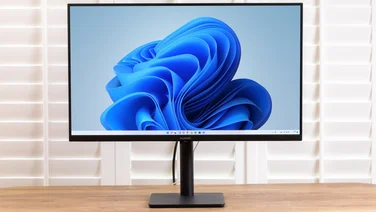
If you’re the kind of person who cares what their computer looks like, the MS236H should pique your interest. Asus’ latest monitor is a 23in Full HD model, which is just 16.5mm thick at the edges. It has a glossy black bezel with a similarly reflective white rear and is supported by a circular black stand. The monitor itself rests directly on the desk, meaning it sits much lower than most displays. This is fine if you’re planning on using it as a second screen for a laptop, but as a main PC monitor, you may find that it’s too low. You can tilt it back slightly on the sprung stand, but you can’t have it sitting perpendicular to the desk. There are VGA and HDMI inputs, plus a rear-mounted headphone socket for audio from HDMI. Both VGA and HDMI-to-DVI cables are included. A small external power supply is a slight annoyance, partly because it adds cable clutter, but also because it’s small enough to lose. Another case of form over function are the touch-sensitive controls. Next to the power button are five white circles. Press any one and the button labels light up so you know which to press to control the on-screen menu. It’s fairly easy to navigate, but as with most touch-sensitive controls, they’re not as responsive as proper buttons and, as there’s nothing tactile, you can’t operate them without looking where your fingers are pressing. All the adjustments you’d expect are present including colour temperature (with sRGB and red, green and blue controls), image presets and the ability to enable and disable dynamic contrast ratio. We found most of the presets unusable due to the loss in colour accuracy – in Theatre mode, for example, reds turned to a bright pink. We found Standard mode was the best compromise for most uses, including photo editing. Colours tended to be a little undersaturated and contrast isn’t the best we’ve seen but, in general, image quality was reasonable. However, reasonable isn’t good enough for a monitor that costs this much. It’s £60 more than Philips’ 23in 230C1HSB, which has superb image quality.
Unless you’re won over by the looks (and don’t mind the high price), the Philips is the better choice for anyone wanting a 23in full HD monitor.