To help us provide you with free impartial advice, we may earn a commission if you buy through links on our site. Learn more
- Powerful and versatile
- Quiet below the halfway mark
- In-depth targeting and app controls
- Big and chunky
- Nowhere to stash the floor stand
I’ve tested a huge range of app-enabled smart fans, but the Dreo Smart TurboPoly 765S is one of the few whose app controls are more a gimmicky extra, actually adding something to the way you use the fan. Even without them, it’s a versatile air circulator, shapeshifting between pedestal and floor fan, while packing in more features and control than your average tall cooler. It might not be as elegant as the Duux Whisper Flex 2 or as quietly powerful as the Meaco Sefte Pro 10in Pedestal Air Circulator, but it brings its own ideas and strengths to the table.
Is that enough to make it a contender when there are so many strong and innovative pedestal fans around? I’ve spent a hot week in July finding out.
Dreo Smart TurboPoly 765S review: What do you get for the money?
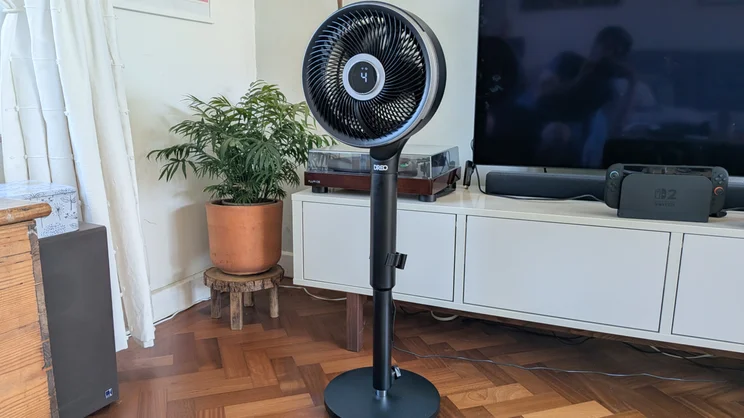
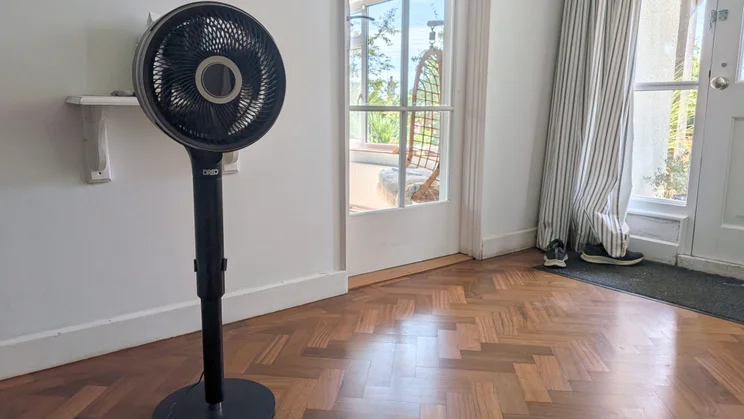
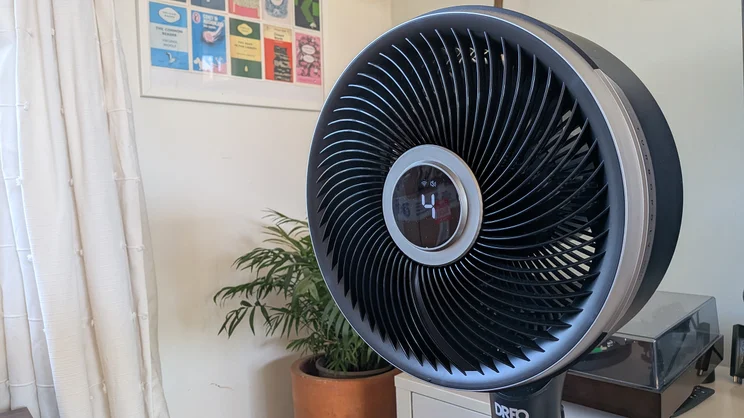
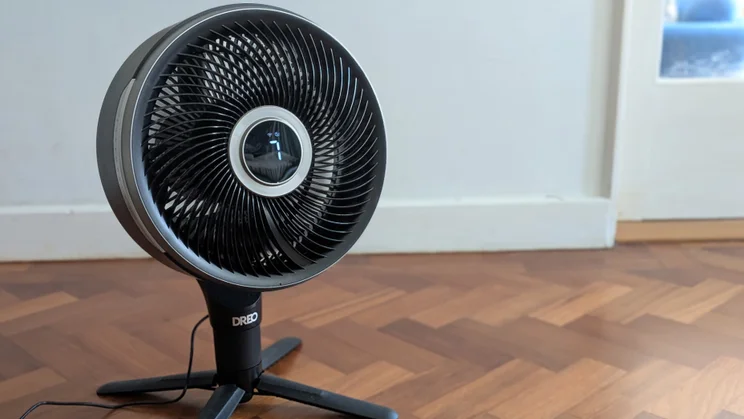
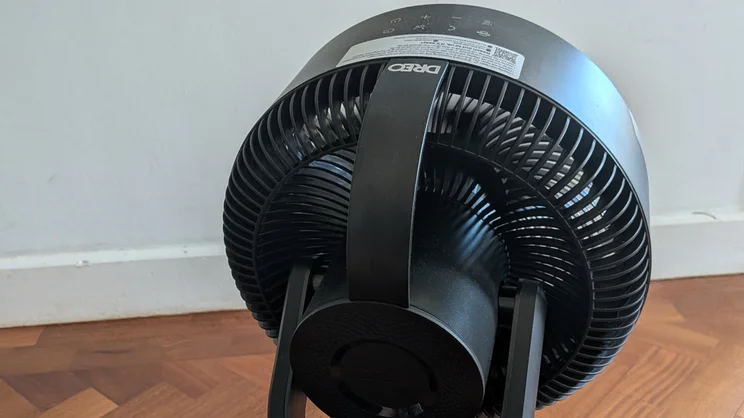
At £170, the 765S is a pedestal fan standing up to 39 inches/99cm tall on its two-part stalk and circular base. It’s not the most stylish design and is fairly chunky, with the fanhead measuring roughly 30cm across. And at nearly 6.7kg, neither is it the lightest fan to move around. However, it also feels really solid, unlike some cheaper pedestal fans.
More importantly, it’s a proper air circulator, capable of handling larger spaces. It can oscillate through up to 150 degrees horizontally and 120 degrees vertically, and has the usual combination of automatic, natural, sleep and manual modes I’ve come to expect from a fan of this design. Be prepared for some assembly before use: the lower part of the stem attaches to the base with a thumbscrew, before the top section and fan head can be screwed into position.
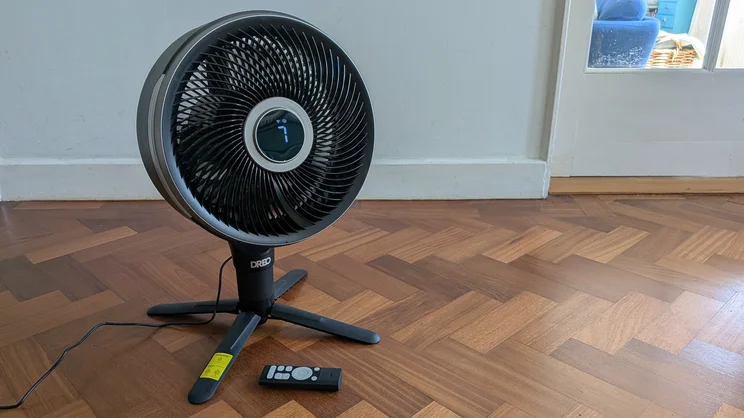
So far, so nothing special, but it isn’t long before you notice signs of innovation creeping in. The bottom stalk is adjustable, allowing you to add up to five inches/12.7cm in height. There’s also a second stand provided, enabling you to attach the fan head directly to a four-legged base so it can moonlight as a floor fan, much like the brilliant Dimplex DuoCool.
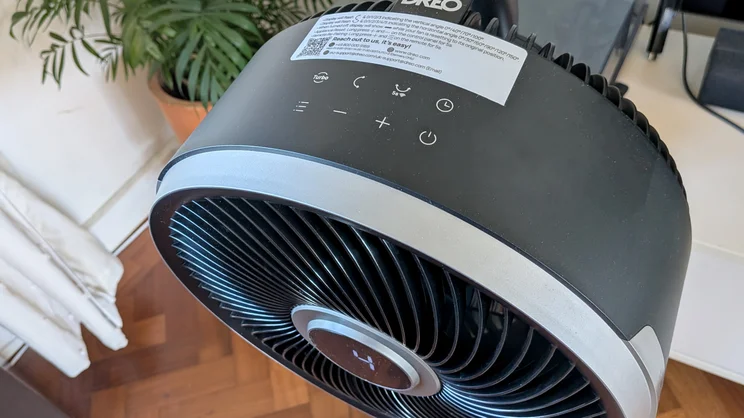
There are touch controls on the top of the fan and a digital display in the centre of the fan head, but the remote gives you more than just oscillation adjustment. With it, you can rotate the fanhead in both axes and target the airflow exactly where you want it. You can even hold the central button and use gesture controls.
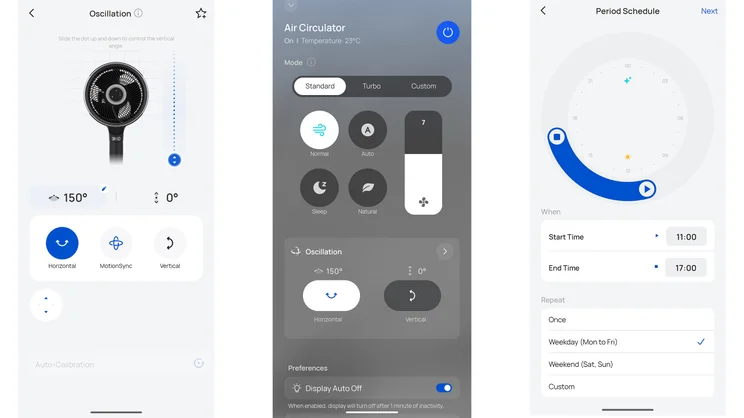
The smartphone app goes even further, with neat slider touch controls to adjust both arcs of oscillation or switch between 30° to 150° presets. You can even set them to be asymmetric if you so desire – surprisingly handy in awkwardly-shaped rooms. You can also use an on-screen D-pad for precise control of the airflow, while adjusting the speed with another slider. What’s more, you can schedule times for the fan to turn on or off, or use more slider controls to set periods when the fan will spring into action, as well as what modes or other settings it will use when it does. I’ve never tested another fan that gives you this degree of control, or in such a slick and intuitive app.
What features and settings does it have?
There are 12 speed settings on offer here, alongside six distinct modes. Four are bundled together within the standard settings. “Normal” is your standard set-and-forget mode, while “Auto” sets the fan speed according to the current temperature. “Natural” varies the fan speed to give you the impression of a natural breeze.
And finally, “Sleep” dims all the lighting and silences any beeps, while steadily reducing the fan speed as you doze. Beyond those, the “Turbo” mode ramps the speed up past the normal maximum, while “Custom” allows you to effectively program the fan so that it hits specific speeds when the temperature hits certain levels. Things get a little bit complex here, but then not everyone is looking for that kind of advanced control.
How I tested the Dreo Smart TurboPoly 765S
I carry out the same tests across all of the fans I review, measuring air flow, noise levels and power consumption.
I use an anemometer to record air speeds (in m/s). With the anemometer positioned a metre away from the fan, I take readings for its lowest, medium and highest settings, plus any settings I want to check for additional data. I then use a smartphone meter app to record sound levels (in A-weighted decibels, dBA) at the fan’s lowest and highest settings, also from one metre away. Finally, I use a plug-in energy meter to measure power consumption.
These standardised tests allow me to better compare fan performance across different brands and models. However, I also make sure I test each fan in everyday usage, taking note of how well it keeps me cool on hotter days, how easy it is to use and how useful any modes or smart features are. With this particular fan, I also spent time switching between its pedestal and floor-fan forms and experimenting with its app controls, to get a sense of how useful these more innovative features are.
How well does it perform?
This is the most ferocious fan I’ve tested since the original Meaco Sefte 10in models, reaching air speeds of 5.5m/s on the maximum 12 speed setting and 5.8m/s in Turbo mode. At those speeds you’re going to see loose papers flying around and light objects on flat surfaces moving, but you don’t need to go that high unless you’re trying to spread air around a large open-plan area. At setting nine you get a more reasonable 4.6m/s, while at the lower settings it’s a lot more gentle, starting at 2.2m/s on the minimum setting and reaching 3.7m/s when it reaches half-power.
I was also impressed by how well the alternative modes worked. Auto mode is maybe a bit conservative about its fan speeds in the 20°C to 24°C zone, but it works well enough if you just want to turn the fan on and forget about it. Meanwhile, the Natural mode is one of the most effective I’ve come across, gently ramping the speed up and down with no sudden crazy and distracting changes.
At its highest settings, this fan is going to be too noisy for sleep, quiet conversation or watching TV. I recorded outputs of 54.6dBA on speed setting 12 and over 56dBA on Turbo. Luckily, it’s whisper-quiet at its lower settings, hitting 27.8dBA on the minimum speed setting and a reasonable 35.4dBA on setting 3. The Smart TurboPoly 765S even does well when it comes to power consumption, using just 2.88W to 5.25W on its lowest settings, and 19.99W to 32.04W on settings nine to 12.
Most of all, I found Dreo’s little innovations genuinely useful. When you’ve got a fan dishing out air over on the other side of a large room, it’s handy to be able to take direct control of the airflow and point it where it needs to be, or set the horizontal arc of oscillation so that it covers the people sitting on the sofa, not the empty space to either side. I’ll admit I don’t really see the point of scheduling a fan to come on; it’s something you switch on when you’re in the room and feeling hot. But if you want to do it, the Smart TurboPoly 765S makes it easy.
Is there anything we didn’t like?
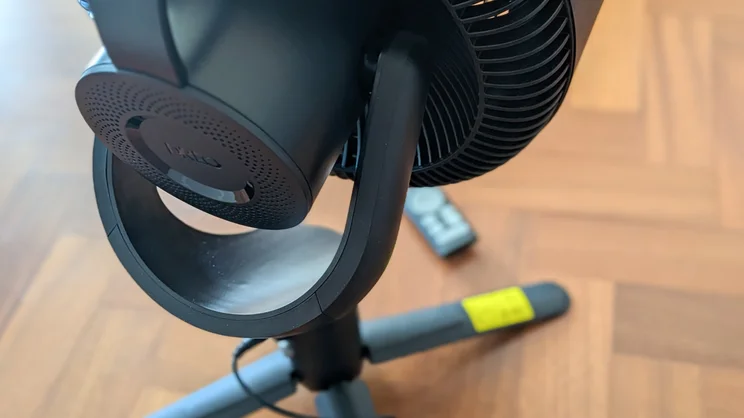
I’m a big fan of being able to use the 765S as both a pedestal and a floor fan. The curved brace at the top of the fan head suddenly makes sense as a carrying handle, and it’s neither too heavy nor too bulky to move around the house (though it is much too big to be used on any desk or coffee table).
However, the four-legged stand is sometimes tricky to mount quickly to the fanhead, and it doesn’t stow away in the stand like the one on the Dimplex DuoCool. Of the two, the Dimplex works better as a 2-in-1 model.
Should you buy the Dreo Smart TurboPoly 765S?
I’d definitely think about it. It’s one of the more expensive pedestal fans out there, and there are ways in which the Meaco Sefte, Dimplex and Duux models handle the basics better, especially when it comes to living room-friendly looks and noise control.
However, the controls and features of the Dreo fan go further, and it’s one of the best fans we’ve tested for getting the air moving around a larger room. If getting maximum airflow exactly where you need it is your main priority, the Smart TurboPoly 765S is in a class of its own.