To help us provide you with free impartial advice, we may earn a commission if you buy through links on our site. Learn more
- Compact, convenient and easy to carry
- Surprisingly good airflow for its size
- Decent battery life
- Indicators aren’t easy to read
- Turbo mode is noisy
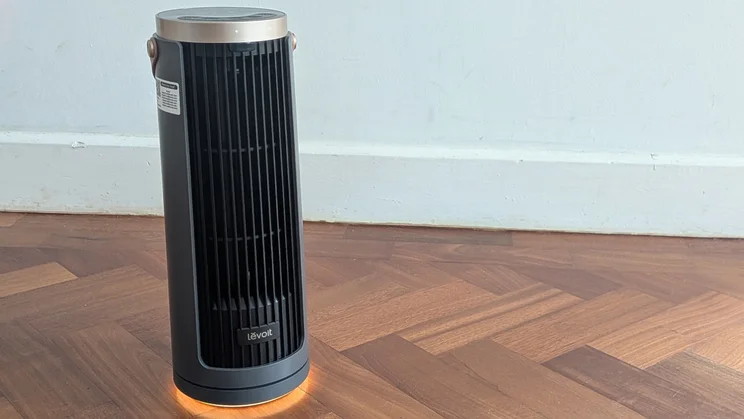
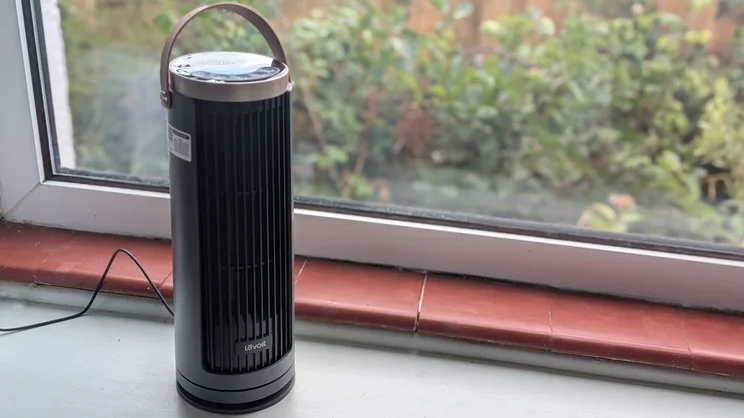
With a lot of fans I review, other members of my household might comment that it’s good-looking, big and noisy, cleverly designed, overpowered or particularly quiet. The word that keeps coming up with the Levoit Windi Mini Pro is ‘cute’. Levoit’s little wonder is a desk fan with a difference. Instead of a compact version of a conventional fan design, it’s effectively a shrunken tower fan. Pint-sized might be pushing it – it still stands taller than the average wine bottle – but it’s still the smallest tower fan that I’ve ever reviewed.
My main concern was whether it could get a decent airflow going, especially when some quite large tower fans struggle to put out more than a gentle breeze. I needn’t have worried. Over several hot and stifling summer days, this tiny tower proved its worth.
Levoit Windi Mini Pro review: What do you get for the money?
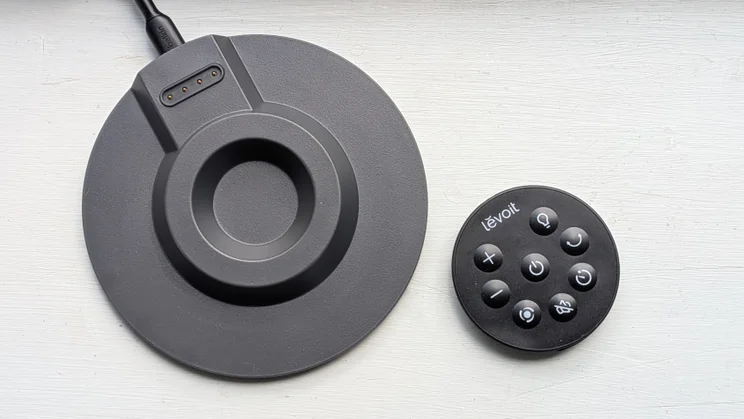
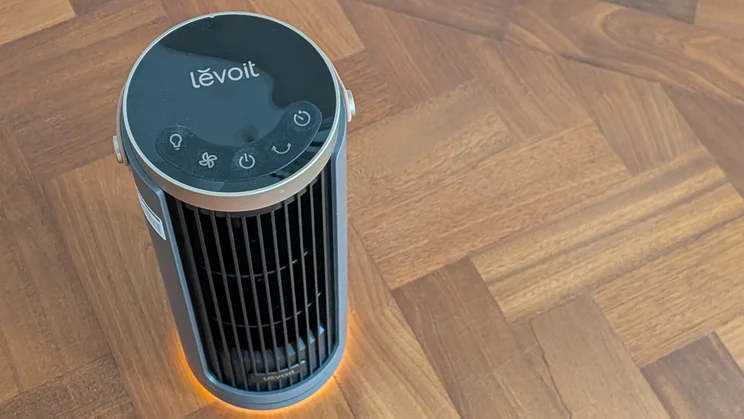
The Windi Mini Pro is a tiny tower fan at just 34cm tall and 12.5cm in diameter at the base. It incorporates a night light and a Lithium Ion battery, which charges through the bundled USB-PD charging base, then should power the fan for up to 20 hours. The faux-leather carrying handle at the top and 1.4kg weight make it extremely portable, and the plastics are robust enough that you don’t need to treat it with kid gloves. In fact, its IPX4 rated for spills and moisture.
There’s a set of membrane buttons on the top, which are used to turn the fan on and off, toggle through the different fan speeds and oscillation angles, adjust the night light and set the timer. These buttons are rubbery and require a bit of prodding, but at least you know when they’ve been activated, helped by a clear beep.
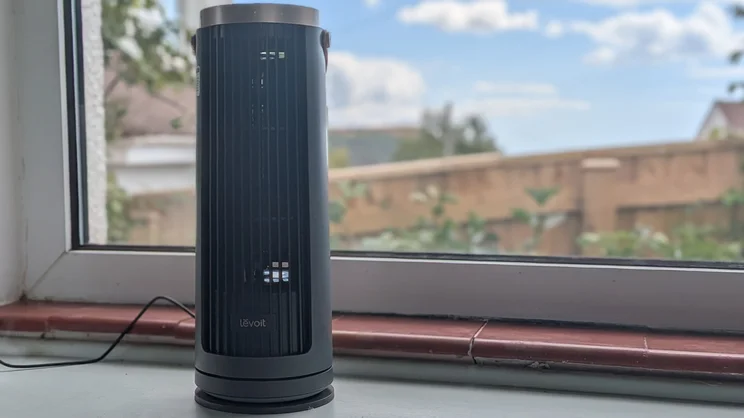
The controls are replicated on a small, round remote, but with plus and minus buttons for the fan speeds, a mute button for the beeps and a separate button for the Turbo mode. A set of four tiny LED indicators give you the only visual feedback for modes and speeds, though there is a dedicated battery light, which glows from green to red to show the battery level, and flashes red when it’s about to lose power.
The Windi Mini Pro costs £90, and comes in a choice of white and black. It’s worth mentioning that there’s a corded version – the Windi Mini – that’s available in white for just under £60. It’s basically the same fan without the battery and charging pad. You lose some of the convenience, but also save some cash.
What features and settings does it have?
You’ve got four speed settings plus a Turbo mode, which ramps up the maximum speed even further at the expense of additional noise. Beyond that, there’s not much to it. You can change the arc of oscillation between 30, 60 and 90 degrees, or set the fan to turn off after two, four, eight or 12 hours. The night light has low and high intensity settings, plus a soft fade effect. If you’re looking for a sleep mode, you’ll need to dim the indicators manually with a long-press of the light control and set it to the minimum fan speed.
How I tested the Levoit Windi Mini Pro
I carry out the same tests across all of the fans I review, measuring air flow, noise levels and power consumption.
I use an anemometer to record air speeds (in m/s). With the anemometer positioned a metre away from the fan, I take readings for its lowest, medium and highest settings, plus any settings I want to check for additional data. I then use a smartphone meter app to record sound levels (in A-weighted decibels, dBA) at the fan’s lowest and highest settings, also from one metre away. Finally, I use a plug-in energy meter to measure power consumption.
These standardised tests allow me to better compare fan performance across different brands and models. However, I also make sure I test each fan in everyday usage, taking note of how well it keeps me cool on hotter days, how easy it is to use and how useful any modes or smart features are. With desk or table fans, I’ll pay special attention to how effective it is at close range, and whether it’s distracting in any way while I try to work – or snatch forty winks.

How well does it perform?
To be honest, given the Windi Mini Pro’s size, I expected a slightly weedy breeze. But as I switched the fan on and started messing with the speed settings, it soon became clear this wasn’t going to be the case. Sure, on its minimum setting, the fan puts out an anaemic 1.2m/s of airflow, but this rises to 1.4m/s at speed two, and 1.9m/s at speed three. On the normal max speed setting it reaches 2.1m/sec, and that goes up to 2.5m/s on Turbo. Not only is that more powerful than some desk fans, such as the Dimplex Rechargeable Desk Fan, but I’ve reviewed some full-sized tower fans and bladeless fans that can’t go above 1.5 to 2m/s.
The downside is that it’s fairly noisy at its higher speeds. At minimum speed it’s basically silent: the 26.2dBA I measured was near-identical to the level of ambient noise in my living room at night. On speed two, that rose to 32.2dBA, and by setting four it was up to 42.9dBA. That’s not awful, but it’s distracting and too loud for watching TV at low volumes or trying to get a decent kip. What’s worse is its Turbo mode, which reaches a relatively raucous 45.2dBA.
Still, it’s quiet enough at settings one and two, and with the fan fairly close – say at half a metre – you’re still getting a cooling breeze. I had it sitting on my desk, running at its minimum speed as I worked, and it shifted enough air to take the edge off a sweltering hour or two. The fan also became a must-have accessory for sessions on the family rowing machine.
The convenience of battery power makes a big difference here; you can just pick the fan up, even while it’s on, and take it wherever you’re going. With the fan running on its second speed setting it lasted ten hours and twelve minutes before running out of puff. That’s not the promised 20 hours, but it should cover most people’s daily use. A good thing too, as it takes between six and seven hours to recharge on its base.
I measured power consumption at 16.2W while charging, though only 13W when running at the minimum speed. At setting three this increased to 15.17W, and 16.38W on setting four. In short, this fan really isn’t going to cost you a fortune to run.
Is there anything we didn’t like?
Aside from its noisy higher speeds, the fan’s indicators could be easier to read. The lack of a clear digital display hampers usability, especially when you’re trying to set the timer or adjust the oscillation angle.
Should you buy the Levoit Windi Mini Pro?
I had my doubts about its form factor, but the Windi Mini Pro has won me over. It’s not as powerful as the Meaco Sefte 6in Air Circulator or the Shark FlexBreeze HydroGo, but there’s something about its cordless charging and compact tower design that makes it a fantastic take-anywhere fan.
In fact, I’ve found myself carrying it around more than any other desk fan, and several times I’ve noticed it disappearing to another room in the house. For low-level, close-range cooling, it’s easily one of the best fans around.