To help us provide you with free impartial advice, we may earn a commission if you buy through links on our site. Learn more
- Smooth pan/tilt movement
- High-quality 2K video feed
- Good 2-way audio performance
- No local storage option
- Expensive hardware and subscription costs
- No colour night vision or LED spotlight
If you’re thinking of buying a basic security camera like the Arlo Essential 3, there are plenty to choose from. There are similar devices from both the Amazon-owned Ring and Blink, as well as the likes of Eufy and Tapo, to name but four of the major players in this market.
So, given the level of competition, it’s worth considering all your options before taking the plunge, especially as buying the camera itself is just the starting point in many cases. Some manufacturers, Arlo included, require you to pay a monthly fee for cloud storage, just so you can review and download recorded footage, and lock other features behind the subscription as well.

What do you get for the money?
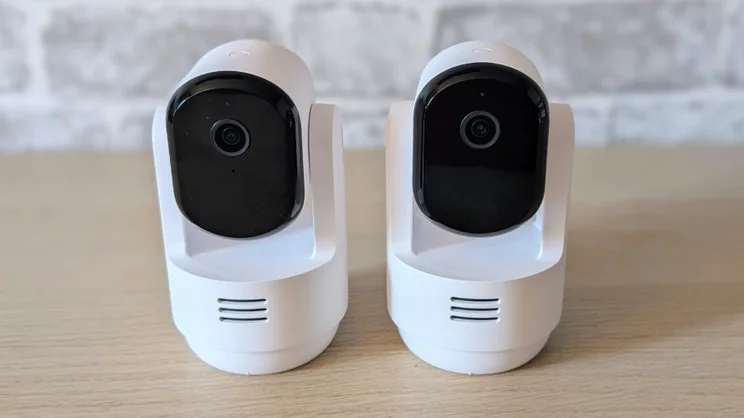
The sticker price of £90 for one Arlo Essential 3 Pan-Tilt Indoor or two for £130 is, therefore, a little meaningless. Arlo clearly wants you to be paying for the 12-month subscription to Arlo’s Secure AI cloud package (normally £200), and this is why it offers 50% off the price of your cameras when you do pay up front.
So, the real cost for one camera works out at £245 or for two, it’s £265, with 12 months of cloud storage included.
How does the cost of the Arlo Essential 3 compare with rivals?
The Ring Pan Tilt costs £100 for a twin pack. To store and access recordings, you again need a cloud subscription, which for two cameras will cost you £80 per year. That’s £180 in total, so cheaper than the Arlo cameras.
Tapo’s C250 indoor camera, which can deliver a 4K video feed, costs £40 (£20 off the MSRP at the time of writing), so two will cost £80. A twelve-month subscription to Tapo Care for two cameras is £53. So that’s £133 in total, again far cheaper than the Arlo.
Of course, you can put a MicroSD card into the C250 or connect it to Tapo’s H500 IoT hub to get free remote clip storage. The H500 currently costs £120, so for £279 you can have two cameras and a hub, set up your own local, free cloud storage, and never pay Tapo another penny.
You can buy a comparable system to the Tapo from Eufy, consisting of the E30 4K camera and HomeBase S380 hub for a similar price. However, a 12-month multi-camera cloud subscription is more expensive at £130.
Whichever way you slice this, the Arlo package is on the steep side when it comes to price.
| 2 cameras (standalone) | 2 cameras + subscription | 2 cameras + hub | Ongoing subscription |
|
|---|---|---|---|---|
| Arlo Essential 3 | £130 | £265 | N/A | £200/yr |
| Ring Pan Tilt | £100 | £180 | N/A | £80/yr |
| Tapo C250 | £80 | £133 | £279 | £53/yr |
| Eufy E30 | £104 | £234 | £263 | £130/yr |
What’s build quality and design like?
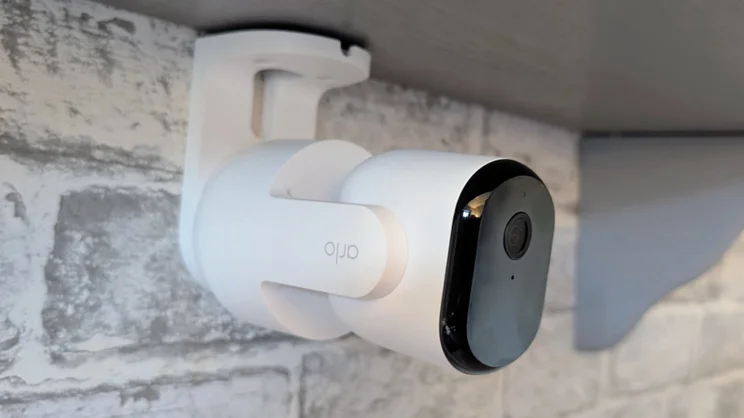
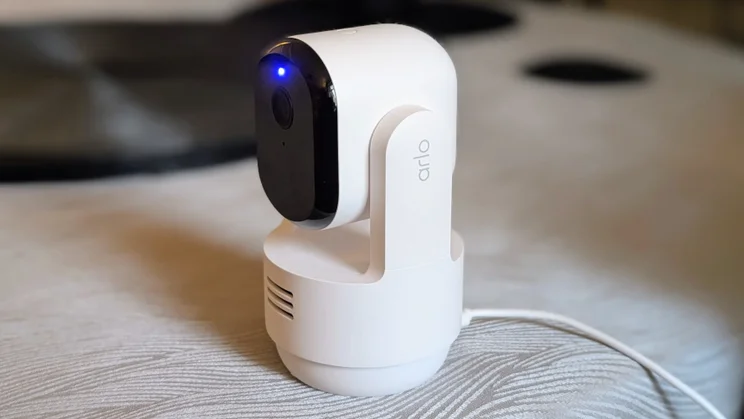
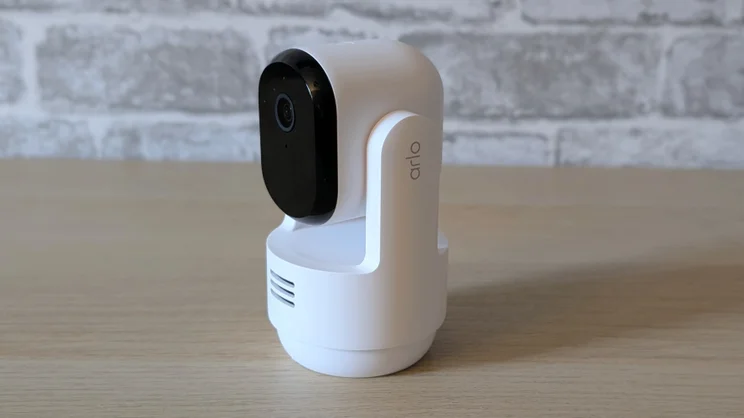
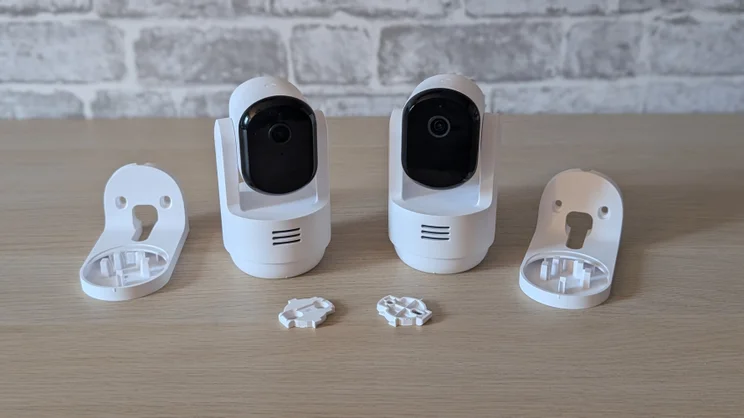
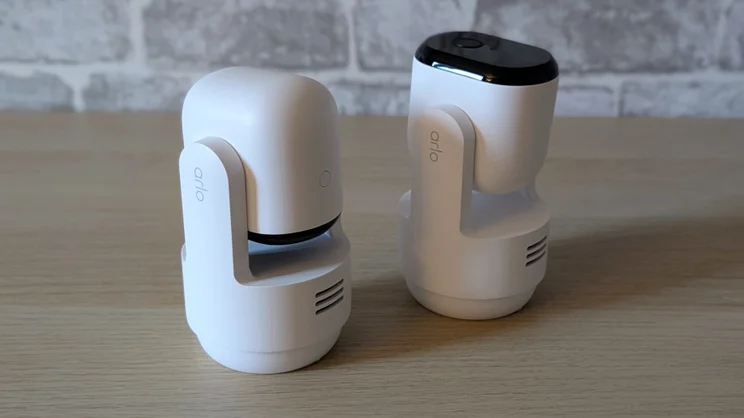
There’s no arguing with the physical quality of Arlo’s kit, though. The Essential 3 Pan-Tilt is a very smart and well-made device. It’s made from solid white matte-finish plastic with a glossy black front panel housing the camera, status LED and IR lights for night vision.
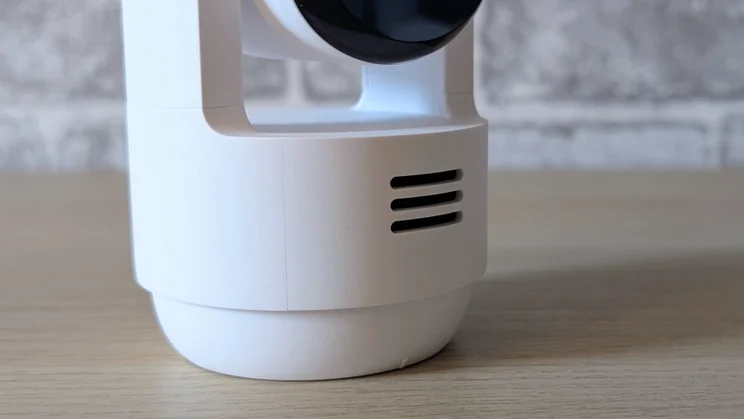
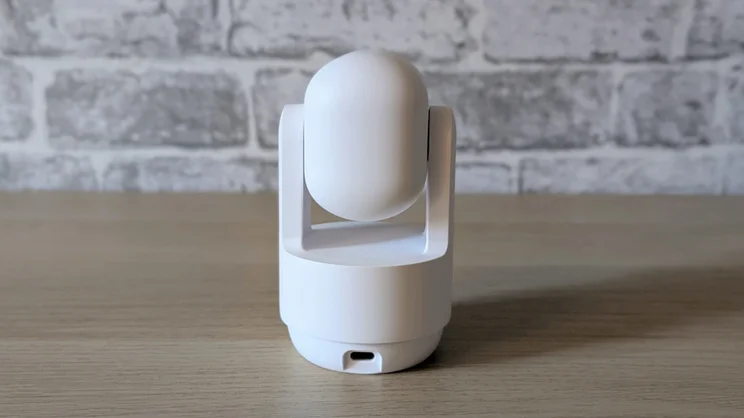
Each camera unit is 125mm tall, 70mm in diameter and weighs 190g. The only features to note are the speaker grille on the front of the base, a USB-C port on the back and a pairing button on the top. There’s a 10W USB-C power adapter and a 2m cable provided in the box, and video footage is captured at 2K (2,304 x 1,296) and 15fps with a 130° diagonal field of view and up to 12x digital zoom.
The camera also supports two-way audio and can be set to play a piercing alarm signal when motion is detected. The Essential 3 is mains-powered only, so if the power goes off, you lose all functionality.
Like other pan and tilt cameras, it has a rotating base and camera hinge to give you complete 360-degree left-right and 180-degree up/down movement. And Arlo lists the Essential 3 as supporting Google Home, Alexa, SmartThings and IFTTT smart home systems. It certainly worked with the first two, although I had to reinstall the Arlo app and reconnect it to my Google account to get it to work, which is apparently a common problem.
How easy is it to set up?
Aside from that, setup I found set up very easy: you simply plug the cameras in, download the Arlo Secure app, create an account if you’re new to Arlo, add a new device, follow the on-screen guidance and press the pairing button. The cameras can connect over 2.4GHz and 5GHz Wi-Fi, and the app will advise of poor signal quality if you try to place a camera too far from your router.
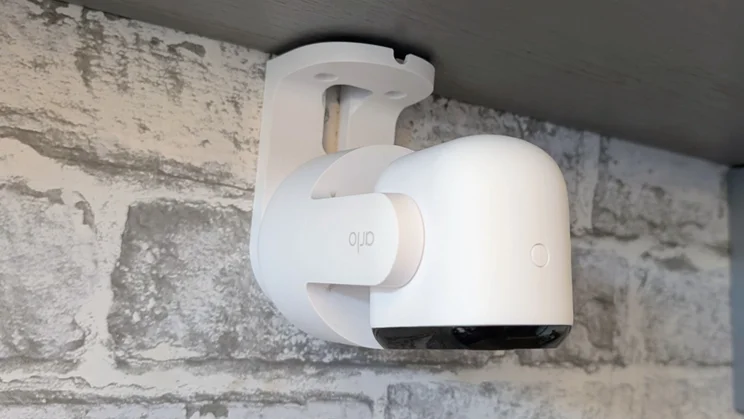
There are three options when it comes to locating the camera. You can either simply sit it on a flat surface or use the included wall brackets. One of these is a right-angle bracket that lets you mount the camera upside down or at 90 degrees to the vertical. The second is a smaller, invisible bracket that, once screwed down, lets you slide the camera unit onto it perpendicularly. Perfect if you want to mount the camera under a shelf.
There’s an option in the video settings menu to flip the image through 180 degrees, so even if the camera is upside down, the image stays the right way up when you view it. And between this and the camera’s own adjustability, it’s possible to mount the Essential 3 to cover any point of view imaginable.
Arlo’s app is easy to navigate and use, and can sustain multiple live feeds so you can monitor two or more cameras at the same time. My only criticism is the paucity of widgets. There’s only one, a very basic affair that lets you swap between the three system arming modes.
What did we like about it?
There’s something very satisfying about the way Arlo has engineered the pan/tilt mechanism and the software interface. The motorised movement of both the rotating stand and the vertical hinge is smooth and quiet.
That smoothness has been carried over to the manual controls. Using the virtual joystick in the Arlo app moves the camera pretty much instantly, and there’s no overshoot, so you’re not forever panning back and forth to get the perfect view.
The app lets you pin a default viewing position that you can instantly return to with just a touch of the screen, and there’s a one-hit option to make the camera perform a full horizontal rotation so you can see what’s going on all around.
The tracking facility is effective, smoothly following any subject around the room and keeping a lock on pets, even when they are partially obscured by furniture. And audio quality is great; I was easily able to have a conversation with someone via the camera, even when I was out of the house and connected via a cellular signal.
I was impressed by the video quality too. It may only be 2.3K rather than 4K like the competitors from Tapo and Eufy, but videos looked crisp and colourful, and there is little in the way of distortion around the edges of the image. Black and white infrared-lit night time images are equally crisp and clear.
And the Arlo’s reaction time to motion detection is every bit as good as its picture quality. I was impressed by the Arlo outdoor cameras, like theUltra 3, that I recently tested on this front, and the Pan-Tilt continues that tradition. Notifications arrived almost immediately, and live streams opened up very promptly.
Do you need to take out a subscription?
The answer to this question is yes and it’s the Arlo Essential 3’s big weakness. Even the option of buying one of Arlo’s hubs is out because these new cameras don’t support that type of connection.
If you plan on running the Arlo Essential without a cloud account, all you can use it for is to receive basic notifications of detected movement and to manually open a feed to see what has caused said notification. And it’s not just the ability to store and retrieve recordings that depends on you having a cloud subscription.
Most of Arlo’s enhanced “AI” features, like person, animal, fire and audio detection, are gated, as is the “custom” feature, which is the rather clever ability to train the camera to recognise if something has changed from a pre-set view, like a door being left open.
The camera units also lack anything in the way of an LED light or colour night vision, which means as soon as the sun goes down, you’re stuck with black and white. The Blink and Eufy indoor cameras noted above have LED lights, while the Ring and Tapo cameras have a low-light colour option.
Should you buy the Arlo Essential 3 2K Pan-Tilt Indoor Security Camera?
As a piece of kit, there’s much to like and admire about the Arlo Essential 3 Indoor Pan-Tilt, but I can’t convince myself that that’s enough to make up for the high price or the absolute requirement to maintain a rather expensive cloud account to make use of most of the camera’s features.
For buyers in the USA, the Arlo is a good deal, but here in the UK, both the Tapo C250 and Ring Indoor Camera Plus are cheaper in terms of hardware and subscription costs, the latter not even being necessary to access all of the Tapo’s features.
Several reviews of the Arlo Essential 3 2K Pan-Tilt Indoor from US-based publications have focused strongly on the affordability of the system as one of its primary strengths. Sadly, on this side of the pond, that’s just not the case.