To help us provide you with free impartial advice, we may earn a commission if you buy through links on our site. Learn more


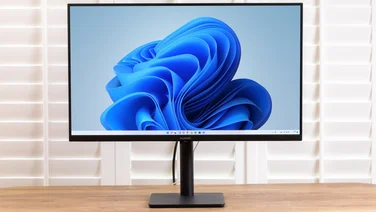
Asus’s PA248Q is an IPS monitor aimed at professionals. Asus claims the screen “guarantees industry-leading colour accuracy” and “delivers 100% sRGB colour accuracy”.
To test this, we started by calibrating the screen with our Spyder4Express screen calibrator. After calibration, the screen’s colour was noticeably warmer, and the Spyder4Express software claimed the screen’s colour gamut was within 93% of the sRGB standard.

The display has a matte finish, so doesn’t suffer from overhead reflections like a reflective-surface monitor. This does mean that colours are more accurate than punchy and vibrant; this is a screen more for photo editing than gaming or watching films. We had no real complaints about image quality; colours are accurate and consistent across the display and we couldn’t discern any bleed-through from the backlight. The panel does have a slight grainy texture, which we were aware of at first but soon got used to. Horizontal viewing angles are wide, but the screen’s colours become darker fairly quickly when you view it from higher up.
The monitor’s menus are simple and make it easy to adjust settings – you navigate and select the various options with a joystick, which is far easier than the up and down buttons you have to use to change the options on most displays. Selecting one of the User modes frees up all the screen’s picture tweak options, such as Brightness, Contrast, Saturation, Hue, Colour Temperature and Gamma, and going into the Advanced menu even lets you adjust Hue by RGB and CMY.

The PA248Q has some useful extra features. The screen tilts and rotates on its stand, and the screen height adjusts between 45 and 135mm, so it’s simple to find the right viewing angle. This is the only screen we’ve ever seen with a built-in powered USB3 hub, so it’s perfect for attaching fast external storage. There are DVI, VGA, HDMI and DisplayPort inputs, and the monitor can display a picture-in-picture view from a second display input, either in a window or with the display from both inputs side by side on one screen. The picture-in-picture display is always on top of whatever is on the main display, which is useful if you don’t want what you’re referring to, such as a reference picture, to keep disappearing behind your active application.
There are other extras to help with photography and print layout. The inside of the horizontal and vertical bezels have half-centre measurement marks to help you judge the size of objects on screen, and there’s also what Asus calls QuickFit. This generates various onscreen overlays, each of which can help you line up objects and judge their actual sizes. Clicking the joystick button cycles through a half-centimetre grid, a 1/4in grid, A4 and Letter overlays and a photo print overlay for various sizes of print. You can also use the joystick to move the overlays to where you need on screen, so you don’t have to rearrange your application windows to fit.

Asus’s PA248Q is an expensive screen, but you get an impressive specification for your money, including a top-quality fully-adjustable IPS screen with even colours across its surface, a built-in USB3 hub and the intriguing QuickFit mode, which will certainly come in handy for print designers. This all comes at a price, and if you’re a home user we’d definitely recommend a more consumer-oriented display, such as the 3D-capable Samsung S27A950D,, but for professionals the PA248Q’s extra features make a lot of sense.