To help us provide you with free impartial advice, we may earn a commission if you buy through links on our site. Learn more
- AI object, pet and stain detection
- Can climb thresholds
- LiDAR turret retracts
- App can be confusing
- Not the most consistent cleaner
- Seems to have a mind of its own
The new Roborock Saros 20 Neo is one among what feels like hundreds of different robot vacuums on the market today, and it just shows what robot vacuums have become. What was once unusual and exotic has now become commonplace. And today’s automatic robot cleaners are more capable than ever: this particular model can vacuum your carpets, mop your floors, empty and clean itself, then go again.
What hasn’t changed much, however, is the price. In fact, at the top end, premium robot cleaners have seemingly increased in price year after year and the Saros 20 Neo, which I’ve had on test for the past couple of months, retails for £999.
What do you get for the money?
Like the Saros 20, which we reviewed in 2025 the Saros 20 Neo leaves no stone unturned when it comes to features. It is the very definition of the all-singing, all-dancing cleaning assistant – the Fred Astaire of the robot vacuum world if you will – although it can’t slingshot around a lamppost and would probably stop working in the rain.
Seriously, though, this thing is absolutely stuffed to the gunwales with every feature under the sun and is as high spec as they come. My favourite thing about it, however, is how low slung it is. With most robot vacuums, especially those with LiDAR scanning tech, the height of the laser-tower means can mean they struggle to fit under low furniture.
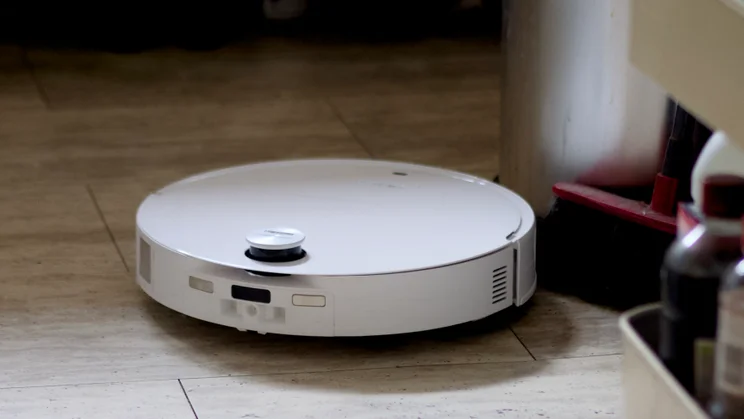
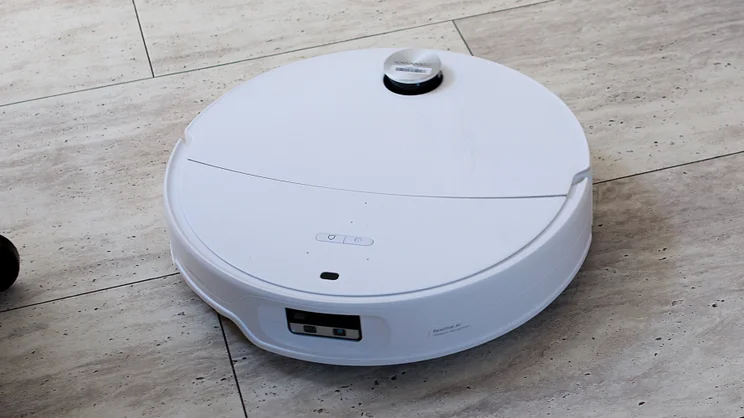
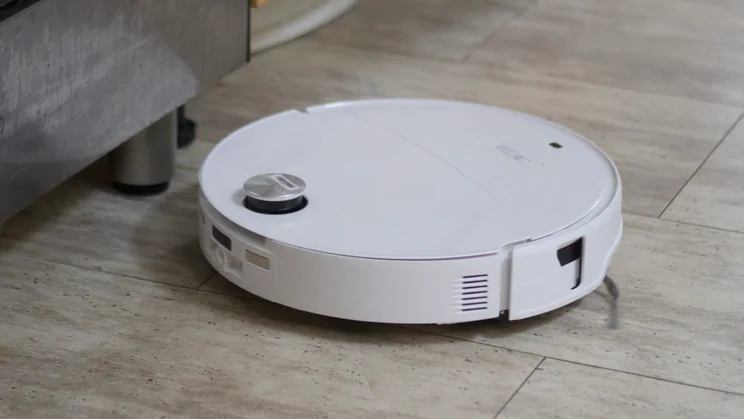
And while the original Saros 20 sacrificed the LiDAR sensor for a low profile, on the Saros 20 Neo, there’s no need because the LiDAR is mounted in a retractable turret for the best of both worlds. With the turret withdrawn into the body of the vacuum, it only measures 8cm tall, so it can fit under, among other things, my bed frame, which I have to lift up so other robots can clean underneath.
And although there’s no robot known to man that can scale a steep set of stairs in a Victorian terrace without crashing to its inevitable doom, this thing can traverse two back-to-back thresholds up to 4cm in height without getting stuck.
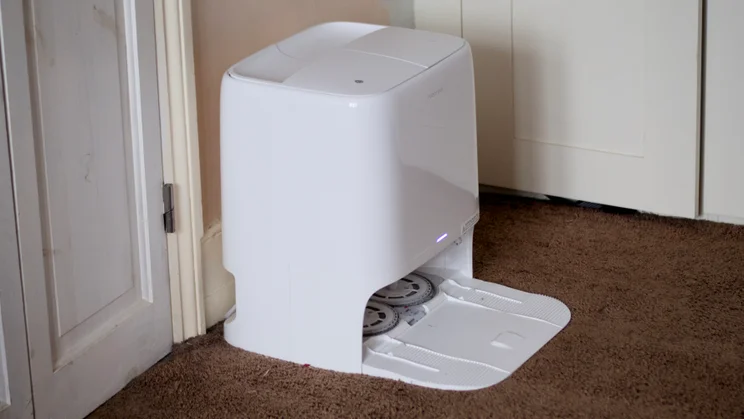
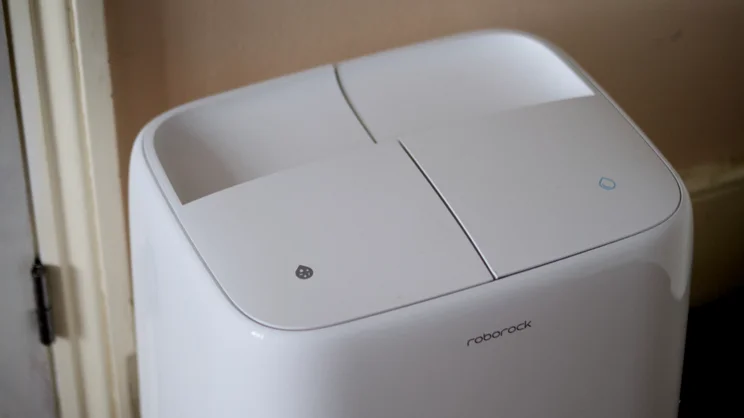
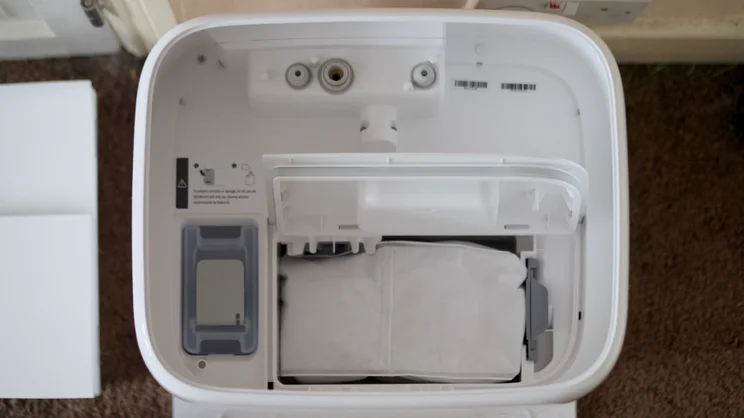
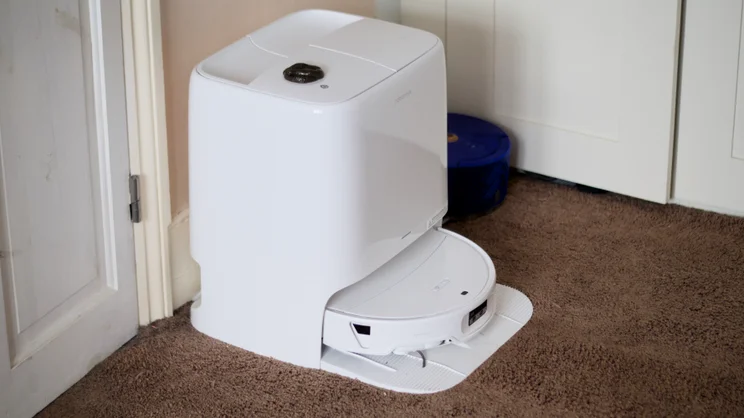
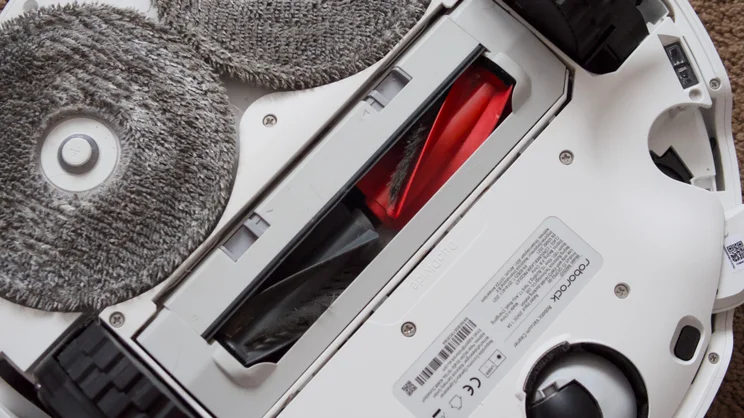
On the vacuum front, its credentials are impeccable. There’s 36,000pA of suction to get at the deepest lying particles, and anti-tangle carpet rollers. Its corner sweeping brush extends on an articulating arm to get right into corners and it empties itself, too, although the charging station is on the large side, so you’ll need to make a fair bit of room for it.
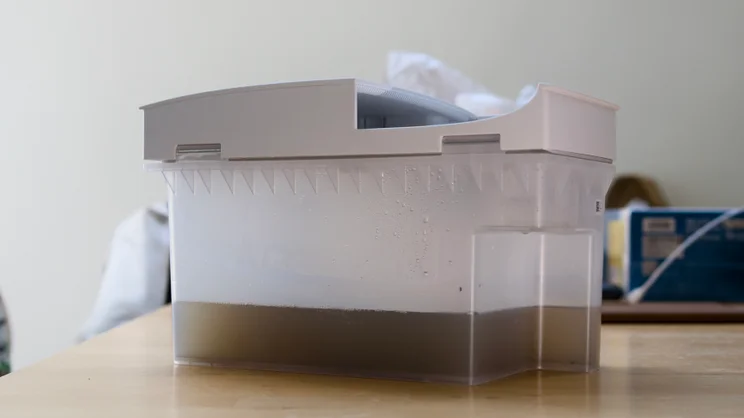
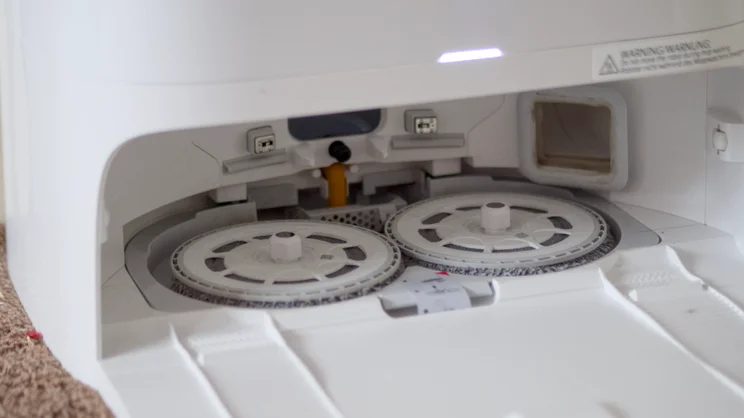
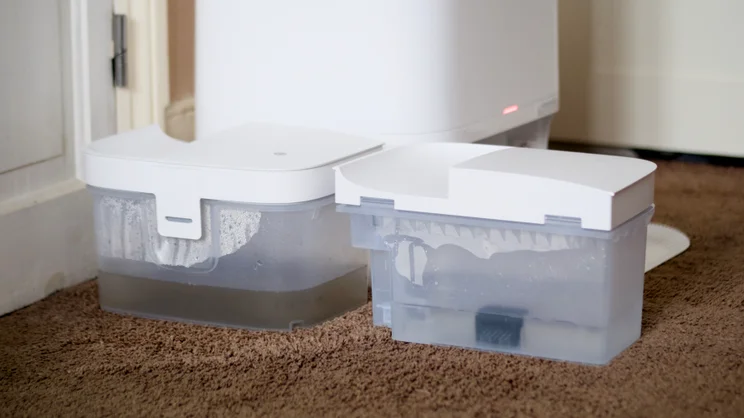
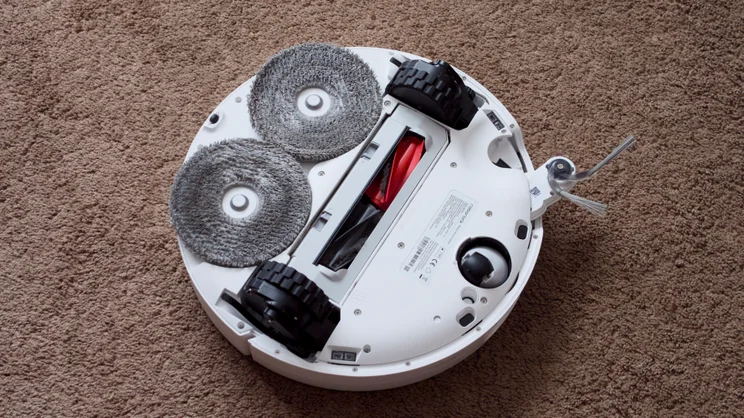
For hard floors, it uses a pair of spinning pads that lift out of the way when it detects it’s cleaning carpet, and drops to the floor when the robot moves onto tile or linoleum surfaces. It mops using hot water, not cold, which helps dislodge stubborn, dried-on stains. And not only does it empty its dirty water out when it gets back to base, it also cleans and dries the mop pads when it does, so you don’t end up with nasty mouldy niffs.
There are sensors galore: on top of that LiDAR sensor, mounted in its motorised turret, you’ve got a physical bumper on the front, and drop sensors underneath, sensors facing up, forwards and back, a camera you can look through and a speaker and microphones as well. You actually drive this thing around remotely and talk to your pet through it; there’s even a “find pet” mode.
And then there are the AI features, which helps the vacuum recognise different objects and avoid them, like socks, shoes and pet poo.
What’s it like to use?
It’s all incredibly clever stuff but setup is pretty simple. After extracting the robot and base from the box, filling the water reservoir up and topping up with detergent, then plugging the whole lot into a power socket, you’re pretty much ready to roll. You will need to download the Roborock app and set up an account if you don’t have one already.
My sample came with a decent amount left in the battery and so I was able to send the robot out on its first clean straight away. That’s a fairly quick process, thanks to the built-in LiDAR scanner, and you can pretty much leave it to get on with things after that.
It can sense whether it’s cleaning on carpet or hard floor and automatically deploy the mop pads only when necessary, so you don’t need to go around designating hard flooring and carpeted areas – it’ll just do that for you.
If you can’t be bothered to fire up the app, just press the power button and it’ll run a clean on demand, and once it’s finished it trundles back to the docking station, empties the dust collection bin, and its dirty water reservoir, then dries out its mop, ready to go again.
Be warned the emptying vacuum is rather loud (I measured it peaking at 77dBA measured from 1m away) so you might want to refrain from doing that late at night.
Software and features
This is where you’re going to want to venture into the app and set quiet times so it doesn’t empty between, say, 21:00 and 09:00 the next morning. This, however, is also where things begin to get complicated, because the app is stuffed with options and it’s easy to get overwhelmed.
On the positive side, it means you can set up the Saros 20 Neo just as you like it. There are four different vacuum power modes to choose between, three different thoroughness settings, and you can ask it to clean an area twice per clean, just to be sure you’ve cleaned up all the dust.
Other options include a low collision mode, which is useful if you have delicate furniture you don’t want the robot to bump into, and you can even ask the robot to take photos of any obstacles it encounters, including pets, which it then marks on the map for later access.
You can set up no-go zones here, add “invisible walls” to stop it going where it shouldn’t, divide large rooms into multiple areas, add rugs or carpets as Roborock insists on calling them, and add furniture, although the app doesn’t ever explain why you’d want to do this.
Most importantly, though, it can maintain up to four separate maps, so you can use it to clean multiple floors if you need to.
How did I test the Roborock Saros 20 Neo?
I used the Roborock Saris 20 Neo over the course of a number of weeks, to see how easy it was to live with, as well as how effective it was at cleaning my floors. But I also ran all of our standardised cleaning tests, so I could compare between models.
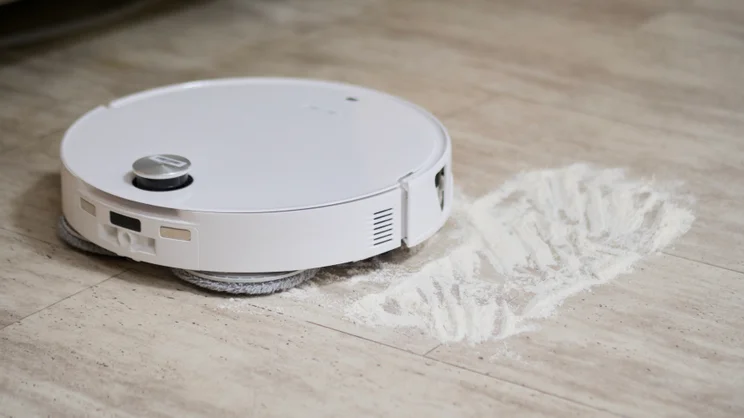
This involves measuring the robot’s ability to suck up 50g of rice, 50g of flour and 5g of pet hair from both carpeted and hard flooring. We weigh the robot’s collection bin on scales before it starts and after it finishes, so we can determine exactly how much it has collected.
We test mopping ability by spreading a tablespoon of troublesome liquids onto a hard floor, including mud, jam and tomato ketchup. These spills are left to dry before we clean them up, making the mopping task a bit more challenging. We pay particular attention to the robot’s ability to repeat the mopping task until the floor is perfectly clean, counting the number of passes required.
How well does the Roborock Saros 20 Neo clean?
General, pretty well. Although I did have some trouble getting it to obey my instructions, it always ended up cleaning up most of the spills of rice and flour on both carpet and hard floor, even if I need to carry out multiple passes, and hair never got tangled around the main or edge sweeper brush.
Speed and navigation
It was quick, too. It’s quick, too, which is something I’ve noticed from testing Roborock devices in the past. At its fastest speed, it vacuumed my (admittedly quite small) living room at a rate of 1min 23secs/m2, although it did slow considerably when I turned the options as high as they would go, though (criss-cross pattern, maximum suction), with that speed dropping to 2mins 35secs/m2 .
Part of the reason the Saros 20 Neo is so quick around the floor is that, generally, it cleans to a sensible pattern. By default, it first cleans the edges, then it fills in the gap in the middle, minimising turns by vacuuming in stripes along the longest wall of the room.
You can speed it up by selecting Fast, which loses the slower edge clean, or slow things down opting for Deep, which vacuums around the edge of the room, then up and down the carpet and, finally, across it in neat lines to ensure it misses nothing.
When it came to relocating the robot for cleaning on another floor, however, it wasn’t as straightforward as I would have liked. Normally, in order to ensure the water reservoir is filled and the mop pads are clean and moist, the base station does this automatically before each cleaning run.
But this doesn’t happen if you simply remove the robot from the dock and plonk it down somewhere else. You can solve this, but it’s a faff. You can either open up the map and run a mop clean manually, or set it off on a mop & vac cleaning run and then pick it up as soon as it emerges from the dock. In either case, you’ll need to switch maps each time as well, or it will think it’s somewhere new and create another map.
Vacuuming
As far as cleaning prowess goes, this wasn’t entirely perfect, either. The flour spill on carpet left a noticeable residue behind, even when choosing the maximum suction mode and most thorough cleaning route, and when I removed the dust collection bin for weighing, there was a significant amount of residue left over in the dust collection bin inlet.
I also noticed the filter got clogged up rather quickly with fine dust, so although this robot is self-emptying, it is clearly not self-cleaning, certainly not in regard to dry material. Still, it’s a fairly simple (if messy) job to remove the bin, open it up and knock out the filter.
As far as the numbers go, it cleaned 100% of the rice on both surfaces, but only 57% of the flour on carpet and 94% of flour on hard floor, although much of the remaining 6% in this test was left resting on that inlet lip.
Mopping
As far as mopping is concerned it’s again a mixed bag. With the dried on mud and ketchup, it did a fantastic job, detecting them both as significant stains, categorising the former as dry and the latter as wet, before carefully cleaning them
However, it misidentified the jam as a dry stain and, before I could get to it, attempted to vacuum it, resulting in what I can only refer to as jamageddon, smearing the sweet sticky substance all over the wheels and the bottom of the vacuum. It took several moppings with the Karcher FCV 3 before the floor stopped feeling tacky after that particular disaster.
To be fair to the Saros 20 Neo, it’s unlikely you’ll allow it to encounter such a catastrophic dollop of strawberry jam without wiping it up first, but it just goes to demonstrate that the AI stain detection is not infallible. All I’ll say is it’s just as well the mop cleans itself after and before each clean.
Object avoidance
My object avoidance testing revealed this conserve-aclysm not a one-off, either. I dropped a sock, a kettle lead power cable and a fake poo on the (brown) carpet in my living room to test this out. The robot failed to spot the sock, but at least didn’t get it wrapped around the roller, despite driving right over the top of it.
It detected the cable and mostly avoided it, only rolling over one edge, seemingly desperate to make it to the other end of my living room to finish the clean. Again, it didn’t suck it up or get it wrapped around the roller, which was a relief.
Most disturbingly, it missed the poo entirely, although this was, admittedly, more of a challenge as it’s somewhat camouflaged against the carpet. Out of fairness, I carried out the same test on the lighter colour, hard floor of my kitchen and it fared much better, skirting the false doings without touching them at all.
However, on the positive side of things, I thought it was super-impressive the way it marked, categorised and photographed potential areas of trouble when it encountered them. You can check these photos out after cleaning as well.
And my general observations are that it rarely got itself into serious trouble with the objects scattered around my home. I only had to rescue it once, when its edge sweeper got stuck in the handle of a canvas tote bag. Every other time, it managed perfectly, even managing to mount the 4cm threshold from my bathroom to the kitchen, although I did have to mark this on its map before it would attempt the climb.
Should you buy the Roborock Saros 20 Neo?
In general, I was very impressed with the performance of the Roborock Saros 20 Neo. Although it isn’t the most thorough cleaner, as evidenced in our tests, it does make its way around the floor efficiently, it’s quick, rarely gets stuck and it’s absolutely stuffed with features, my favourite being the pet detection and object photography. The retractable LiDAR turret comes a close second, delivering the best of all worlds.
It is quite expensive, and the app can be unwieldy at times, but there’s enough in the way of features here to push it up to the front of the queue when it comes to premium robot vacuums.