To help us provide you with free impartial advice, we may earn a commission if you buy through links on our site. Learn more
- The most elegant robot vacuum money can buy
- Performance matches the looks
- Makes your room smell nice
- Detergent and fragrance modules must come from Eufy
- Expensive
The new Eufy Omni S2 is the third robot vacuum-cum-mop from Eufy I’ve tested recently. Both the mid-price E25 and the more premium-price C28 left me impressed with their value, performance, design, and general usability.
With the Omni S2, however, we are deep into ultra-premium territory. With a list price of £1,599, the Omni S2 is one of the most expensive robot vacuums on the market. Alongside it, even the likes of the Saros S20, Dreame Aqua 10, and the Dyson Spot+Scrub AI look cheap, despite them being anything but.
What do you get for the money?
Robot vacuum mop combos and their base stations are not amongst the most visually inspired bits of home technology. They all tend to look rather similar, even if some manufacturers attempt to break the mould. Dreame favours a white and gold colour scheme, while Dyson, as always, leans into a somewhat industrial cyberpunk aesthetic.
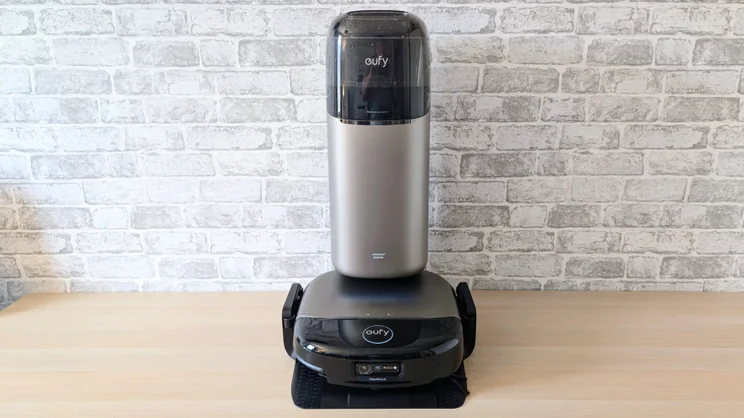
With the Omni S2, Eufy has decided to design something that actually looks like it should cost more than the opposition.
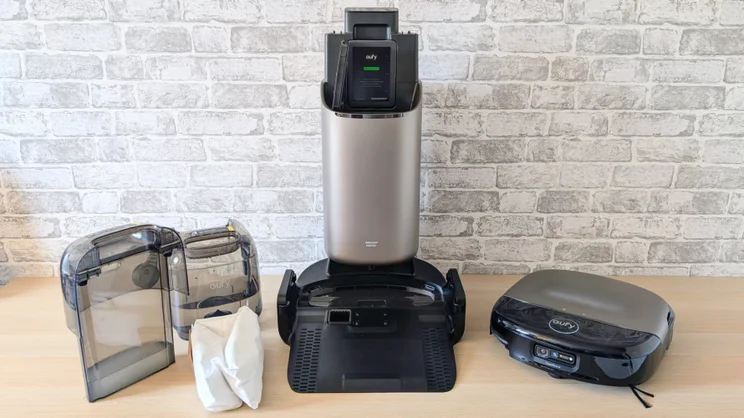
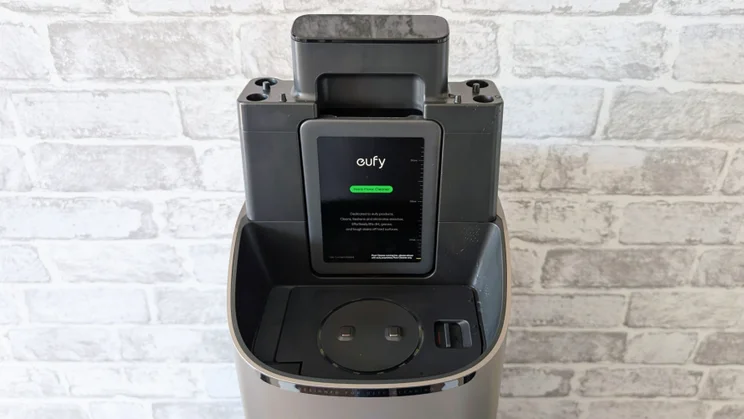
At 387 x 476 x 670mm, the dock has a much narrower footprint than most mop and vacuum docks, even if it’s a little taller. And its slender, curvy design, combined with the black and silver colour scheme, makes it impressively unobtrusive, while at the same time very easy on the eye.
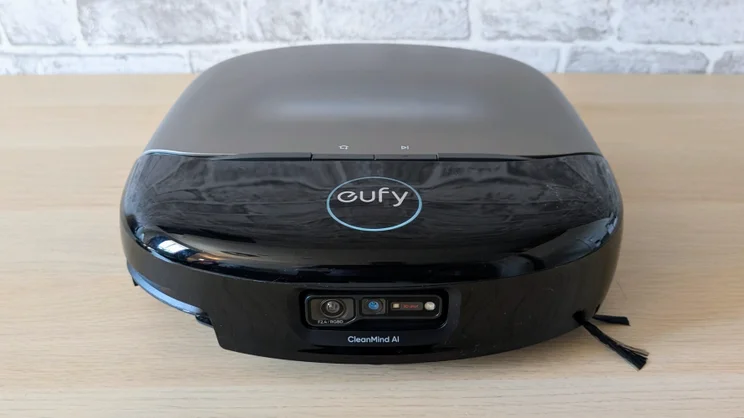
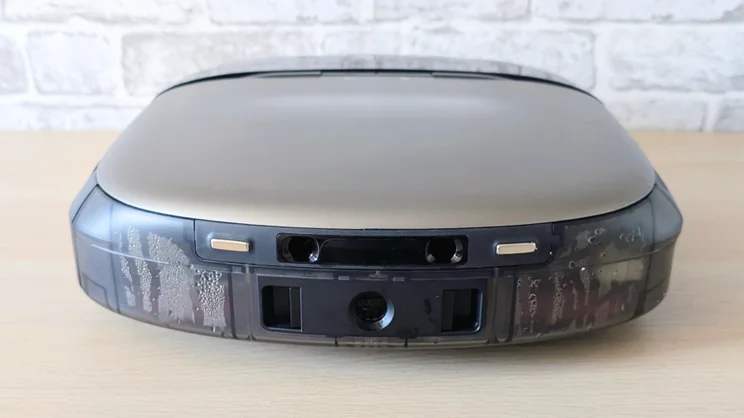
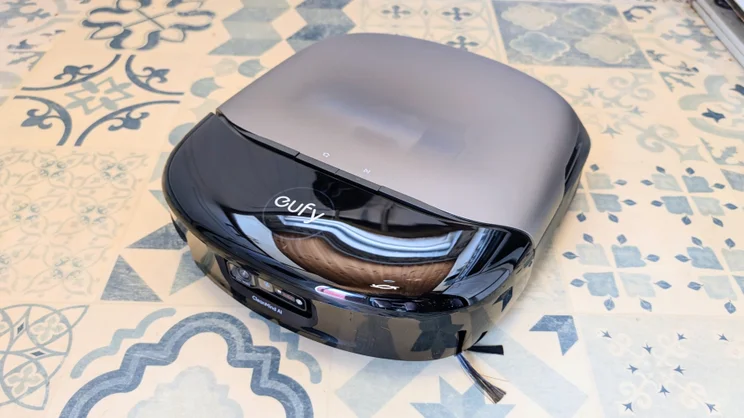
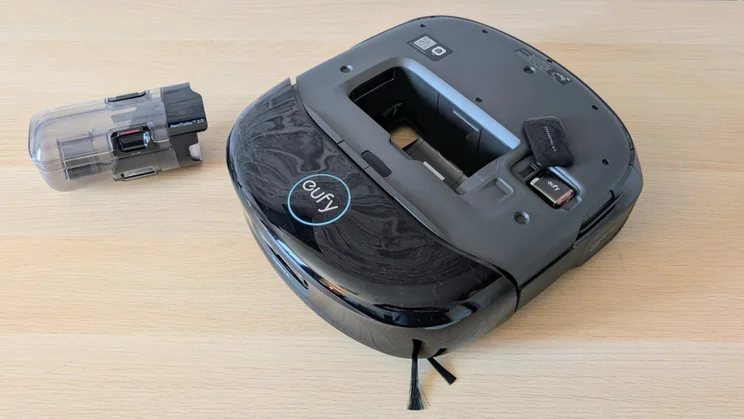
The robot is a good aesthetic match for the dock. It’s compact, thanks to there being no LiDAR (Light Detection and Ranging) tower on top, and the curved translucent cover gives it a smart, upmarket look redolent of Sonny in the Will Smith film “I, Robot”.
The tall dock has practical benefits, too. It puts the 28mm x 28mm LCD status display at the top, closer to eye level, and it means there’s room inside for a large 2.5-litre dust bag. It does have one drawback – you need to remove the freshwater tank before you can swap out the dust bag – but this inconvenience is a small price to pay.
Also in the box, you’ll find a 600ml cartridge of Eufy floor cleaning detergent (a replacement will set you back £20) and a box with three fragrance capsules (Bergamot and Lychee, Citrus and Basil, Bamboo and Sage if you’re interested). A new box of another three capsules costs £25.
The fragrance system just puffs perfume into the air; it doesn’t work it into the carpet like some sort of automated Shake n’ Vac. The smell from the Bergamot capsule was pleasant enough, but very faint.
What is it like to use?
Initial setup
Setting up the Omni S2 takes rather more effort than the usual two-step dance of removing the packing bumpers, slotting the water tanks into position, plugging in the base station, clicking the ramp into place, and then pushing the robot into the dock to charge.
Granted, you still have to do all that, but in addition, you need to plug in the dock’s control box – complete with LCD status display and touch-sensitive buttons, slot the detergent bottle into place, and pop one of the bundled fragrance pods into the robot.
After that, it’s back on the usual path of downloading the Eufy app, setting up an account, linking the robot to your 2.4GHz Wi-Fi network and launching it off on an initial mapping sortie.
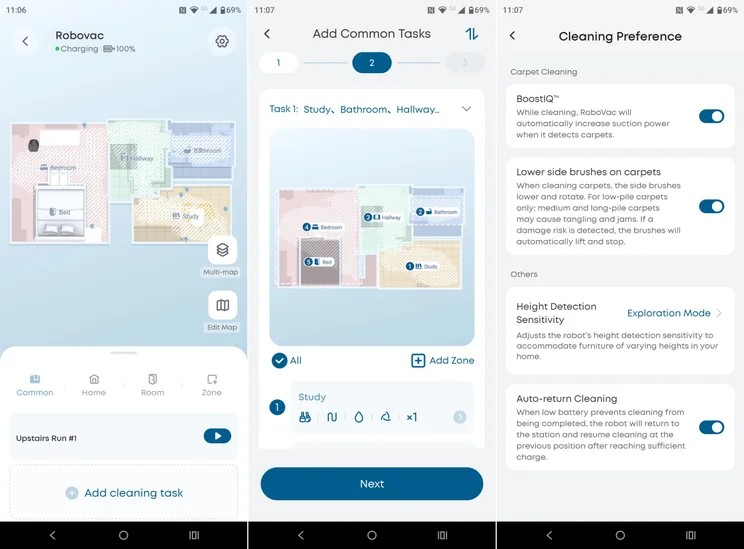
This is the third time I’ve had a robot from Eufy map my gaff, and nothing new happened. A quick roll around the upstairs and the downstairs of my terraced house resulted in an impressively accurate map appearing in the app with all the major pieces of furniture and stairs spotted and noted. Once the initial mapping is done, you can adjust the results manually by merging or splitting rooms, adding no-go areas and manually setting the floor types.
Eufy’s ecosystem works with Alexa, Google Home and Matter. It also supports voice control via those services rather than directly via the app. I found the S2 responded reliably to basic voice commands like “vacuum the lounge” or “mop the kitchen” once I’d connected it to my Google account.
Unlike some other high-end robot vacuums, such as the Dreame Aqua10 and Saros S20, you can’t access the S2’s camera view via the app. Maybe this feature will land in the Eufy Labs section of the app with a future firmware update.
Companion app
I’ve yet to stumble across a genuinely bad robot vacuum app, but as a balance between features, ease of use, and design, Eufy’s app is one of the best.
I particularly like the way the maps are represented. You can choose between 2D and 3D views and both are are simple, clear and easy to understand. It’s also a simple task to add small no-go zones if you want to mark specific points as out of bounds.
The app lets you do all the things you’d expect of a modern robot vacuum, including setting up and storing as many as five separate floor maps, adjusting the intensity of the clean (or leaving it up to the system’s AI judgment), setting cleaning schedules and changing the order in which it cleans rooms.
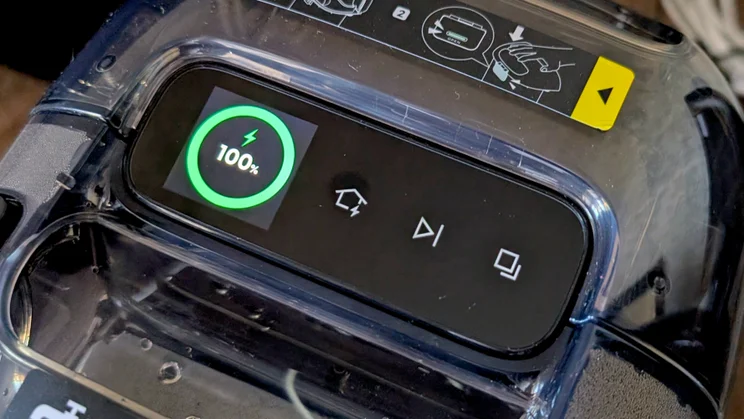
Before leaving the issue of controls, it’s worth mentioning the three buttons that sit next to the LCD status display on the base station. These let you pause or end cleaning runs, switch between vacuum and vacuum/mop modes and summon the robot back to the dock.
At first glance, I rather doubted I’d use the buttons, but found myself often doing so when I wanted to interrupt a cleaning run, but didn’t have my phone in my pocket.
Is it good at finding its way around?
For navigation and object avoidance, the S2 depends on an RGB camera and a 3D dTOF sensor (direct time of flight). In operation, this proved a highly effective combination, though the absence of LiDAR, which can look further afield than dTOF, did have one odd side effect: the S2 mistook my bed for a separate room.
Now, this has had zero impact on performance, but it did mean the map of the bedroom wasn’t strictly accurate. To make it look so, I manually dropped the map’s bed icon onto the room.
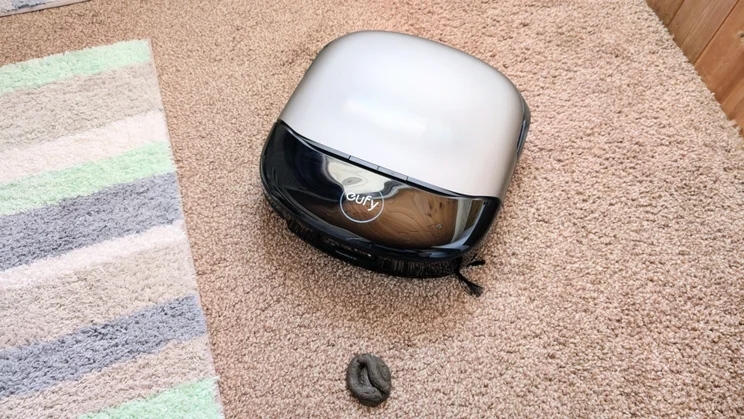
Like the Eufy E25, the S2 proved highly adept at dodging obstacles, and it joined the Saros S20 as one of the very few robots that consistently dodged around the fake dog poo that trips most of them up.
When it came to avoiding the likes of power cables, shoes and random small boxes, the S2 performed very well, too, and it easily avoided my office chair and the mess of cables under my office desks. It didn’t try to get under my bed, which is only a few millimetres higher than the robot, but I’ve come to regard this as a good thing because retrieving stuck robots from the middle of a super-king bed is no fun.
But it did prove adept at navigating the top of the stairs without toppling down them, and it was one of the few robots not to get itself stuck in the small space between my bedside cabinet and wardrobe.
Air-lifting the S2 from floor to floor worked faultlessly, taking on average around 15 seconds for the robot to realise it had been picked up and to work out which map it was now supposed to use.
According to Eufy, the S2 can overcome obstacles up to 42mm in height, and that matches my observations. Certainly, the threshold strips between rooms presented no problem. I found it performed well on small rugs, too, rolling over them but not rucking them up or dragging them out of position.
And battery life was good, too. In tests, the S2 made good use of the charge in its 4,600mAh battery, a full vacuum of the 21m2 first floor only taking 20% out of it. From flat, a full charge takes around four hours, but unless you have a very large house, you’re unlikely to get close to draining the battery in one clean.
How we test robot vacuums
In addition to using robot vacuums to actually clean the floors in our homes, we also run a number of standardised tests, to make it easier to compare between models.
We measure the robot’s ability to suck up 50g of rice, 50g of flour and 5g of pet hair from both a carpeted and a hard surface. And we weigh the robot’s collection bin on scales before it starts and after it finishes, so we can determine exactly how much it has collected.
We test mopping ability by spreading a tablespoon of troublesome liquids onto a hard floor, including mud, jam and tomato ketchup. These spills are left to dry before we clean them up, making the mopping task a bit more challenging. We pay particular attention to the robot’s ability to repeat the mopping task until the floor is perfectly clean.
How well does the Eufy Omni S2 clean?
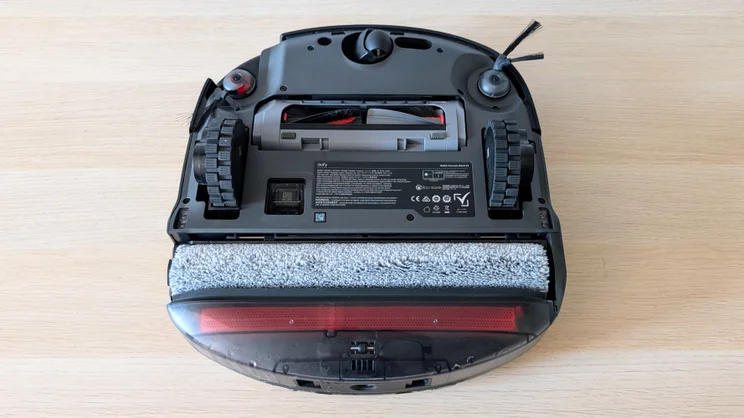
The business end of the Omni S2 consists of a 30kPa vacuum with dual sweepers and twin brushes, one of which can extend to sweep up detritus lying hard up against vertical surfaces.
Behind the vacuum bits is a roller mop that both retracts into the robot when vacuuming carpet and extends outward by up to 15mm to get close up against walls. The roller can exert downward pressure of up to 1.5kg.
Those specifications are very similar to the Roborock S20, and like the S20 the Eufy S2 does an excellent job of both vacuuming and mopping.
I’ve been asked which I prefer: the twin-rotating mops favoured by the likes of Roborock and Tapo that can be detached and left in the dock, or the more traditional retractable roller design as used by OEMs like Eufy and Dreame.
Frankly, in terms of cleaning ability, I’ve not noticed any difference. The key factor is how good the robot’s systems are at spotting stubborn stains and repeatedly cleaning them until they are gone.
The S2’s stain recognition system is part of its grandly named CleanMind AI: 3D MatrixEye 2.0 local-awareness package, and can apparently recognise “40 types of stains (from tomato sauce to pet paw prints)”.
| Percentage dust pickup (rice and flour averaged) | |
|---|---|
| Eufy Omni S2 | 99% |
| Eufy E25 Omni | 90% |
| Roborock Saros S20 | 100% |
| Dreame Aqua10 Ultra Roller Complete | 98% |
| Dyson Spot+Scrub AI | 97% |
Now, I’m not sure even I can recognise 40 different types of stain, but the S2 certainly had the nous to sport all the stains I presented it with and repeatedly cleaned until they were gone.
Across the board, the S2’s cleaning performance was very good. With such a high maximum suction power, the S2 sailed through all our carpet vacuum tests, scoring close to perfect in all scenarios.
The roller mop did an excellent job of cleaning the kitchen floor, too, with the extending mop roller getting right up to the edge of the kitchen cabinets.
Should you buy the Eufy Omni S2?
There’s no doubt about it, with the Omni S2, you are paying a lot for the design because the basic functionality is similar to the much cheaper Eufy E25. Granted, the S2 is the more potent of the two, but the real-world impact of that extra power won’t be obvious to most users.
The Omni S2 makes your rooms smell nice, has faultless navigation and object avoidance credentials, cleans as well as the best of the competition and has an LCD screen. Its suction power and mopping specs are top-notch, too.
There’s no doubt the Omni S2 is a seriously impressive piece of domestic technology design. But the key question to ask is whether those features are worth the extra £700 over the E25? I’m not convinced they are, but that doesn’t mean I don’t want an Omni S2.